Navigate To: Function Exits
This command is an easy way to navigate between all exit points of a function. You can find this command if you invoke Navigate To on the name of a function, getter or setter of a property, the name of constructor, return, throw, and yield statements as well as on the closing bracket of a function with void return type
If there is only one exit point, ReSharper navigates directly there. If there are several exit points, each of them is highlighted with blue.
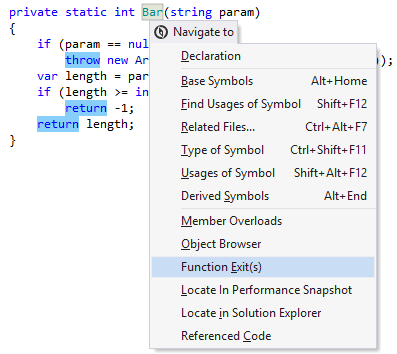
The highlights are also duplicated with blue markers on the marker bar on the right. Checking these markers may be helpful if not all highlighted items are visible in the current frame.
To navigate between the highlighted items, choose from the menu or press Control+Alt+PageDown/Control+Alt+PageUp. Alternatively, click the status indicator (that should be displaying .png "ThemedIcon.ErrorStripeFindNext.Screen.(Gray).png") ) in the right top corner of the editor to jump between the highlights.
) in the right top corner of the editor to jump between the highlights.
When you finish examining the highlights, press Esc to remove them.
Note that by default ReSharper automatically highlights all function exits when you place the caret at one of them.
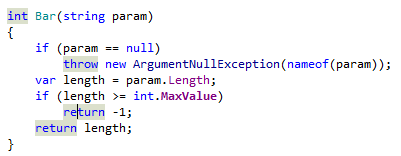
This feature is supported in the following languages and technologies:
|
|
|
|
|
|
|
|
|
|---|---|---|---|---|---|---|---|---|
|
| | | | | | | |


The instructions and examples given here address the use of the feature in C#. For more information about other languages, refer to corresponding topics in the Languages and frameworks section.