Extract module
The Extract Module refactoring allows you to extract certain members from a selected class into a separate module.
To extract a module:
Place a caret at a class name or any place within a class.
Select from the main menu.
In the Extract Module dialog, specify the module name, a directory where it should be placed, and select members to be added:
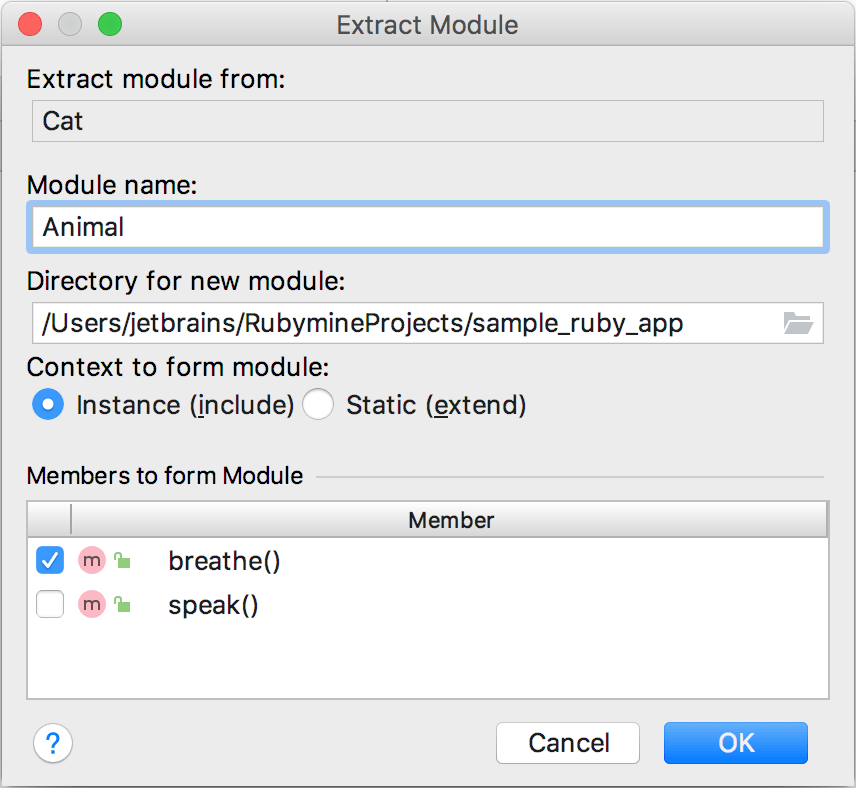
Click OK. RubyMine will create a module in a separate file.
Example
# 'cat.rb' file
class Cat
def breathe
puts "inhale and exhale"
end
def speak
puts "Meow"
end
end
# 'cat.rb' file
class Cat
include Animal
def speak
puts "Meow"
end
end
#
# 'animal.rb' file
module Animal
def breathe
puts "inhale and exhale"
end
end
11 February 2024