Intention actions
As you work in the editor, WebStorm analyzes your code and searches for ways to optimize it. Intention actions cover a wide range of situations from errors and warnings to optimization suggestions.
As soon as the IDE finds a way to improve your code, it displays a yellow bulb icon  in the editor next to the current line. By clicking this icon, you can view the intention actions available in the current context.
A yellow bulb icon  also indicates that WebStorm has detected a problem and prompts you with a quick-fix for it. For severe problems, WebStorm displays a red bulb with an exclamation mark
  instead of a light yellow one . WebStorm suggests the first available quick-fix in an inspection tooltip, which appears every time you hover over a warning or an error.
For more information, refer to Configuring Inspection Severities and Code inspections.
You can open a full list of intention actions in the Settings, view their descriptions, and disable or enable them as described in View all intention actions below.
Apply intention actions
Place the caret at the code element that you want to modify. Then click the light bulb icon (or press Alt+Enter) to open the list of suggestions.
Intention preview opens automatically. If an intention is complex, and the preview cannot be generated, you will see the intention description. Hover over available intentions on the suggestion list to preview them.
Press Enter or click an intention on the list to apply it.
For example, you can use an intention action to flip an
if...elsestatement:
You can toggle the preview off and on by pressing Ctrl+Q or by enabling Show preview for intention actions when available in Settings (Ctrl+Alt+S) .
Apply quick-fixes
Hover over an error or a warning in the code. WebStorm displays an inspection tooltip and shows the first available fix right next to the description of the problem.
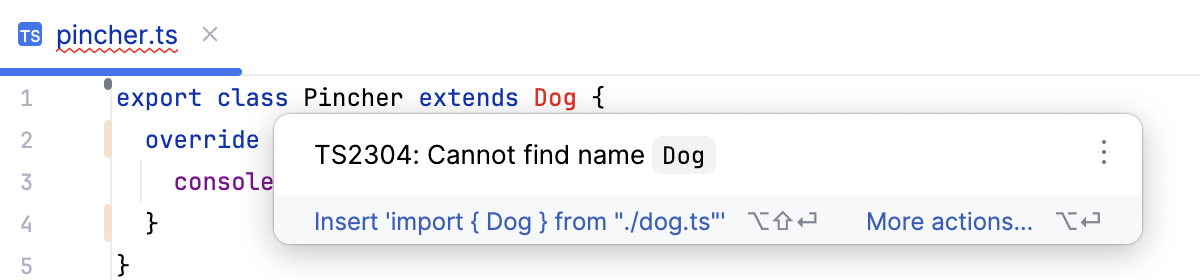
To apply the suggested fix, press Alt+Shift+Enter.
To see the usual popup with all the available quick fixes and intention actions, press Alt+Enter.
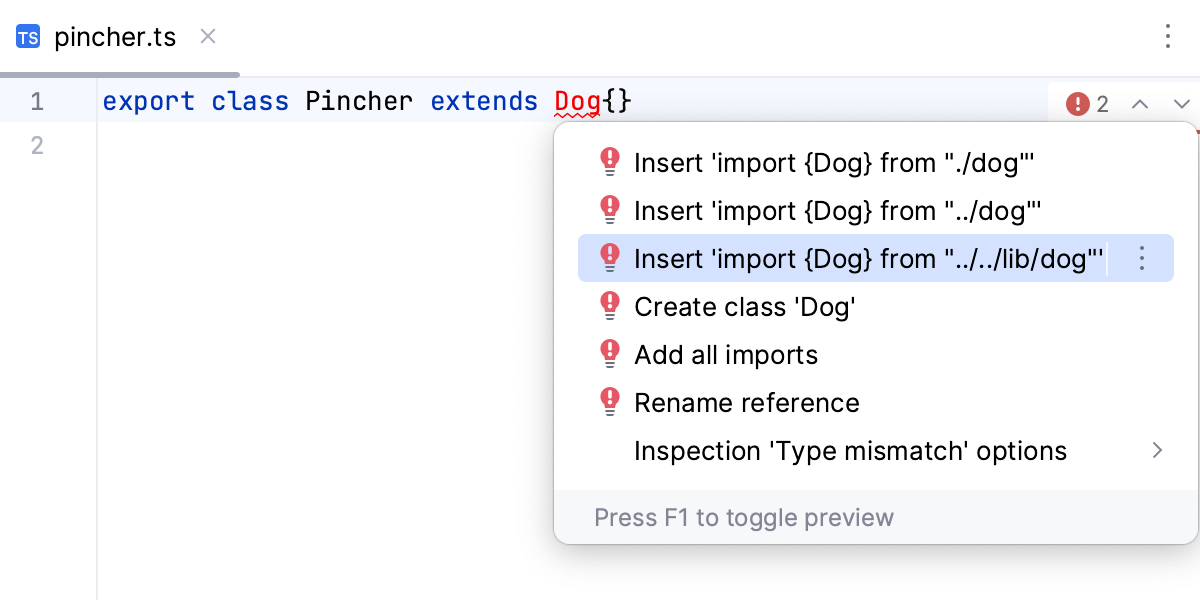
Assign shortcuts to context actions
If you want to apply intention actions quicker, you can assign shortcuts to them. Currently, you cannot assign shortcuts to fixes that belong to code inspections.
In the editor, place the caret at the code that triggers the intention action for which you want to assign a shortcut, and click the bulb icon or press Alt+Enter.
A list of available suggestions opens.
In the list, click
 next to the necessary intention action and, from the menu that opens, select Assign shortcut….
When the Keyboard Shortcut dialog opens, press the shortcut that you want to use for this action and click OK.
After that you will not need to open the list of suggestions to apply this intention action in the editor; you will be able to do it right away by pressing the configured shortcut.
You can find all your custom intention action shortcuts in settings: press Ctrl+Alt+S, click Keymap, and locate the Intentions category.
View all intention actions
You can view the full list of available intention actions and disable actions that you do not need at the moment. To open the list of intention actions:
Press Ctrl+Alt+S to open settings and then select .
For each intention action, you can see a description and an example. To disable an intention, clear the checkbox next to it.
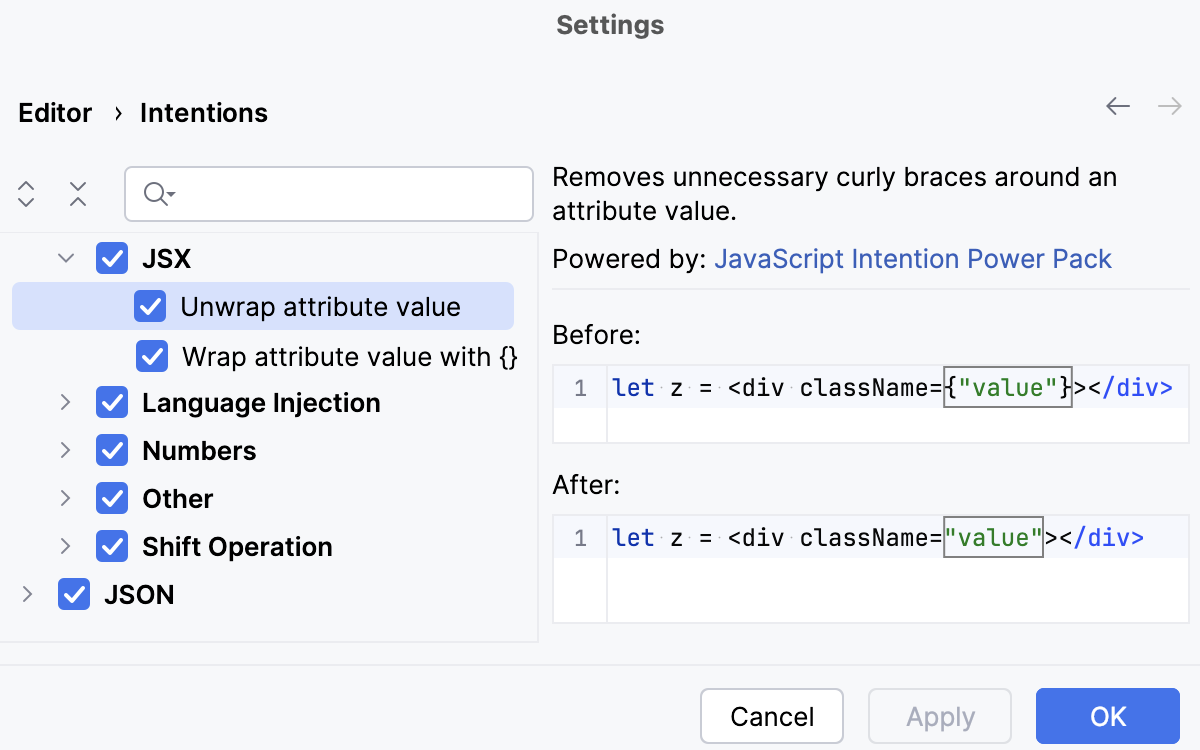
Apply the changes and close the dialog.
Disable intention actions on the fly
Place the caret at the code element that you want to modify. Then click the light bulb icon (or press Alt+Enter) to open the list of suggestions.
Select the action you want to disable, click the right arrow next to it, and then click Disable <intention action name>.
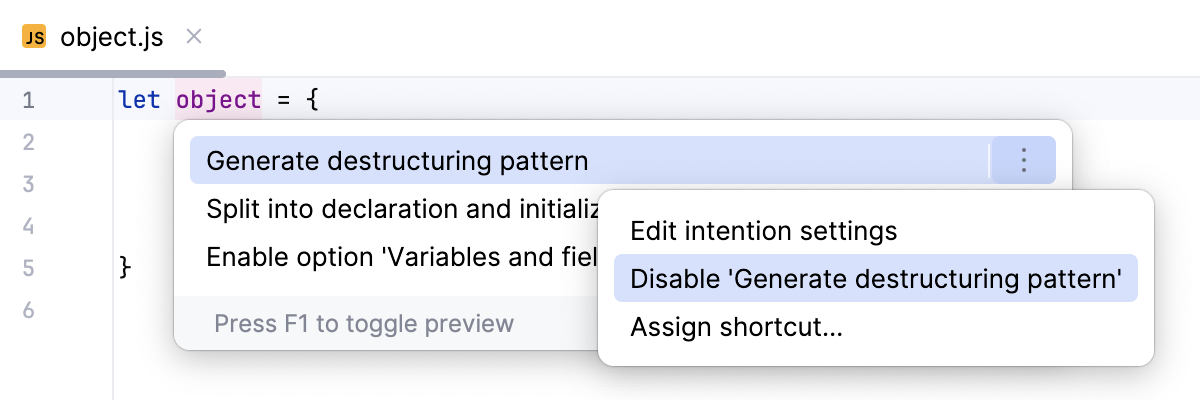
Disable the intention action bulb icon
Do the following to hide the intention action icon and the quick-fix icon  in the editor:
Press Ctrl+Alt+S to open settings and then select .
Clear the Show intention bulb checkbox.
Apply the changes and close the dialog.
Intentions vs. inspections
Code inspections also provide quick-fixes, but they have a different purpose.
Intention actions help improve your code or make it more efficient. These are not necessarily errors or warnings but rather improvements, optimizations, or helpful transformations.
Inspections detect problems and suggest fixes based on coding standards, performance concerns, or best practices. For more information, refer to Code inspections.