Issue center
The Issue center provides a centralized place for monitoring and managing issues that take place during scheduled notebook runs and in published reports.
Unlike notebooks, reports run code “behind the scenes” and hide technical details from viewers, which makes it harder to spot and fix issues. Scheduled notebook runs can happen anytime and aren’t usually checked individually, so monitoring their errors helps catch problems early.
The issue center displays errors from all notebooks and reports in a workspace in one place, where you can search, filter, and resolve them with ease.
The retention period for report issues is 30 days.
- Issue status
Status
Description
New
Issues that have not been reviewed or categorized yet.
Known
Issues that have been acknowledged.
Resolved
Issues that have been fixed. If the same issue occurs again, the status will change back to New
Ignored
Issues that have been intentionally dismissed.
View issues
In the sidebar on the Home page, select the workspace where you want to view issues.
In the resource list, select
 Other and switch to the Issues tab.
It displays the issues in the order they were last seen.
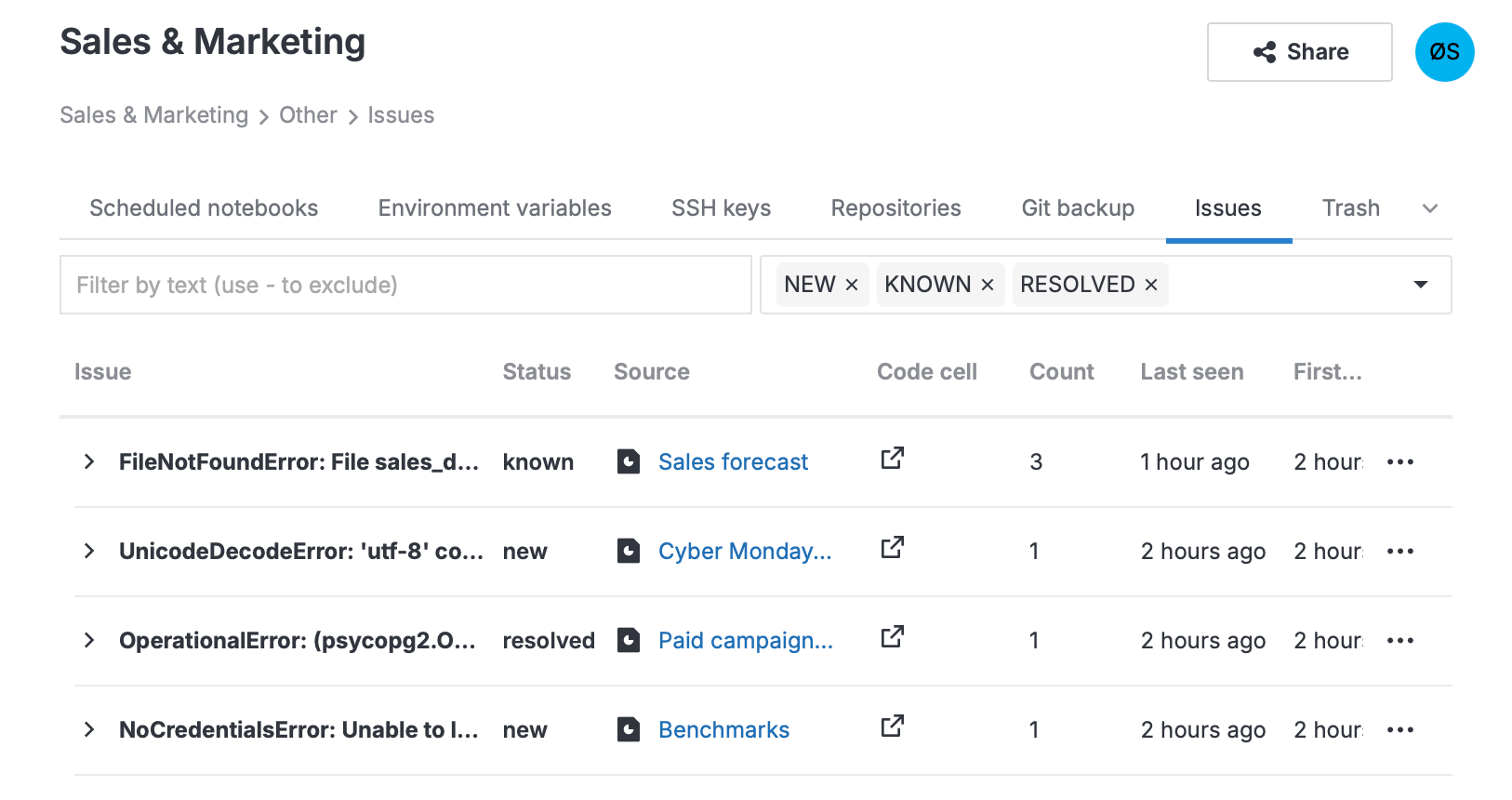
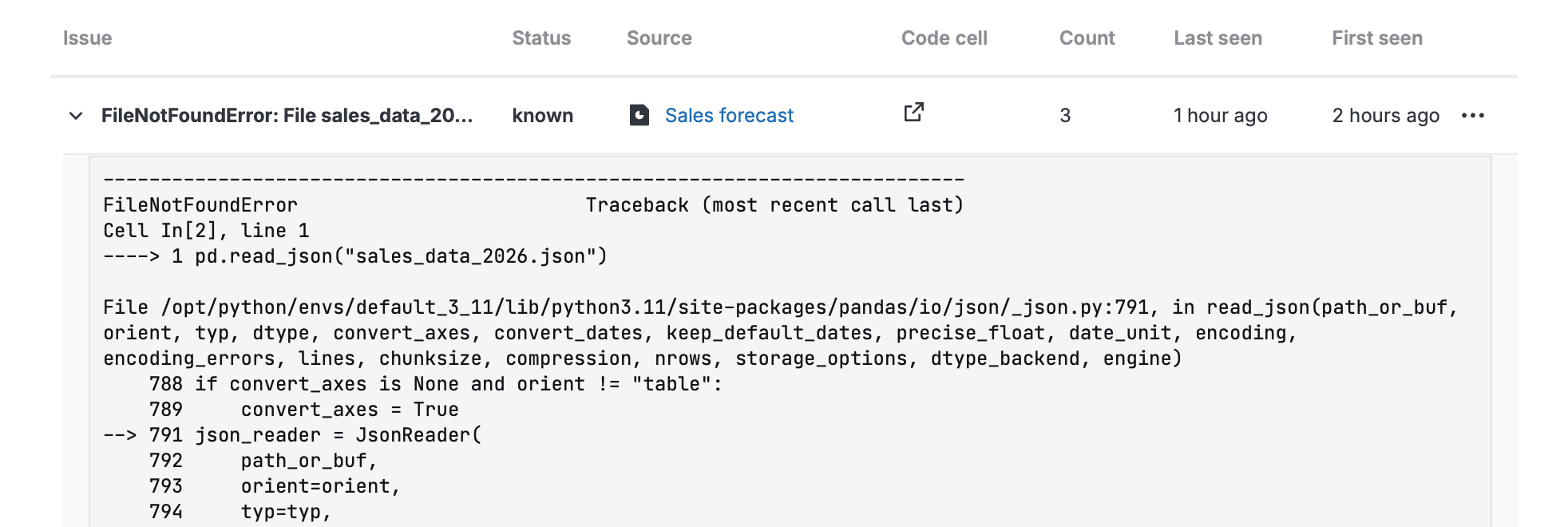
To view more details about an issue, select it in the list.
Search and filter issues
To filter issues by text in the error message, use the search field. You can exclude a word by using
-.To filter issues by status, click the status field on the right and select the statuses from the dropdown.
Manage issue status
You can change the issue status to make it easier to filter, manage, and fix them.
On the Issues tab, click ••• (More) next to the issue whose status you want to change.
Select the new status from the dropdown:
Resolve: Mark the current issue as Resolved. The status will change to New if the same error occurs in the report or during a notebook run again.
Acknowledge: Mark the issue as Known.
Ignore: Mark the issue as Ignored. If the issue occurs again, it will be stored, but it will increase the count value.
Reopen: Change the issue status back to New.
Clear issue traceback or delete an issue
To delete issue details and traceback, click ••• (More) next to the issue, select Clear traceback, and follow the prompts.
To delete an issue, click ••• (More) next to the issue, select Delete, and follow the prompts.
Configure the Issue center
In Datalore On-Premises, the Issue center is enabled by default with the issue retention period of 30 days.
You can configure whether the Issue center is enabled and set the issue retention period using the issue center configuration parameters.