Release notes
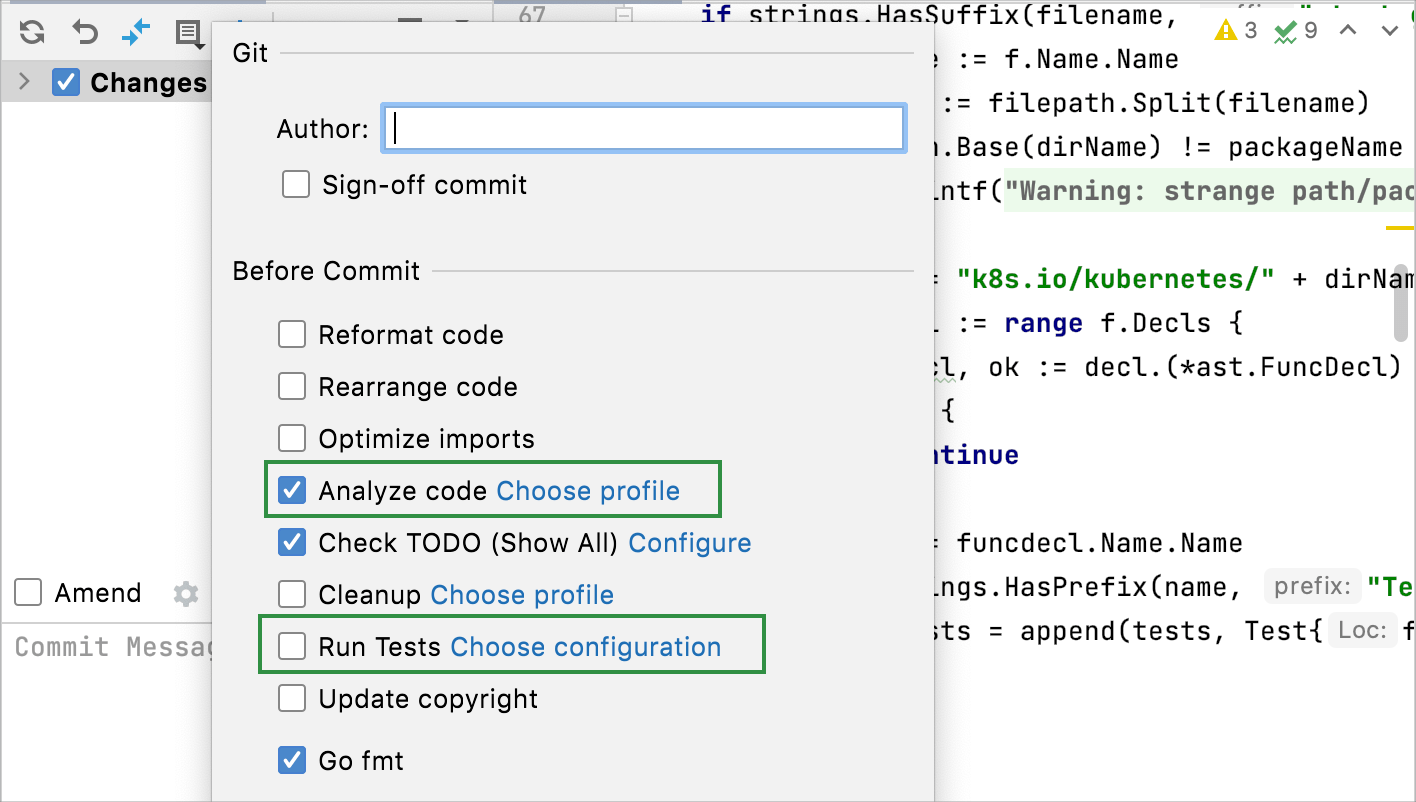
This section lists functionality added to GoLand in the current release. To view release notes for other GoLand versions, click the version switcher on the help site and select the version that you need.
Code completion: private npm packages
GoLand displays information about the latest versions of the private package in auto-completion, just like it does for public packages.
Code style: run gofmt after the code reformatting action
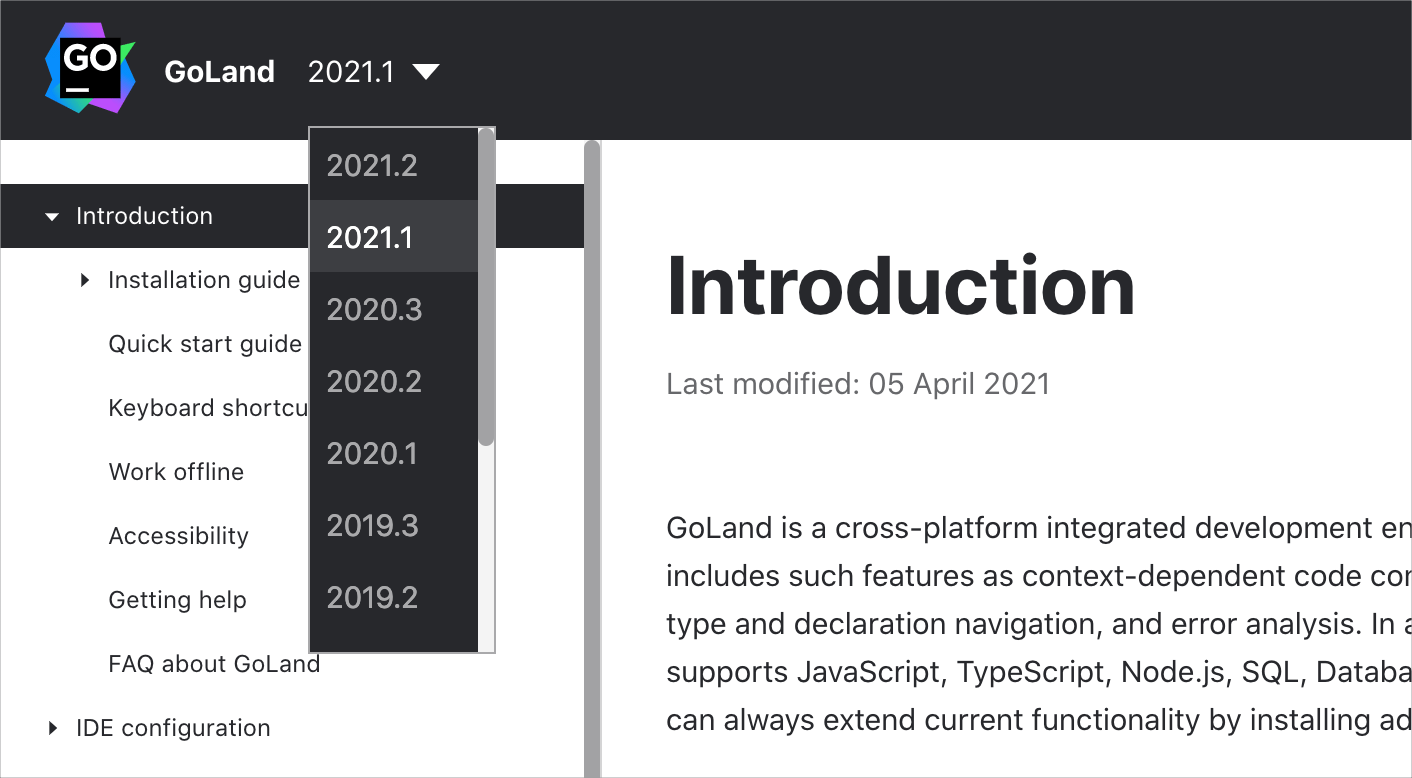
You can run gofmt each time you reformat your code (for example, by pressing Ctrl+Alt+L). The first pass is made by the built-in GoLand formatter and then by gofmt.
To enable this feature, open settings by pressing Ctrl+Alt+S and navigate to . Click the Other tab and select On code reformat checkbox.
Databases: fields and operators in MongoDB
Code completion for fields in MongoDB supports:
Fields
Nested fields
Fields inside aggregation expressions
Code completion for operators in MongoDB supports:
Debugger: the preview tab
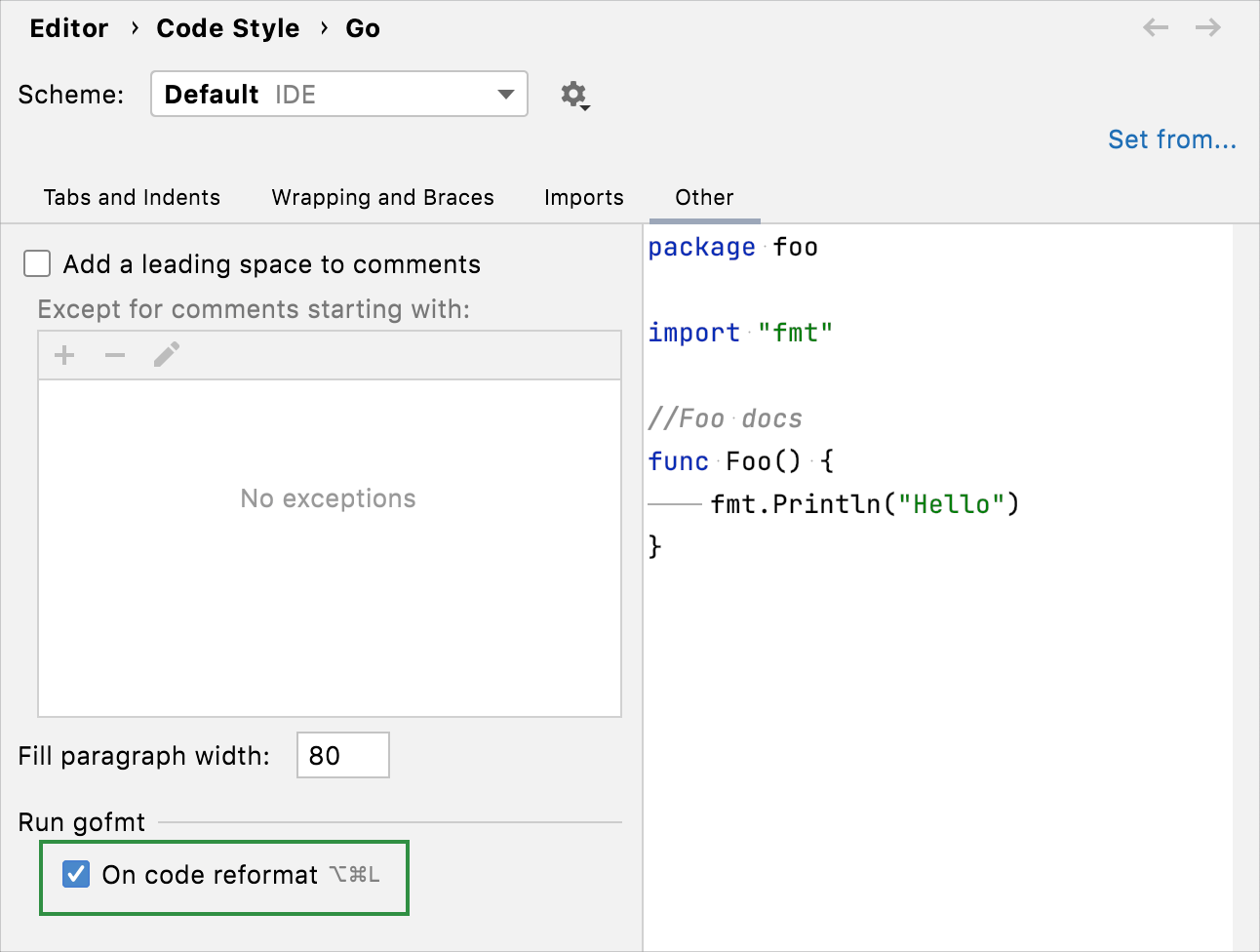
The preview tab allows you to open files successively in one tab. This way you avoid cluttering the editor with multiple open files in separate tabs.
To enable the preview mode for files that are opened during debugging, open settings by pressing Ctrl+Alt+S, navigate to and select the Enable preview tab checkbox.
Editor: browser pages reload on save
GoLand updates the page opened in a browser as you edit and save HTML, CSS, or JavaScript files.
Page reloading is turned on by default. To try this feature, open an HTML file, click the icon of a browser in the top-right corner of the window, and make changes.
Editor: messages about settings mismatch
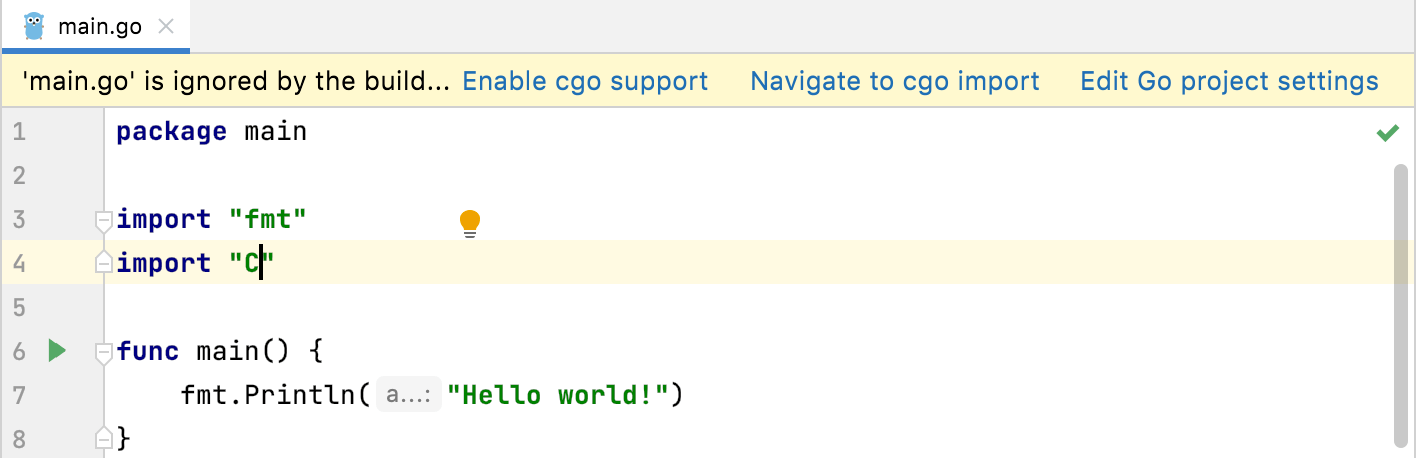
GoLand will notify you if the settings of the target system in your project do not match your code.
For example, the IDE will notify you if you imported the C package, which allows calling C code from Go, but did not enable cgo support in the project settings.
Front-end technologies: generic support for web-types
GoLand introduces a new version of web-types – an open-source standard for documenting various web frameworks. Its initial version was focused only on Vue.js support. For more information about web types, see this blog post from the WebStorm team.
Front-end technologies: support for TypeScript types in JSDoc comments
GoLand supports the TypeScript syntax used within JSDoc comments in your JS files.
Go: downloading modules on demand
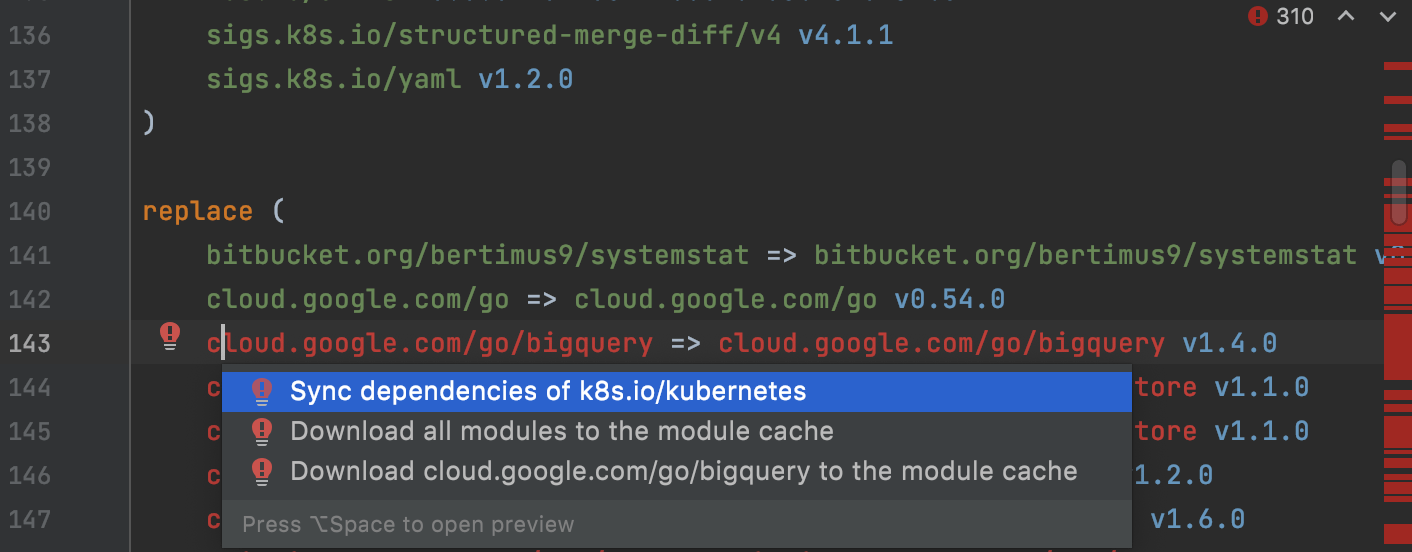
The Sync dependencies action fetches missed dependencies and removes unused ones by calling go mod tidy/vendor. With replace directives in go.mod files, it works a little bit differently.
Before GoLand 2021.2, if you specified a module that was not used anywhere in your code (but you still wanted to have it) in the replace directive, the IDE would not download or delete it, and the lines with these unused dependencies would be marked red. It did not affect how the application worked, but those red lines have been confusing our users and causing them to look for errors.
Since GoLand 2021.2, if you run Sync dependencies and you still see red lines in the go.mod file, click the red bulb or use intention actions (Alt+Enter). You will see a couple of options apart from Sync dependencies: Download all modules to the module cache or Download <module_name> to the module cache.
Go: new syntax support for build constraints
According to the Bug-resistant build constraints proposal, //+build will be replaced by //go:build.
The following screenshot shows how to use both syntaxes in Go 1.16
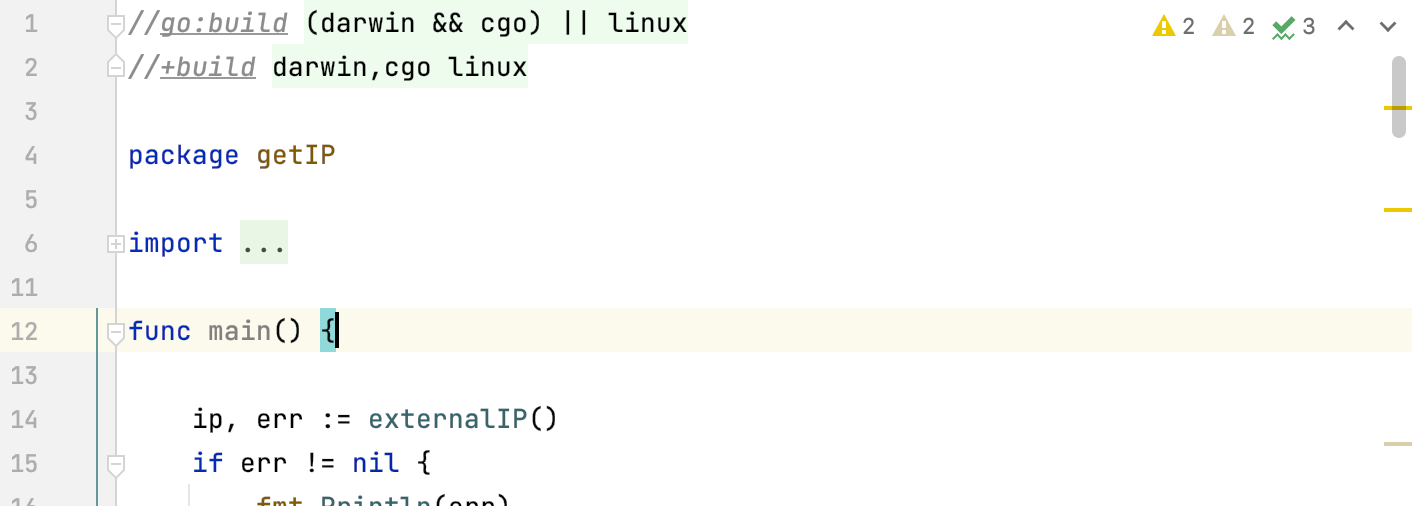
The following table lists the differences between two syntaxes when using multiple conditions.
|
|
|---|---|
//+build darwin,cgo linux A comma (as a logical AND) and a whitespace (as a logical OR) | //go:build (darwin && cgo) || linux The && operator (logical AND) and the || operator (logical OR) |
Go: support for converting a slice to an array pointer
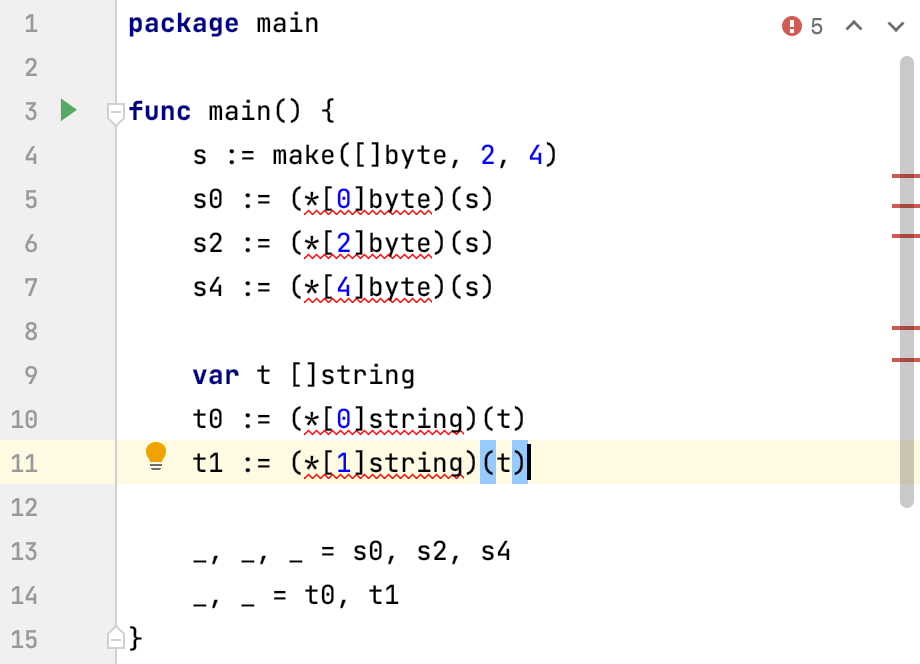
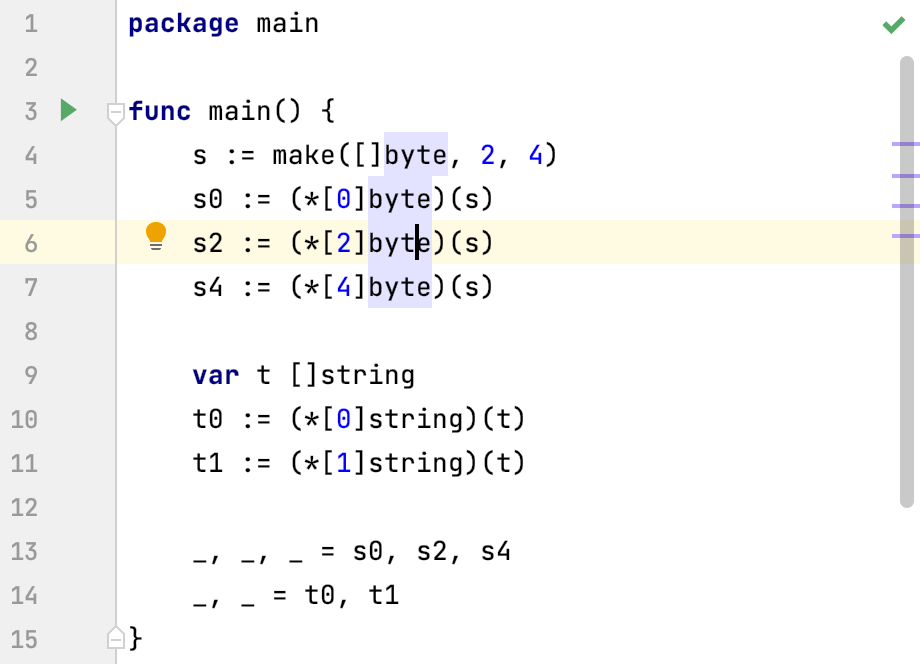
Since Go 1.17, you can convert a slice into an array pointer and GoLand will not mark these conversions as errors. You can experiment with that feature by setting Go 1.17 beta 1 as your project SDK. For more information about downloading new Go SDK versions, see Download the Go SDK.
Go 1.16.5 | Go 1.17 beta 1 |
|---|---|
 |  |
Go: support of generics in GO files
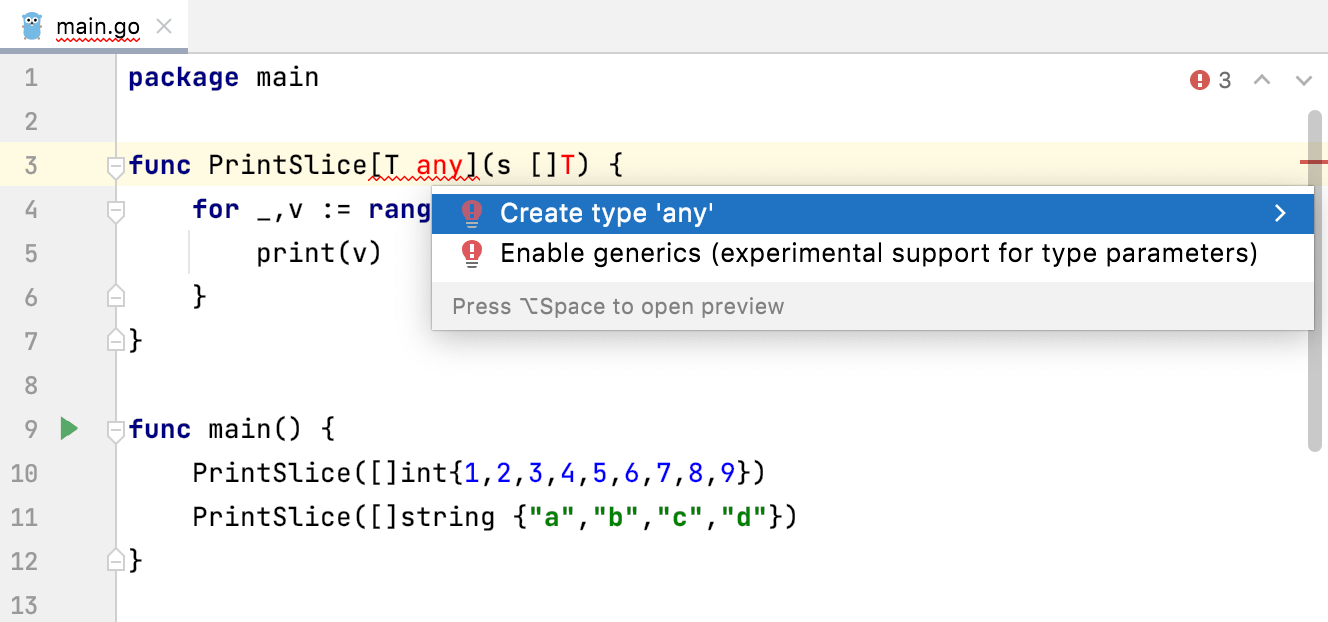
Experimental support for generics in GoLand was only available in files with the GO2 extension. It was done this way so that this experiment would not interfere with the rest of the work. If you wrote some code with generics in GO files, the IDE would suggest renaming them with the GO2 extension.
Now you can use type parameters in GO files, too. It no longer suggests renaming the file, but you still need to enable support for generics in the settings or through a quick-fix.
Go: notifications about compatibility with Go SDK versions
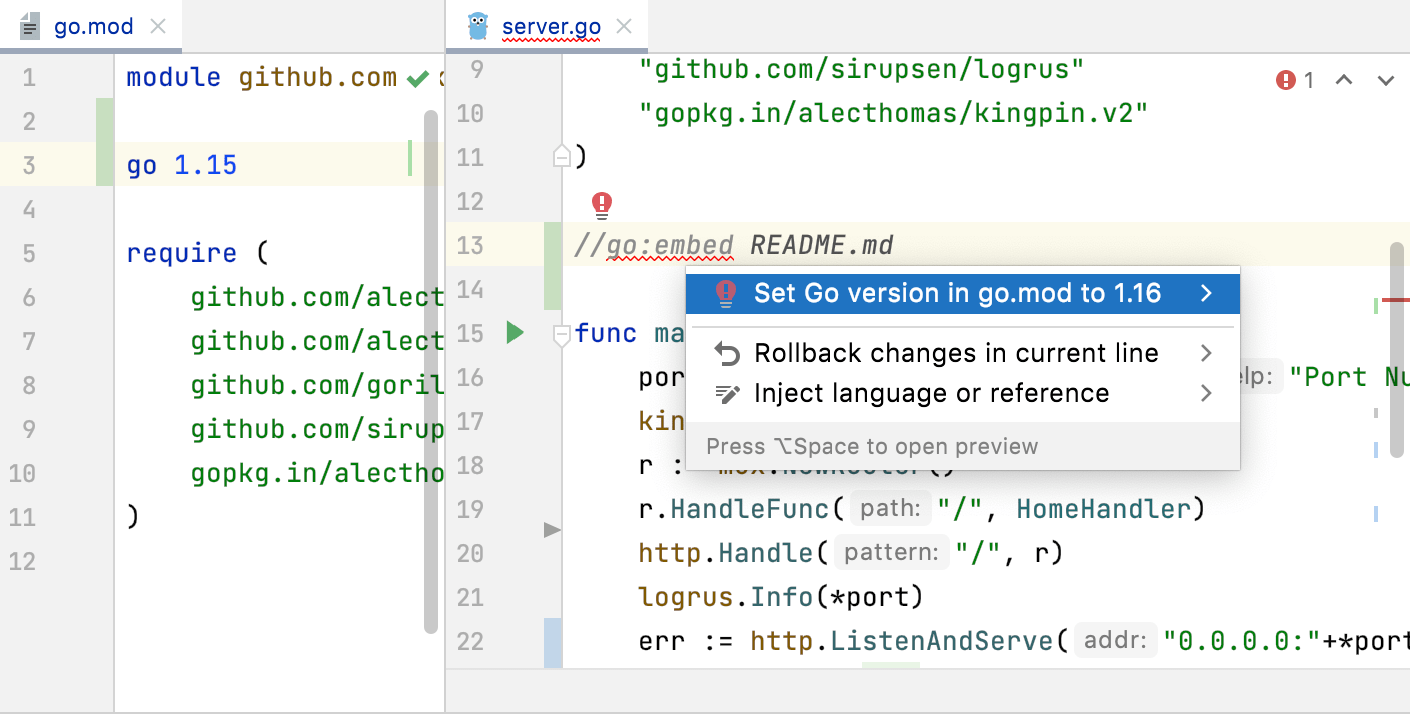
GoLand notifies you if you try to use a feature that is not available in the Go version that is used for your project. For example, you want to use a //go:embed statement, and your go.mod file contains the go 1.15 directive. The IDE will warn you that //go:embed is supported starting from Go 1.16.
This notifications work for the following Go features:
Numeric literals
Signed integers that are used as shift counts
Overlapping interfaces
Slice-to-array-pointer conversions
//go:embed statements
For numeric literals and //go:embed statements, you can use a quick-fix (Alt+Enter).
Go: support for new functions in the unsafe package
In Go 1.17, the unsafe package, which is used to step around type safety in Go, will get two new functions: unsafe.Slice() and unsafe.Add(). Starting from GoLand 2021.2, the IDE infers type correctly and does not show false errors when you use these functions.
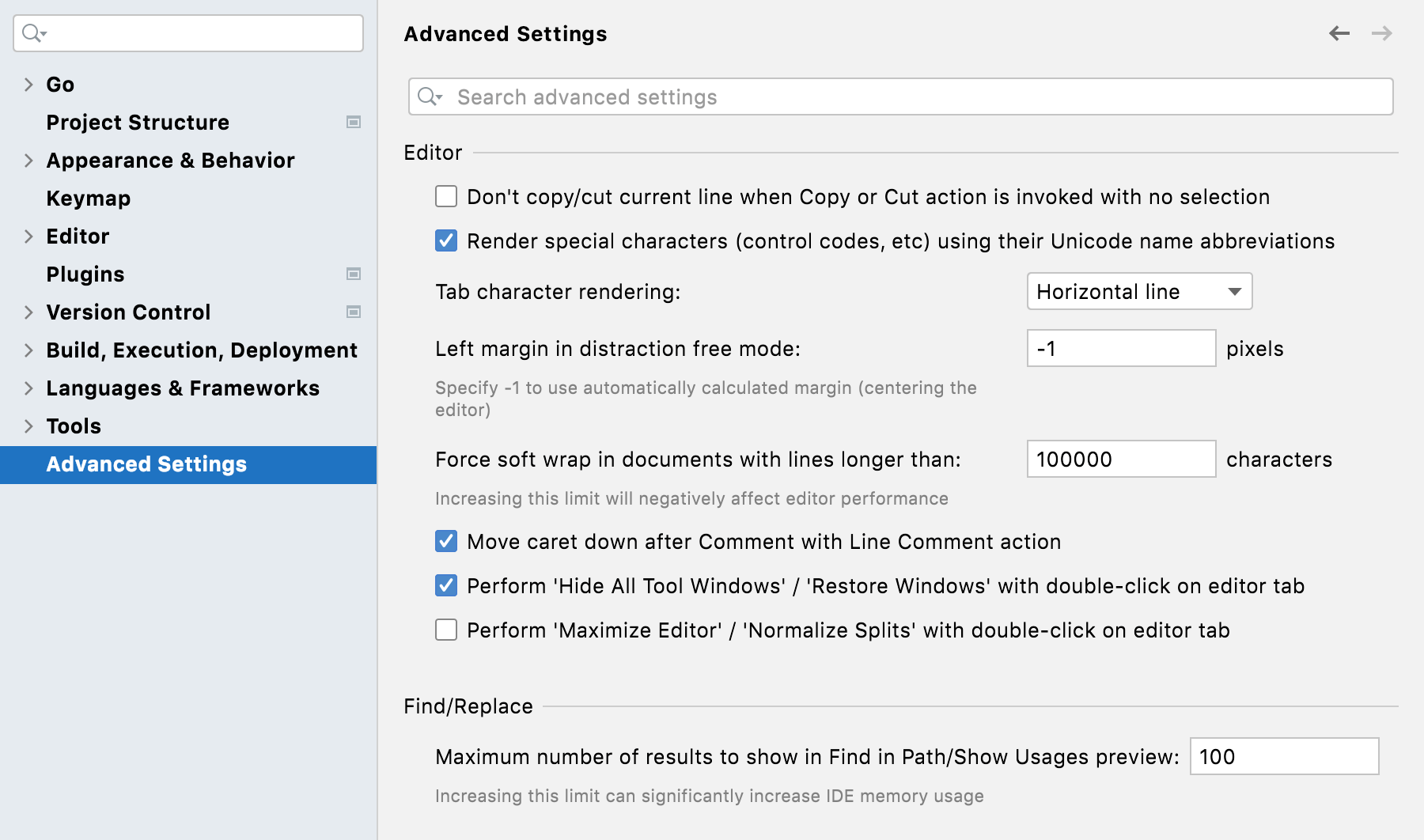
IDE settings: a new Advanced Settings menu
A new Advanced Settings menu lists additional configuration options.
IDE settings: configuration for running 'go list'
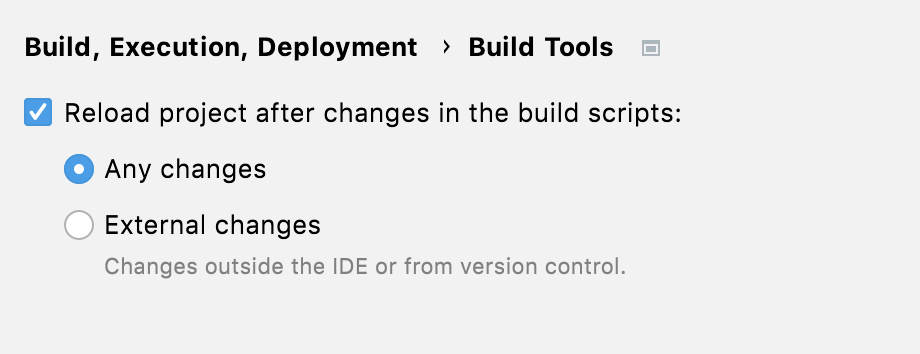
If you do not want to run go list after every modification of go.mod, open settings by pressing Ctrl+Alt+S and navigate to . Clear the Reload project after changes in the build scripts checkbox.
By default, GoLand reloads the project after any change in the go.mod file. But if you select the External changes option, go list won’t be executed automatically when you edit files inside the IDE. In this case you will see the Load Go modules Changes icon. Finish your editing and click the icon to load the changes.
IDE settings: automatic cache and logs cleanup
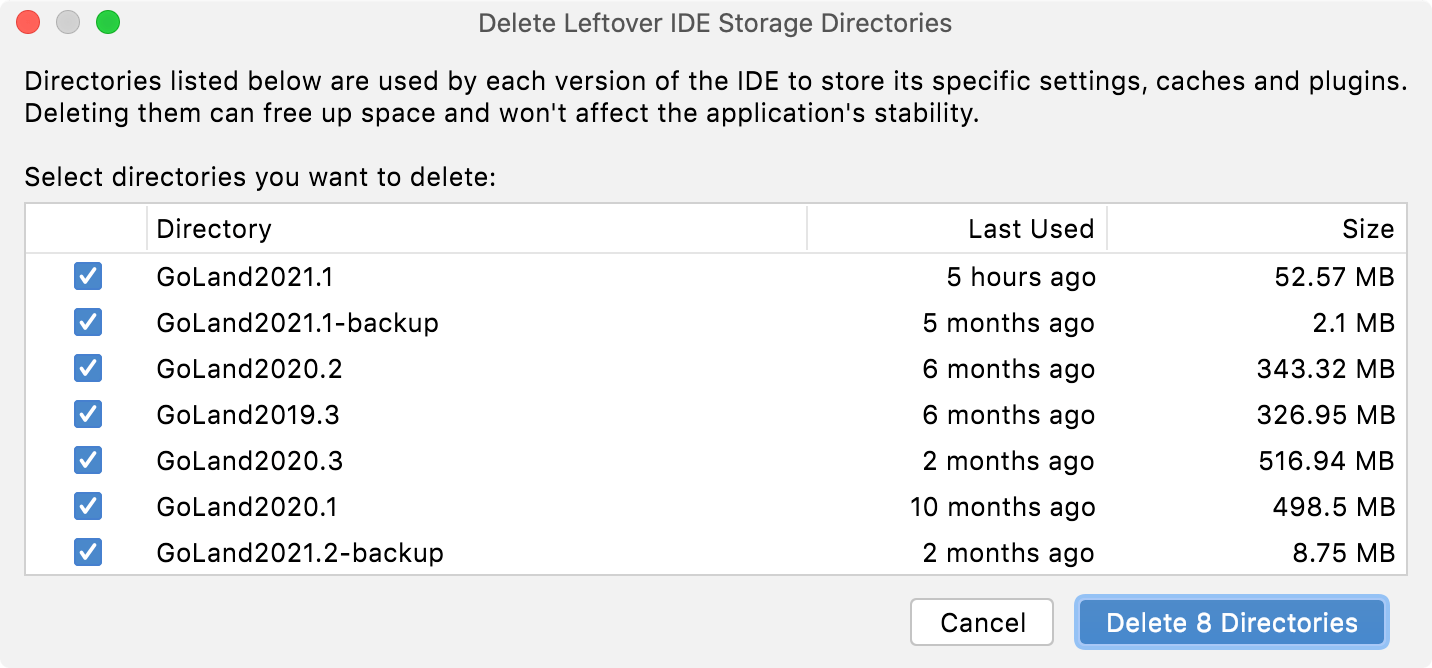
GoLand will automatically clean up cache and log directories that were last updated more than 180 days ago. This process does not affect the system settings and plugin directories. To clean up the logs and cache manually, click action.
IDE settings: actions on save
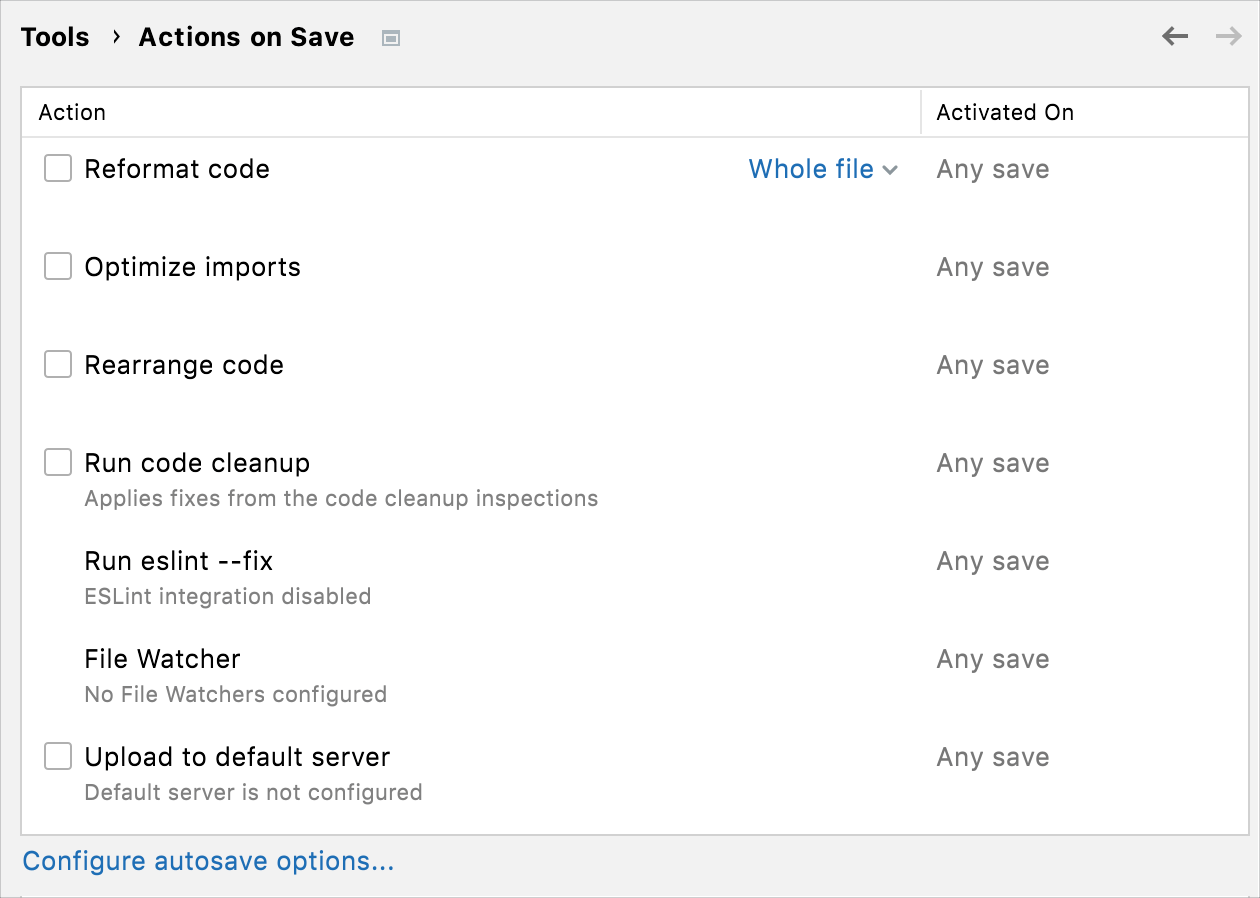
A number of predefined on-save actions are collected together on the Actions on Save page in the settings. To configure them, open settings by pressing Ctrl+Alt+S and navigate to .
IDE updates: update notifications from the Toolbox App
GoLand displays a notification when a new version is available and suggests you the option to update right from the IDE. You need to have Toolbox App 1.20.8804 or later to perform this update.
Local history: a search field in the local history dialog
You can use a new search field in the Local History dialog to quickly find necessary text in your Local History revisions.
Navigation: implementations of interfaces in the internal directory
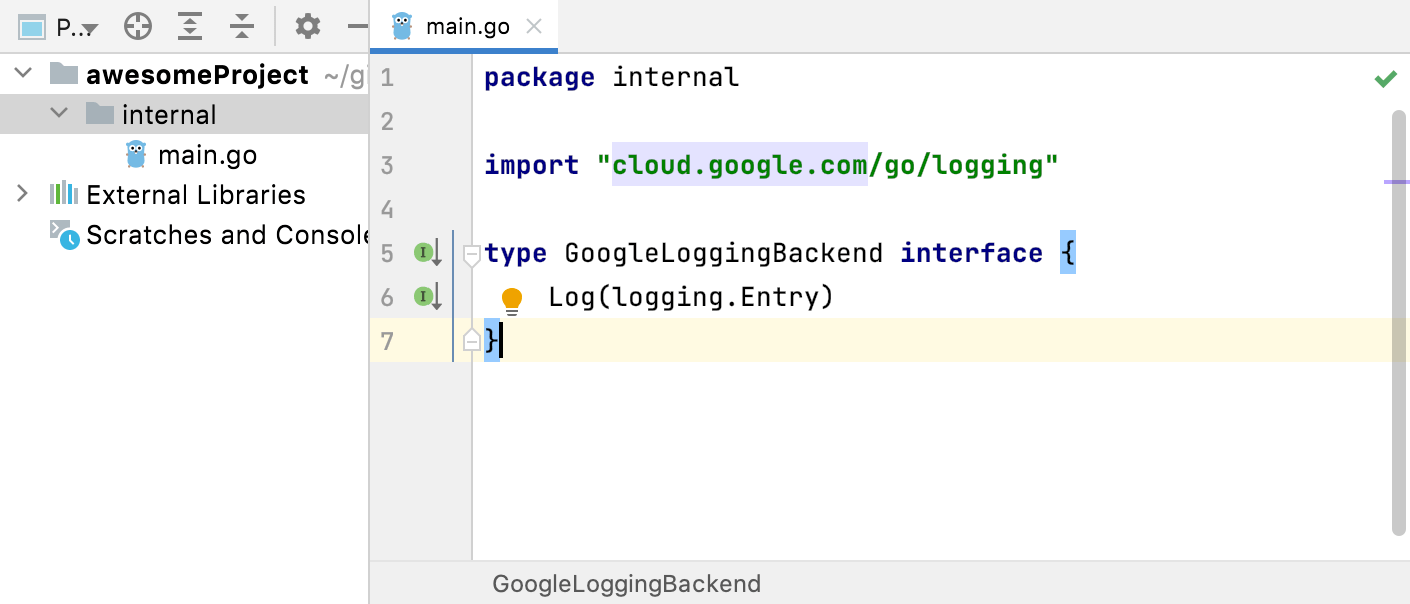
The Implementation(s) action in the Navigate menu now navigates to implementations of interfaces stored in the internal folder. To jump to the implementations, click the gutter icon.
You can try the following code snippet.
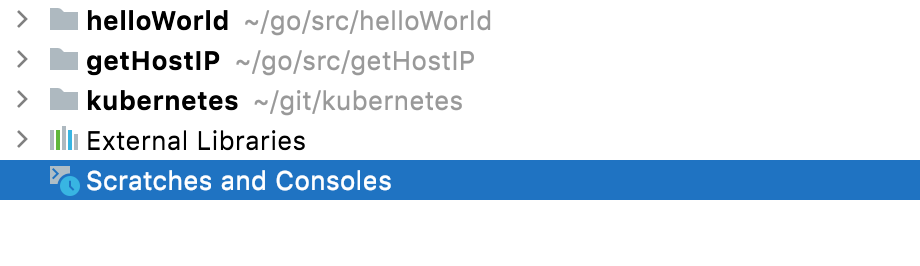
Project tool window: projects are attached at the root level
When you attach a project to an existing one, it is attached at the root level of the project. Not as a child directory as it was before GoLand 2021.2.
Projects: Go modules as a default project type
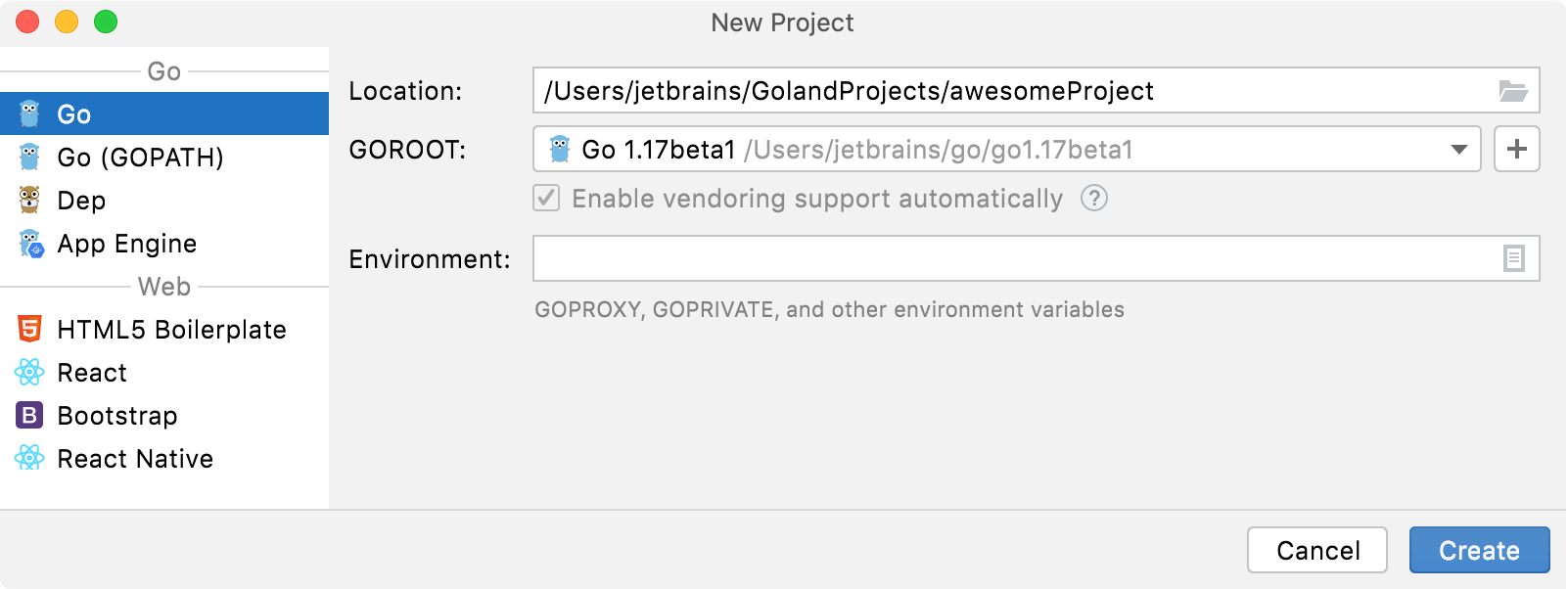
The Go project is a default for Go modules, and GOPATH-based projects renamed to Go (GOPATH).
Spell checking: spelling and grammar checks in Go files
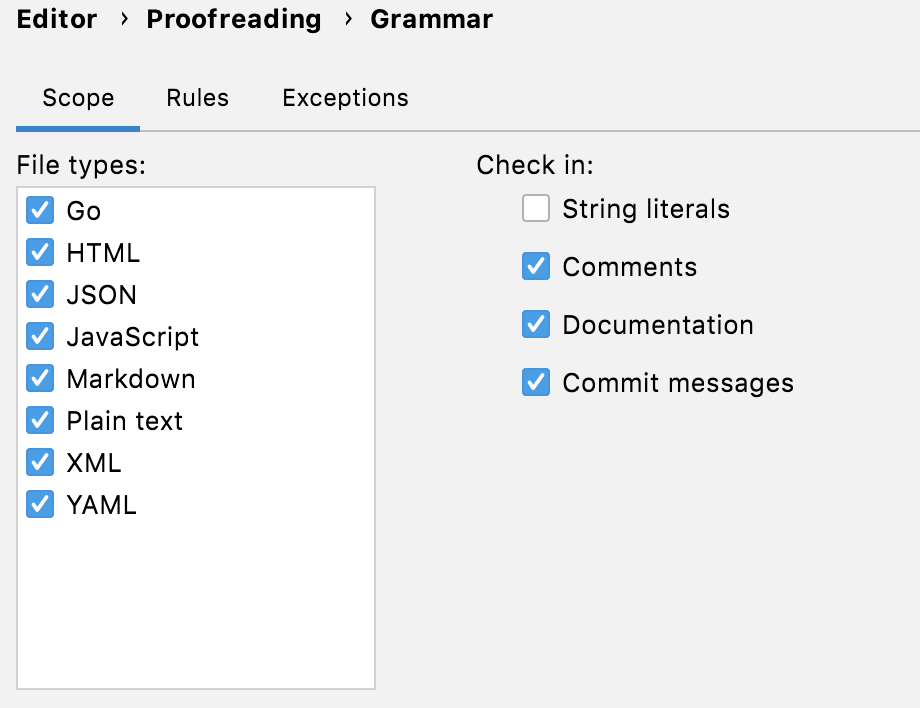
Spelling and grammar checks are enabled in Go files by default. These checks are provided by the Grazie plugin, which is bundled with the IDE. To configure proofreading settings, open settings by pressing Ctrl+Alt+S and navigate to .
Terminal: new options
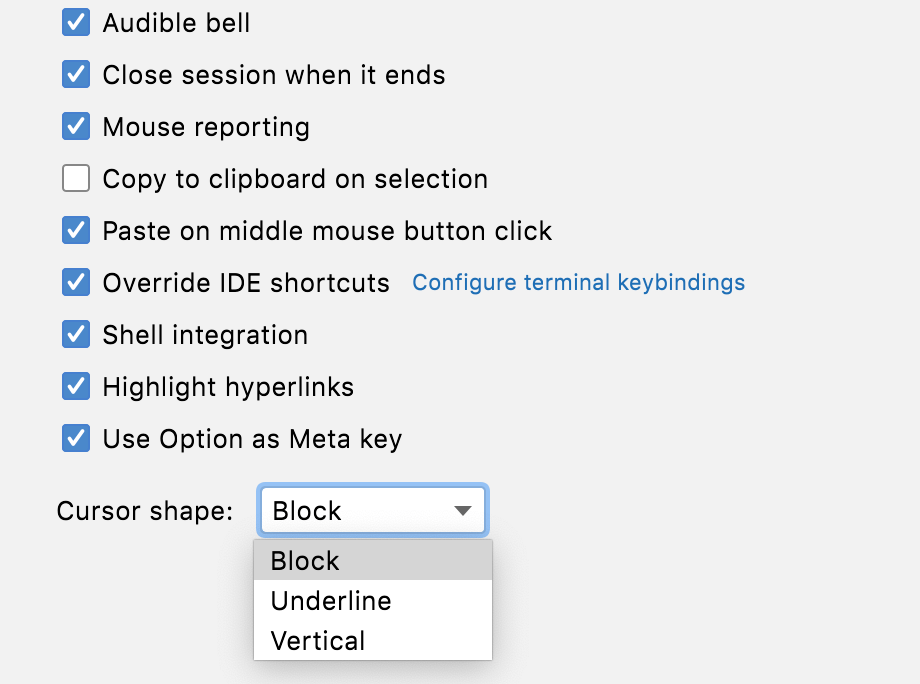
You can customize settings for the Terminal in .
Version control: new pre-commit checks
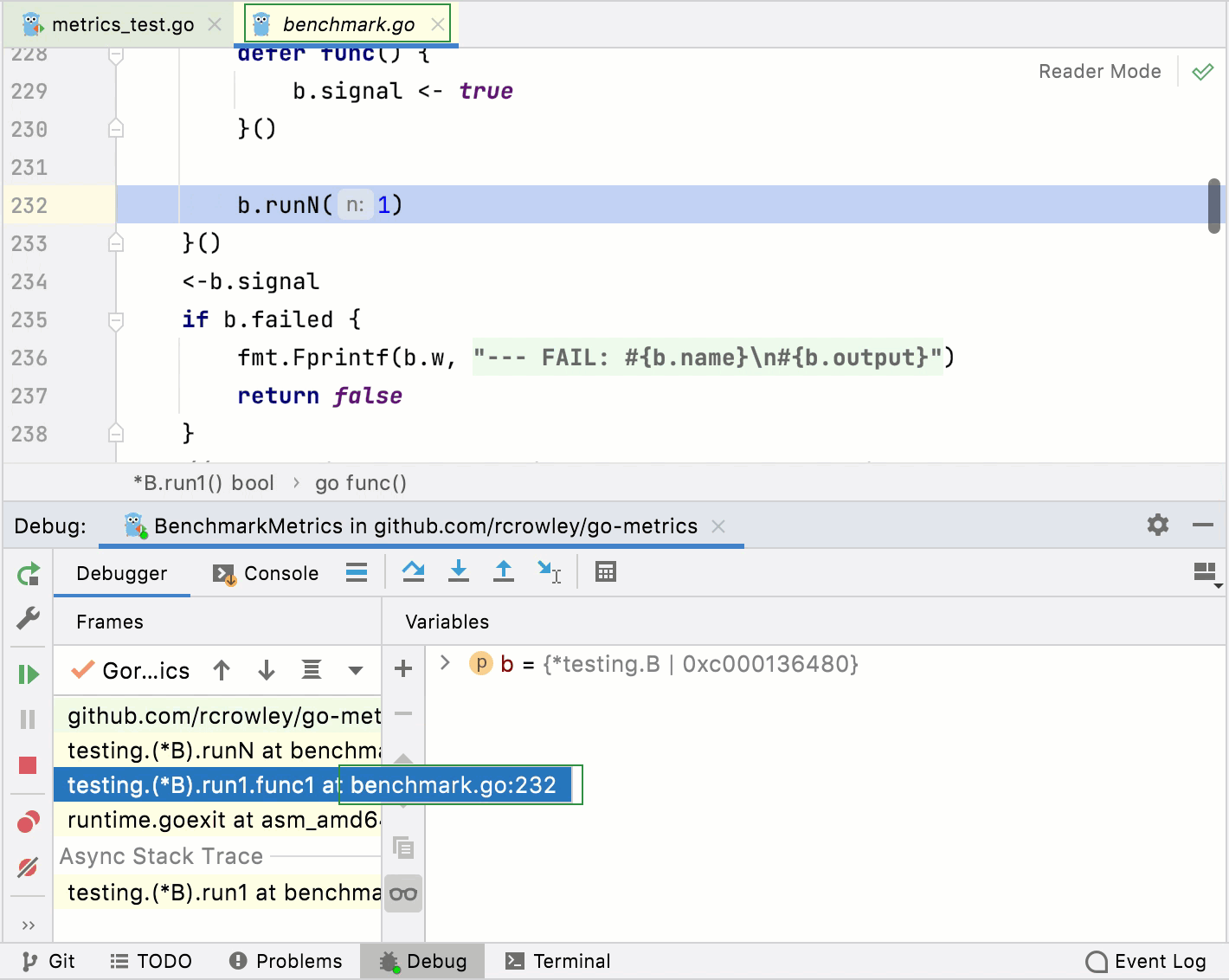
You can use Run Tests and Analyze code options before committing your changes.