Struct optimization
The Struct optimization tool helps you detect inefficient struct layouts and reduce memory usage in Go applications.
In Go, the order of struct fields affects memory alignment. A suboptimal field order can introduce extra padding bytes and increase the total size of a struct.
For example, the following struct layout is inefficient:
The struct is laid out in memory as follows:
Field
Aoccupies 1 byte.The next 3 bytes are padding to align field
Bto a 4-byte boundary.Field
Boccupies 4 bytes.Field
Coccupies 1 byte.Another 3 bytes of padding are added so that the total struct size matches the largest alignment requirement.
As a result, the struct occupies 12 bytes in memory even though its fields require only 6 bytes.
A more efficient layout groups larger fields first:
This layout reduces padding and decreases the total struct size.
GoLand detects inefficient struct layouts and suggests optimized field ordering. This helps reduce the memory footprint without changing program behavior.
Run struct optimization analysis
You can analyze a file, uncommitted files, a custom scope, or the whole project.
Run struct optimization analysis
Select from the main menu.
Open the Go Optimization tool window.
Select Struct optimization.
Choose the analysis scope:
Whole project
Uncommitted files
File
Custom scope
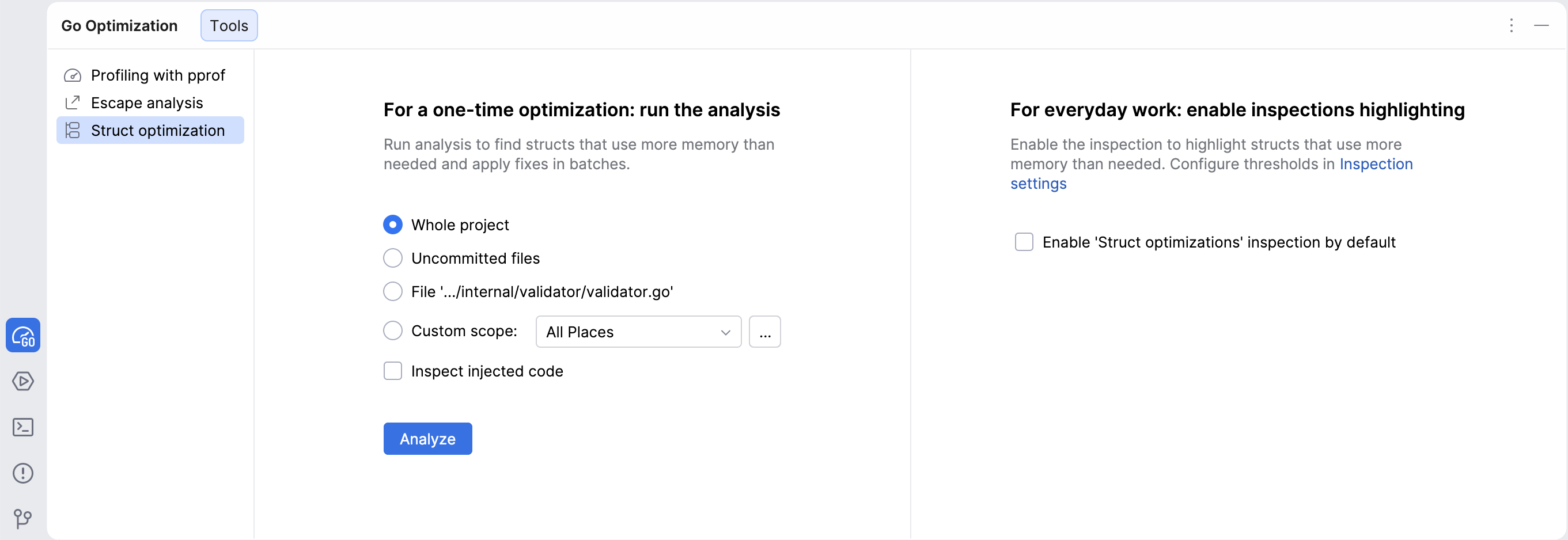
Click Analyze.
GoLand will then highlight inefficient struct layouts directly in the editor and provide quick-fixes.
Enable struct optimization inspections
You can enable struct layout inspections directly in the editor to detect inefficient layouts while writing code.
Enable inspections from the Go Optimization tool window
Select from the main menu.
Open the Go Optimization tool window.
Select Struct optimization.
Enable Enable 'Struct optimizations' inspection by default.
Enable inspections from the IDE settings
Open settings by pressing Ctrl+Alt+S and navigate to .
Expand .
Enable the inspection checkbox.
Optional: configure the inspection threshold in Only highlight if padding exceeds (bytes).
GoLand will then highlight inefficient struct layouts directly in the editor and provide quick-fixes.
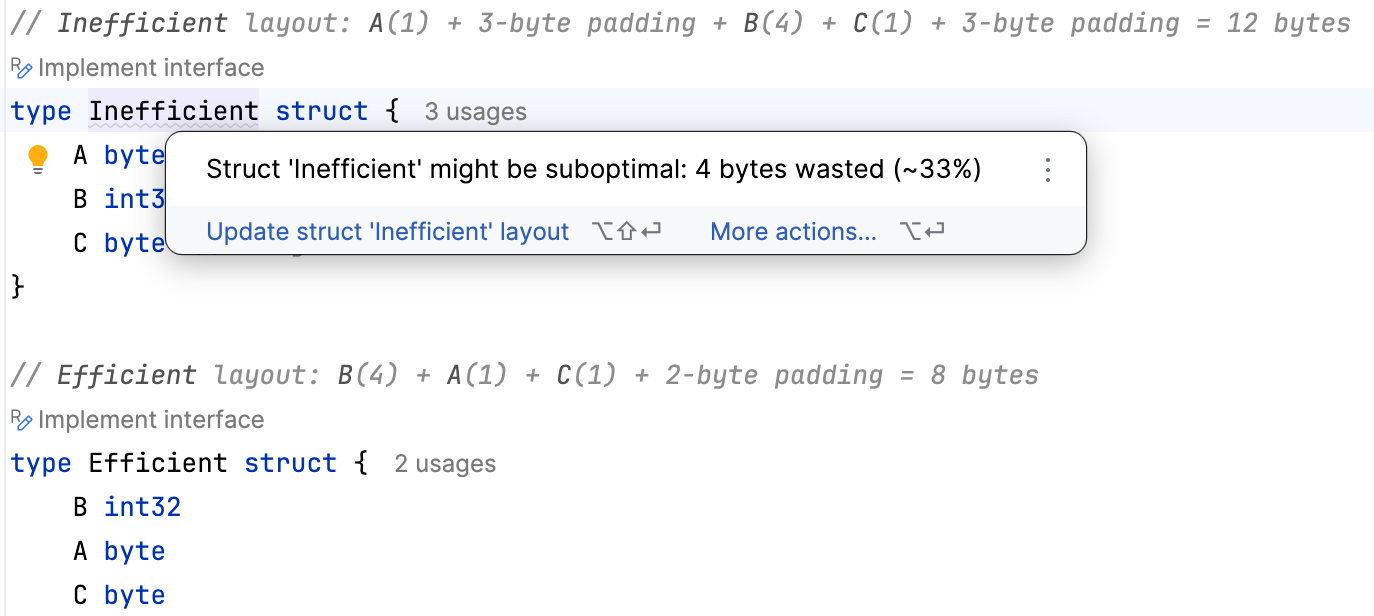
Review optimization suggestions
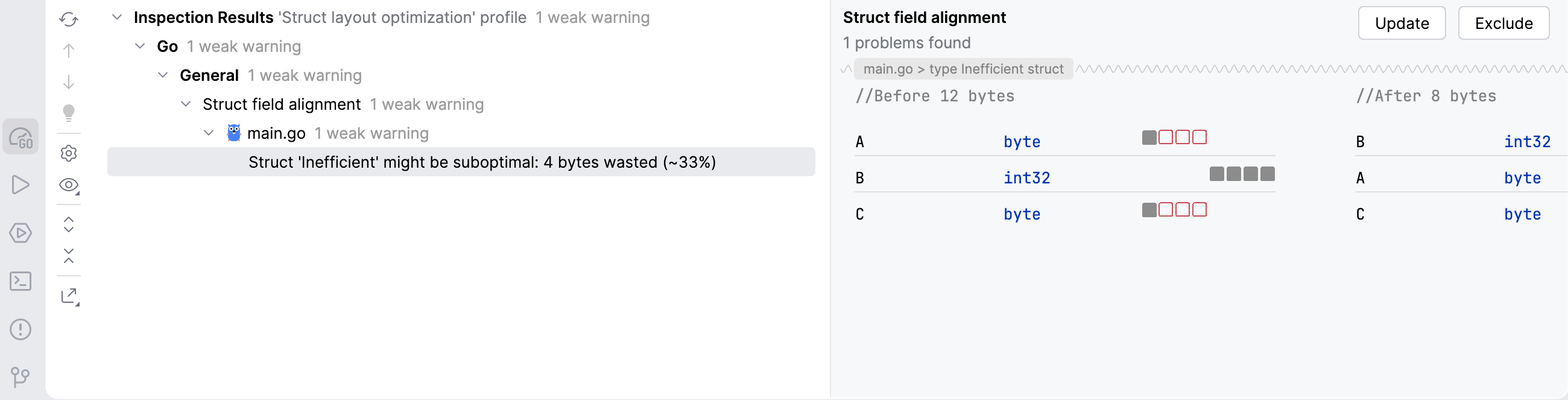
When GoLand detects an inefficient struct layout, it reports the amount of wasted memory and shows an optimized field order.
The inspection results include:
the current struct layout
padding bytes added for alignment
the optimized layout
estimated memory savings
Select an inspection result to compare the current and optimized layouts.
Apply the optimization
After GoLand detects an inefficient struct layout, you can apply the suggested optimization either directly in the editor or from the inspection results.
Apply a quick-fix in the editor
Place the caret on the highlighted struct declaration.
Press Alt+Enter.
Select Update struct '
StructName' layout.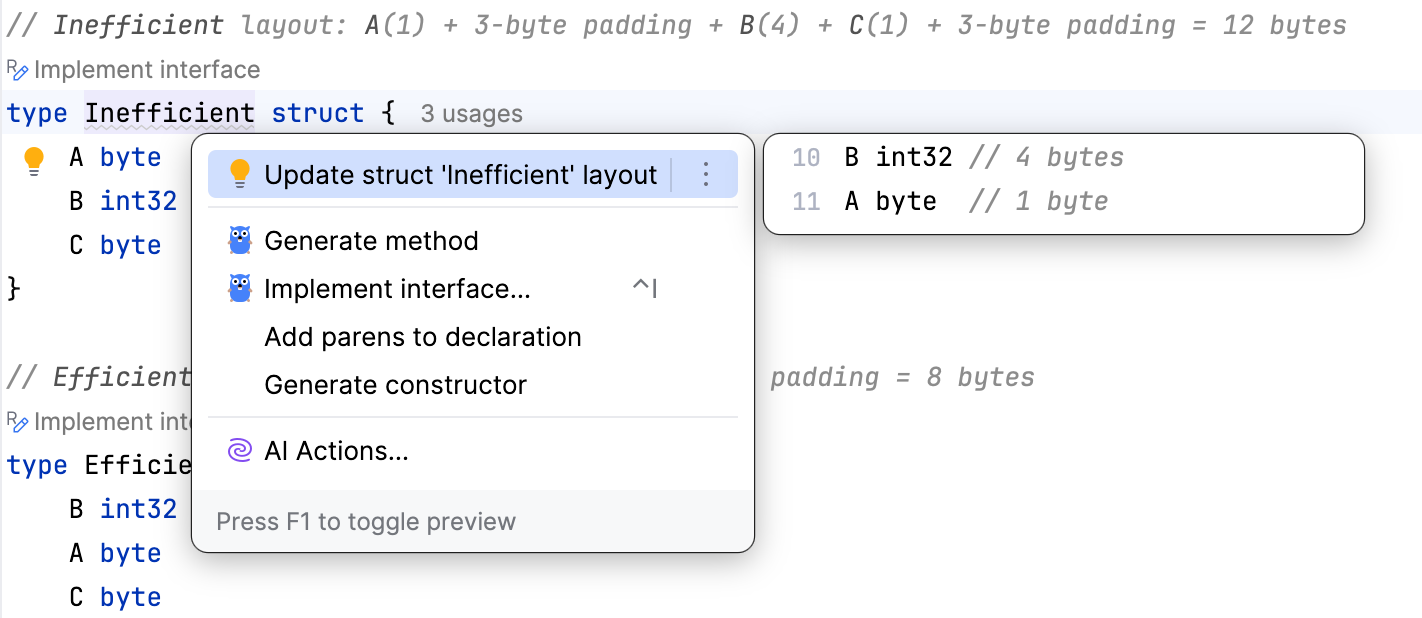
Apply optimization from inspection results
Select an inspection result in the Inspection Results tool window.
Review the proposed field order.
Click Update.