Bytecode viewer
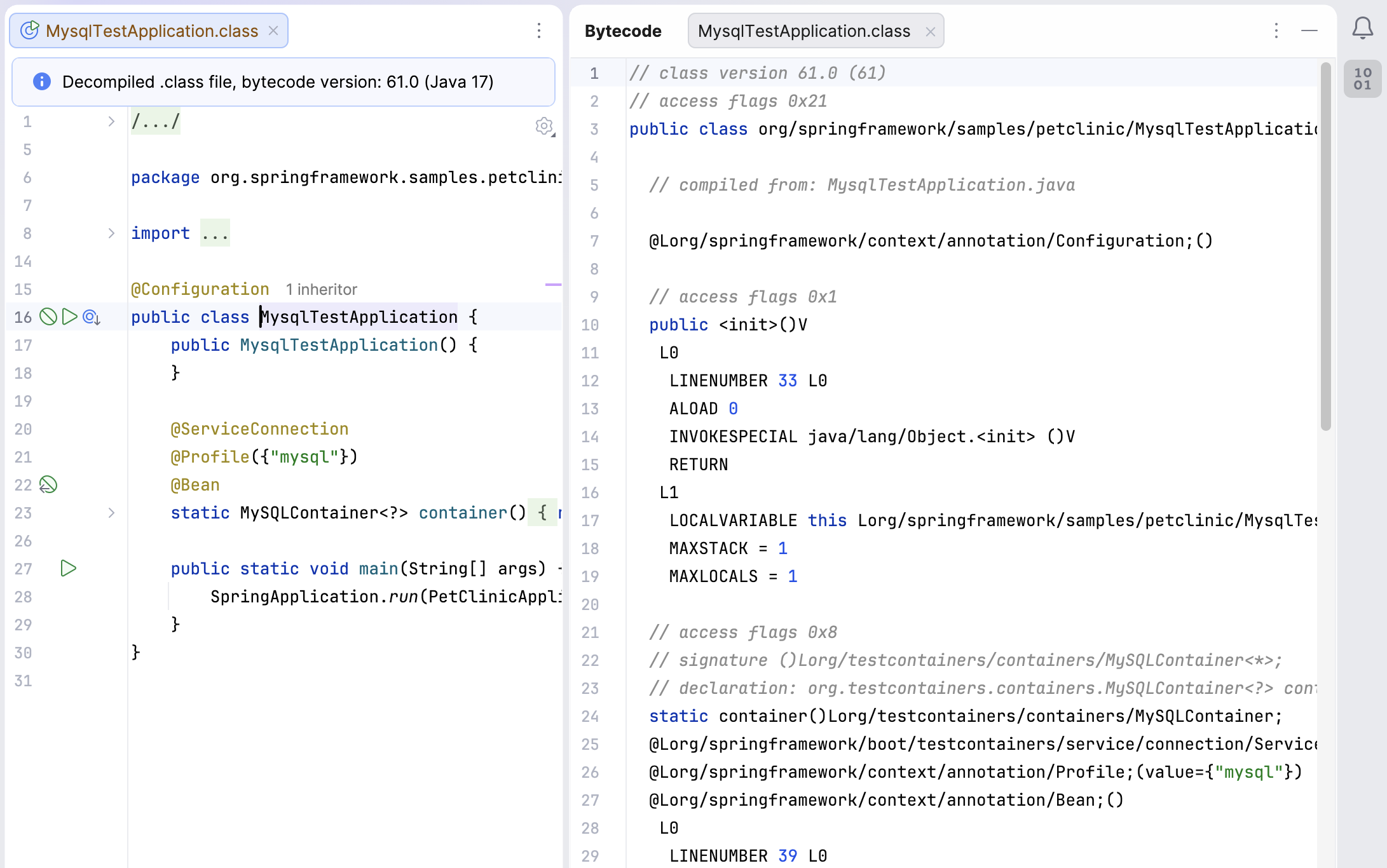
By default, IntelliJ IDEA shows you decompiled code in compiled files. If necessary, you can open the bytecode viewer for any compiled class.
Enable the Bytecode Viewer plugin
This functionality relies on the plugin, which is bundled and enabled in IntelliJ IDEA by default. If the relevant features are not available, make sure that you did not disable the plugin.
Press Ctrl+Alt+S to open settings and then select .
Open the Installed tab, find the Bytecode Viewer plugin, and select the checkbox next to the plugin name.
Show bytecode for compiled files
Open a compiled file in the editor and select from the main menu.
The bytecode viewer provides basic syntax highlighting, and it shows the information in a way that is comfortable for reading.
10 February 2026