Coding assistance
The Java and Kotlin by IntelliJ IDEA extension analyzes your Java and Kotlin code as you type and provides coding assistance in VS Code, Cursor, or any other VS-Code-based editor. Its features are available through a familiar editor UI, such as the completion popup, lightbulb menu, and tooltips.
Code completion
Code completion suggests classes, methods, fields, keywords, and other symbols that are valid at the caret. Suggestions appear as you type.

Live templates
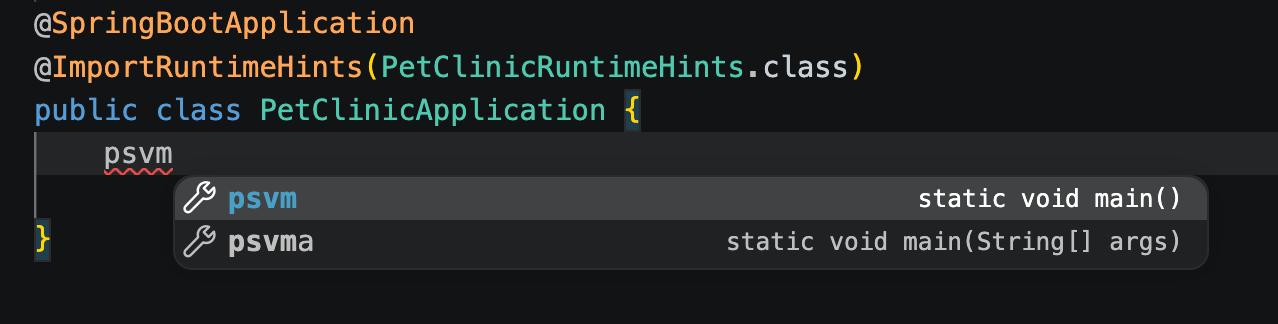
Live templates let you insert common code constructs, such as loops and method declarations, from short abbreviations. Java and Kotlin by IntelliJ IDEA expands live templates through the completion popup.
To expand a code snippet, type the corresponding template abbreviation and press . Enter. Keep pressing Enter to jump from one variable in the template to the next one. Press Shift+Tab to move to the previous variable.
Inlay hints
Inlay hints add inline annotations to your code without changing the source. For a list of supported inlay hints, refer to Inlay hints.
Semantic highlighting
Semantic highlighting color identifiers are based on their resolved meaning rather than on syntax alone. This helps you tell local variables, parameters, and properties apart at a glance.
Code inspections
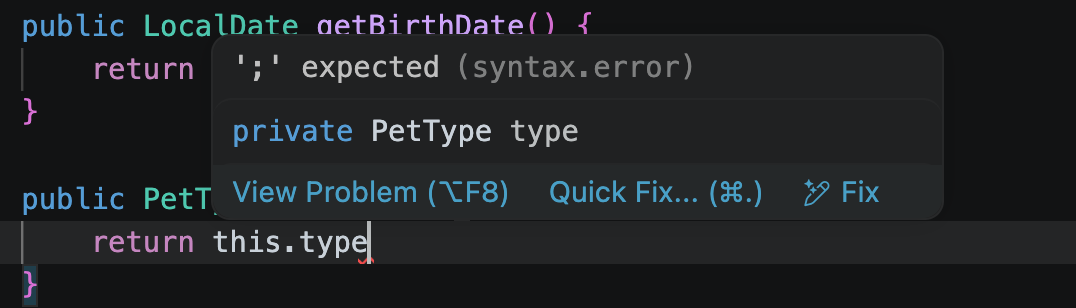
Java and Kotlin by IntelliJ IDEA runs code inspections on the fly. As you edit, the extension analyzes your code and highlights problems directly in the editor.
Hover over a highlighted fragment to read the description of the problem.
Intention actions and quick-fixes
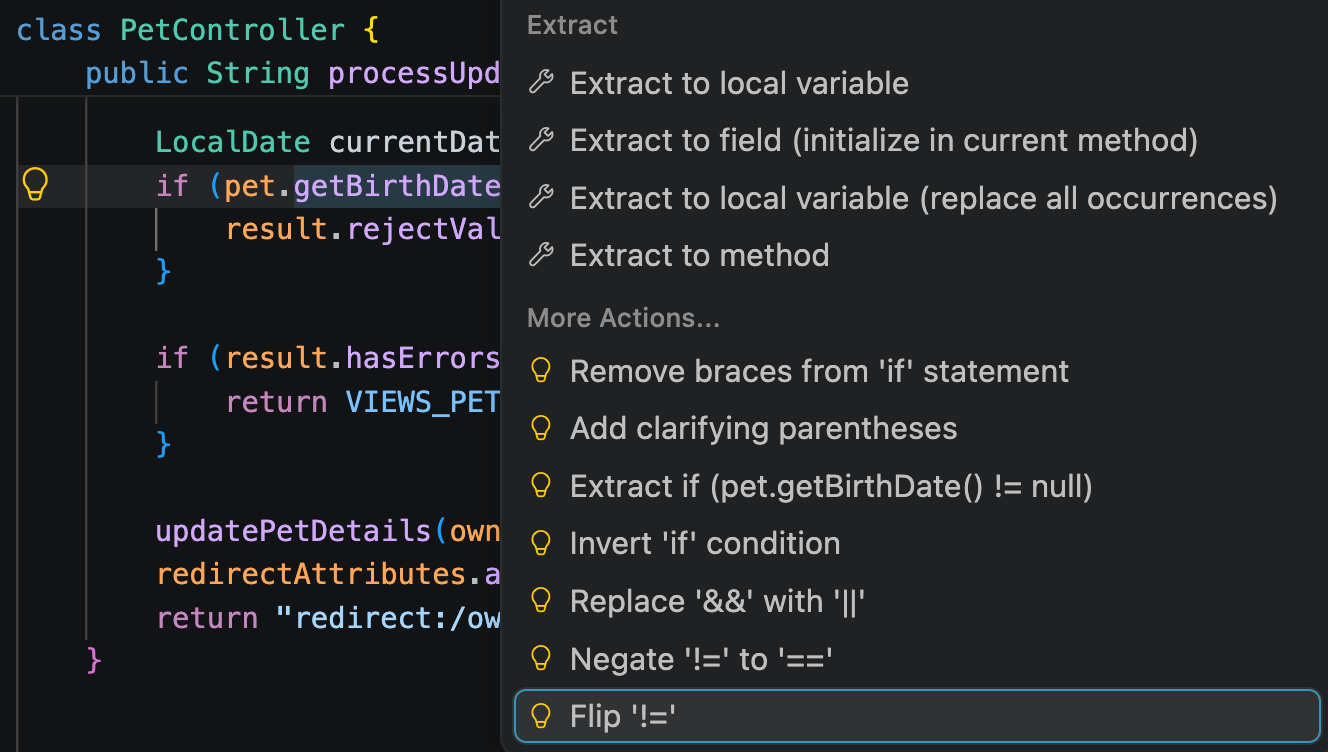
Intention actions suggest improvements to code that has no errors, and quick-fixes resolve detected problems. Both appear in the same list.
To open the list of actions available at the caret, click the lightbulb icon or press Alt+Enter, then select the action to apply.
Imports
Java and Kotlin by IntelliJ IDEA suggests imports for unresolved references through quick-fixes. The extension also optimizes imports by removing unused ones and reordering the rest. To optimize imports in the current file, press Alt+Shift+O.
Spring, Spring Data, and Spring Boot
Java and Kotlin by IntelliJ IDEA recognizes Spring projects and reports Spring-specific problems in the editor. The inspections cover Spring Core, Spring Data, and Spring Boot in both Java and Kotlin and require no additional setup. They become active after project import finishes if Spring is on the project classpath.
Spring-specific problems, such as unresolved bean references or ambiguous autowiring, appear alongside other code inspections in the editor. You can access available quick-fixes from the lightbulb menu.
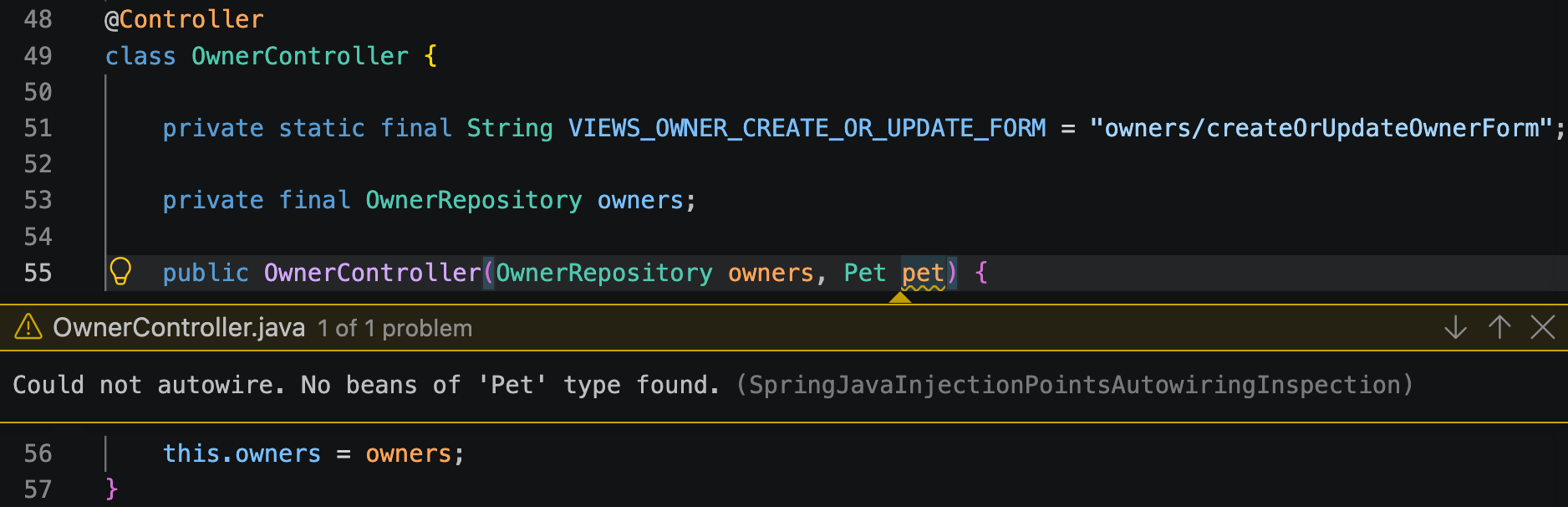
Spring quick-fixes and intention actions let you resolve these problems in place. For example, you can:
Create a constructor for autowired fields
Add
@Qualifierto resolve ambiguous autowiringCreate a missing bean
Add missing elements to Spring XML configuration files
Use with Spring Tools
Java and Kotlin by IntelliJ IDEA integrates with the Spring Tools extension and provides Java language support for Spring Boot projects.
The integration activates automatically when Spring Tools is installed. After project import finishes, Java and Kotlin by IntelliJ IDEA provides Spring Tools with the required classpath information.