Verified domains
Add a verified domain to your organization settings to improve security and facilitate organization management. With a verified domain, you will be able to add contacts from a verified domain and manage individual accounts via the JetBrains Account API.
Adding a verified domain to your organization is a two-step process that involves adding and verifying your domain. You can add multiple domains to your organization.
Add domain
In the sidebar, under Organization, click Administration.
If you don't see this page, or the controls on this page are inactive, your role doesn't have the necessary permissions.
In the Settings section of the Administration page, click Add and verify your company domain.
If you already have one or more domains configured, click Manage next to Domain.
On the Domains page, enter your domain, for example,
mycompany.com, and click Add domain.
After you add a domain to the organization, verify it to confirm you truly are the owner of the domain.
Verify domain
To verify your domain, you’ll need administrator access to your domain registrar or DNS host. If you don’t know how to access it, contact the domain administrator in your organization for assistance.
After you add a domain, copy the verification code you see on the Domains page.
If you don't see this page, or the controls on this page are inactive, your role doesn't have the necessary permissions.
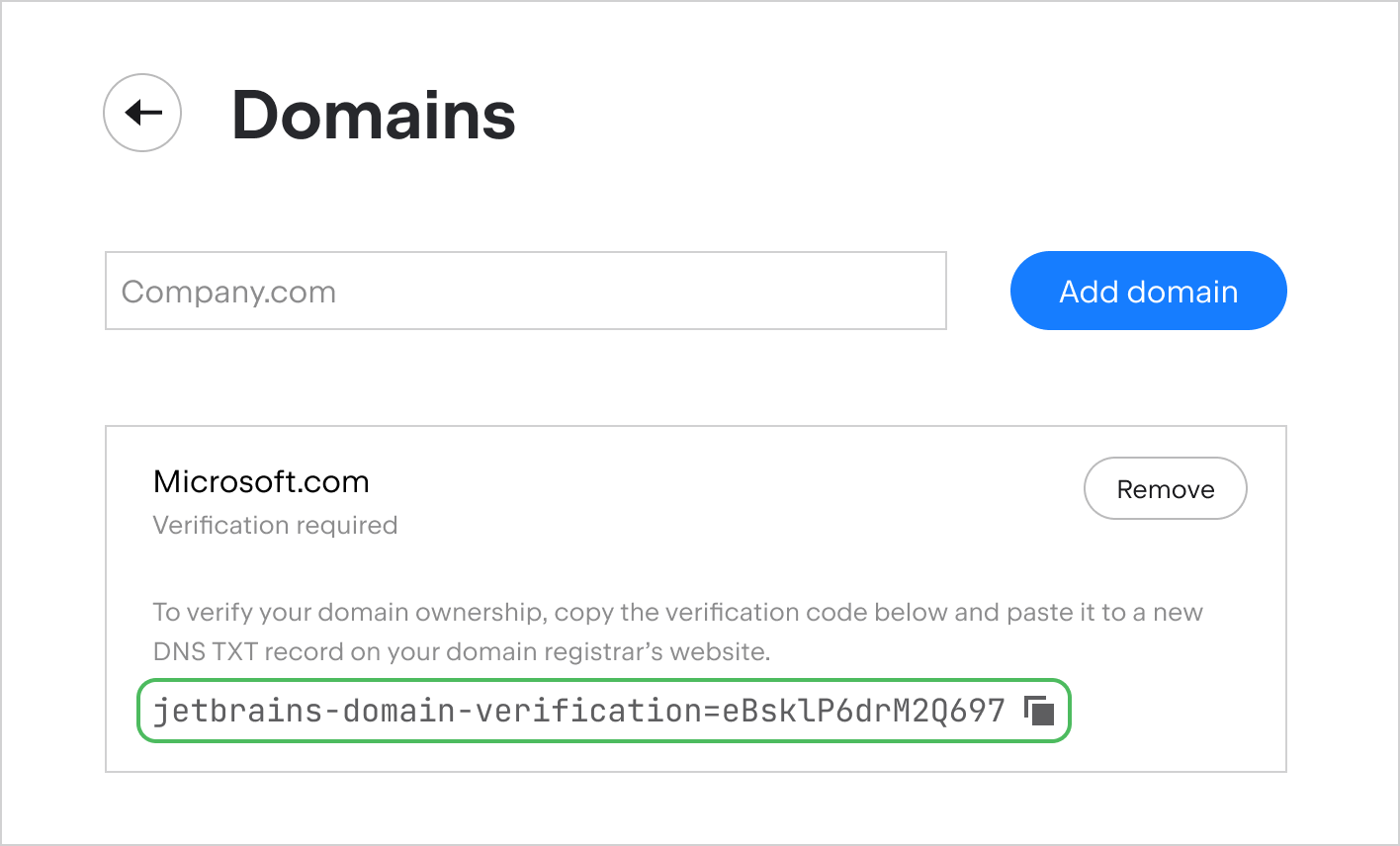
Go to your domain registrar or DNS host. Follow the instructions provided by your domain host to add a new DNS TXT record.
Paste the verification code into the Value field of the new record.
Save the DNS TXT record.
It may take up to 72 hours for your domain registrar to publish the new record. We will check your domain’s DNS records every hour and notify you by email once we verify your domain. You will also see the verification status for the domain change on the Domains page.
Maintain your domain's verification status
Keep the verification code in your domain's DNS TXT records for as long as this domain is in your organization settings. We will check the records daily to confirm that this domain still belongs to you.
A domain will lose its verification status if:
Someone deletes or changes the DNS TXT record that contains the verification code
The domain becomes unreachable
If this happens, we will notify you by email and provide instructions on how to restart verification.
Remove domain
If your company no longer uses a domain, you can remove it from your organization settings:
In the sidebar, under Organization, click Administration.
If you don't see this page, or the controls on this page are inactive, your role doesn't have the necessary permissions.
In the Settings section of the Administration page, click Manage.
On the Domains page, find the domain your organization no longer uses and click Remove next to it.