Agents in PyCharm
IDE intelligence for coding agents
PyCharm integrates the coding agents of your choice directly into your project workspace, allowing them to query and act based on PyCharm’s parsed, indexed, and inferred model of your codebase, knowledge about the project context, and framework-aware resolution.
PyCharm's inspections and integrated linters and type checkers provide agents with deterministic checks to validate their changes, saving the tokens and context that model-based review would spend.
For review and validation of an agent’s changes, PyCharm provides fine-grained diff and rollback tools, while Local History lets you compare and restore intermediate states even when the agent creates no VCS commit.
Agent workspace in PyCharm
The Agent workspace is PyCharm's agent-centric development environment. It provides the workspace for managing multiple agents and agent sessions in parallel across repos and tasks. You can run agents locally, in the cloud, or isolated in a temporary worktree.
You can work with both agent sessions and project files in the editor tabs simultaneously, without having to switch between the editor and agent workspace views.
Open and manage Agent Sessions
To start a new agent session:
Click the agent widget in the main toolbar to start an empty session with the currently selected preset.

To use another preset, click
 next to the widget and select it from the list.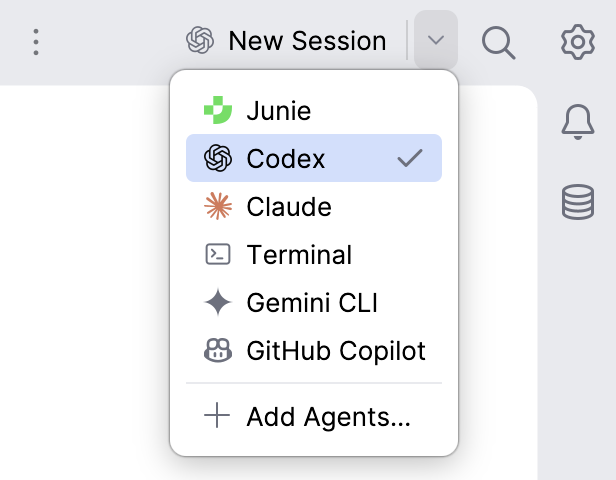
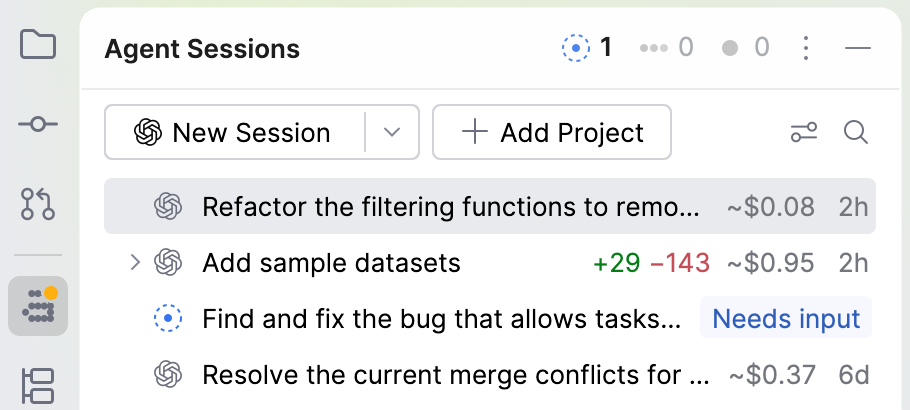
Open the Agent Sessions tool window. If it is not visible, select .
Click New Session to start a new session with the currently selected preset.
To use another preset, click
next to the button and select it from the list.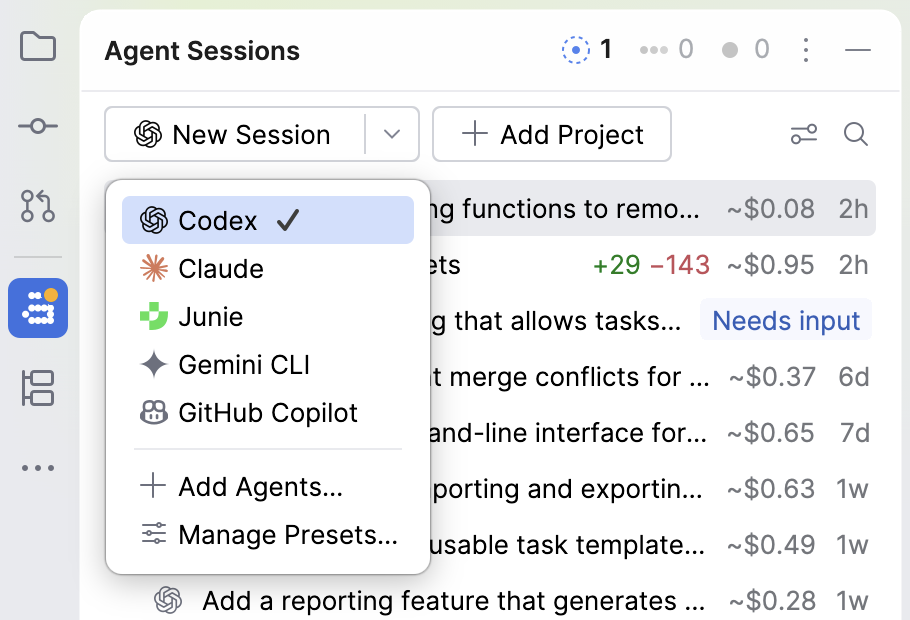
Press Ctrl twice to open the global prompt. You can invoke it from anywhere in the IDE.
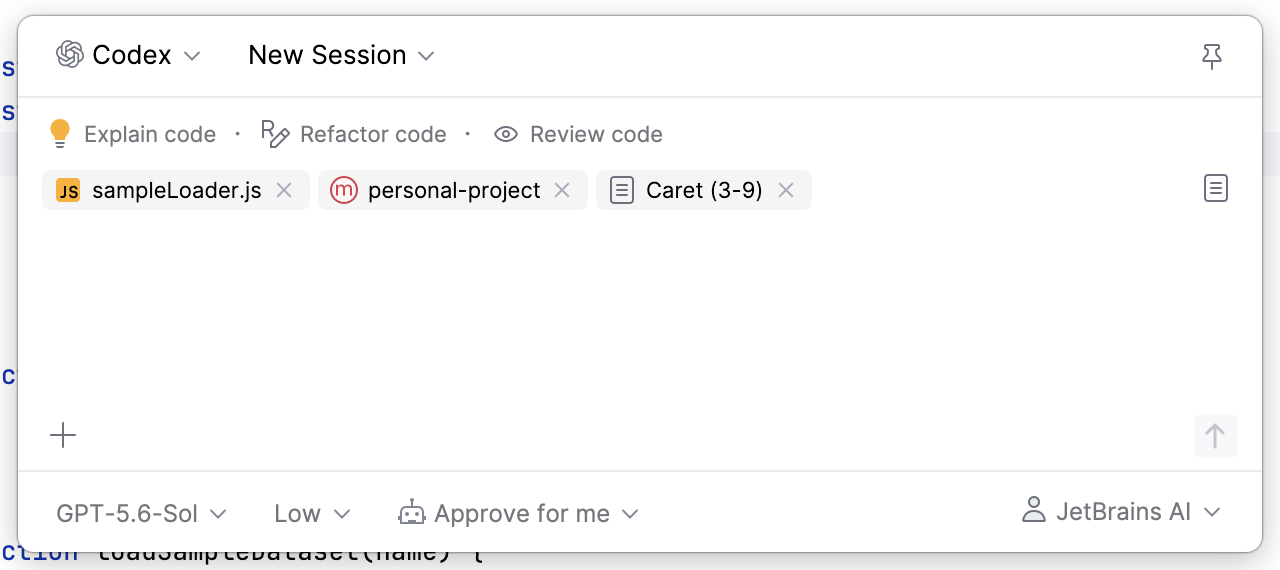
To use another preset, click the currently selected preset and select the required one from the list.
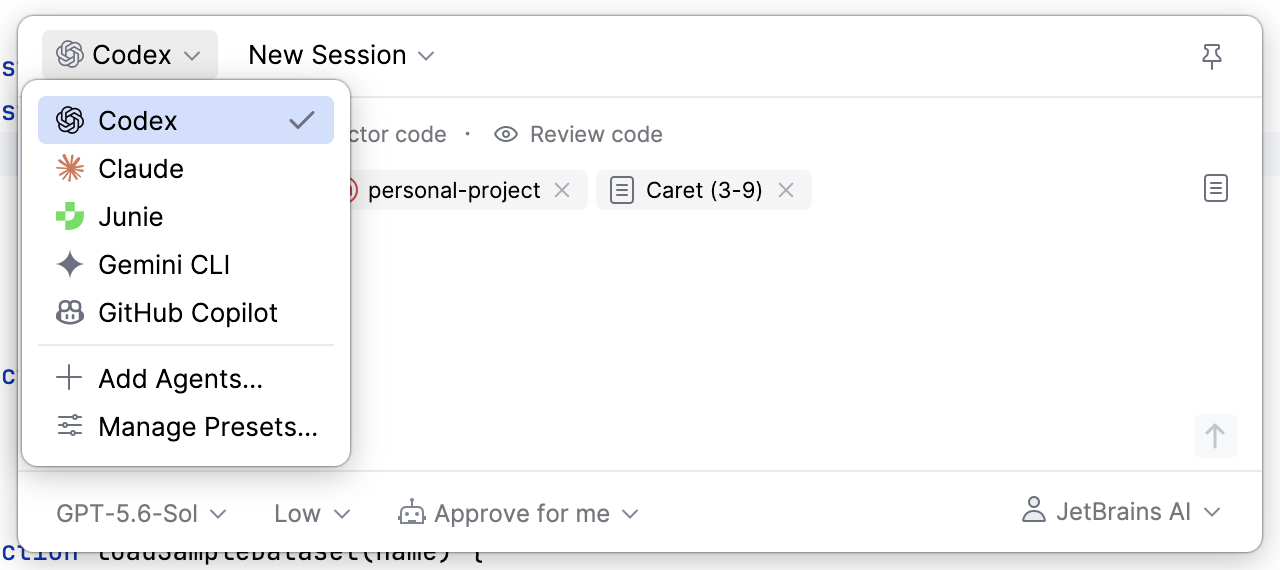
Type your request in the text field and press Enter.
Learn more:
Features for working with agents
Multi-agent setups
PyCharm works with the agents, provider accounts, and subscriptions you already have, along with providing a curated registry of agents you can browse, install, and set up from your IDE.
Agent presets are reusable configurations defining which agent, agent mode, model and reasoning effort are used for the current agent session, allowing you to easily switch between agents or agent setups for different types of tasks.
- Locally installed agents
If you already have coding agents installed on your machine, PyCharm detects them the same way it detects your configured Python interpreters.
An agent that is already present in your environment, such as Claude Code or Codex, becomes available in the IDE with the configuration it already uses.
- Registry of available agents
A curated catalog of ACP-compatible agents you can browse from PyCharm. The IDE reads the registry from a JetBrains-hosted online JSON file by default, and your organization can provide its own registry.
Because Agent Client Protocol (ACP) is a standard interface, compatible agents can work with PyCharm without a dedicated integration.
Learn more:
Context and cost management in agent sessions
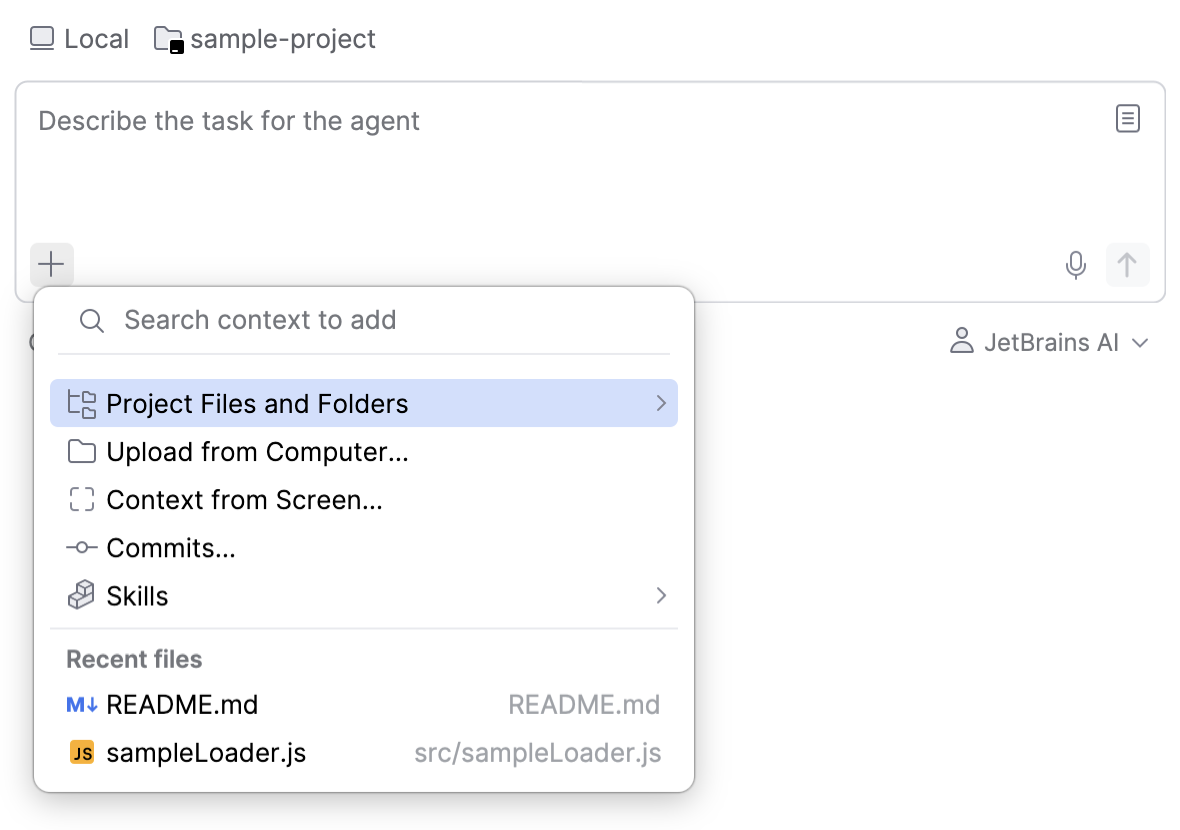
For each agent session, you can attach context such as files and folders, commits, context from the screen, or specific agent skills.
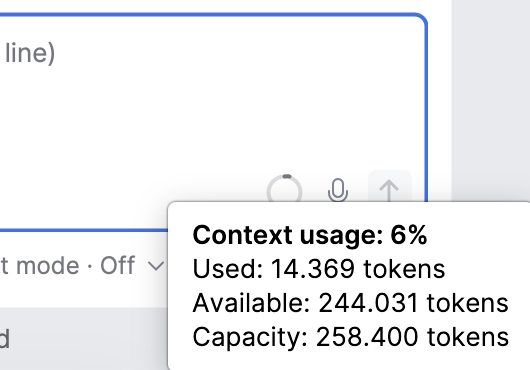
After you send the first prompt, a context indicator also appears in the text field. Hovering over it shows how much of the model's context window is used in the current session. Prompts, attached context, and agent responses contribute to this usage, and the indicator updates as the session continues.
Learn more:
Diff review and output validation tools
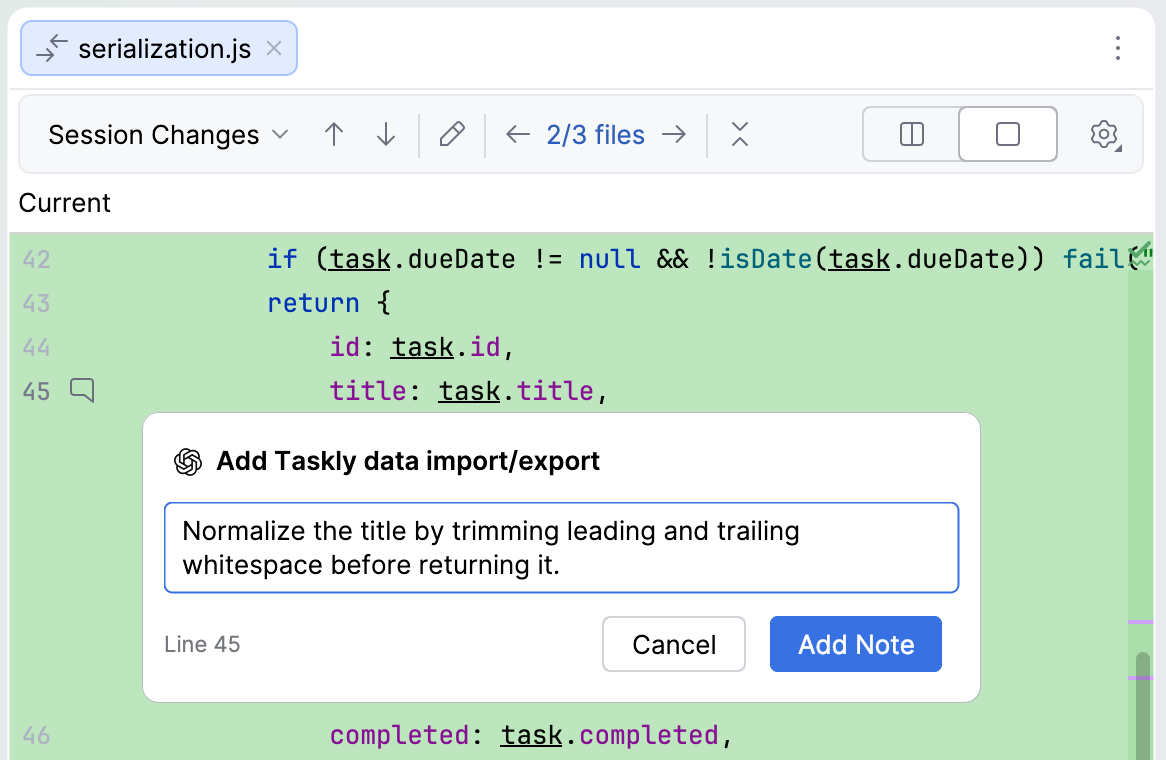
While you review the files changed by an agent, you can leave notes on the lines of a diff and send them back to the agent in your next message. Notes let you point at the code you want reworked instead of describing it in the prompt.
Learn more:
Compare Air with AI Assistant
JetBrains also ships AI Assistant – a collection of AI-powered features that includes coding agents, AI Chat, in-editor code completion, and code insights. JetBrains Air is a separate plugin and does not replace or disable AI Assistant.
JetBrains Air and AI Assistant cover different parts of AI-powered development:
|
| |
|---|---|---|
Primary focus | Provides an agentic workspace for running external or self-hosted coding agents and reusing their existing configurations, provider accounts, and subscriptions. | Provides JetBrains AI features, including AI Chat, in-editor code completion, next edit suggestions, code insights, and coding agents. |
Agents | Detects coding agents already installed on your machine and makes them available in the IDE. You can also install ACP agents from the registry. | Includes a set of bundled agents and lets you install additional ACP-compatible agents when needed. |
AI access | Depending on the agent and your setup, uses JetBrains AI, a provider configured in JetBrains Air, or an existing agent authorization. JetBrains Air does not provide AI models of its own and does not require a JetBrains AI subscription. | Connects to JetBrains AI models through a JetBrains AI subscription. Other supported activation options include your own API keys and provider accounts. |
Workspace | Treats agents and their sessions as units of work. Sessions can use a structured chat or an agent's terminal interface and include presets, session diffs, parallel runs, and dedicated management views. | Integrates AI Chat, agents, and inline assistance into the editor and existing IDE tool windows as companion features. |


Learn more
- JetBrains Air
The detailed guide to the JetBrains Air features in JetBrains IDEs.
- MCP server
The full list of PyCharm tools available for coding agents via MCP server.
- AI Assistant
PyCharm's plugin providing JetBrains AI features, including AI Chat, in-editor code completion, next edit suggestions, code insights, and coding agents.