File navigation
PyCharm provides tools and actions that let you quickly locate and open your project files.
Navigate with the Select In popup
You can automatically locate a file in the Project
If a file is opened in the editor, press Alt+F1 to open the Select In popup.
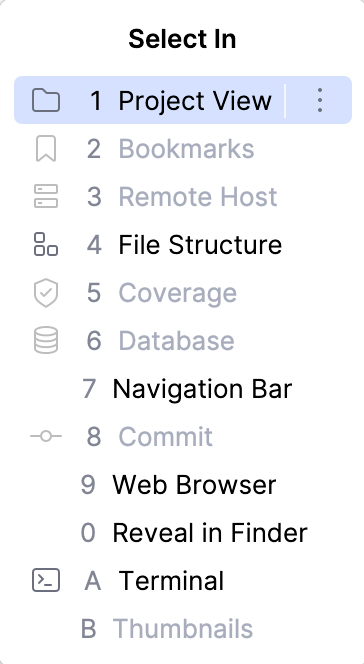
In the popup, select Project View and press Enter. PyCharm locates your target in the Project tool window .
Navigate to a file with the Navigation bar
Use the Navigation bar as a handy tool to find your way across the project.
Press Alt+Home to activate the Navigation bar.
Use the arrow keys or the mouse pointer to locate the desired file.
Double-click the selected file, or press Enter to open it in the editor.
Access a file location
You can quickly navigate to the location of a file you are currently editing.
Press Ctrl+Alt+F12 or right-click anywhere in the editor and select .
Browse a file path
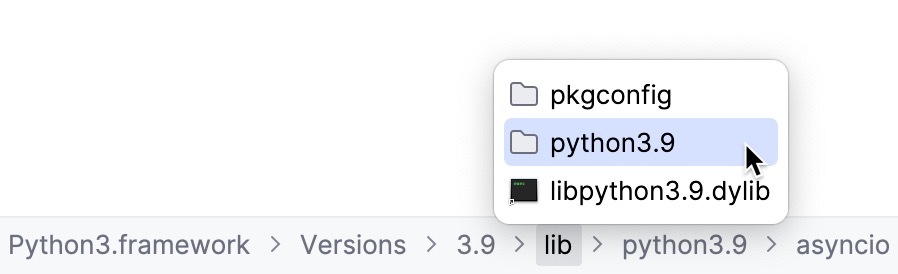
You can access any directory from the path to a file you are currently editing.
Press Ctrl+Alt+F12 or right-click anywhere in the editor and select from the context menu.
In the Reveal in Finder popup, select where to navigate and press Enter.