Getting Started
Welcome to SpaceCode documentation!
Use the table of contents on the left to browse through the topics, or click  in the upper-right corner to search the entire documentation. Click on images to zoom in.
What is SpaceCode?
SpaceCode is Git hosting and code quality control solution that can be seamlessly incorporated into your development cycle to protect your codebase, enforce code standards, and ensure consistent green builds. It provides an easy-to-use visual environment with web access for your team, helping streamline code reviews and optimize the workflow.
No need to migrate - SpaceCode is designed to integrate with your existing repositories and tools, such as CI server and issue tracker.
Available both in-cloud and on-premises, SpaceCode can be used from any modern browser. You can also access SpaceCode on the go via a supplementary mobile app.
How does it work?
SpaceCode creates a fully synced mirror of your existing Git repository and links it with your CI/CD configuration on a connected CI server to receive build statuses. SpaceCode can host your repository as well, either if you are starting from scratch or wish to migrate from another Git hosting.
You manage your repository by applying a custom set of predefined rules and conditions, optimising you team's workflow and ensuring that only verified and approved changes will get merged into production branch. The quality protection rules can include push and merge restrictions, external quality checks, teammate approvals, and more.
You and your team can access your repository from web to browse and search code, initiate and approve merge requests, collaborate on code reviews, leave comments and discuss changes.
To further facilitate team collaboration and automate development processes, SpaceCode Code can be linked with an issues tracker (TeamCity or Jira). If you're using a JetBrains IDE, a SpaceCode Code plugin lets you participate in merge requests and code reviews without leaving your IDE interface.
How is it organized?
SpaceCode Organization is your instance with a unique web address created for you when you sign up for SpaceCode. You can then invite other participants providing them with certain rights. No one else will be able to see or access your organization.
SpaceCode Projects are separate workplaces within your organization. A project is created to contain one or more repositories (mirrored or hosted) and their settings, merge requests and code reviews, and more. Projects are independently owned and managed entities. Anyone in the organization can create a project with repositories and choose who can access it.
What can I do with it?
Protect repositories. Set push restrictions to safeguard a repository from unauthenticated commits, enforce and verify GPG commit signatures. Set commit message conventions with regex, and more.
Protect branches. Control who can push or merge changes into the branch and prevent accidental branch deletion without imposing excessive restrictions on the entire repository.
Set quality gates. Set a number of pre-merge conditions (manual code review approvals and external CI/CD service checks) to ensure that only successfully tested, reviewed, and approved changes find their way into the branch.
Ensure safe merges. Safe Merge is an additional safety step before finally merging changes from a feature branch into main. Safe Merge acts like a crystal ball: It lets you see what your main branch will look like once the changes from the feature branch have been merged, enabling you to catch and resolve merge-related issues early.
Review changes. A code review can be initiated on any commit pushed to a repository or as part of a merge request.
Get notifications. Get relevant updates from merge requests and code reviews to your SpaceCode Inbox and email.
First steps
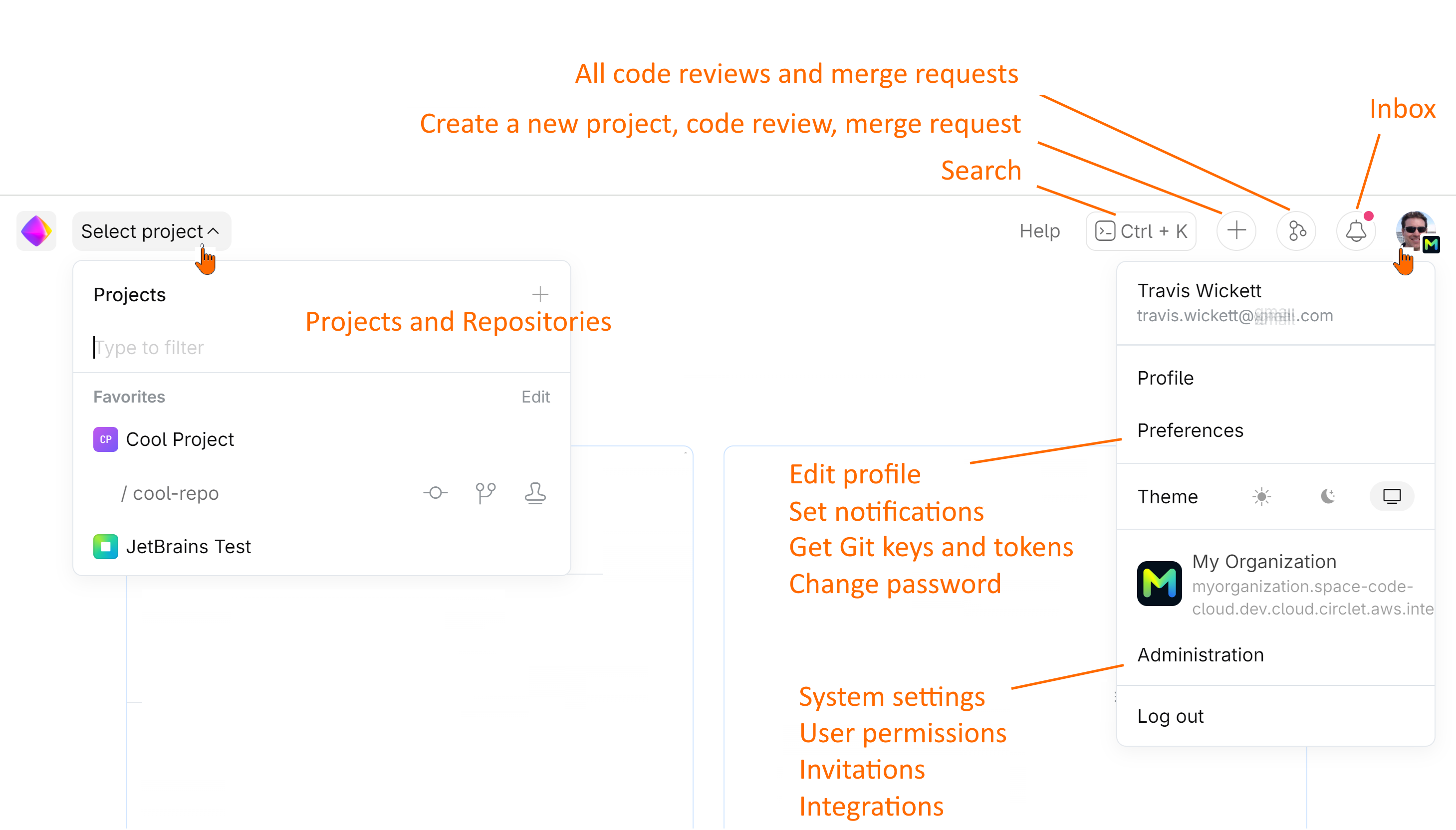
The first thing you see when you log in to SpaceCode is your dashboard — an entry page with widgets. It may be initially empty but later on it will let you quickly navigate to your favorite repositories and code reviews that may need your attention.
Ready?
For new users: | For new organization owners: |
|---|---|
Follow the User Quick Start Guide to get familiar with SpaceCode environment in no time. | Follow the Administrator Quick Start Guide to quickly set up your organization and start collaborating with your team. |