Username and Password
Forgot password
If you forgot your password and cannot log in to SpaceCode, you can reset it:
On the login screen, click Reset password:
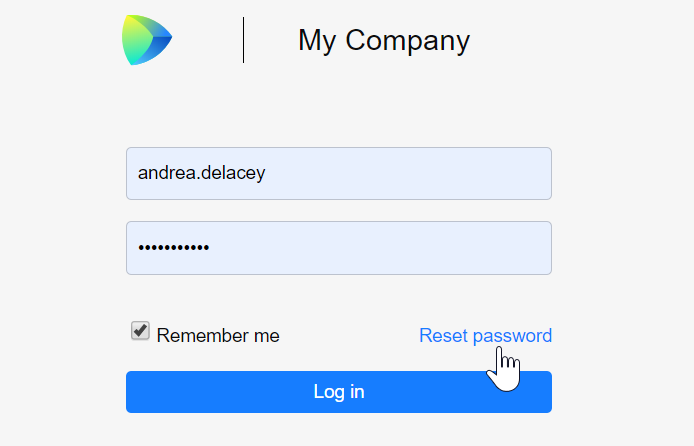
Enter your email address that you use in SpaceCode.
You will receive an email with a link to the password reset page. Follow the link and enter your new password.
Forgot username
If you forgot your username (and/or password) and cannot log in to SpaceCode, use the Reset password link on the login screen as describe above.
After resetting your password you will be automatically logged in to SpaceCode.
You can look up your username on your personal data page. On the top right, click your avatar and choose Preferences, then navigate to Personal Data.
Change password
You can proceed to change your password from the login page, by clicking the Reset password link as describe above.
However, if you are currently logged in to SpaceCode:
On the top right, click your avatar and choose .
On left sidebar menu, choose Logins.
On your Logins page, click Change password.
Enter your old password and the new one and click Save.
Delete wrong login credentials from your account
If you have mistakenly used wrong credentials to log in to SpaceCode (for example, you used your home Gmail address instead of the work one), you can remove them from your account:
On the top right, click your avatar and choose .
On the left sidebar menu, choose Logins.
On your Logins page, locate the wrong login and click Delete.
Enter your old password and the new one and click Save.