What's New in TeamCity 2026.2
Pipeline Enhancements
General availability
TeamCity 2025.07 introduced pipelines as an Early Access Program (EAP) feature — instantly available on TeamCity Cloud, and on request for TeamCity On-Premises. Since then, we've been steadily closing the gap with classic build configurations, adding:
Compatibility with familiar build features and steps
Integration with build chains, so pipelines can slot into existing workflows
Kotlin DSL support for configuration-as-code
The Custom Build dialog, output parameters, and other familiar elements of build configurations
With this release, pipelines leave the EAP: they are now generally available on both TeamCity Cloud and On-Premises, for projects of any size and complexity.
Pipeline development does not stop here — see our roadmap for what's next.
Debug jobs
You can now test a single pipeline job without triggering the whole pipeline. Open a job's ellipsis menu and choose Debug — TeamCity runs just that job (and anything it depends on) with its current settings, complete with a live build log and terminal access to the agent that picked it up.
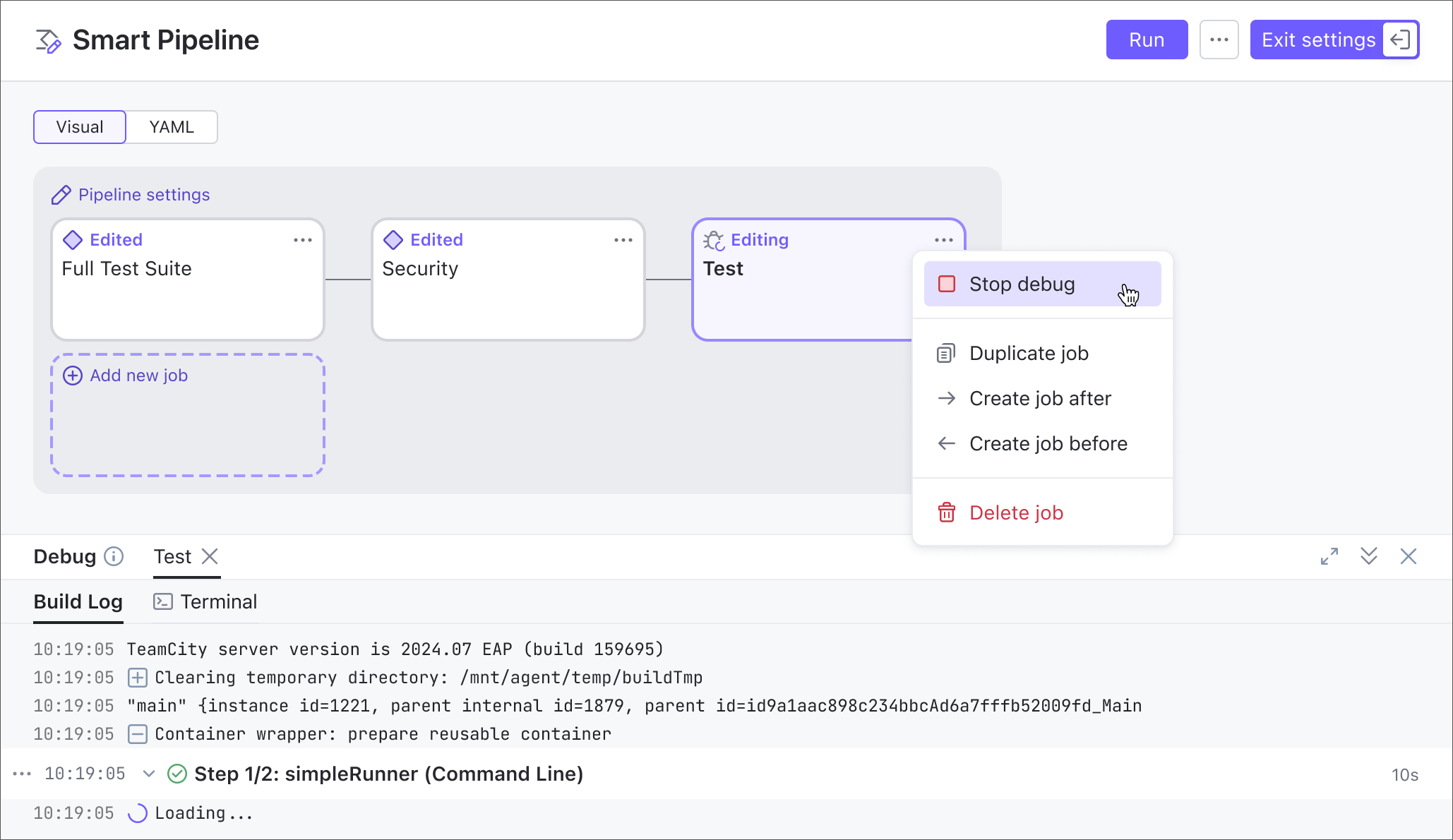
Learn more: Debug Jobs
Improved branch handling
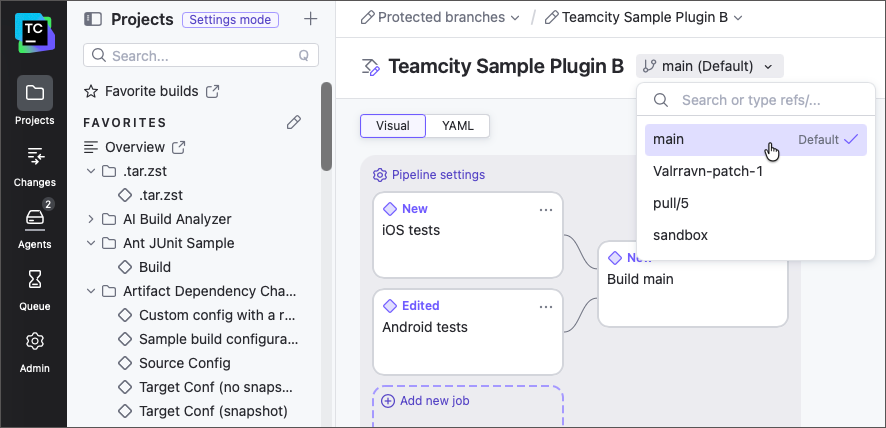
Pipelines are now better equipped to work with feature branches: in edit mode, you can switch between different repository branches and design unique workflows for each of them.
In addition, TeamCity now handles protected branches correctly. An attempt to commit edits made in the UI to a protected branch now results in a clear warning, and a suggestion to save the updated .yml file to another branch.
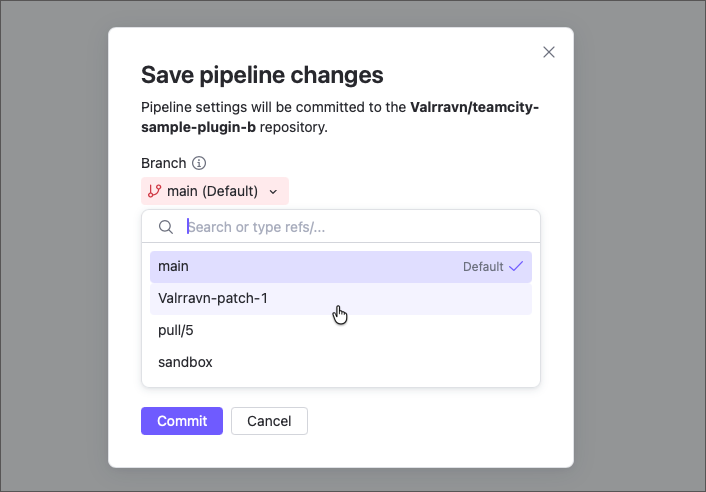
Learn more: Feature Branches
Run through failures
When setting up job dependencies, you can now enable Run job even if upstream fails so a job keeps running even when the upstream job it depends on fails, instead of being automatically canceled.
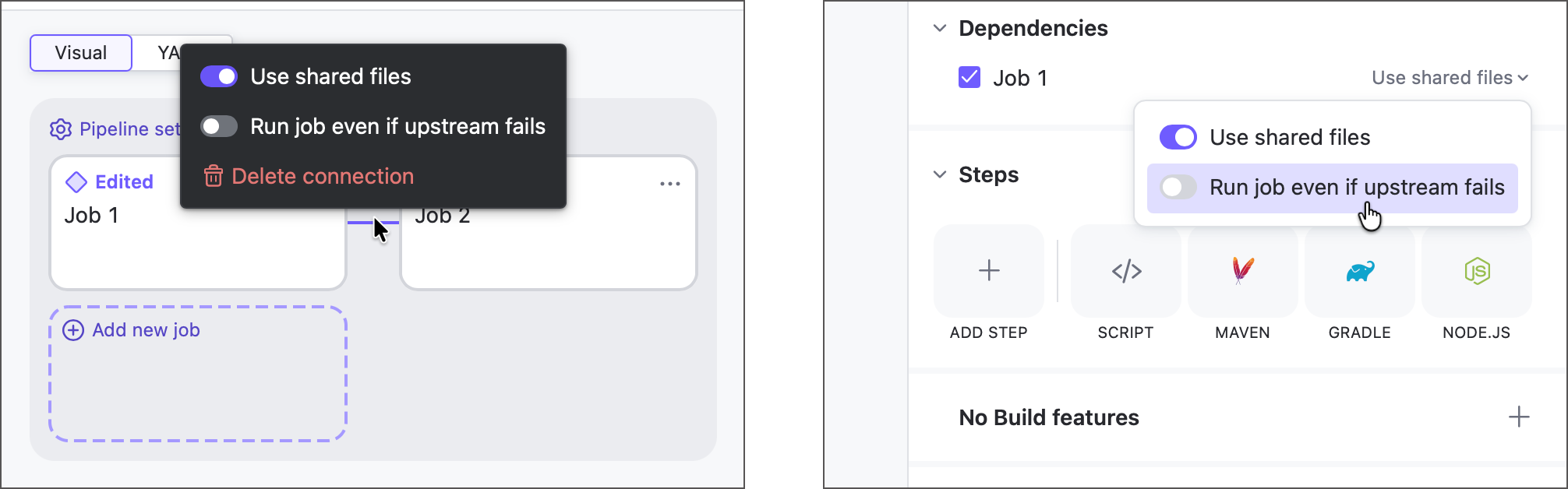
The pipeline run is still marked as failed overall, but this lets you guarantee that specific jobs (for example, cleanup or notification steps) always run.
Learn more: Dependencies
Promote pipeline runs
Promote — the button that triggers the downstream part of a build chain from an older, already-finished build — now works for pipelines, not just build configurations.
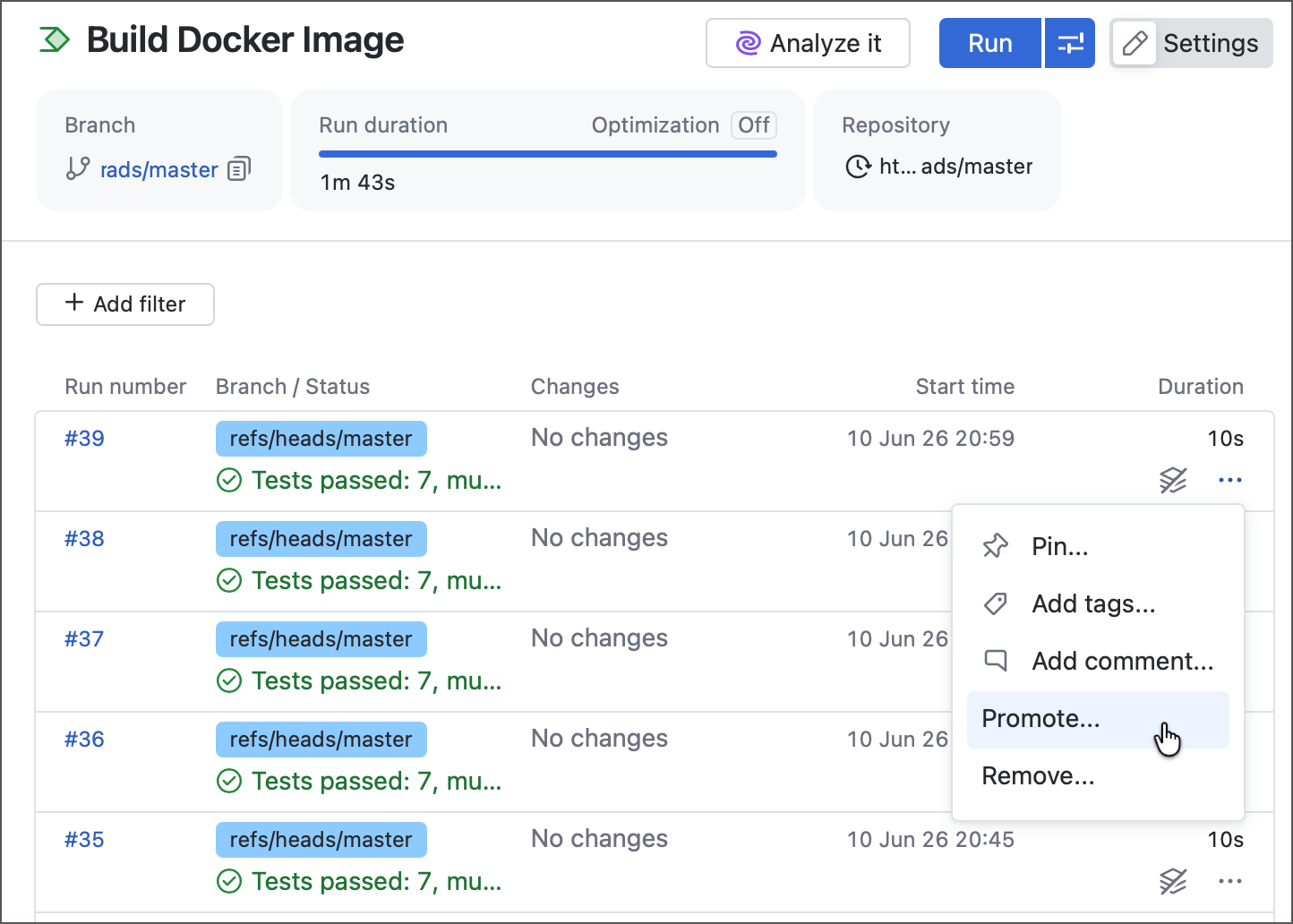
For example, promote a successful "Build Docker image" run into the "Upload to DockerHub" configuration or pipeline to re-deploy that artifact without rebuilding it.
Learn more: Promote a build
Unbound pipelines
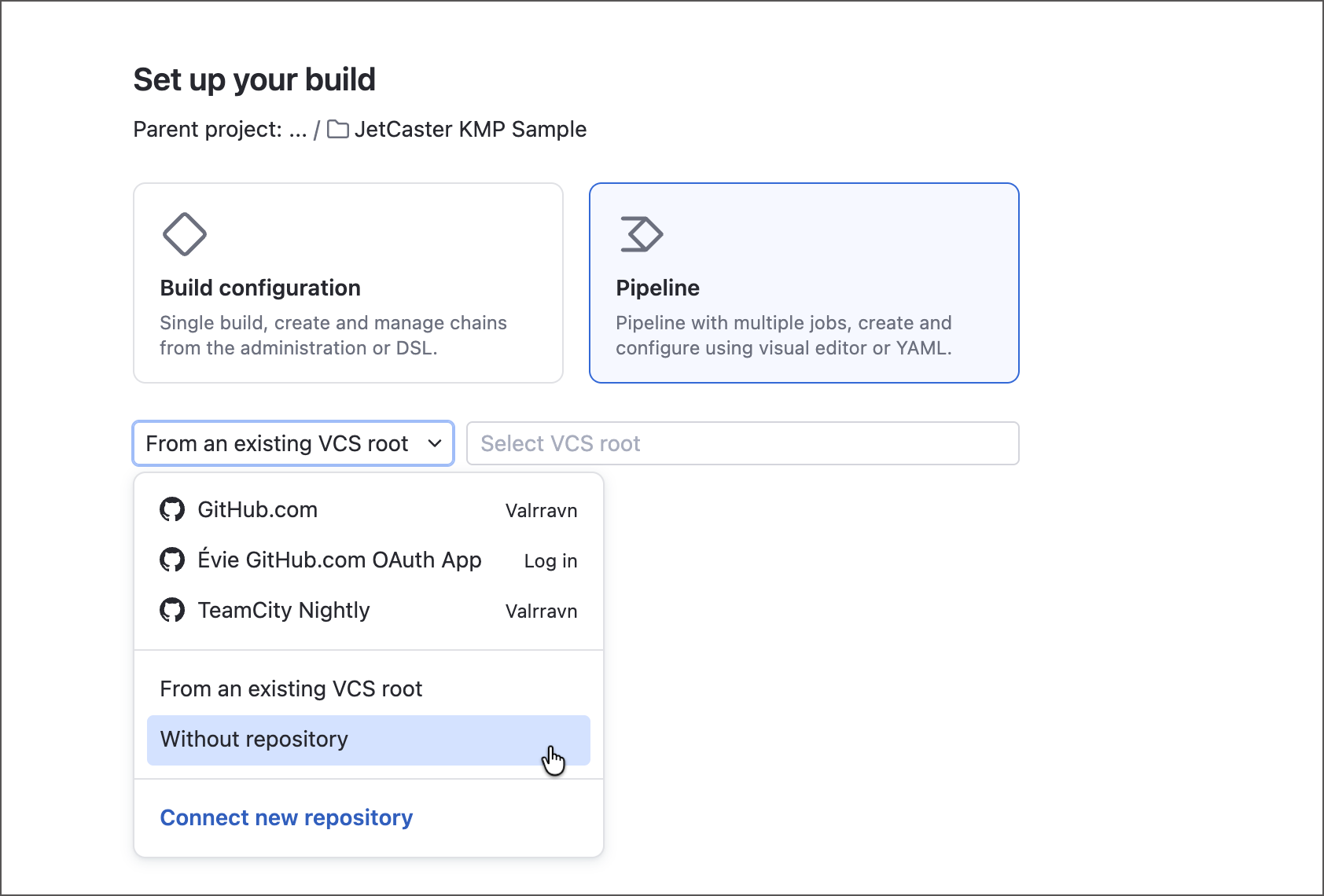
You can now create pipelines without VCS roots attached. Previously, this option was only available for build configurations. Choose the “Without repository” option when creating a pipeline to create a custom workflow that does not check out any remote sources.
Learn more: Create and Edit Pipelines
Amazon ECR support
Pipelines and jobs now show parent project Amazon ECR connections under their Integrations sections.
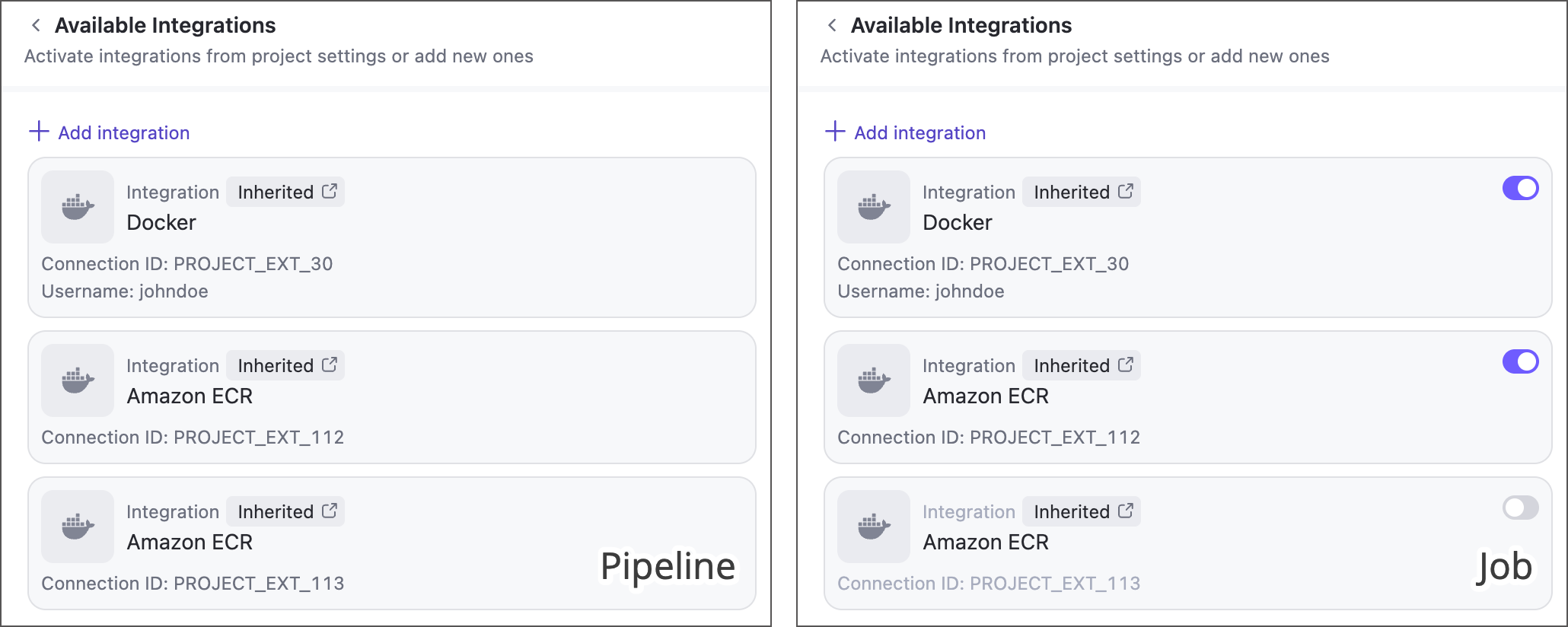
Currently, only inherited ECR integrations are supported — you cannot create local integrations via pipeline settings panel or YAML markup.
Learn more: Pipeline integrations
TeamCity AI
We add AI to TeamCity where it solves an actual CI/CD problem, and leave the rest of the decisions to you. AI features stay off until a server administrator enables them, and starting with this release, you also choose which AI provider stands behind them.
AI Assistant
Starting with TeamCity 2026.2, you're no longer limited to the built-in JetBrains AI: AI Assistant now supports "bring your own key" (BYOK), letting you connect it to a third-party AI provider your organization already has access to. Choose a provider under the Provider selector and enter your API key, and AI Assistant will run on that model instead. The bottom of the Assistant panel always shows which model is currently active.
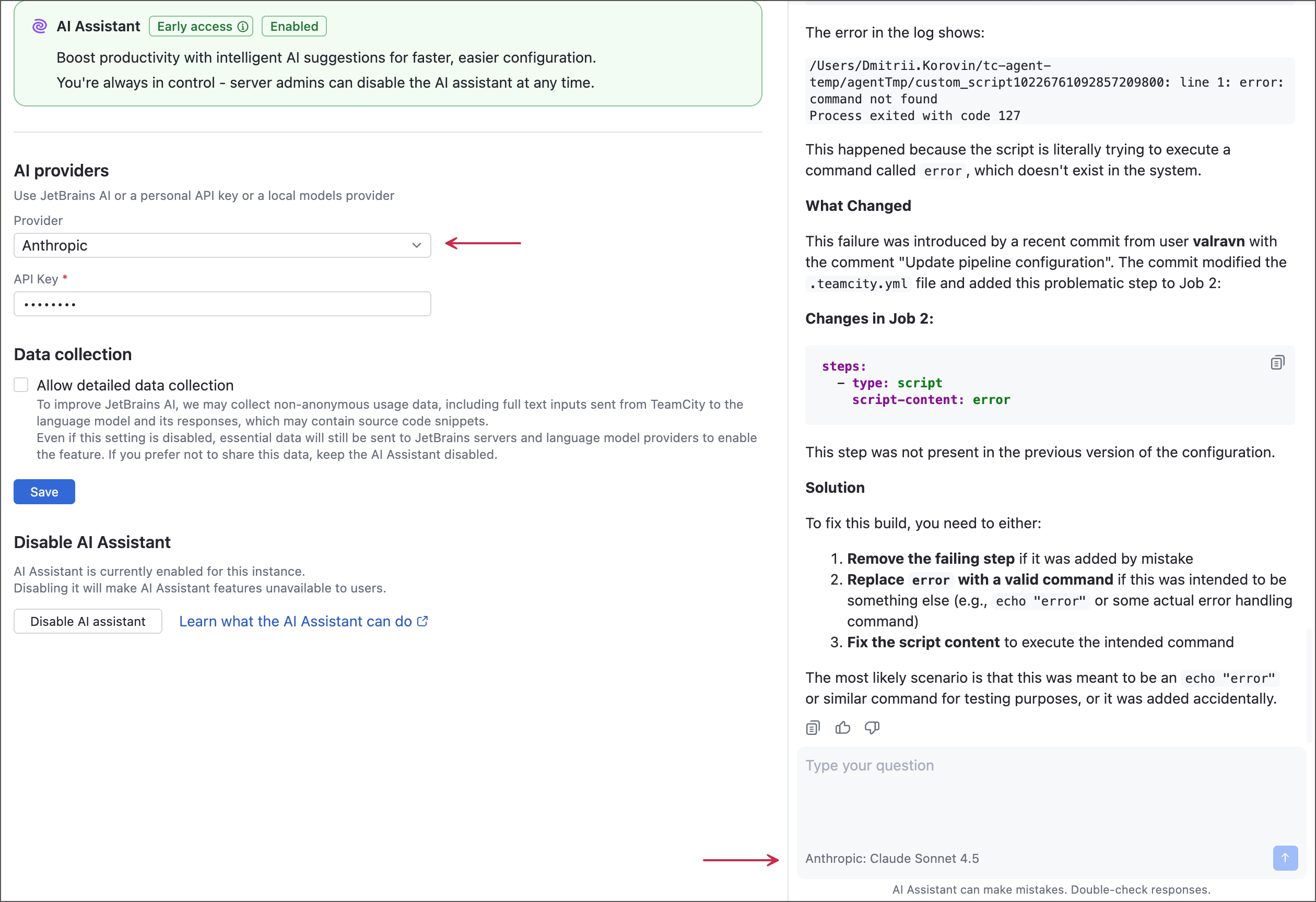
In addition, AI Assistant now works with pipelines, not just classic build configurations, and ships with local documentation sources, making it more accurate and less prone to hallucinations.
Learn more: Providers
MCP improvements
TeamCity's MCP server now exposes three new tools for managing pipelines — retrieve, edit, or delete them straight from your AI agent. You can also connect using OAuth instead of pre-configuring a personal access token.
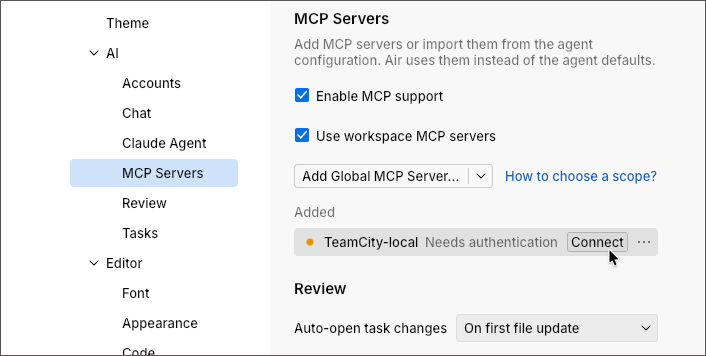
Learn more: TeamCity MCP.
Rerun failed chain builds
The Dependencies tab of build configuration settings now includes a Retry settings group. Enable it to delay a downstream build and automatically retry a failing dependency in place, no need to re-run the entire chain.
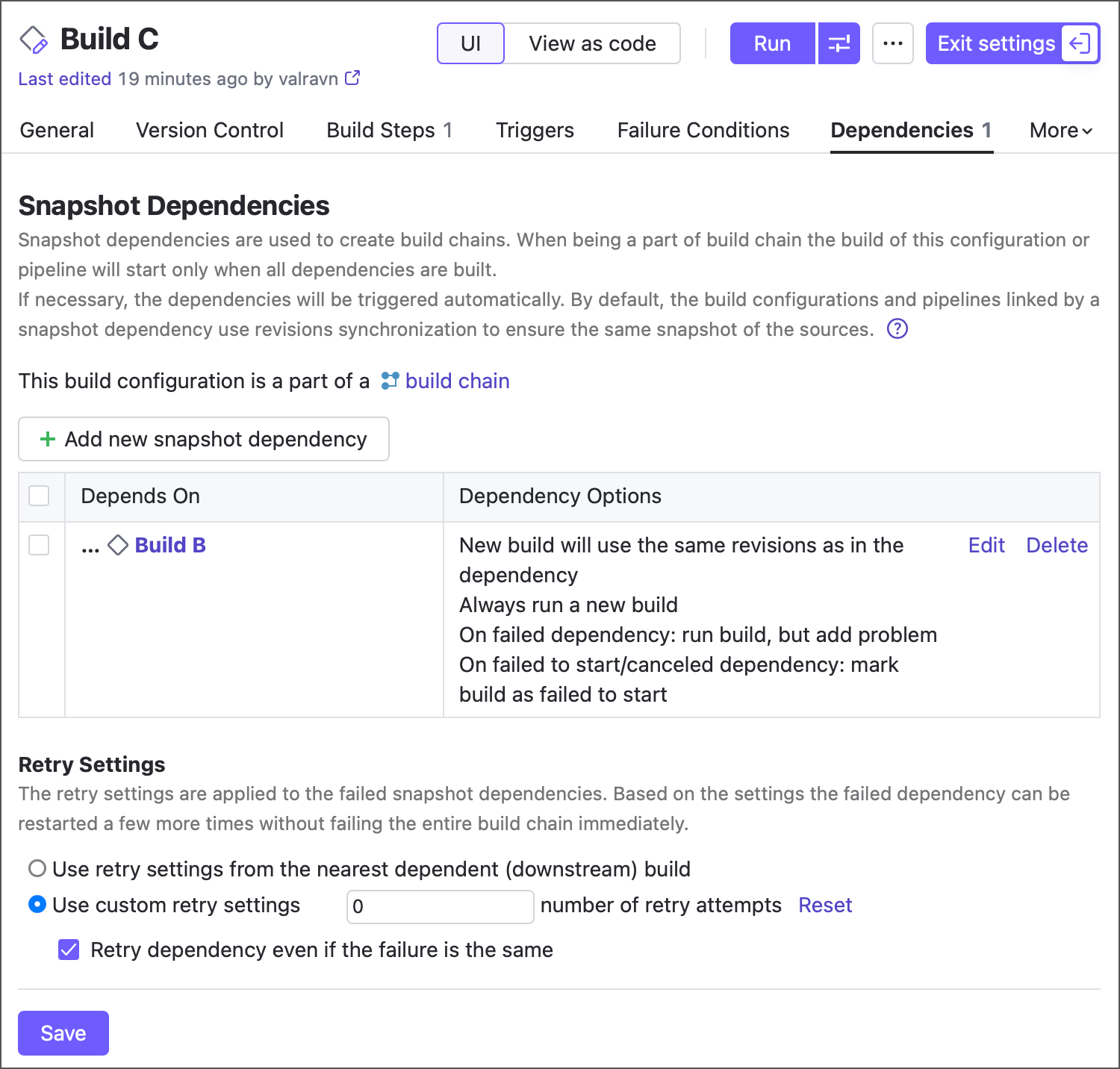
Learn more: Re-run failed chain builds
GitHub pull requests
The Pull Requests build feature can now match pull requests by their source branch instead of their branch reference. This lets TeamCity recognize separate pull requests in different repositories as related changes and build them together in the same build chain, even when GitHub assigns them different pull request numbers.
Learn more: GitHub pull requests
DSL compilation mode
You can now choose where TeamCity compiles versioned DSL settings: on the server or build agents.
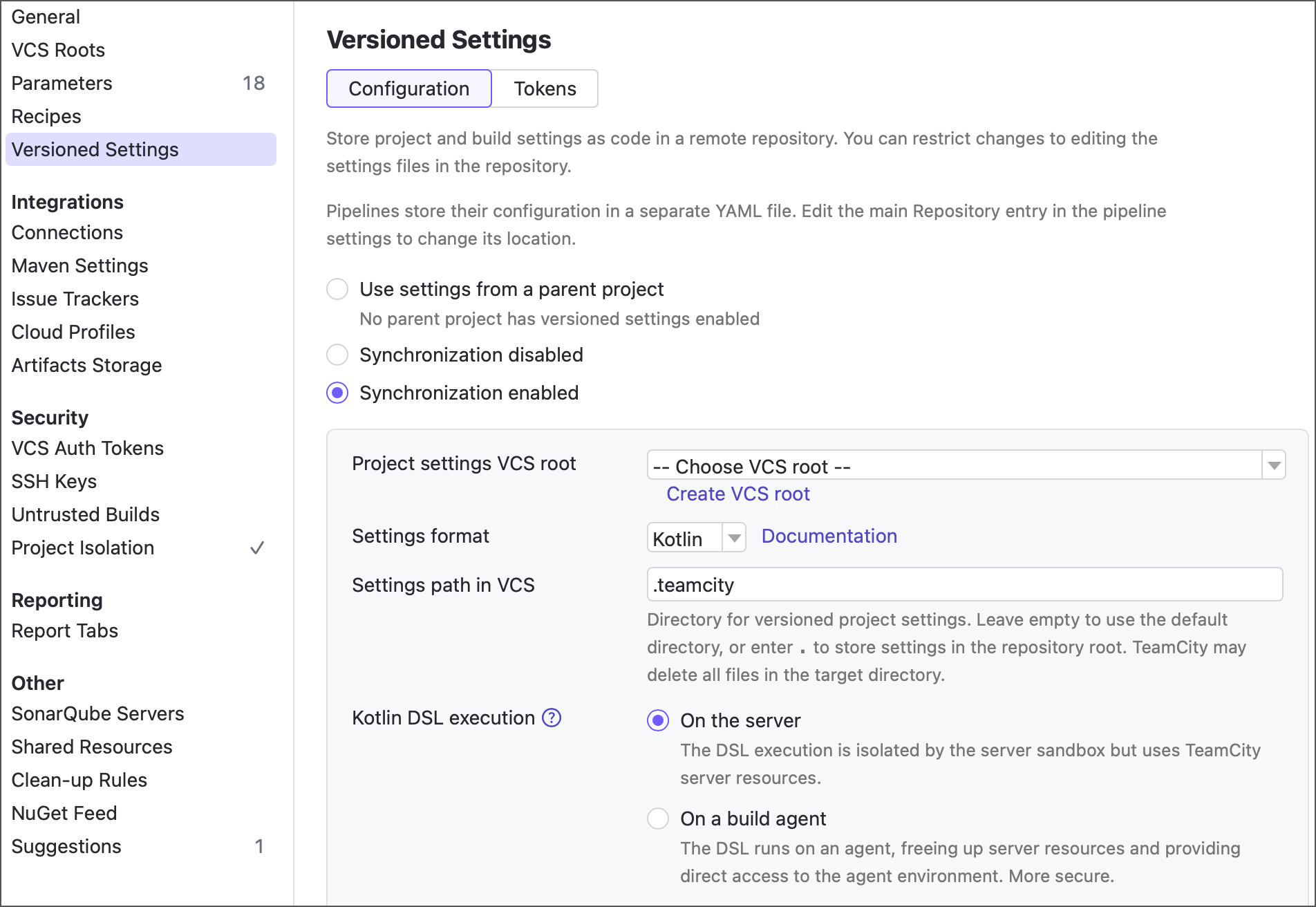
We recommend the On a build agent mode as less restricting and more secure, but both options come with certain trade-offs. See the link below for more information.
Learn more: DSL Compilation
Miscellaneous enhancements
TeamCity now supports the lossless Zstandard compression algorithm for Tape Archive (.tar) files: you can use
.tar.zstor.tzstextension when publishing and exchanging artifacts.The Performance Monitor interface has been refreshed with a more modern appearance, improving readability and visual consistency.
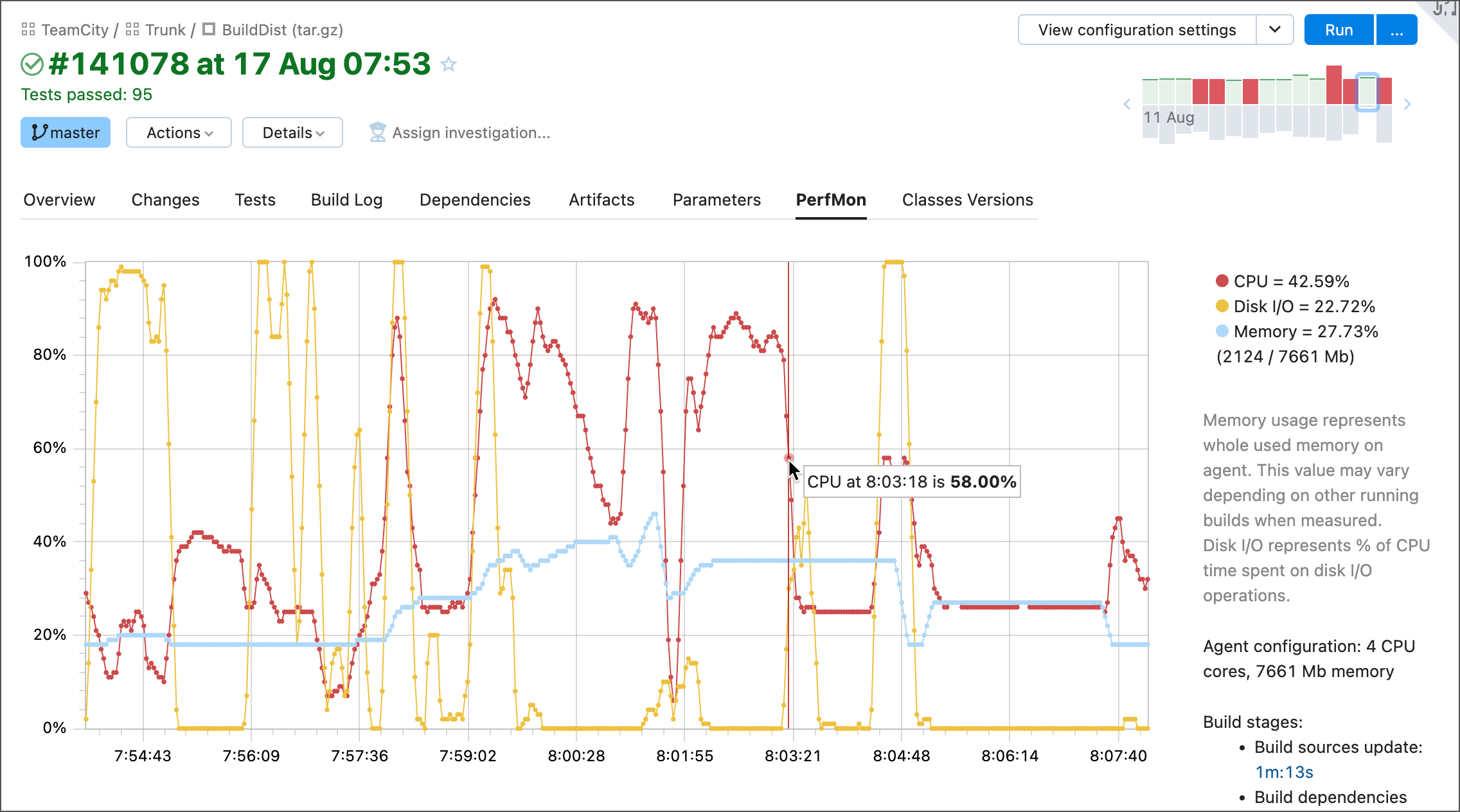
TeamCity now more accurately estimates duration of highly variable parameterized builds.
You can now switch Gradle steps to the advanced integration mode, which no longer relies on the Gradle Tooling API. Builds behave as if you ran Gradle from the command line, and previously incompatible functionality now works: Gradle isolated projects, command-line options like
--daemonand--stop, and more. In version 2026.2, the advanced mode needs to be enabled manually, and we expect it to become the default in future releases.Projects Import now lets you choose whether access tokens that grant the same permissions as their owner are imported along with their users. Such tokens are not limited to any project, so on the target server they would grant every permission their owner has there — TeamCity imports them only if you select the corresponding checkbox.
An agent installed on the same machine as the TeamCity server is no longer authorized automatically. TeamCity also no longer performs remote actions on unauthorized agents: viewing agent logs, dumping threads, opening interactive terminals, and rebooting the machine now require an authorized agent. This prevents the server from communicating with machines that have not been vetted.
Upgrade notes
Before upgrading, we highly recommend reading about important changes in version 2026.2 compared to 2026.1.
Fixed issues
See the TeamCity 2026.2 release notes article for the summary of implemented features and fixed issues.
Roadmap
See the TeamCity Roadmap and TeamCity Pipelines Roadmap articles to learn about future updates.
Update TeamCity On-Premises
We recommend using the Automatic Update for the easiest and most reliable upgrade. For more information on the upgrade process and available options, see Upgrading TeamCity Server and Agents.
To download a .tar.gz or .exe installer for any TeamCity major or bug-fix version, visit the Previous Releases Downloads article.
For TeamCity servers running in Docker containers, see this article.
Your feedback matters
We place a high value on your feedback and encourage you to share your thoughts and suggestions. See this link for more information: Support and Troubleshooting.