Move attribute in
The Move Attribute In refactoring allows you to move all attributes with the name of the selected attribute within tags with the name of the selected tag into a subtag with a specified name. This bulk modification of attribute values may be useful as XML schemas evolve.
Moving an attribute into a subtag
Place the caret at the attribute to move into a subtag, press Ctrl+Alt+Shift+T, and then select Move Attribute In from the list.
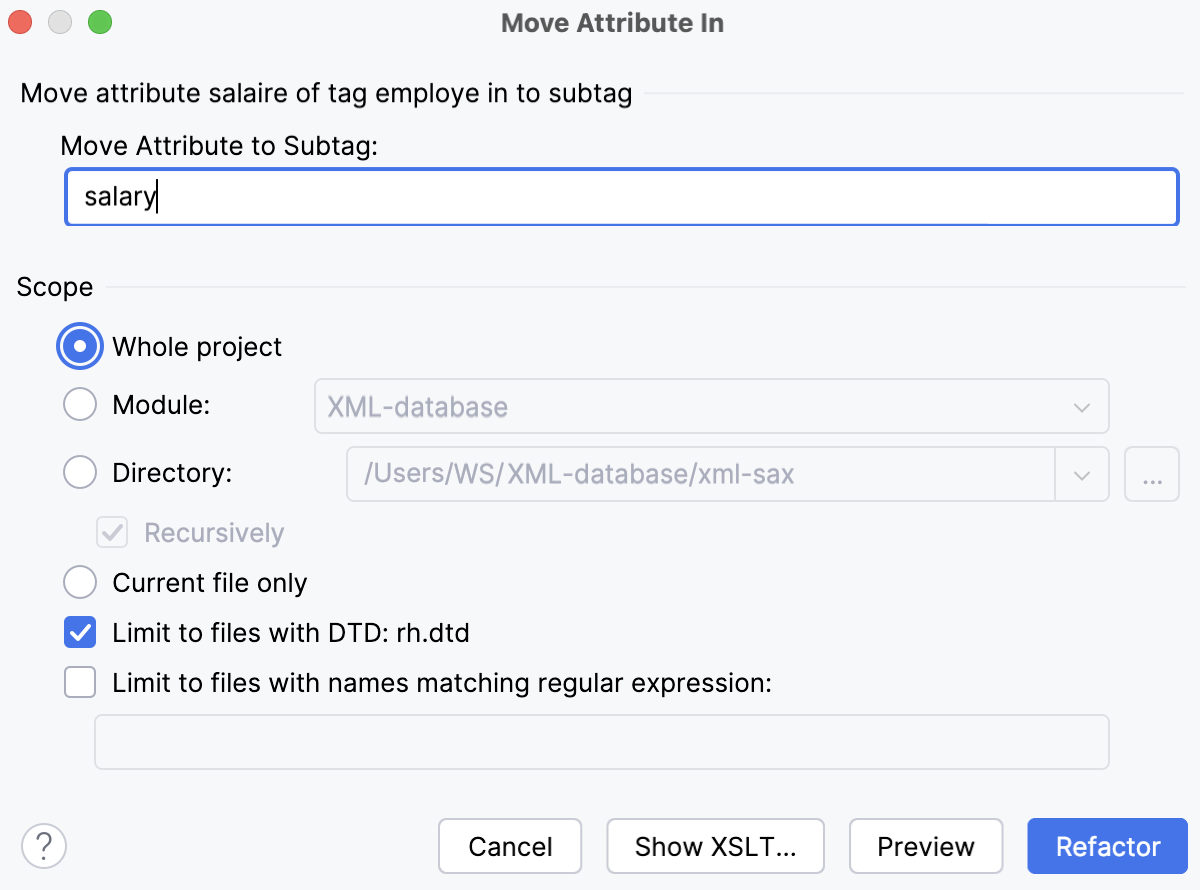
In the dialog that opens, type the name of the sub-tag to move the attribute into and specify the scope to move the attribute in.
With the Directory scope specified, select the Recursively checkbox to include sub-directories.
Select the Limit to files with DTD:... checkbox to limit the scope to the files with the same
DOCTYPEas specified for the current file.
Invoke the refactoring:
Click OK to continue immediately or click Preview to have WebStorm show the usages of the selected attribute in the Find tool window where you can mark usages as included in or excluded from refactoring.
Click Show XSLT... to view a fragment of the XSLT that is equivalent to the requested refactoring. This fragment can be used by XSLT processors to perform the requested refactoring on files outside your WebStorm project.