Search on Administration Pages
Pages in the Access Management section of YouTrack feature a search box that allows you to filter the list of entities displayed. Entities are searched using attributes specific to each page. Depending on the page, YouTrack uses one of two search methods:
Simplified filtering
Attribute-based search
Simplified Filtering
For core entities like Users, Groups, and Roles, YouTrack uses a simplified search interface. Instead of constructing complex queries with operators, you use predefined filters and text strings to locate specific records.
To learn how to search on these pages, please refer to the following instructions:
Attribute-Based Search
For most other pages in the Administration section, such as Auth Modules, SSL Certificates, and Audit Events, YouTrack uses a comprehensive attribute-based search. This allows for complex queries using specific attributes, logical operators, and query completion.
Operators
Use the following operators to create logical combinations of attributes in a search query.
Operator | Description | |
|---|---|---|
not | Exclude a subset from a set of search query results. | |
and | Combine multiple search attributes to expand the search request. The | |
or | Combine multiple search attribute subsets to restrict the search request. | |
( ) | Combine various search attributes to change the order in which attributes and operators are processed. The part of a search query inside the parentheses has priority and is always processed as a single unit. |
Symbols
The following symbols can be used to extend or refine a search query.
Symbol | Description |
|---|---|
, | List multiple values for a single attribute or a sub-query. |
{ } | Encloses attribute values that contain spaces. |
Boolean Search
The has and is keywords function as Boolean search terms. When used in a search query, they return all entities that contain a value for the specified attribute. Use the minus sign (-) as an operator before the specified attribute to find entities that have empty values.
The attributes that you can use in combination with the has and is keywords depend on the type of the entity that you search for. Refer to the section for a specific entity type to view the list of available attributes.
Date and Period Values
Several search attributes reference values that are stored as a date. You can search for dates as single values or use a range of values to define a period.
Specify dates in the format: YYYY-MM-DD or YYYY-MM or MM-DD. You also can specify a time in 24h format: HH:MM:SS or HH:MM. To specify both date and time, use the format: YYYY-MM-DD}T{HH:MM:SS. For example, to find all accounts that were created after 12:00 on May 26, 2017, enter the following query on the Users page:
Search by ID
Every entity in YouTrack has its unique identifier. You can find the entity ID in logs, events, URLs and API requests and responses.
You can use the entity ID in a search query only on the page that lists entities of the same type. This means searching by an ID of a user account on the Roles page returns no results. However, if you use the same ID to filter the list of Users, you can navigate directly to the profile for the user with this ID.
Text Search
Access management pages offer limited support for text-based search queries. With text-based search, you don't specify the attribute that you want to search for. Instead, you enter the value or partial value directly.
On most pages, YouTrack returns a list of entities whose name starts with the specified string.
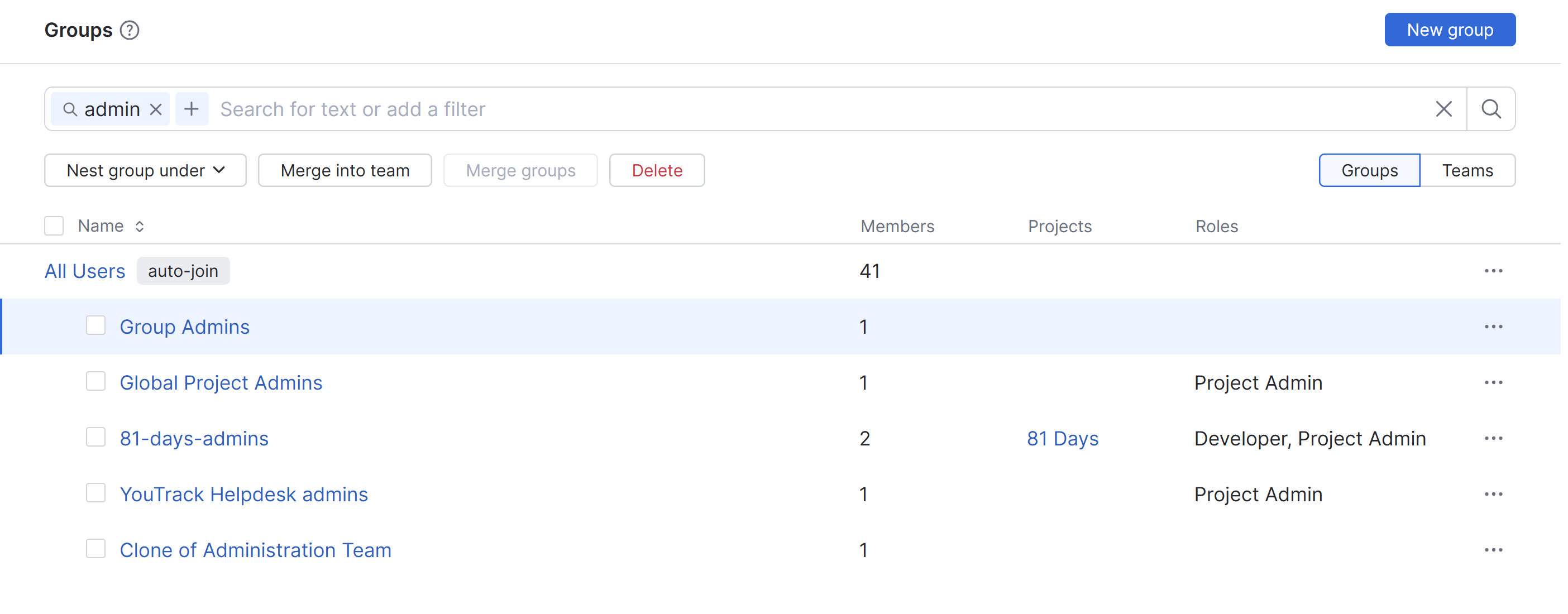
For pages that list users, YouTrack supports the following behavior:
When you enter a string of text, the query returns all users whose full name, username, or email starts with the specified string.
When you specify all or part of an email domain, the query returns all users whose email starts with the specified string.
You can use text-based search strings in combination with any other search terms that use attribute and value pairs.
Users
The Users page features a simplified search that uses predefined filters and text-based matching. To learn more about the search options available on this page, see Search for Users.
Groups
The Groups page features a simplified search that uses predefined filters and text-based matching. To learn more about the search options available on this page, see Search for Groups.
Roles
The Roles page features a simplified search that uses predefined filters and text-based matching. To learn more about the search options available on this page, see Roles.
Auth Modules
YouTrack supports the following attributes in search queries that return auth modules:
Attribute | Value | Description |
|---|---|---|
serverUrl | authModuleServerUrl | Returns authentication modules with the specified server URL. |
name | authModuleName | Returns the authentication module with the specified name. |
type | authModuleType | Returns authentication modules that are assigned the specified type. |
user | <user> | Returns all authentication modules that store login credentials for the specified user. |
has | user | Returns authentication modules that have associated users. |
is | disabled | Returns a list of authentication modules that are currently disabled. |
SSL Certificates
YouTrack supports the following attributes in search queries that return trusted SSL certificates:
Attribute | Value | Description |
|---|---|---|
id | <cert id> | Returns a certificate with the specified ID. |
name | <certificate name> | Returns an SSL certificate with the specified name. |
is | enabled | Returns the list of all trusted SSL certificates that are currently enabled. |
SSL Keystores
YouTrack supports the following attributes in search queries that return SSL keystores:
Attribute | Value | Description |
|---|---|---|
id | <keystore id> | Returns a keystore with the specified ID. |
name | <keystore name> | Returns a keystore with the specified name. |
Audit Events
YouTrack supports the following attributes when searching the list of audit events:
Attribute | Value | Description |
|---|---|---|
author | <user> <group> | Returns events triggered by the specified user or group. |
event | Created Updated Deleted | Returns events of the specified type. For example, |
entityType | <type> | Returns events related to the entities of the specified type. For example, |
target | string | Returns events related to the specified target. |
authModule | Returns events related to the specified authentication module. | |
role | Returns events related to the specified role. | |
service | Returns events related to the specified service. | |
user | Returns events related to the specified user. | |
group | Returns events related to the specified group. | |
before | Returns events registered before the specified moment. | |
beforeId | string | Returns events logged before the specified ID (inclusively). |
after | Returns events registered after the specified moment. | |
afterId | string | Returns events logged after the specified ID (exclusively). |