Whiteboards
Whiteboards in YouTrack offer a flexible, visual space that lets you plan, brainstorm, and collaborate effectively. With the help of a digital whiteboard, you can break down ideas, organize your workflows, and link them directly to issues and articles in YouTrack.
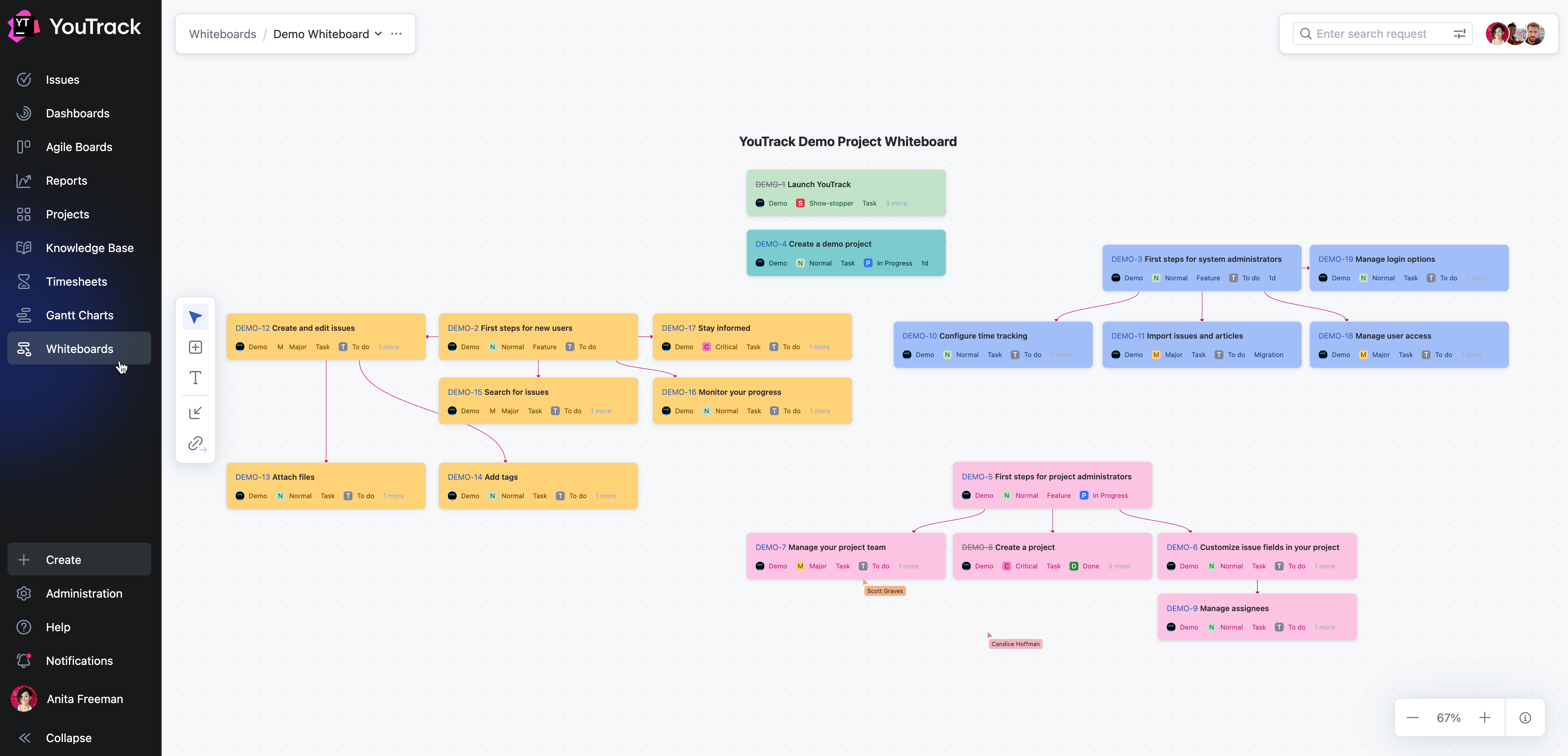
Visual Workflows: Drag and drop cards, connect workflows with links, and organize your ideas on a digital whiteboard.
Integration with YouTrack: Link cards directly to YouTrack items, convert them into actionable issues, or add existing issues into your whiteboard.
Real-Time Collaboration: Share whiteboards with your team to collaborate on projects in a shared visual space.
Flexible Organization Tools: Use text blocks, color-coded cards, and customizable links to structure your ideas however you want.
Shortcuts for Productivity: Use keyboard shortcuts to speed up your workflow.
What Can You Do with Whiteboards?
Whether you're planning sprints, roadmaps, or new features, whiteboards provide tools to help manage your projects visually. YouTrack integrates seamlessly, enabling you to transform your ideas into actionable work in a few clicks.
Feature | Description |
|---|---|
Sketch out project ideas, create flowcharts, or use whiteboards as a mind-mapping tool for brainstorming sessions. | |
Break down development tasks for new features, align timelines, and ensure nothing falls through the cracks. | |
Use whiteboards for personal project management, such as weekly planning, goal tracking, or note-taking. | |
And More... | Whiteboards are your flexible workspace. Use them to troubleshoot workflows, prepare for meetings, plan events, or any other activity that benefits from a visual approach. |