Restricted Helpdesk Projects
By default, new helpdesk projects are open to all registered users of type Reporter. This means that all registered reporters have access to all helpdesk projects. On the Authorized Reporters page of a helpdesk project, you can configure specific reporters and customer groups to have access to specific helpdesk projects.
Reporter Access
In a restricted helpdesk project, only authorized users and customer groups can submit tickets and view their existing requests. When granting access, you can select from your entire user base, including standard users and agents from other projects. However, users who are already assigned as agents within this specific helpdesk project are automatically excluded from the list of eligible reporters. These agents already possess elevated permissions to manage all tickets in the project and do not need to be added to the reporter list.
When you authorize a customer group, all members of the group can create tickets in the restricted project. You don't need to add each reporter individually.
To configure access to a helpdesk project:
From the main navigation menu, select
 Projects.
Click the name of the project you want to configure.
From the project navigation menu, select Settings, then select Authorized Reporters in the project settings side panel.
Under Reporter Access select Open or Restricted.
Enabling Open allows all registered reporters access to create tickets for the helpdesk project.
Enabling Restricted allows only specific listed reporters and members of authorized customer groups to create tickets for the helpdesk project.
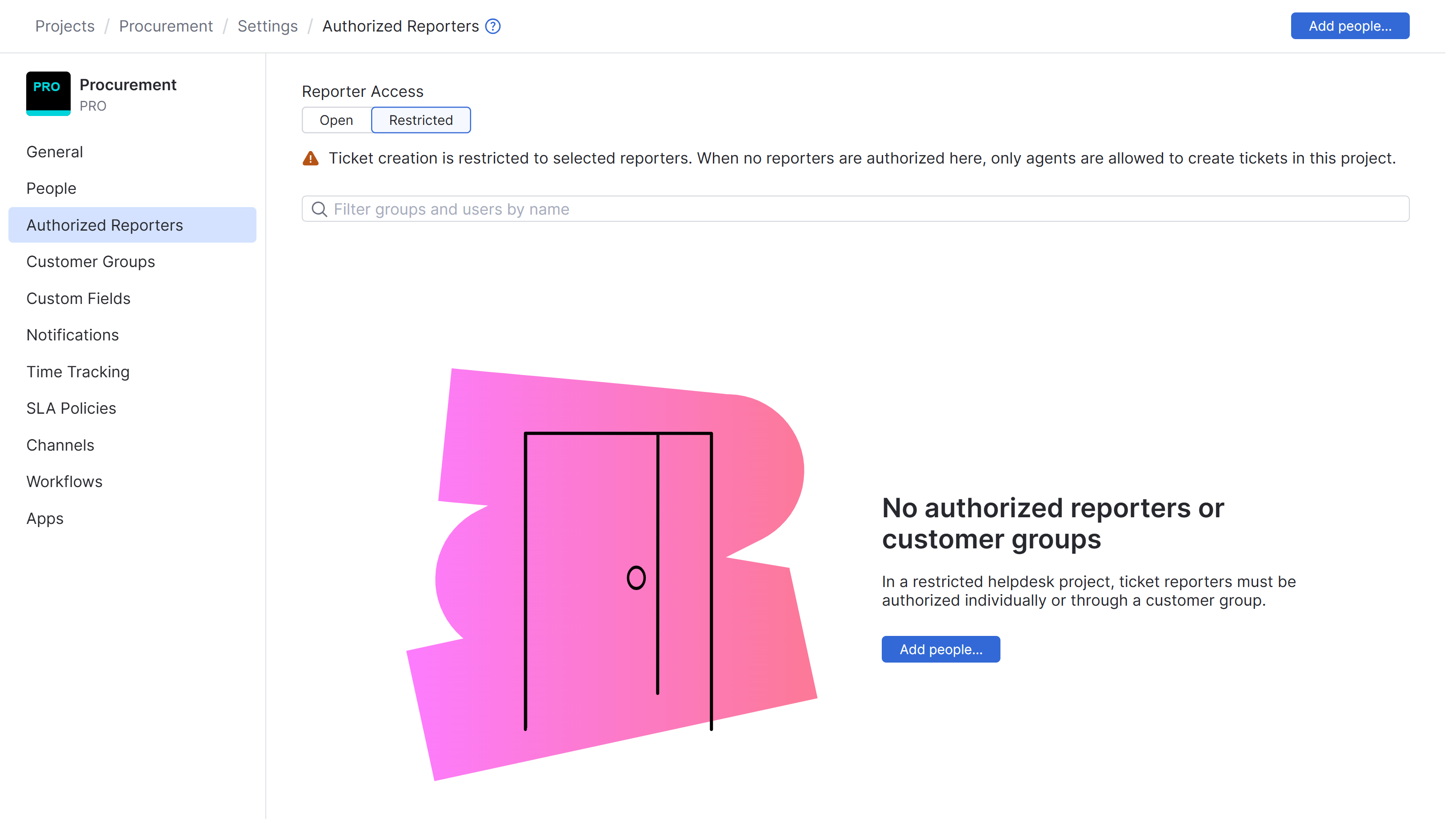
When set to Restricted, click Add people to give specific reporters or customer groups access.
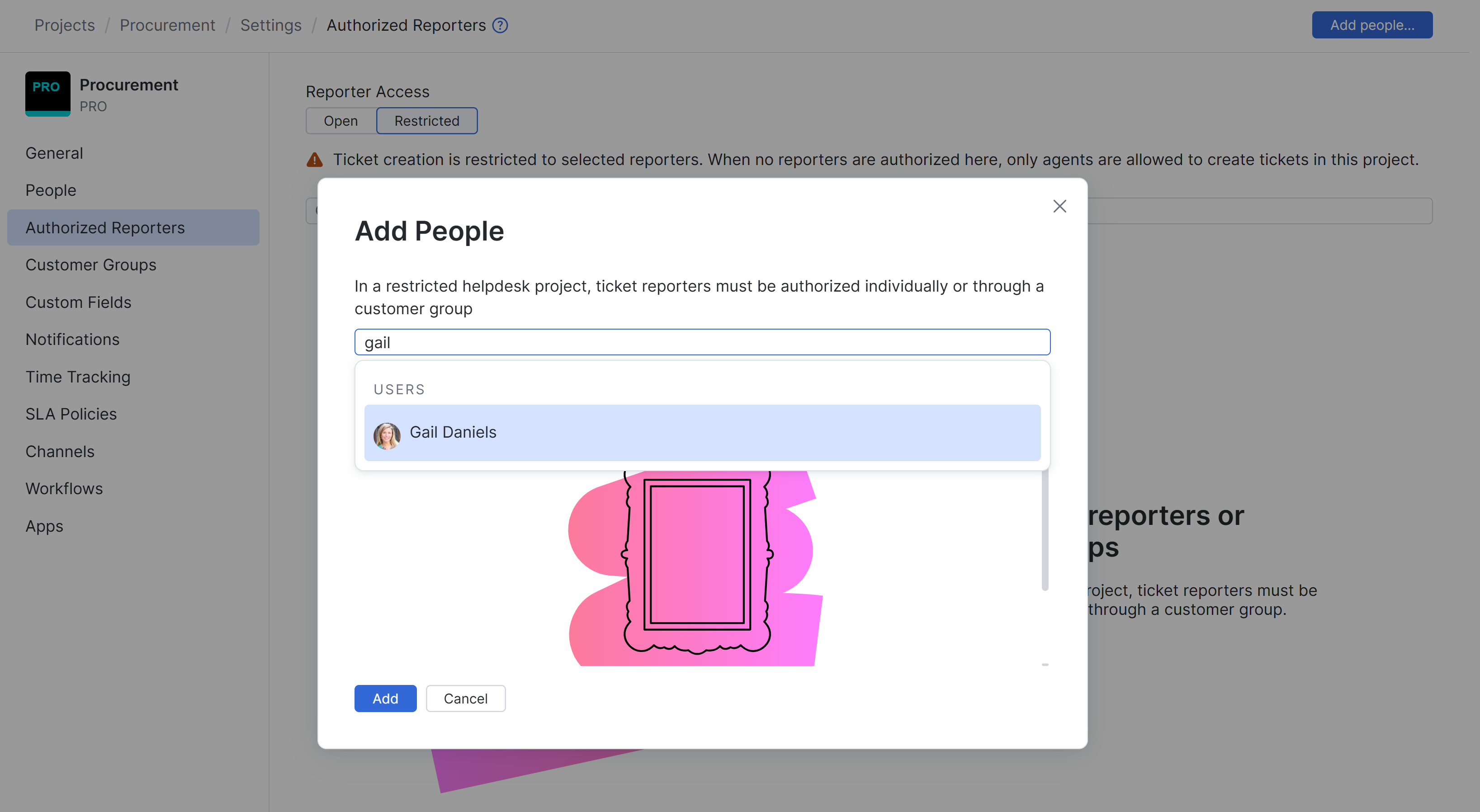
Select reporters or customer groups from the drop-down list and click Add to allow access to the restricted helpdesk project. Use the search bar to filter for specific users or customer groups.
Use the search bar to filter for users and customer groups.
Remove Reporter Access
You can revoke a user's or customer group's ability to submit tickets to a restricted project at any time by removing them from the authorized reporters list. Removing a user from this list does not delete their YouTrack account, and removing a customer group does not delete the group. It simply restricts their visibility for this specific project.
To remove reporter access to a helpdesk project:
From the main navigation menu, select
 .
.In the Users list, select the user account that you want to remove.
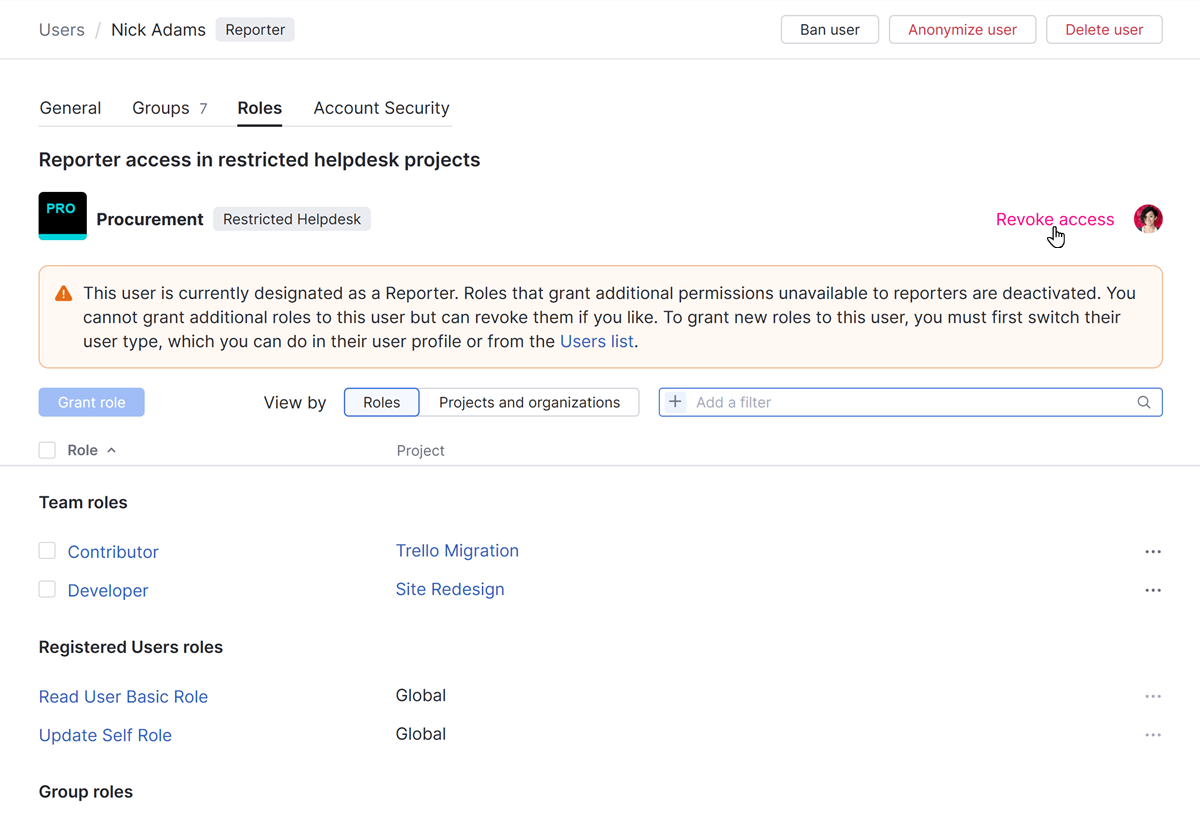
Switch to the Roles tab in the user profile.
Locate the restricted helpdesk project where you want to remove the reporter from and click the Revoke access link.
Reporters and customer groups can also be removed from a restricted helpdesk project directly from the Authorized Reporters page in the project menu by selecting one or more entries and clicking Remove.