ReSharper 2026.1 の新機能
ReSharper 2026.1 リリースの概要へようこそ。 This version is designed to make everyday .NET development more comfortable and efficient, with:
- Enhanced performance monitoring – All runtime behavior insights can now be displayed in a single tool window.
- Expansion beyond Visual Studio – Use ReSharper in VS Code–compatible editors like Cursor and Google Antigravity.
- Improved C# support – Better handling of extension members, new inspections, and early support for upcoming features.
- More stable Out-of-Process mode – Over 70 fixes for improved reliability.
- Modernized editor UI – Updated completion, tooltips, and popups with better scaling.
進化したパフォーマンス監視
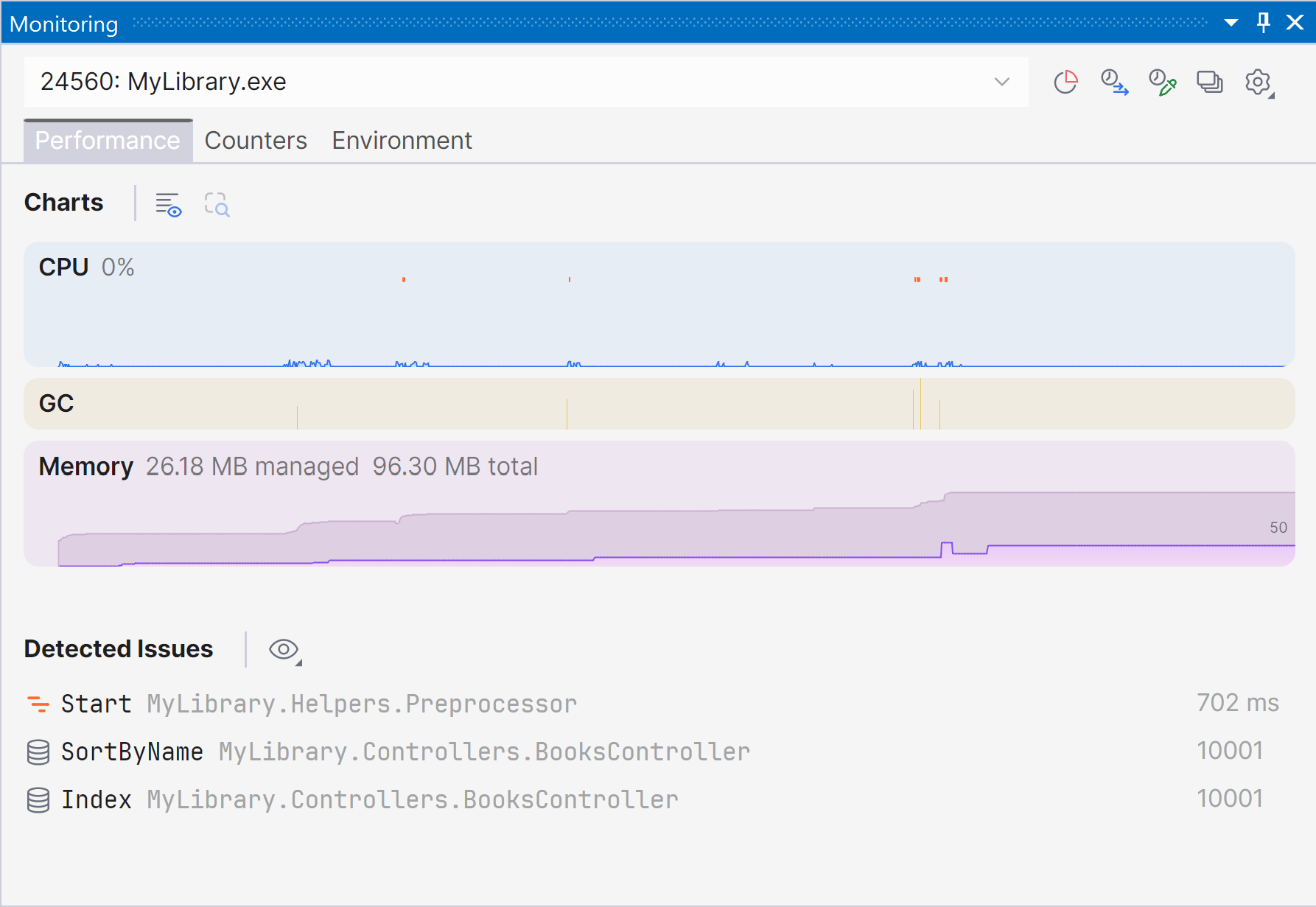
Marking a new step in the evolution of performance monitoring, ReSharper 2026.1 introduces the Monitoring tool window. この新しい専用ツールウィンドウでは実行時のパフォーマンスの状況をより明確かつ包括的に把握でき、問題が自動検出されるため、最適化可能な部分を簡単に特定できます。
The Monitoring tool window lets you observe key runtime metrics of your application as it runs or during debugging. It builds on the capabilities already previously available through our .NET profiling tools and Dynamic Program Analysis (DPA), but brings them together in a single view that makes it easier to evaluate runtime behavior at a glance.
Starting with ReSharper 2026.1, the Monitoring tool window is available when using ReSharper as part of the dotUltimate subscription.
The Dynamic Program Analysis (DPA) feature will be retired in the 2026.2 release, while its core capabilities will continue to be provided through the new monitoring experience.
Current limitations:
The Monitoring tool window is not currently supported in Out-of-Process mode. We are working to remove this limitation in ReSharper 2026.2.
For more details on how monitoring works and how to use it, see our documentation.
VS Code 互換エディターへの拡張
ReSharper が Visual Studio Code と Cursor や Google Antigravity などの互換エディターにも対応しました。これにより、JetBrains の C# ツールをお好みのエディターに導入できるようになりました。
この拡張機能は C#、XAML、Razor、Blazor に対応したリアルタイムコード解析、リファクタリング、ナビゲーションを提供します。 また、プロジェクトおよびソースジェネレーターを管理するための Solution Explorer(ソリューションエクスプローラー)も含まれており、NUnit、xUnit.net、MSTest のユニットテストを組み込みでサポートしています。
VS Code と互換エディター向けの ReSharper は、ReSharper、dotUltimate、All Products Pack サブスクリプションでご利用いただけます。 非商用利用に限定した無料サブスクリプションも提供されています。
Learn more in this dedicated blog post.
言語サポート
C# の拡張に関するサポートの改善
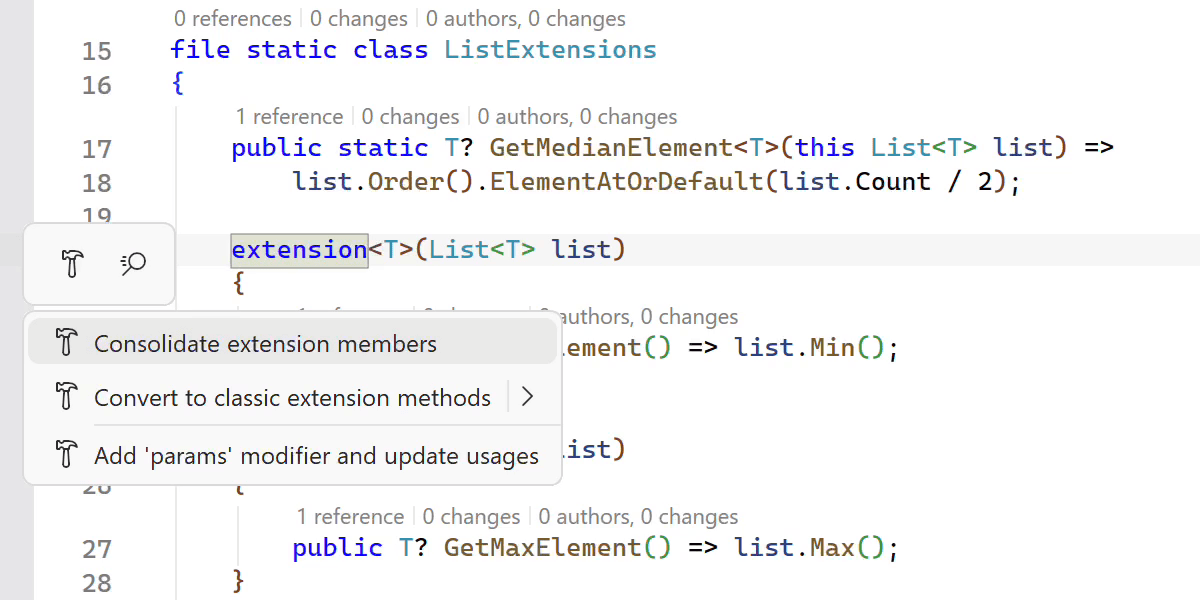
ReSharper 2026.1 expands its support for C# extension members, helping you work more efficiently with the evolving language features.
新しい Consolidate extension members(拡張メンバーの集約)コンテキストアクションを使用すると、互換性のある拡張宣言と従来の拡張メソッドを 1 つのブロックにまとめられます。 Import extension member(拡張メンバーのインポート)クイックフィックスも改良され、あらゆる種類の拡張メンバーをサポートするようになり、必要に応じて不足している using ディレクティブが自動で追加されるようになりました。
拡張メンバーに関する移動操作やリファクタリングも改善されました。 ReSharper で拡張ブロックのデコンパイルと生成されたソースへの移動が可能になり、Extension Method to Plain Static(拡張メソッドから普通の static メソッド)リファクタリングが拡張ブロック内で宣言されたメソッドで機能するようになりました。
Early support for upcoming C# language features
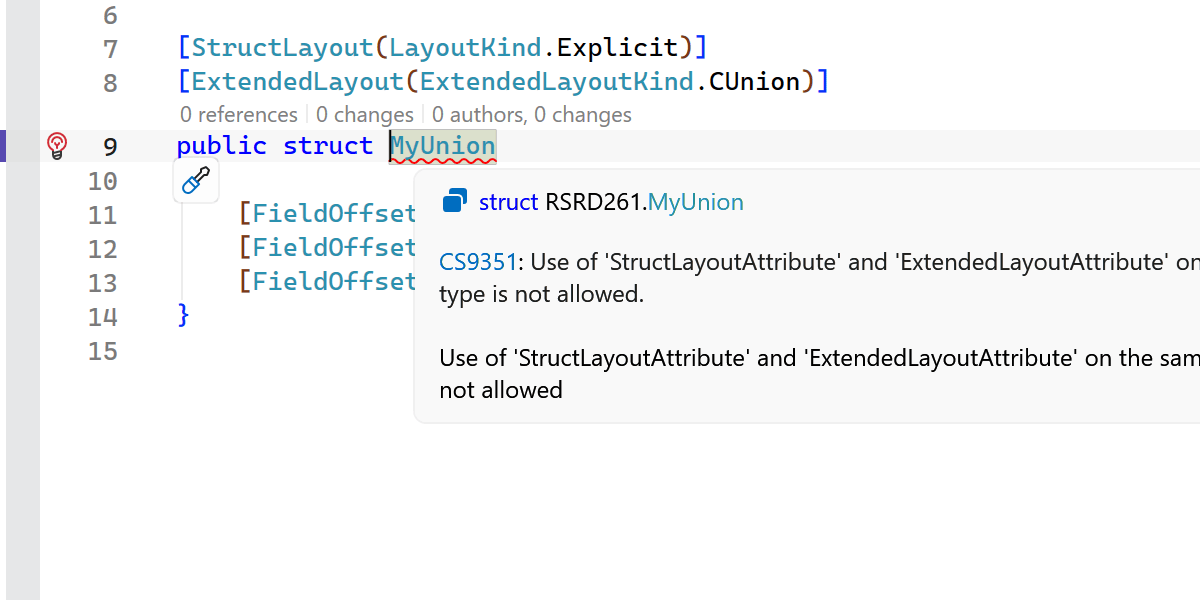
ReSharper 2026.1 introduces early support for upcoming C# language updates, helping you experiment with new syntax as the language evolves.
This release includes initial support for collection expression arguments and support for the [ExtendedLayout] attribute, ensuring ReSharper continues to work smoothly with the latest compiler innovations.
New inspections and code style options
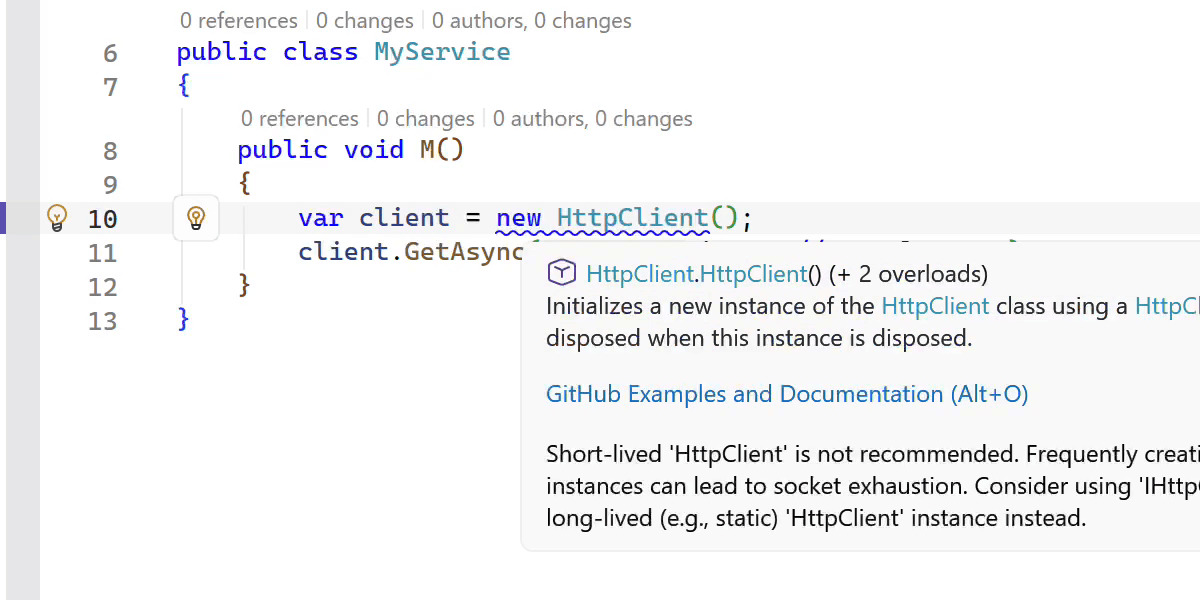
This release adds several new inspections and style options to help you write safer and more consistent code.
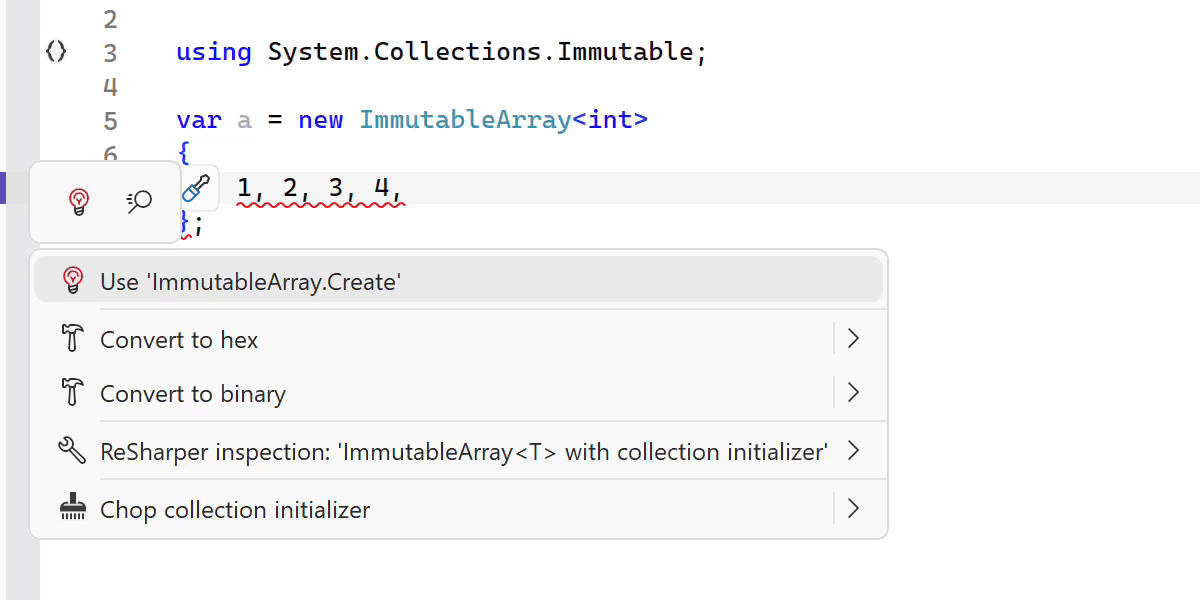
ReSharper now detects short-lived HttpClient instances and suggests safer reuse patterns. It also warns you when ImmutableArray<T> is used with collection initializers, which can lead to a runtime NullReferenceException.
その他、以下のような改善点があります。
- A new inspection for enforcing the order of accessor methods in properties and events.
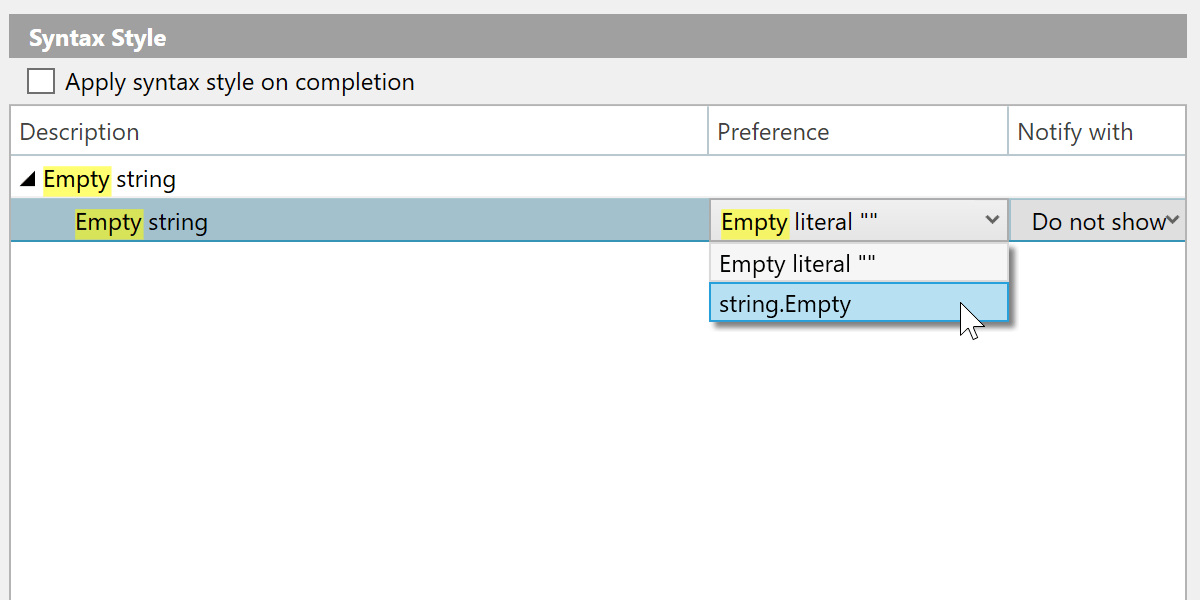
- A syntax style option for empty strings, allowing you to choose between
string.Emptyand"". - Improved nullable reference type migration, with an option to insert
#nullable enableautomatically in new files. - Enhanced code completion that can generate method definitions based on
[LoggerMessage]attributes.
インデックス作成、コード補完、解析の高速化
This release brings several performance improvements across indexing, code completion, and code analysis.
アセンブリで定義されているアノテーション付き型メンバーのインデックス作成処理を大幅に見直し、その高速化とメモリ効率の向上を実現しました。
一部の高コストな処理を排除することで、インポート補完の応答も改善しています。
We also optimized several performance-critical code paths by reducing costly interface type checks, resulting in faster code analysis and lower overall overhead.
C++ の改善
ReSharper 2026.1 improvements to C++ support include:
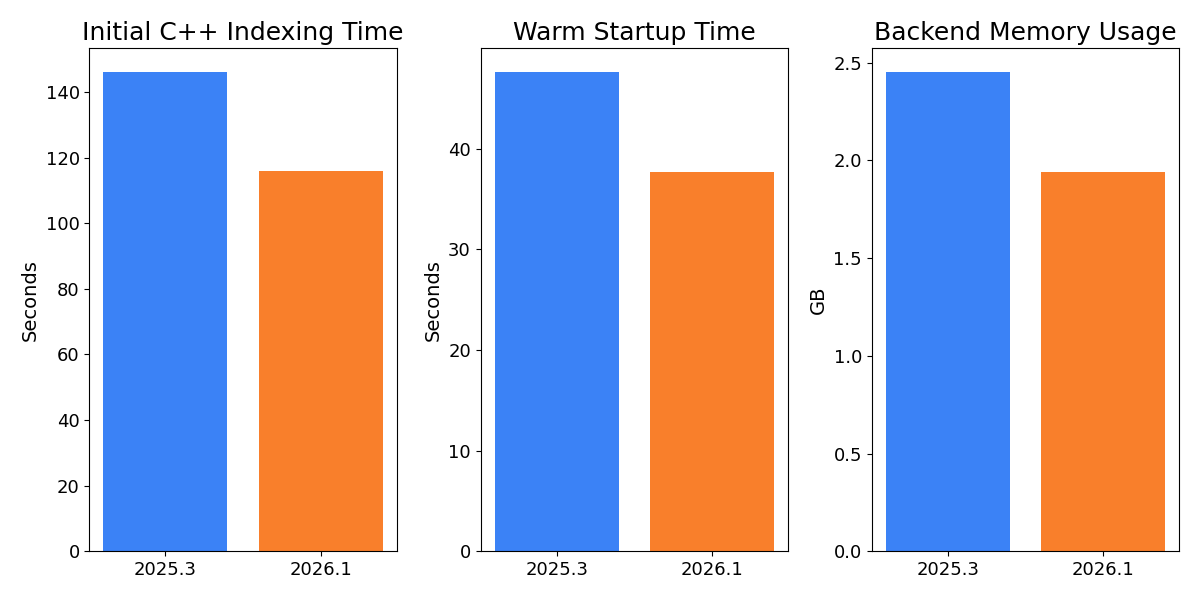
- Performance: Faster startup times and lower memory usage in Unreal Engine projects.
- Language support: Support for the C23/C++26
#embeddirective, C++23 extended floating-point types, the C2Y_Countofoperator, and other features. - Coding assistance: Auto-import for C++20 modules and postfix completion for primitive types, literals, and user-defined literal suffixes.
- Code analysis: New inspections for out-of-order designated initializers and override visibility mismatches, update of bundled Clang-Tidy to LLVM 22.
- Unreal Engine: Richer Blueprint integration in Code Vision and Find Usages, compatibility fixes for the upcoming Unreal Engine 5.8.
C++ 関連の更新の詳細については、ReSharper C++ 2026.1 の新機能ページをご覧ください。
Out-of-Process(アウトプロセス)モードでの安定性向上
We continue to improve the stability of ReSharper’s Out-of-Process (OOP) mode, which improves responsiveness and resilience by separating ReSharper’s backend from Visual Studio.
本リリースでは 70 件以上の問題を修正し、Out-of-Process(アウトプロセス)アーキテクチャに関する改善を行いました。 今回の修正により、ナビゲーション(特に Peek アクション)、UI 操作、ユニットテストセッション、ソリューション状態の同期を含む幅広い場面での問題が解決されます。
ReSharper が Out-of-Process(アウトプロセス)モードで使用する .NET ランタイムも .NET 10 にアップデートされました。
補完とポップアップ UI のモダン化
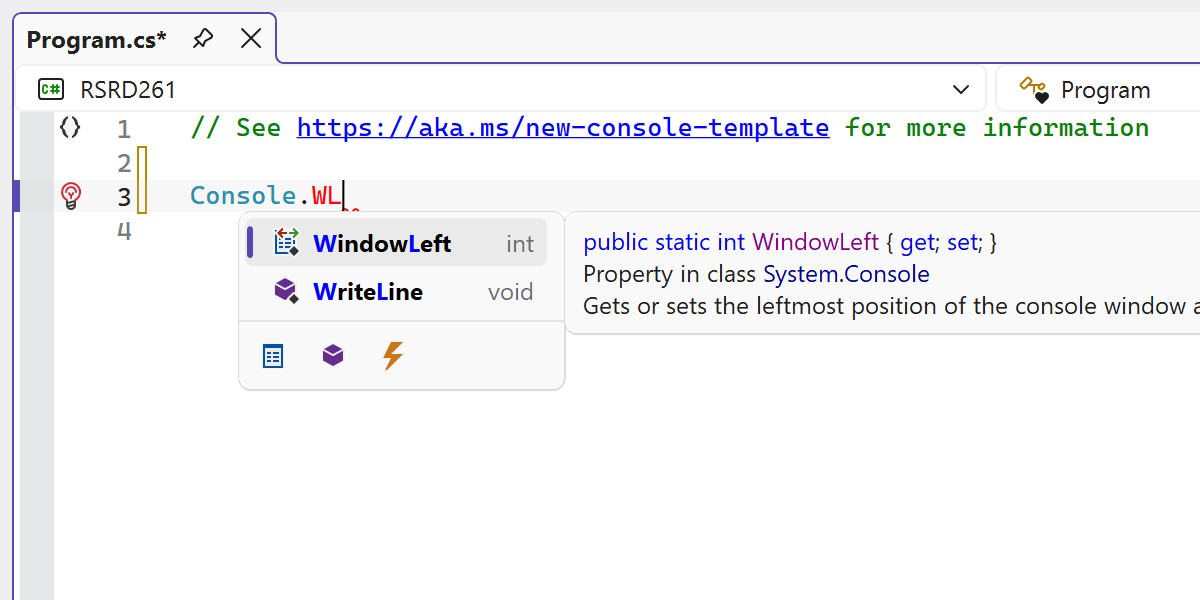
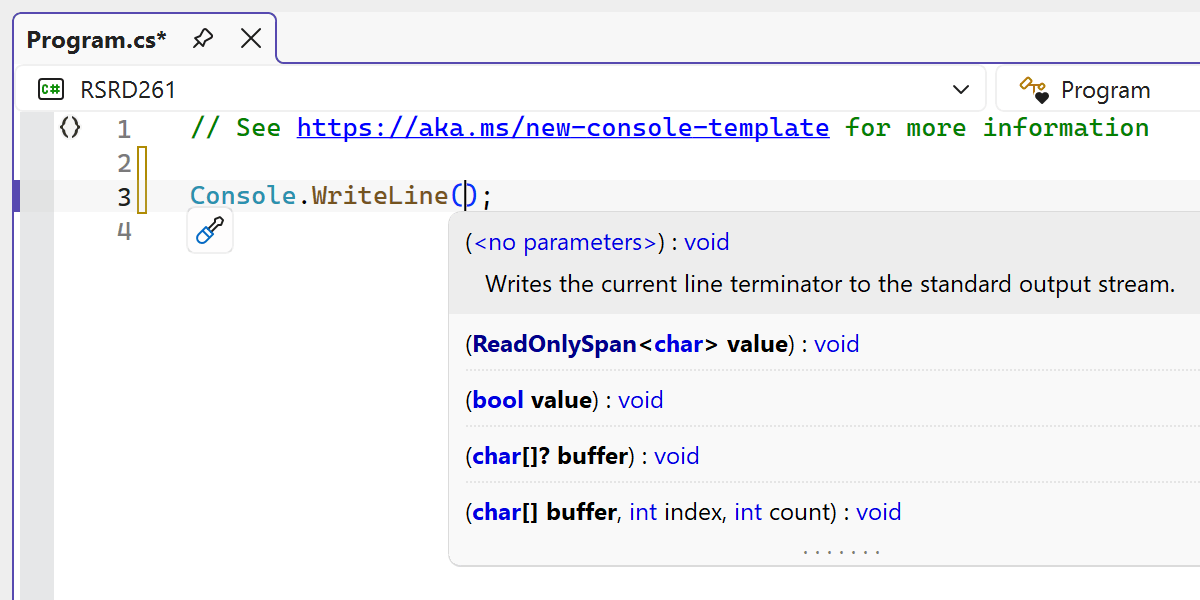
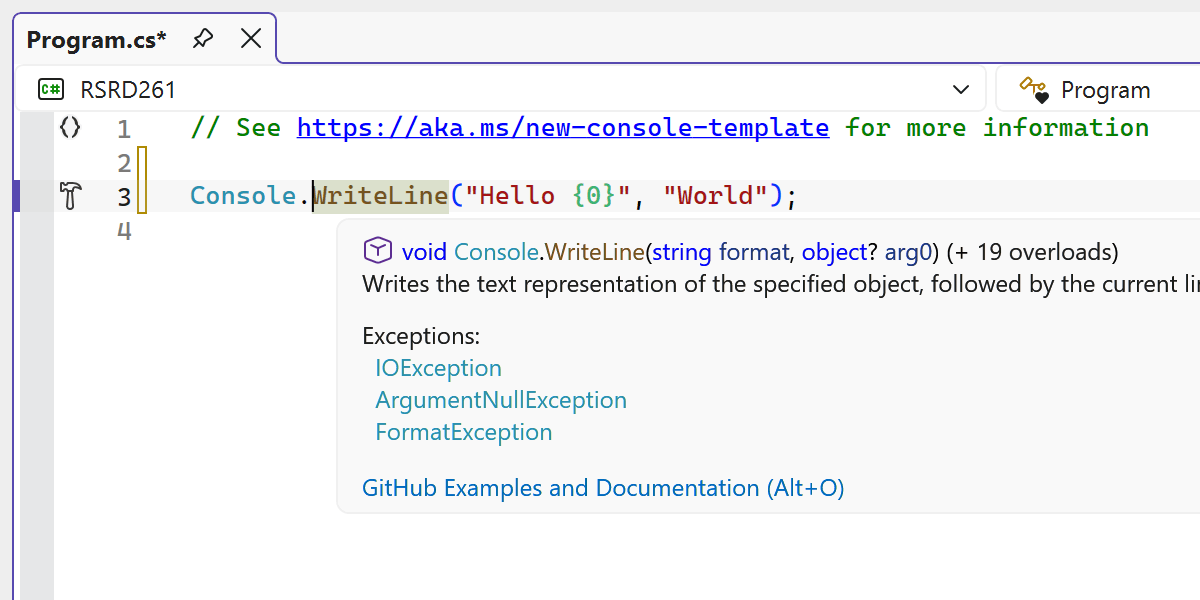
ReSharper の複数のエディター UI 要素を更新し、Visual Studio のモダンな外観により適合させました。
デザインを刷新することで、エディター組み込みのコード補完 UI がよりすっきりとした一貫性のある外観になりました。
パラメーター情報ポップアップ、ツールチップ、その他のエディターのポップアップを含む多数の関連 UI コンポーネントがモダン化され、古いビジュアル要素が置き換えられ、複数のテーマや DPI の設定で見た目が改善されました。
最新の UI では Visual Studio のエディターの拡大・縮小機能がサポートされ、拡大率が変更されても補完リストとパラメーター情報が正しく拡大されるようになっています。