DataGrip
Many databases, one tool – for you and your agents.
The JetBrains IDE for relational and NoSQL databases.


Work with databases your way
DataGrip equips you and your agents with a rich toolset to manage multiple databases with speed, precision, and safety all within a single intuitive UI.
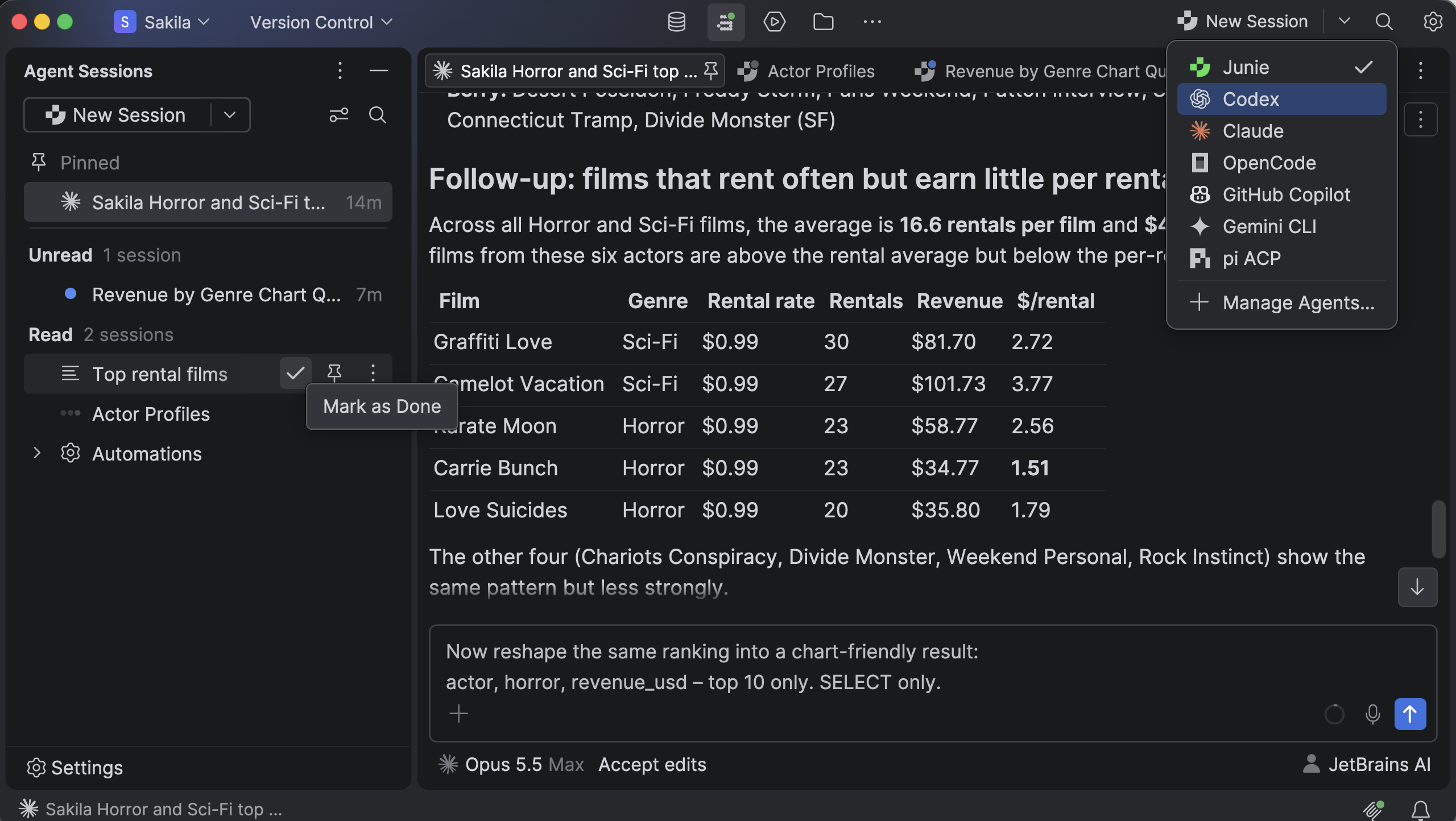
Tenha confiança ao desenvolver com IA
Give agents the schema context they need to work faster and more reliably, while keeping operations safe with customizable permissions and confirmation dialogs. Connect agents using your own API key, an existing subscription, or JetBrains AI, and switch between them anytime.
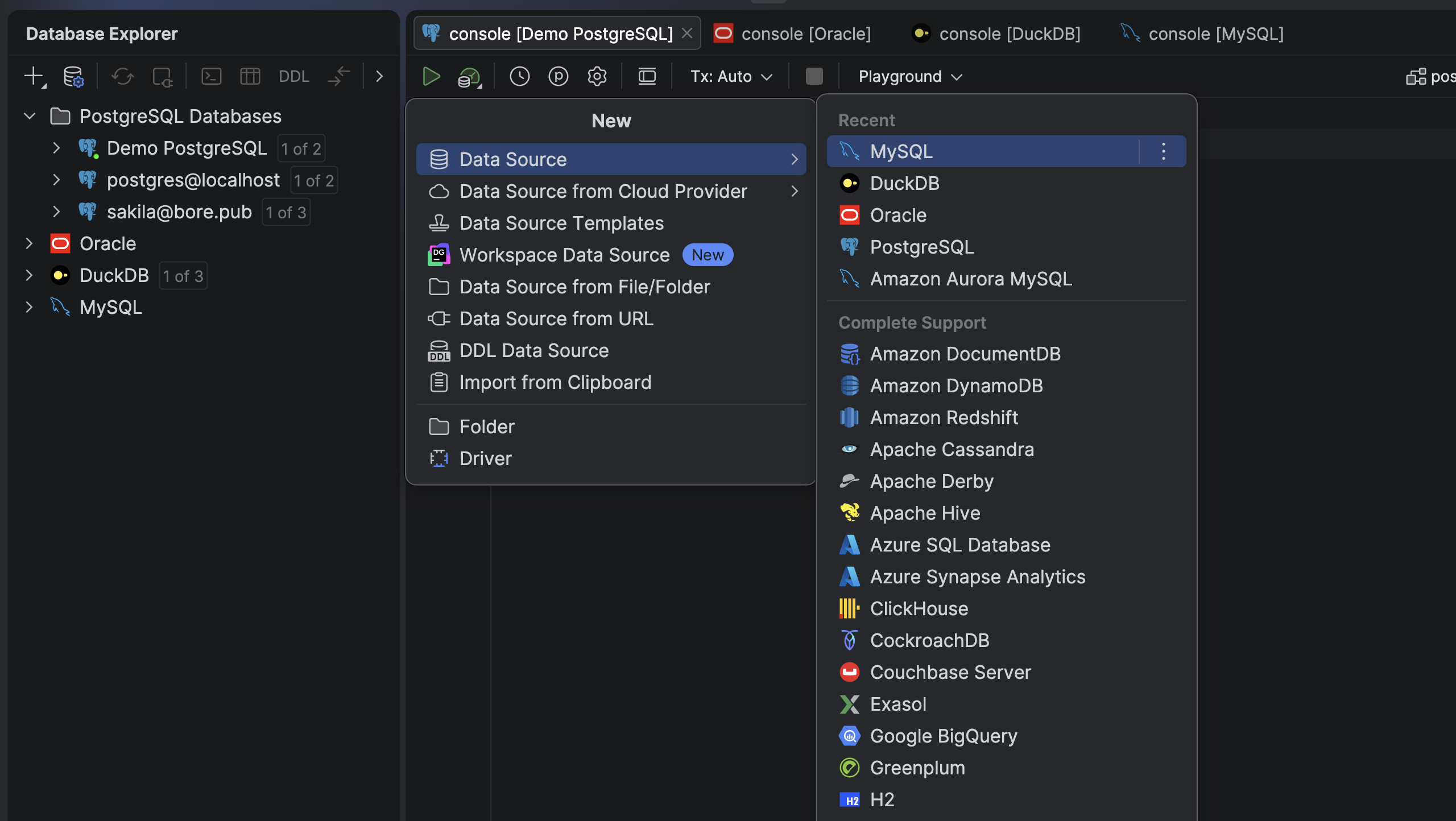
Manage local and cloud databases
Maintain consistent workflows across over 50 local and cloud-based databases in a convenient and modern UI. Connect directly to your AWS, Google Cloud, or Azure account to automatically discover available instances.
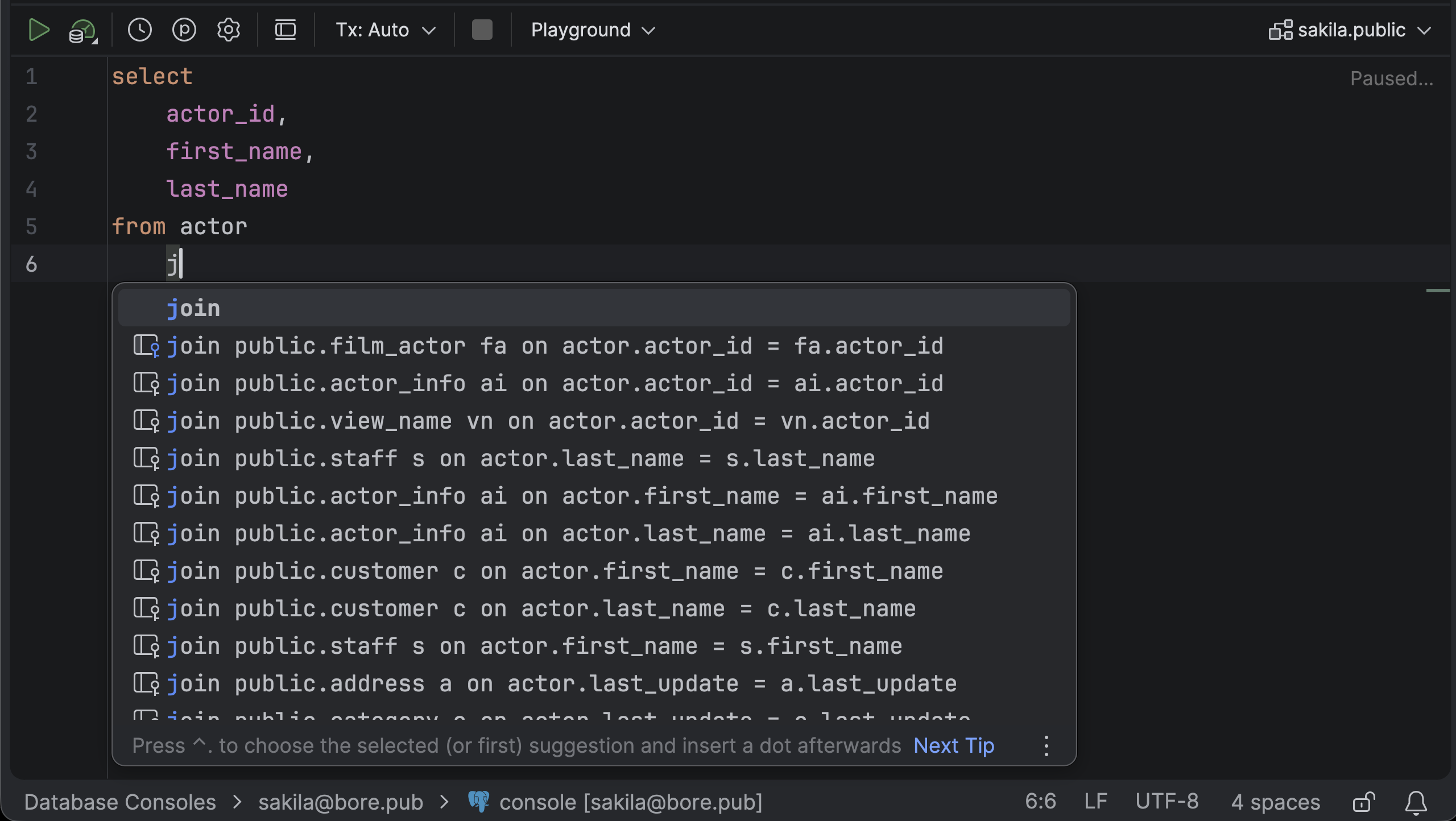
Benefit from first-class SQL support
Build queries faster with schema-aware code completion, error detection, and quick-fixes that work across multiple SQL dialects. You can even set your own formatting and code style rules to keep your SQL clean and consistent.
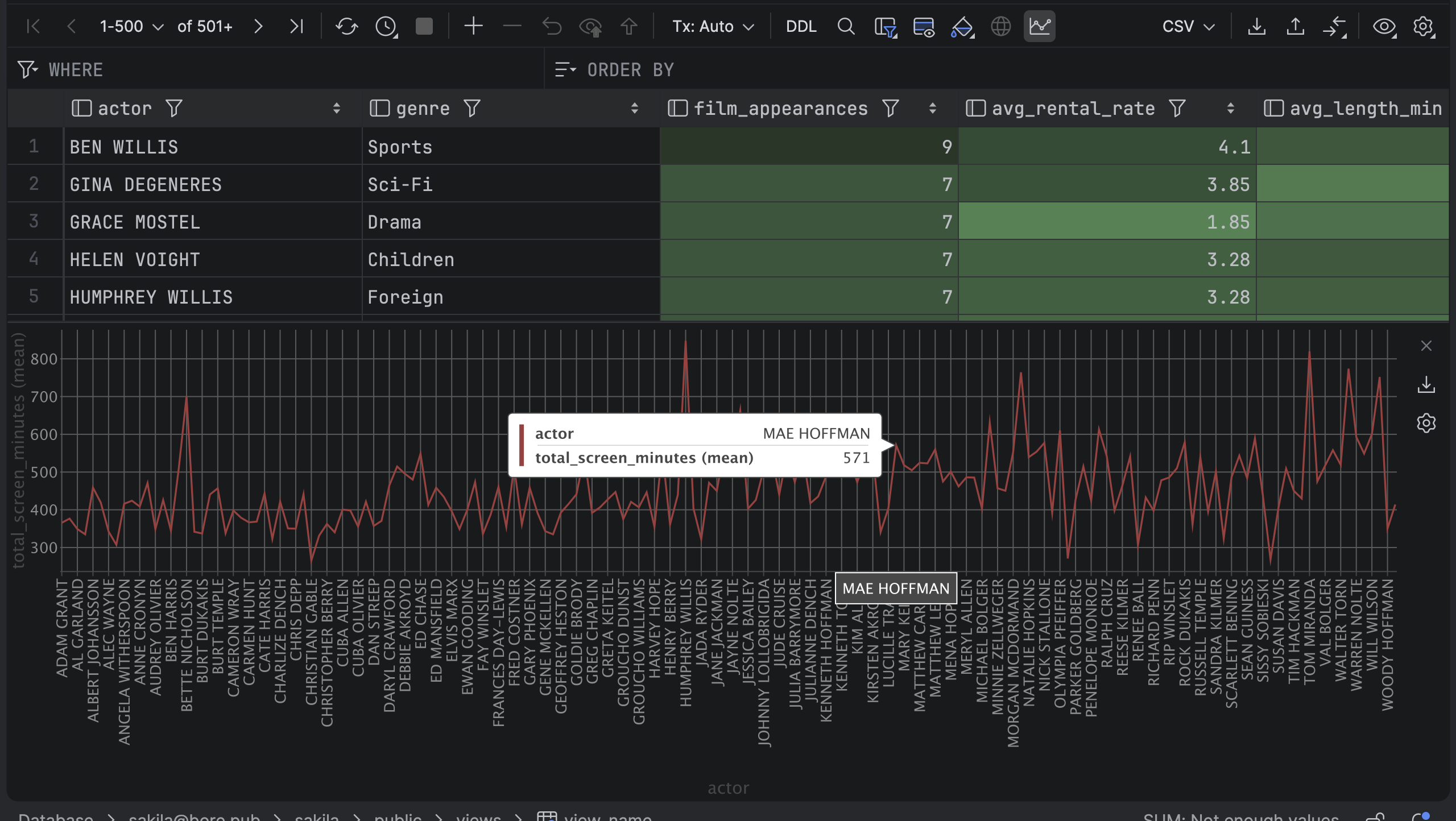
Conveniently explore, edit, and analyze your data
Filter, sort, and modify query results directly in interactive tables. Analyze data with built-in no-code visualizations, and navigate between related tables with just a few clicks. Easily export and import data in multiple standard formats, or even create your own.
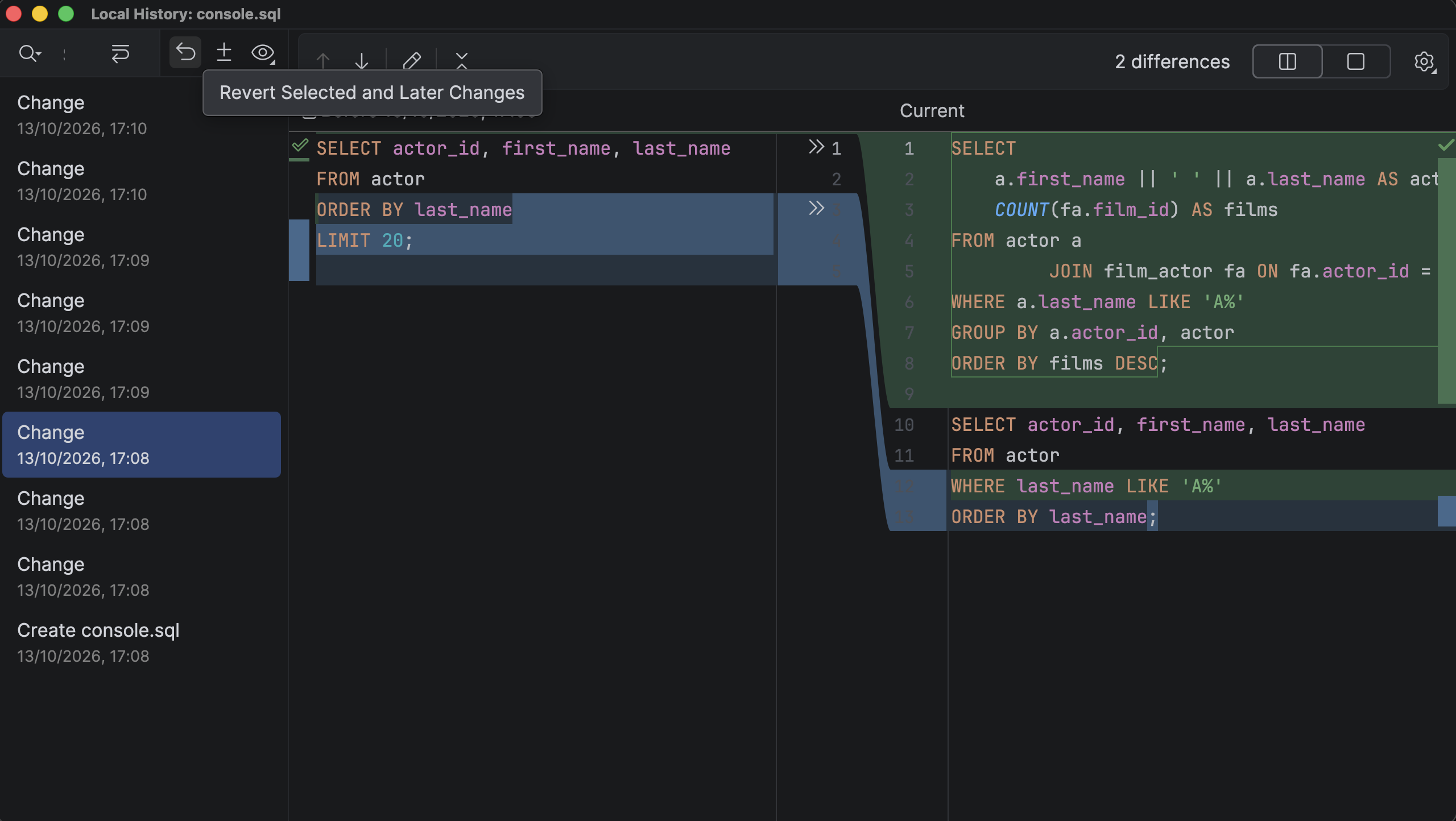
Nunca perca seu trabalho
Track every query run by you or your AI agents. Revert unwanted changes and recover deleted files instantly using the built-in local history, and use Git to version and share your SQL scripts.
Bancos de dados compatíveis
No more juggling tools and interfaces. Manage your data sources in DataGrip or with the database tools in your preferred JetBrains IDE, both traditionally and using your AI agents.








Trusted by 630,000+ developers at companies powering the world







Try DataGrip now
Gratuito para uso não comercial

Perguntas frequentes
Agents can do most of the database work, but you’re still responsible for the outcome. You decide what agents can access, and visualizations, diagrams, and our result comparison tool help you review their work before it lands.
Yes. Working directly and working with agents are equally valid in DataGrip. Code completion, navigation, inspections, and refactorings are built on a deep understanding of your databases. Often it’s faster to open a table or an execution plan yourself than to ask an agent.
Yes. Choose from Junie, Claude, Codex, GitHub Copilot, or Gemini CLI right from the model picker, or connect any other ACP-compatible agent you like. Every agent works with your data sources through the same permission model.
Agents in DataGrip only act when you start them, and nothing runs in the background on its own. Permission settings, confirmation dialogs, and read-only mode apply to agent operations. With the MCP server, you choose which tools are exposed to agents.
They share the exact same database engine, so IntelliJ IDEA and PyCharm include full DataGrip functionality within their Ultimate and Pro subscriptions, respectively. Choose DataGrip if you prefer a standalone environment dedicated to database work, or if you want to manage databases from multiple projects in one place.
Yes, DataGrip is free for non-commercial use. Commercial use requires a subscription, and a free 30-day trial is available.
Yes, DataGrip runs on all three.
Segurança e governança de nível corporativo
SOC 2 Tipo II
RGPD