Novidades do ReSharper C++ 2026.1
ReSharper C++ 2026.1 delivers faster startup times and reduced memory usage. This release adds support for the C++26 #embed directive and other new language features. Coding assistance improvements include auto-import for C++20 modules and new postfix completion scenarios. Unreal Engine developers benefit from improved Blueprint integration and compatibility fixes for the upcoming Unreal Engine 5.8.
Desempenho
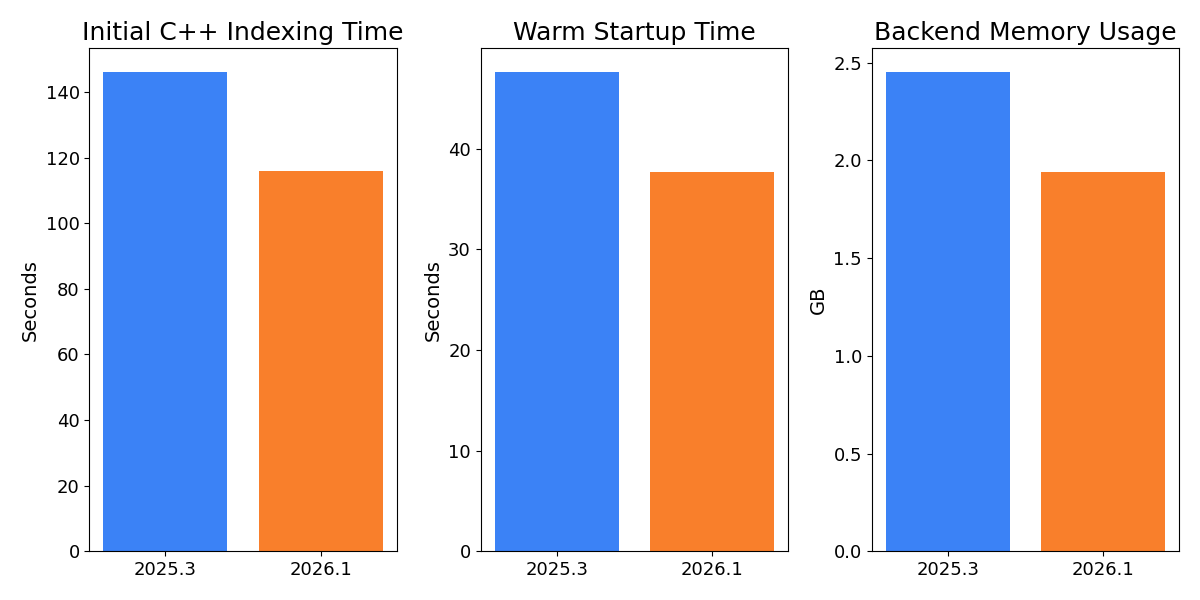
ReSharper C++ 2026.1 brings significant performance optimizations across all stages of the IDE experience, specifically tuned for the demands of large-scale Unreal Engine projects. Our measurements on the Lyra sample project for Unreal Engine in Out-of-Process mode demonstrate these improvements:
- Initial indexing of C++ code is now up to 20% faster, reducing the wait when you open a solution for the first time.
- Warm startup time has been improved by more than 20%, so returning to a previously opened solution is noticeably faster.
- Backend memory usage after a warm start has been reduced by up to 21%, leaving more resources available for the rest of your workflow.
Recursos da linguagem

ReSharper C++ now supports the #embed preprocessor directive introduced in C++26 and C23. This directive lets you embed the contents of a binary resource file directly into your source code, without the need for external tooling or code generation.
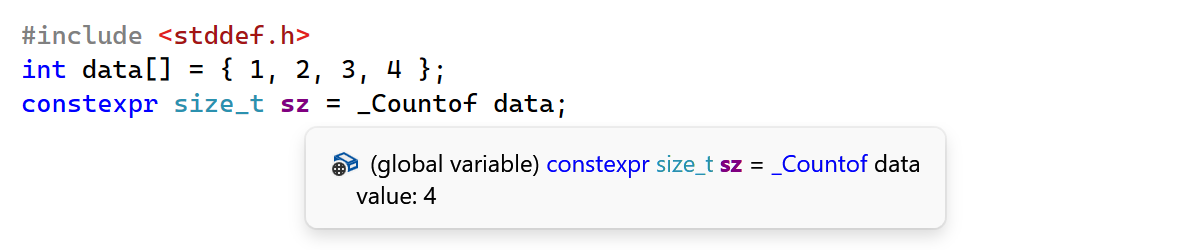
This release also adds support for two additional language features:
-
_Countofoperator: ReSharper C++ now recognizes the_Countofoperator from C2Y (the upcoming C standard), which returns the element count of an array. - Extended floating-point types:
bfloat16_t,float16_t, andfloat128_tfloating-point types standardized in C++23 are now supported.
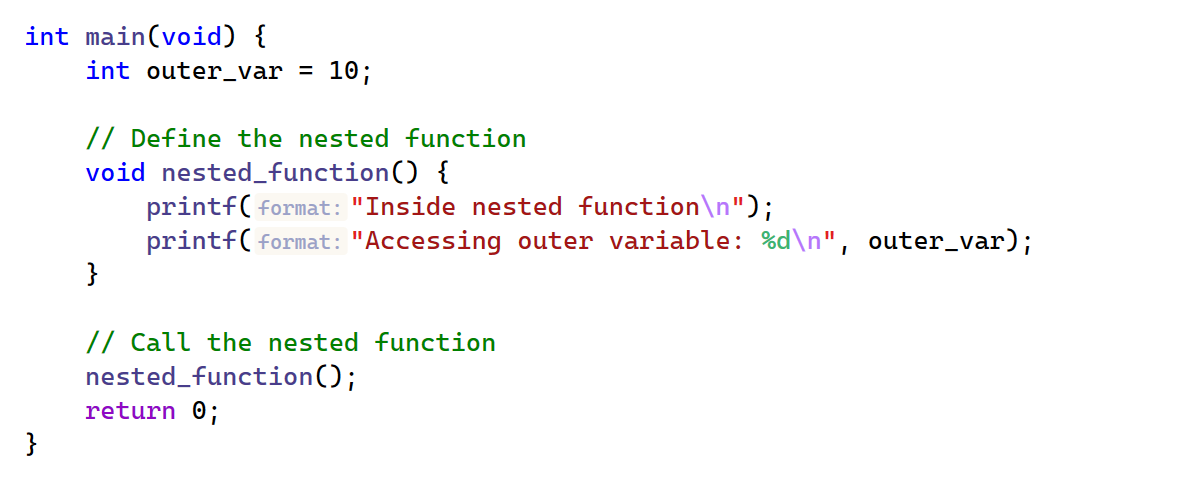
ReSharper C++ 2026.1 improves compatibility with compiler-specific extensions:
- Nested functions: ReSharper C++ now supports GCC's extension for defining functions inside other functions in C code.
-
_Nullable/_Nonnullqualifiers: Clang's pointer nullability qualifiers are now recognized by the parser.
Assistência para codificação
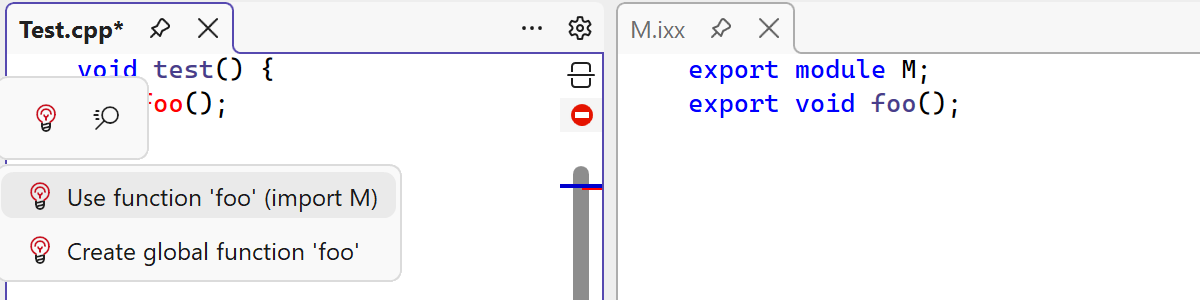
Reduce cognitive load with ReSharper C++'s new auto-import support for C++20 modules. When you use an exported symbol but the corresponding import declaration is missing, the IDE now provides a smart suggestion to insert it automatically. Currently, auto-import is supported only for symbols exported directly from primary module interface units and module partitions.
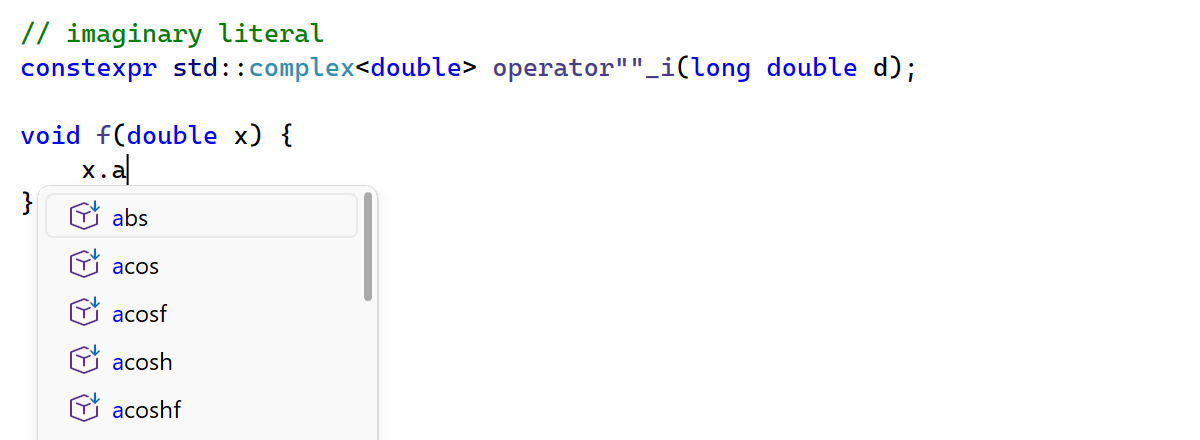
Postfix completion has been extended to cover the following scenarios:
- Primitive types: Postfix completion previously only worked with class and struct types. It now also handles expressions of primitive types like
int,bool, andfloat. - Literals: Postfix completion now works after literals, so typing
42.cosexpands tocos(42). - User-defined literal suffixes: Code completion is now available for user-defined literal operators. When you type a literal followed by
_, ReSharper C++ suggests matchingoperator""suffixes that are visible in the current scope.
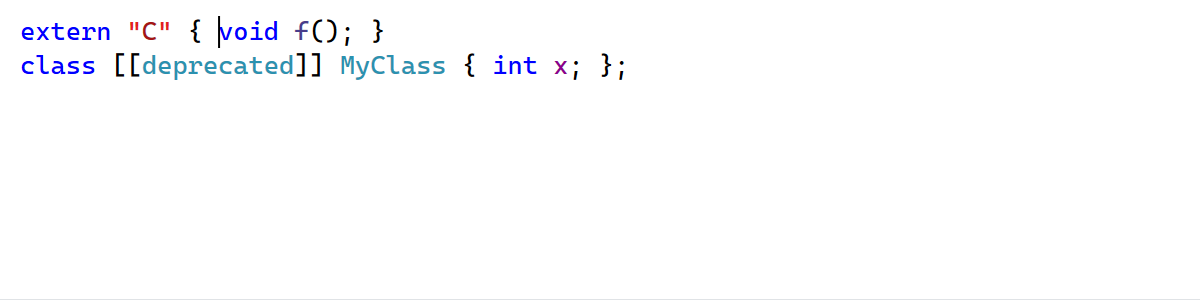
Two auto-indent improvements contribute to a smoother editing experience:
- Pressing Enter between the braces of a control-flow statement or a class definition now correctly positions the cursor with proper indentation even when attributes are present (e.g.
class [[deprecated]] MyClass {}). - Auto-indentation inside
externblocks now respects the Indent linkage specification block members formatting setting.
Unreal Engine
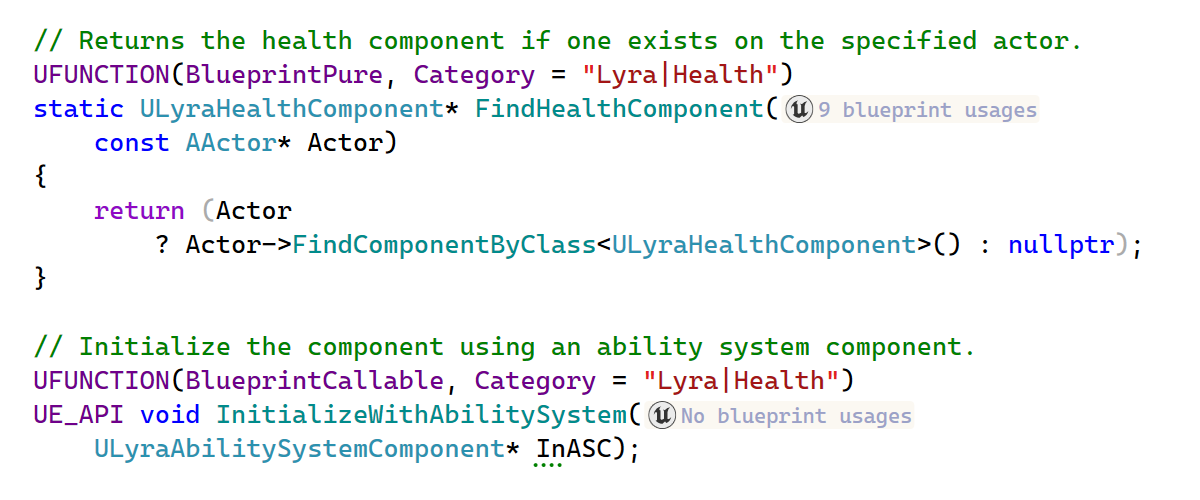
ReSharper C++ 2026.1 improves Blueprint support:
-
BlueprintPurein Code Vision: Code Vision now recognizes functions marked with theBlueprintPurespecifier in addition toBlueprintCallable. - Event implementations in Code Vision: Code Vision now detects implementations of
BlueprintNativeEventandBlueprintImplementableEventfunctions in Blueprint assets. - Find Usages for delegate properties: Find Usages now discovers Blueprint-side bindings for
BlueprintAssignabledelegate properties. - Improved Blueprint search accuracy: Find Usages for Blueprint references now searches by asset path instead of Blueprint name. This means that if your project contains multiple Blueprints with the same name, the search results are no longer ambiguous.
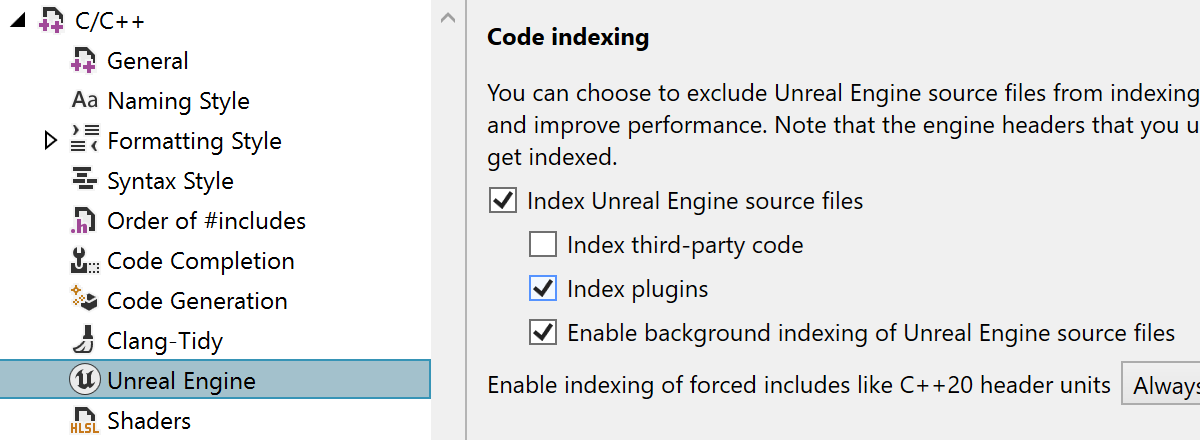
ReSharper C++ now indexes Unreal Engine plugins by default. With the growing use of plugins in Unreal Engine projects and the recent performance gains, indexing plugins by default provides better code analysis and navigation out of the box. You can restore the previous behavior on the ReSharper | Options | Code Editing | C/C++ | Unreal Engine page in Settings.
ReSharper C++ also adds support for the UnrealHeaderTool changes in the upcoming Unreal Engine 5.8. In particular, the DECLARE_DYNAMIC_MULTICAST_DELEGATE macros no longer trigger false-positive errors in code analysis.
Se você tiver interesse em um IDE multiplataformas independente para desenvolvimento com Unreal Engine, considere o Rider. O suporte para Unreal Engine no Rider e no ReSharper C++ está alinhado, e você pode esperar as mesmas melhorias na atualização do Rider 2026.1.
Análise de código
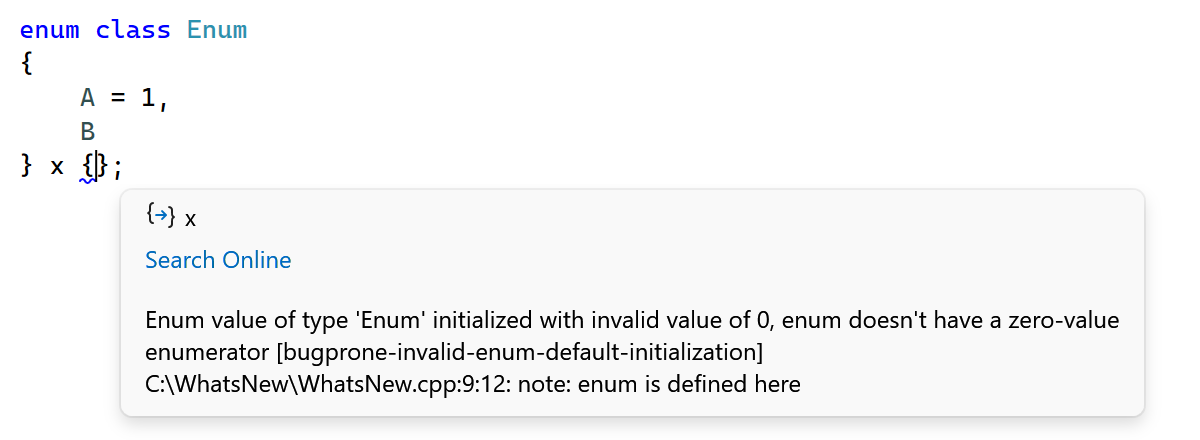
ReSharper C++ 2026.1 updates the bundled Clang-Tidy binary, bringing the latest checks and enhancements from the LLVM 22 release.
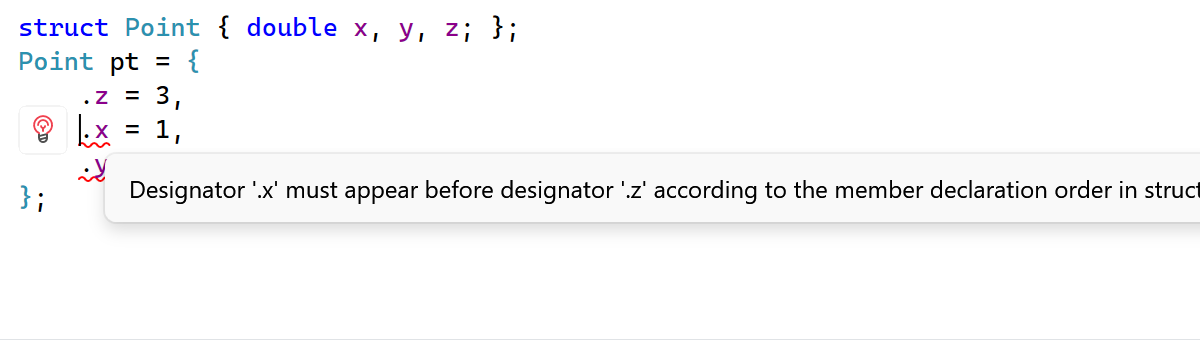
A new inspection detects designated initializers that appear in a different order than the corresponding members are declared in the struct. Since C++20 requires designated initializers to follow the declaration order, out-of-order initializers result in a compilation error. ReSharper C++ now flags these cases and provides a quick-fix that automatically reorders the initializer list to match the struct definition.
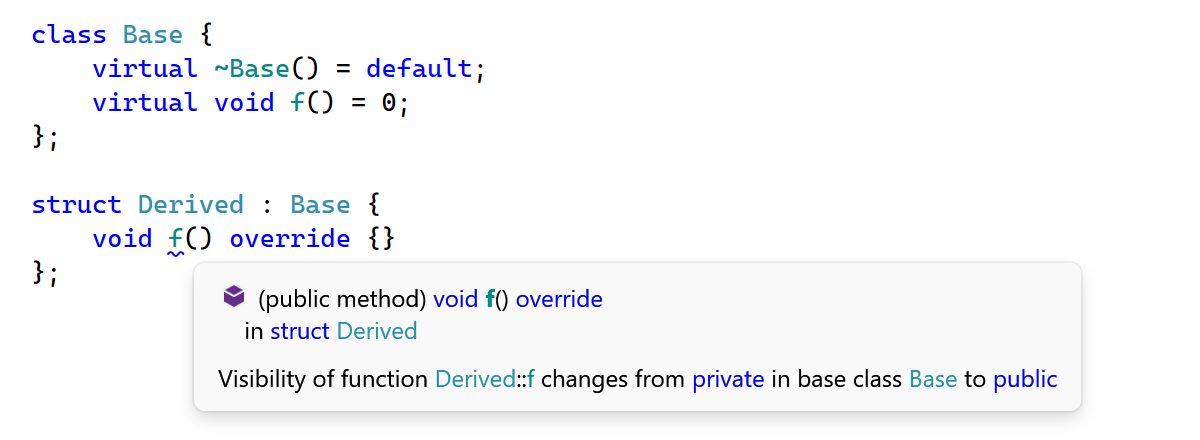
Another new inspection warns you when a function has a different access level (public, protected, or private) than the virtual function it overrides in the base class. While C++ permits changing the access level of an override, doing so is often unintentional and can lead to surprising behavior. The inspection helps catch these subtle mismatches.
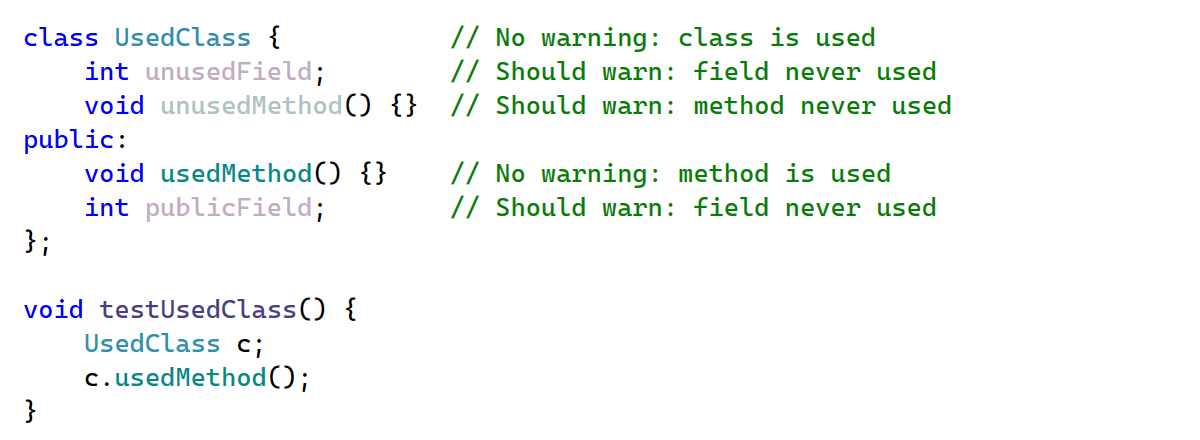
This release extends Unused symbol inspections to class members defined in .cpp source files. Previously, these members were assumed to be externally visible and excluded from the Unused symbol analysis. Now, they are analyzed the same way as static functions and anonymous namespace members.
Navegação
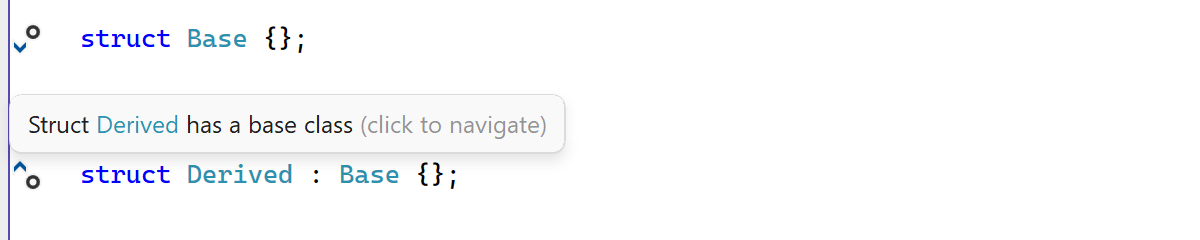
We've refined the gutter marks in C++ files to help you navigate and understand complex codebases with minimal effort.
- Tooltips with semantic highlighting: Tooltips that appear when hovering over gutter marks now feature semantic highlighting, making them easier to read at a glance.
- Navigation to base classes: A new gutter icon on class definitions lets you navigate upward in the inheritance hierarchy to base classes, complementing the existing marks for navigating to derived classes.
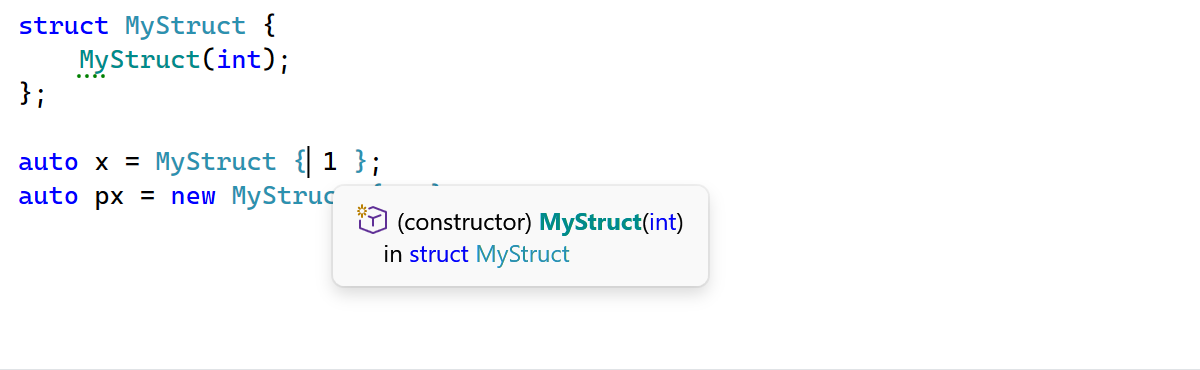
Go to Declaration and other navigation actions now work on the opening brace in brace initialization expressions (e.g. MyStruct { 1 }), in addition to the type name.
Integração com o Visual Studio
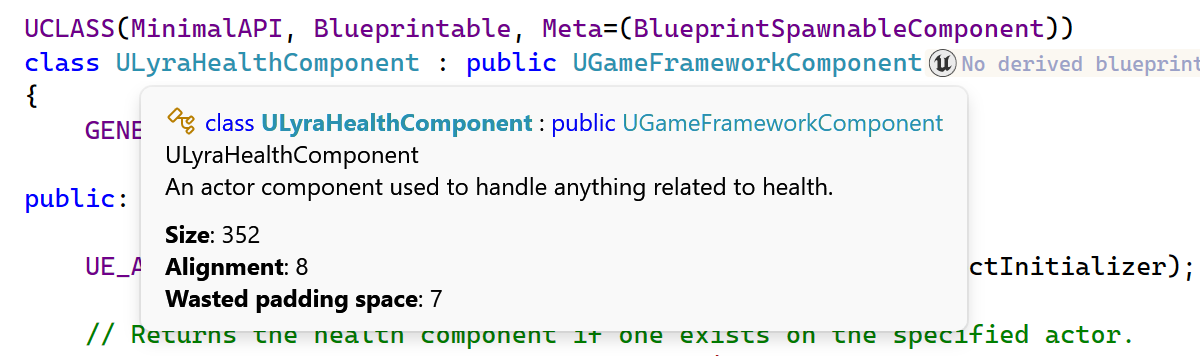
ReSharper C++ tooltips are now available in Visual Studio 2026, restoring the tooltip support that was missing in the initial Visual Studio 2026 compatibility release. Tooltip presentation has also been improved: icons now help distinguish between symbol types, and theming support has been enhanced.
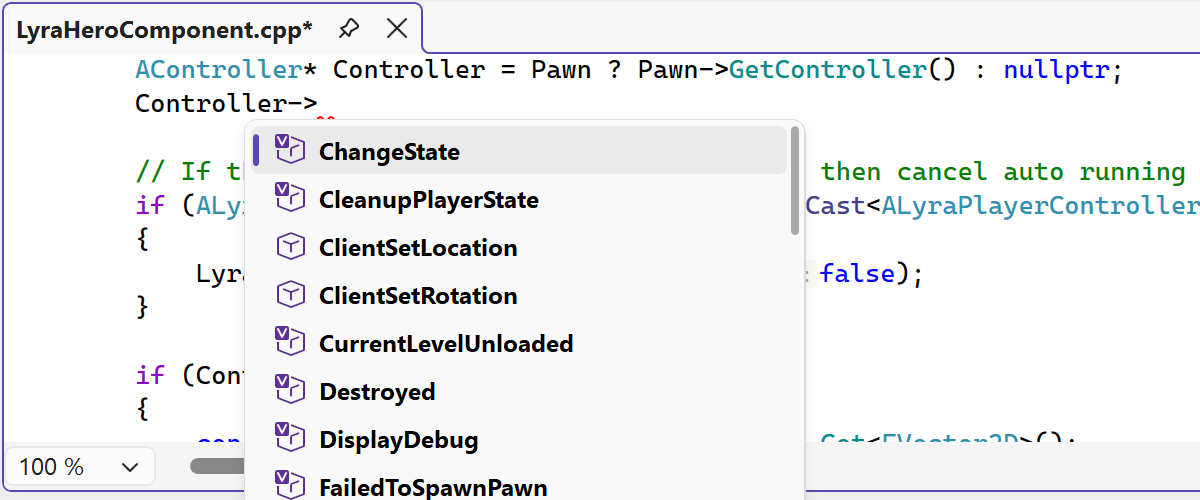
Vários elementos da Interface do usuário do editor no ReSharper foram atualizados para alinhar melhor com o visual moderno da experiência do Visual Studio.
Graças ao novo design, a interface de usuário de complementação de código agora oferece uma aparência mais limpa e consistente dentro do editor.
Também modernizamos vários componentes relacionados da Interface do usuário, incluindo pop-ups de informações de parâmetros, dicas de ferramenta e outros pop-ups do editor, substituindo visuais desatualizados e melhorando sua aparência em todos os temas e configurações DPI.
The updated UI now supports Visual Studio’s editor zoom feature, ensuring completion lists and parameter info scale correctly when zoom levels change.
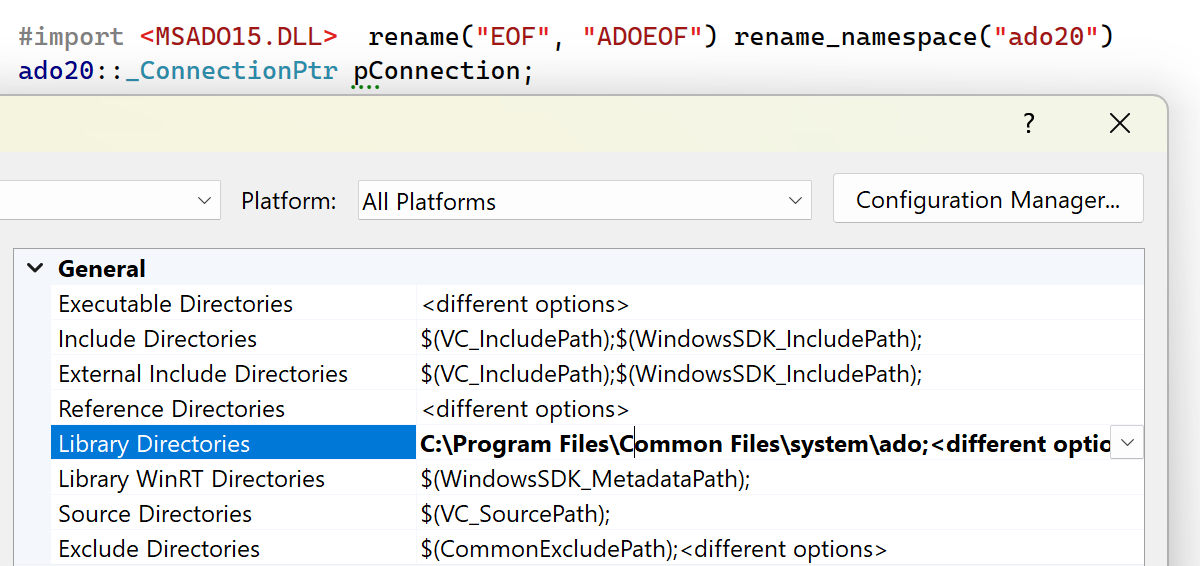
ReSharper C++ 2026.1 fixes several issues with the project model:
- Windows Driver Kit (WDK) projects: ReSharper C++ now correctly recognizes WDK-specific platform toolsets and provides the appropriate default preprocessor definitions.
- WinUI 3 projects: Include paths are now correctly configured.
- Library directories for Type Libraries: ReSharper C++ now resolves COM Type Library files (
.tlb) from Library Directories configured in Visual Studio project settings.
Confira as Novidades no ReSharper para saber mais sobre as outras alterações introduzidas nesta versão.