What's New in ReSharper 2025.3
ReSharper 2025.3 is expected to be compatible with Visual Studio 2026 and offers same-day comprehensive support for C# 14 features, including extension members, extension operators, and user-defined compound assignment operators, as well as updates aligned with the latest compiler changes. This release also introduces major improvements to Out-of-Process mode. You’ll notice faster startup, smoother interaction with Visual Studio, and significantly better solution-wide analysis performance.
Compatibility with Visual Studio 2026
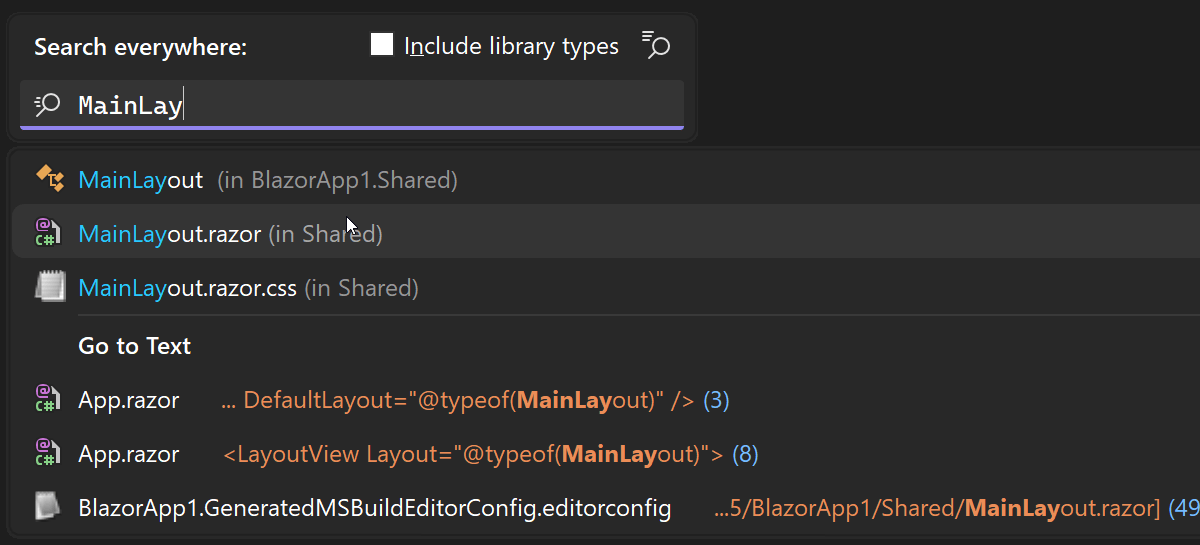
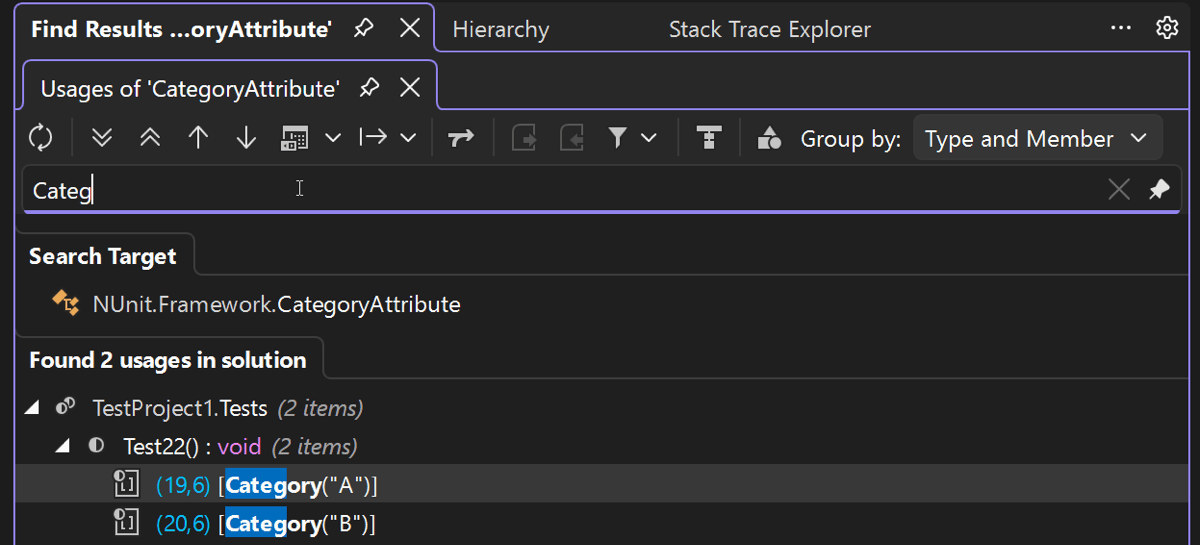
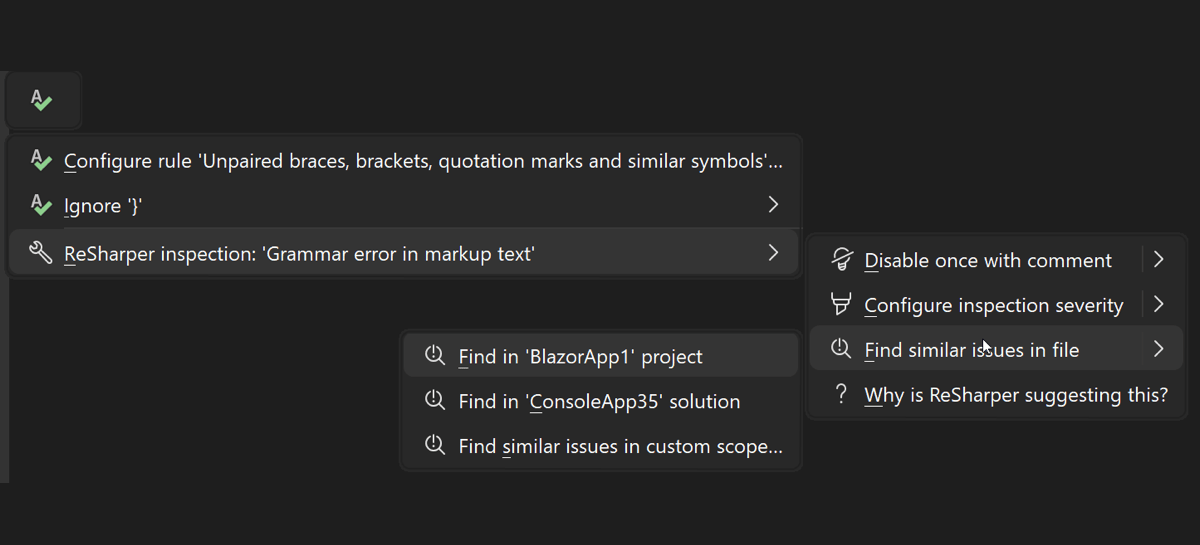
ReSharper 2025.3 has been extensively tested for compatibility with the Visual Studio 2026 Insiders preview and is expected to work smoothly with the final release. Full QA certification with the official Visual Studio 2026 build will follow shortly after its public availability.
You may also notice that ReSharper in Visual Studio 2026 has a fresh new look. We’ve redesigned our popups and drop-down menus, as well as several tool windows (such as Find Results and Unit Tests), giving them a sleeker appearance that better matches the evolving Visual Studio UI.
Learn how to migrate ReSharper to Visual Studio 2026 here.
C# support
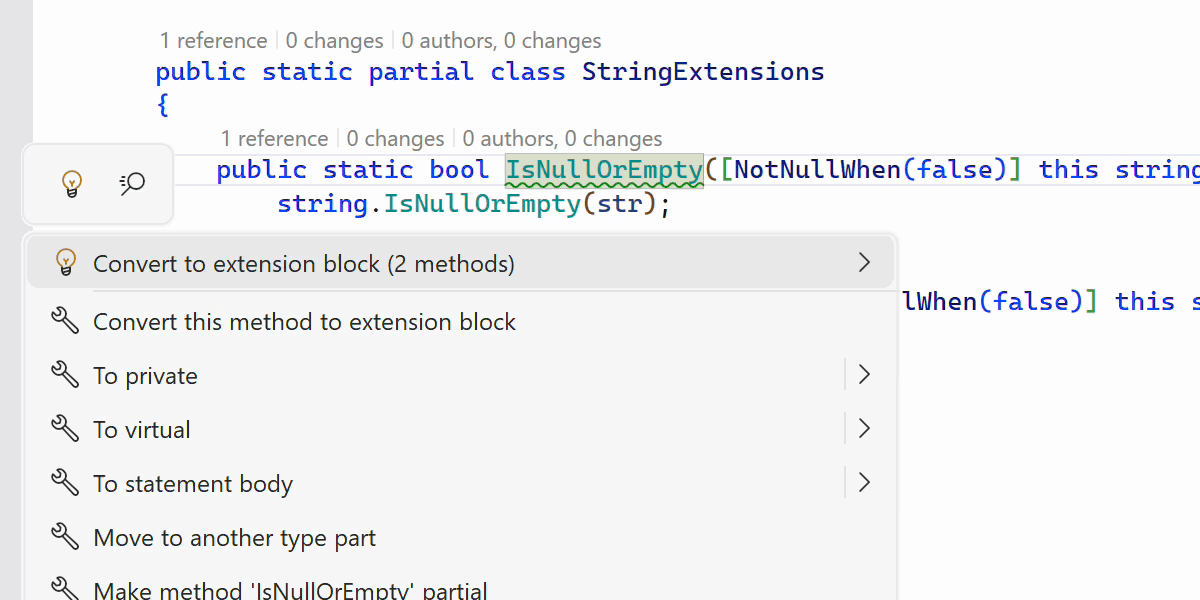
C# 14 extension members
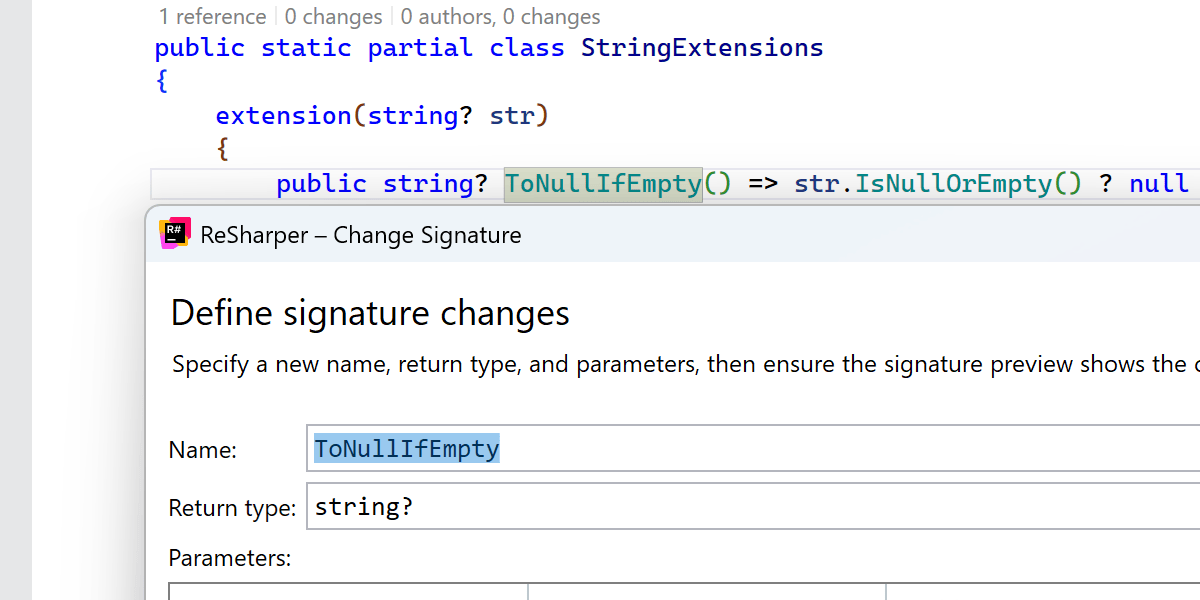
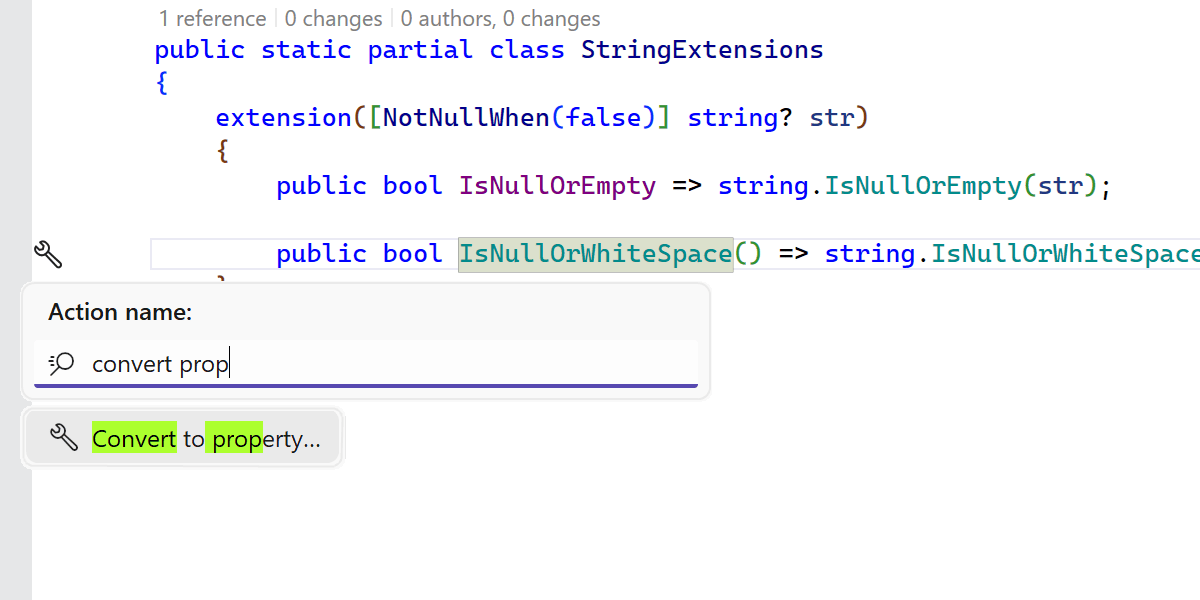
We’ve finalized and refined support of C# 14 extensions, adding support for extension operators, alongside the previously supported methods and properties. Additionally, all the available refactorings, including Change Signature, Convert Method to Property, Make Static, and Safe Delete, have been updated to work with extension members.
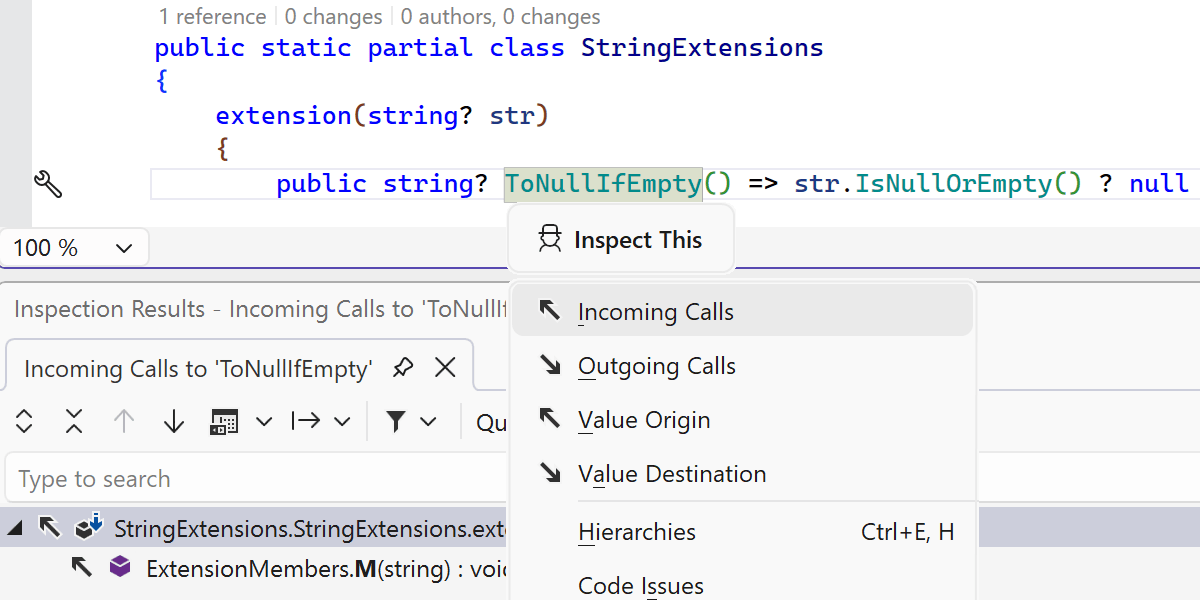
Many other ReSharper features are also compatible with the new kinds of extension members:
- The usage code analysis now correctly identifies and highlights the extension members that aren’t used in your code.
- Import completion now supports extension members in more scenarios, such as when using object initializers and pattern matching.
-
The Optimize usings feature takes into account the new way of writing
extension members and doesn’t suggest removing
usingdirectives when their members are necessary for extension members. - Call Hierarchy and Value Tracking features support new extension members, enabling reliable call graph and data flow exploration involving extension methods and properties.
Last, but not least, new inspections, quick-fixes, and context actions are available to help you smoothly transition back and forth between classic extension methods and the new syntax.
General C# 14 improvements
ReSharper 2025.3 expands and refines C# 14 support with these key enhancements:
- User-defined compound assignment operators are fully supported.
-
Support for the
fieldkeyword has been aligned with the recent compiler updates. -
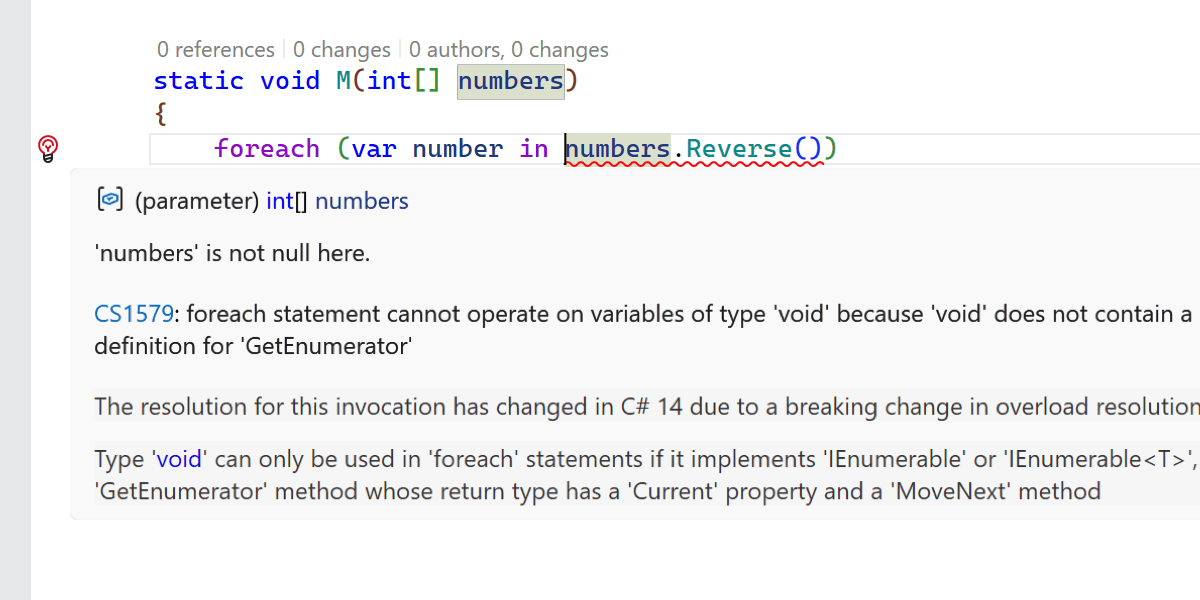
A new inspection detects breaking changes when
Enumerable.Reverseis used with spans.
Learn about the latest support of C# 14 features in ReSharper and Rider on our blog.
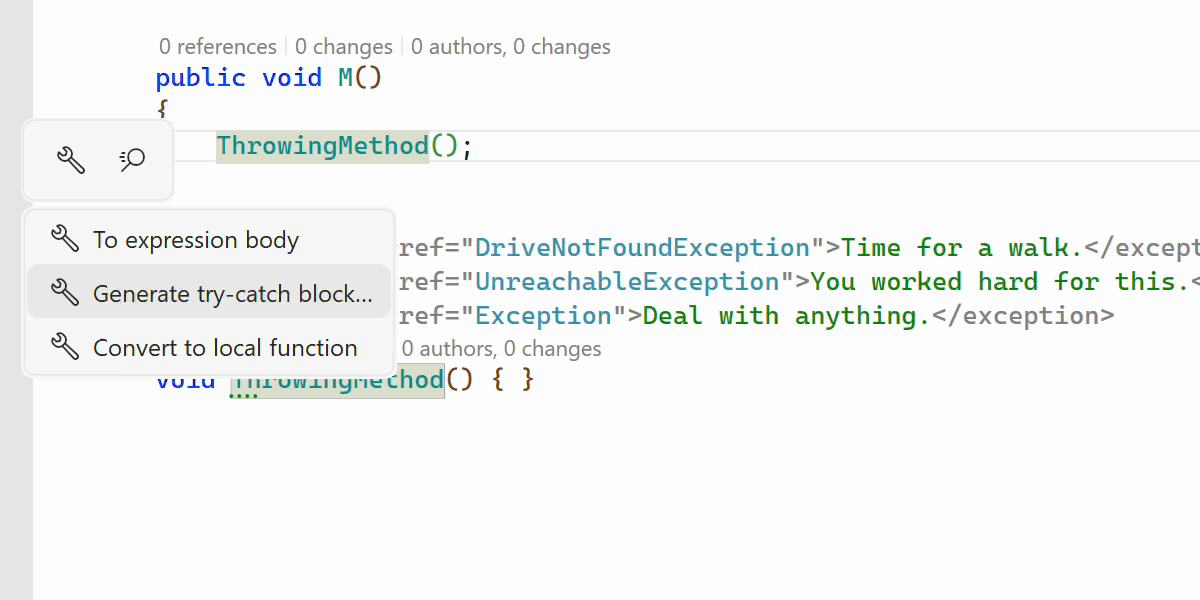
Generate try-catch block context action
This release introduces a new context action that automatically generates a
try-catch block around a method call based on XML documentation.
When a method’s declaration includes <exception> tags specifying
the types of exceptions that can be thrown, ReSharper now detects this information
and offers a context action on an invocation to wrap the call in an appropriate
try-catch structure.
Performance
Startup and shutdown improvements
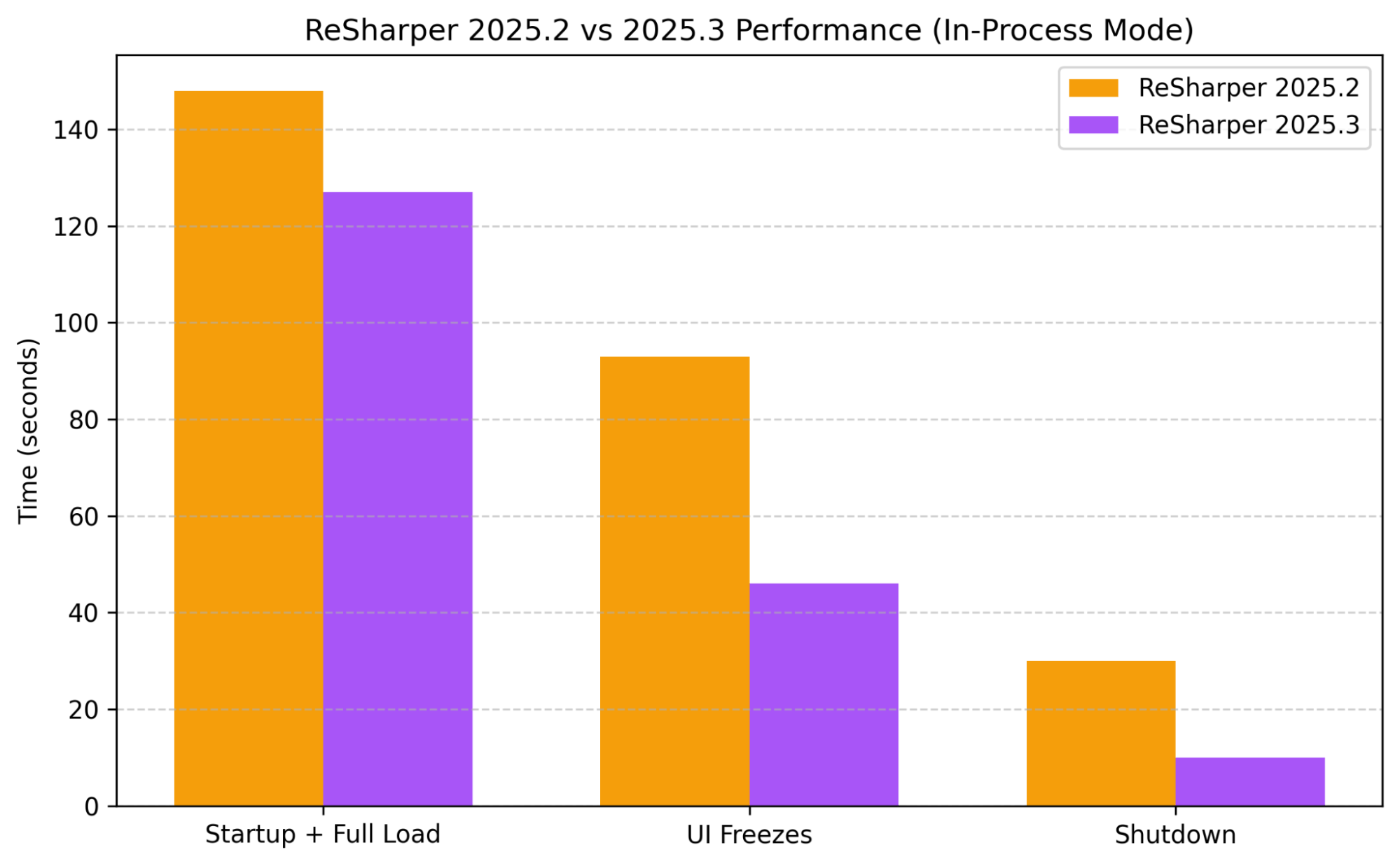
ReSharper 2025.3 delivers noticeable performance improvements in In-Process mode compared to the 2025.2 release.
In internal testing with large-scale solutions, startup and full solution load times improved by about 15%, while periods of UI unresponsiveness were reduced by roughly 50%.
Shutdown time has also improved significantly, dropping from 30 seconds to 10 seconds – a 66% reduction.
Out-of-Process mode improvements
ReSharper 2025.3 continues to refine Out-of-Process (OOP) mode, improving its stability and overall responsiveness in Visual Studio. Key improvements for this release include:
- A reduction in freezes and focus-related issues when switching between the editor and ReSharper popups.
- Support for peek actions like Peek Definition is now available.
- Navigate to Object Browser now allows smooth exploration of .NET assemblies and metadata.
- The NuGet browser operation has been restored for package management tasks.
OOP mode is turned off by default. To switch it on, go to ReSharper's Options | Environment | Products & Features and select the Run ReSharper in separate process option.
Improved Find Usages performance for C#
We’ve optimized the performance of Find Usages in C#. The biggest improvement comes from skipping unnecessary work related to language injections. We’ve also introduced targeted caching and other internal tweaks. Since Find Usages underpins many refactorings, such as Rename and Change Signature, these processes now run faster as well.
ReSharper Build performance
ReSharper's own build system can now perform its incremental compilation analysis faster and with a much smaller memory footprint, thanks to a new algorithm implemented in 2025.3. As a result, you'll get slightly faster build times, while the IDE process will feel more responsive during and after the build process.
Quicker SWA availability on cold startup
Solution-wide analysis (SWA) is now available sooner after opening a solution, while keeping Visual Studio more responsive during startup. This improvement comes from ReSharper parallelizing the processing of changed dependencies when building caches.
C++ support
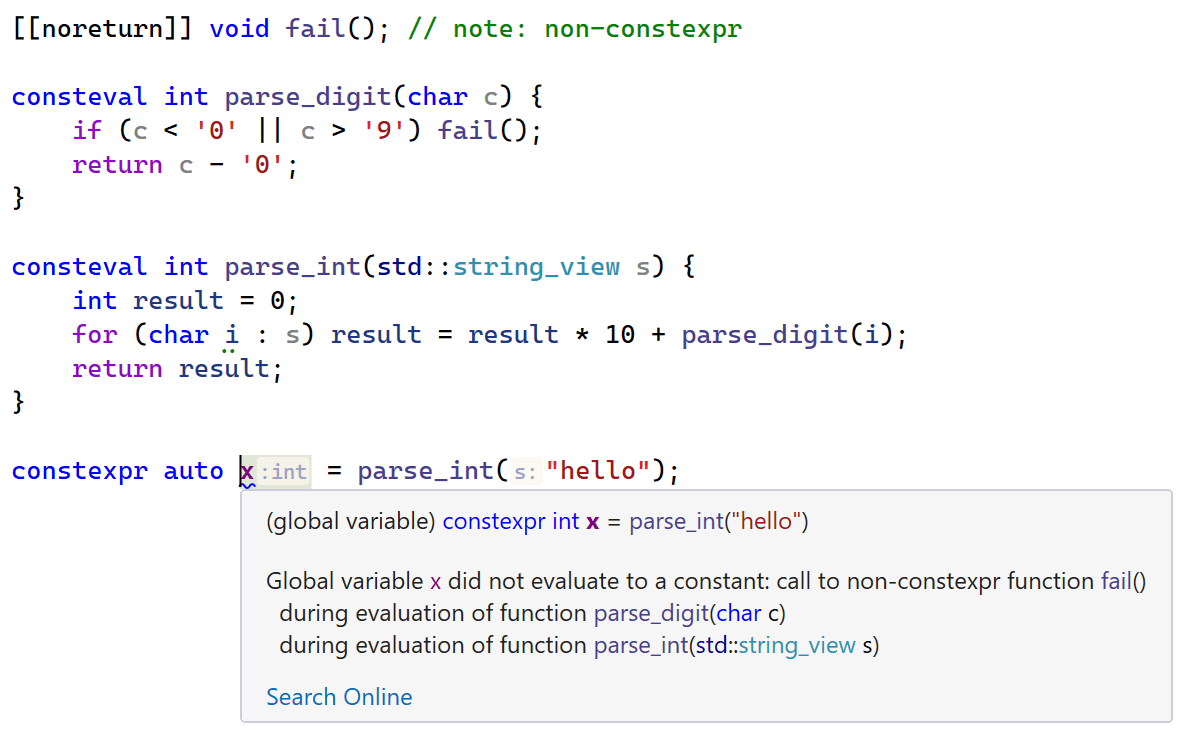
ReSharper C++ 2025.3 advances C++26 support with several major features from the
latest language standard, including pack indexing, expansion statements, packs in
structured bindings, contracts, and more. We’ve also improved the constexpr
evaluation engine that powers code analysis and added a new inspection that
detects constexpr evaluation failures and shows a detailed evaluation
trace.
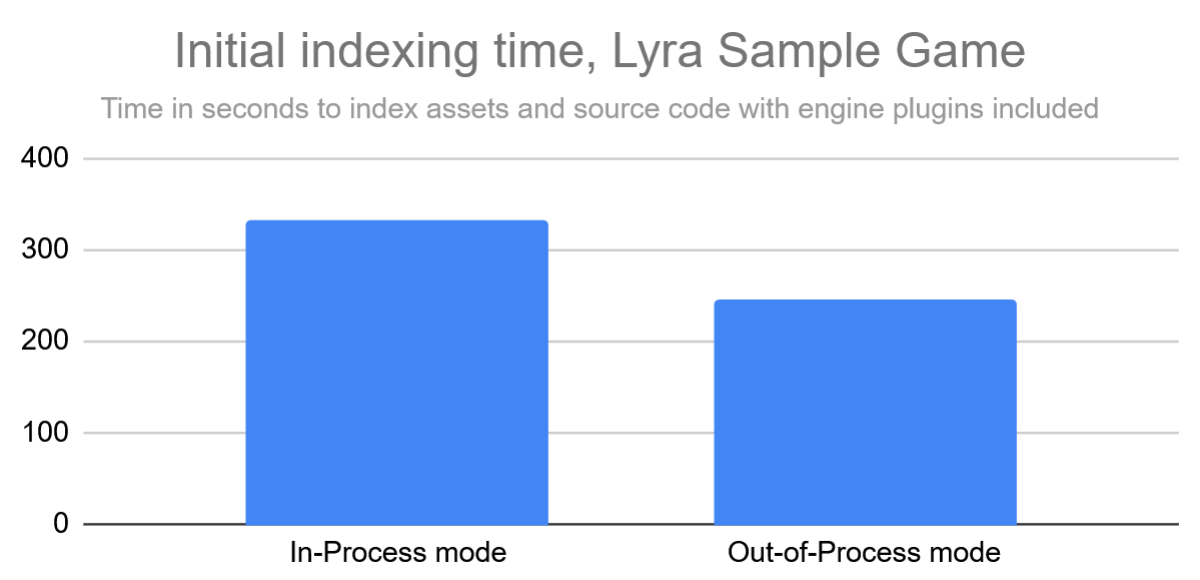
This release also significantly accelerates warm startup in Unreal Engine projects, thanks to optimizations in project initialization and asset scanning. In our tests, code analysis for the active file completes up to 30% faster after IDE startup. You can now also start editing right away, with no need to wait for all asset files to finish indexing after you open a solution.
Learn more about the C++ updates from the What's New in ReSharper C++ 2025.3 page.
Miscellaneous
ReSharper is now on the Open VSX Registry
ReSharper for VS Code is now available on the Open VSX Registry, so developers
using Cursor, Windsurf, VSCodium, and other VS Code–compatible editors can find,
install, and receive in-editor updates – no more manual .vsix
downloads or missed releases.
The TeamCity extension is back
After listening to feedback from teams who rely on it for their CI workflows, we’ve restored the TeamCity extension and included it once again in the dotUltimate installer.
We truly appreciate everyone who shared how important this integration is to their development setup. If you have any further questions or comments, please leave them in this ticket.
Command-line tools
The InspectCode CLT now supports writing results directly to standard output via the
--stdout option, making automation and CI integration easier than ever.