Detect and fix data issues
PyCharm can automatically analyze datasets loaded into a pandas DataFrame and displayed in a Jupyter Notebook cell. The IDE highlights potential problems such as missing values, outliers, duplicate rows, or correlated columns — making it easier to clean your data before modeling.
PyCharm automatically analyzes any DataFrame that meets the following conditions:
Contains not more than 100,000 rows.
Contains not more than 200 columns.
Is displayed using
df,df.head(),df[x:y],df.loc(.. .), ordf.iloc(...).
If at least one issue is found, the  Dataset Issues button appears on the DataFrame toolbar.
Fix data issues with AI
Click the
Dataset Issues button in the DataFrame toolbar. The Dataset Quality Issues dialog opens.
Select the issues that you want to fix and click the Fix with AI button.
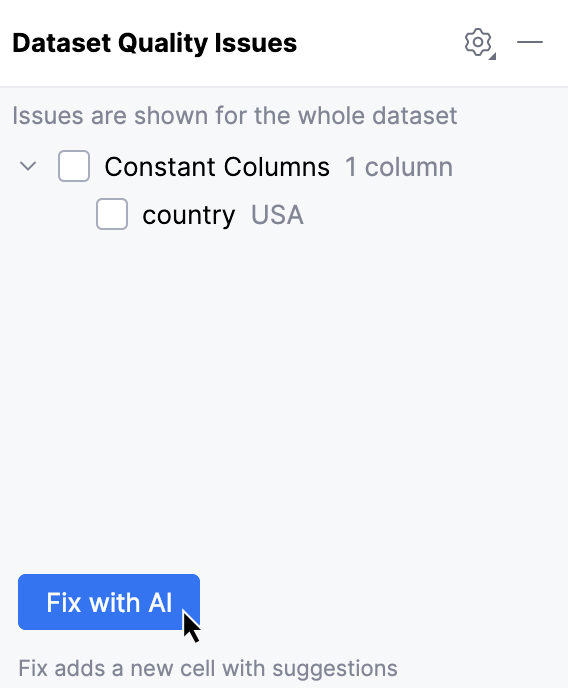
A new code cell will be created below the DataFrame with the suggested changes.
Common issues and how to handle them
Missing values
Some cells in your dataset may have no value, represented as NaN, None, or an empty string. This often happens during data collection, merging, or file import. If ignored, missing values can introduce bias into your analysis. Certain machine learning algorithms also cannot run on data that contain them.
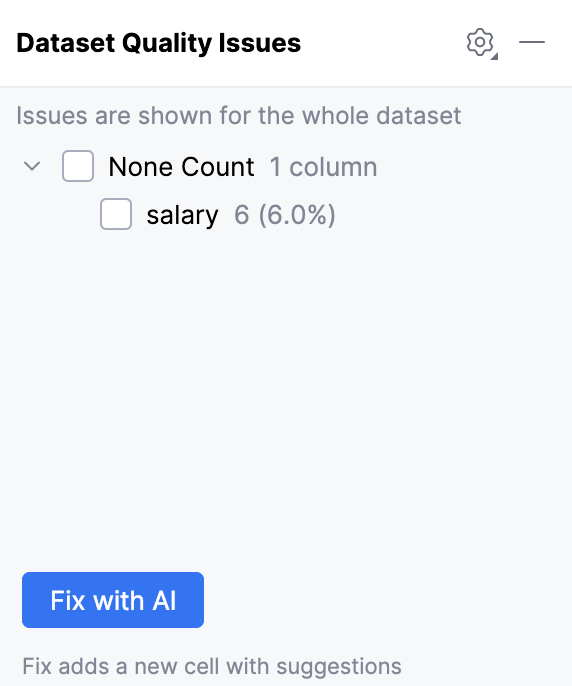
For example, six empty cells were found in the salary column:
Typical fixes to handle this issue include:
Removing rows or columns that have too many unknown values:
df = df.dropna()Replacing unknown values with a constant, such as
0orUnknown:df['Name'] = df['Name'].fillna('Unknown')Replacing unknown values with the mean, median, or mode of the column:
df = df.fillna(df.mean())Predicting and replacing the missing values using a machine learning model, such as linear regression or k-nearest neighbors:
from sklearn.impute import KNNImputer imputer = KNNImputer(n_neighbors=5) df_imputed = pd.DataFrame(imputer.fit_transform(df), columns=df.columns)
Duplicate rows
Some rows in your dataset may be identical, for example, due to repeated imports or logging errors. If ignored, they can create bias and make statistical results unreliable.
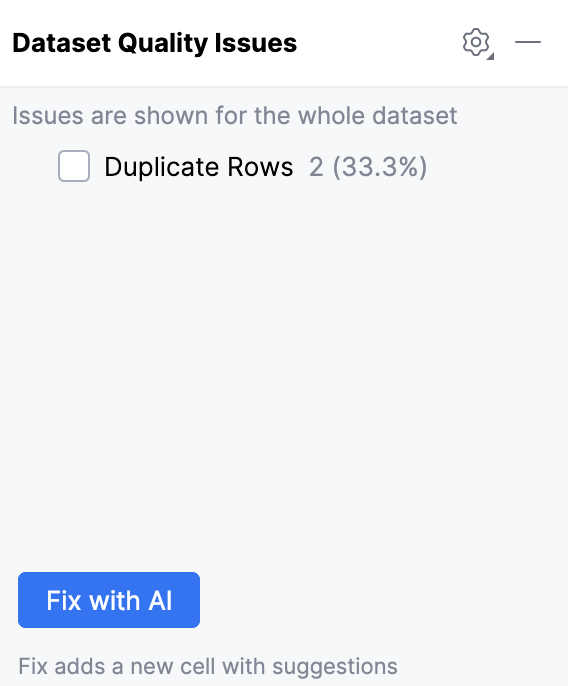
For example, two duplicate rows were found in the dataset:
Typical fixes to handle this issue include:
Removing all duplicate rows:
df = df.drop_duplicates()Removing all duplicates, except the first occurrence:
df = df.drop_duplicates(keep='first')
Outliers
Outliers are data points that differ significantly from most other values in the dataset. They can distort statistical results and affect machine learning models.
You may define an outlier as a value that exceeds an absolute threshold or falls outside a statistical boundary.
It is generally recommended to only remove outliers if you believe they belong to a different population from the one you’re attempting to target. See this article for more details.
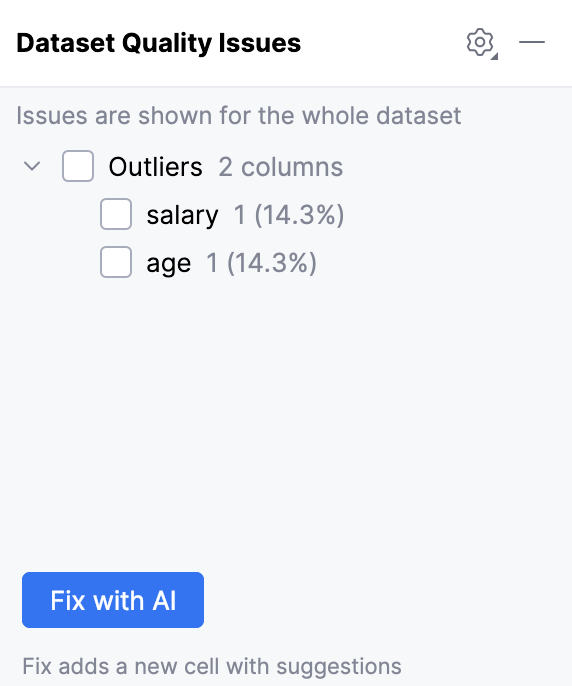
For example, outliers were found in the salary and age columns:
Typical fixes to handle this issue include:
Discovering extreme values using a statistical method, such as mean absolute deviation:
from scipy.stats import median_abs_deviation median = data['colname'].median() mean_absolute_deviation = median_abs_deviation(data['colname'], scale='normal') data['modified_z_score'] = (data['colname'] - median) / mean_absolute_deviation data['is_outlier'] = (data['modified_z_score'] > 3) | (data['modified_z_score'] < -3)Removing rows with extreme values:
df = df[df['salary'] < 20000]Capping extreme values to a threshold:
df['salary'] = np.where(df['salary'] > 20000, 20000, df['salary'])Transforming values to reduce the effect of outliers (for example, by applying a logarithmic transformation):
df['salary_log'] = np.log1p(df['salary'])
Constant columns
Some columns in your dataset may contain the same value in all the rows. Such constant columns often do not add any useful information to your analysis or models, because they have no variability.
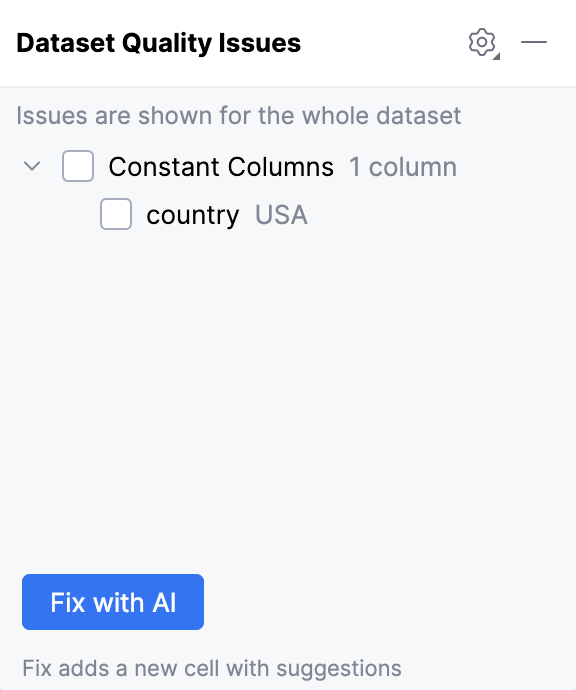
For example, the column country with the constant value USA was found:
Typical fix to handle this issue is:
Removing all single-value columns:
df = df.drop(columns=single_value_cols)