AI 在版本控制中的应用
AI Assistant 与版本控制系统集成,可帮助您更高效地管理代码历史。 它可以生成提交消息、汇总变更并辅助理解差异,从而简化版本控制任务的管理。
生成提交消息
AI Assistant 可以将您的差异发送给 LLM(大语言模型 ),LLM 将生成描述您更改的提交消息。
按 Alt+0 打开 Commit 工具窗口。
点击
 使用 AI Assistant 生成提交消息。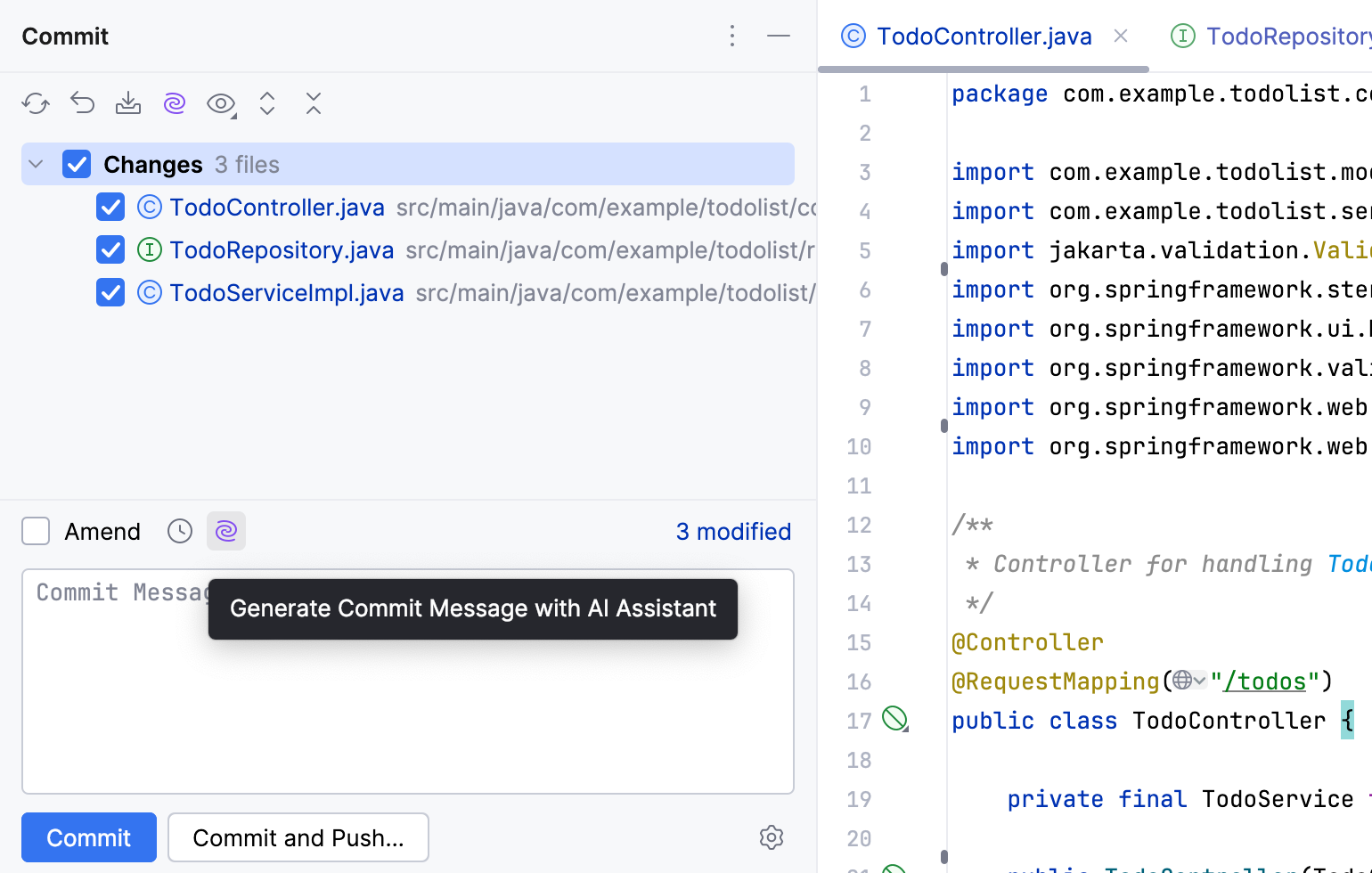
如有必要,请编辑消息。
您还可以自定义 AI Assistant 用于生成提交消息的提示。 例如,您可以在提交消息中包含分支名称,或指示 AI Assistant 将每项更改列为单独项目。
在 Commit 工具窗口的右下角点击
 。
。在菜单中,导航至 AI Assistant 部分,并在 生成提示 字段中指定您的指令。
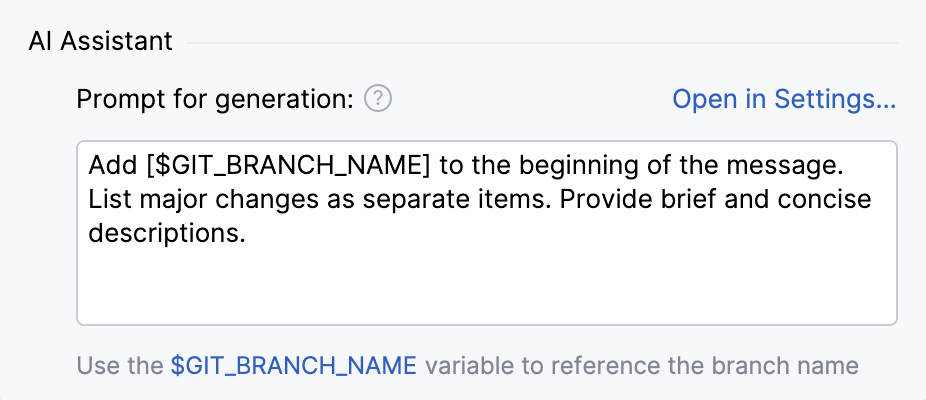
或者,您也可以在 提示库 中 修改该提示。
自定义提交消息生成提示
您可以通过在 提示库 中编辑,来自定义 AI Assistant 用于 生成提交消息 的提示。
按 Ctrl+Alt+S 打开设置,然后选择 。
在 内置操作 部分,选择 提交消息生成。
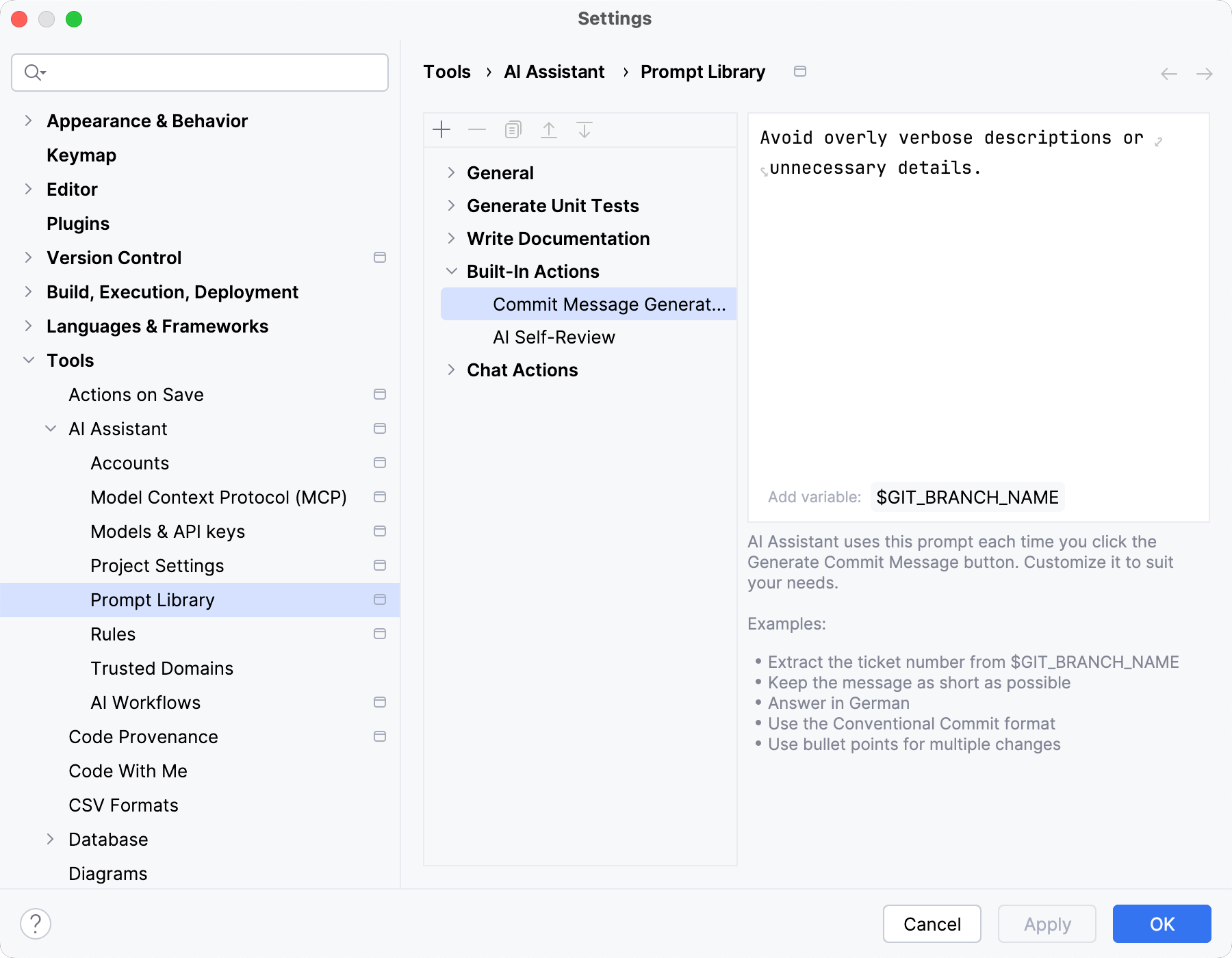
在右侧的编辑器字段中,指定提交信息生成的规则,例如所需的字符数或不同的语言。 使用
$GIT_BRANCH_NAME在提交消息中引用分支的名称。点击 Apply。
使用 AI 进行自我审查
在提交更改之前,您可以请求 AI Assistant 审查您的更新。 这有助于突出任何潜在问题,使您能够立即改进或在将来的修订中跟踪这些问题。
按 Alt+0 打开 Commit 工具窗口。
选择您希望在提交前审查的更改。
点击
使用 AI 进行自我审查。 问题 工具窗口随 AI 自我审查 选项卡一起打开。 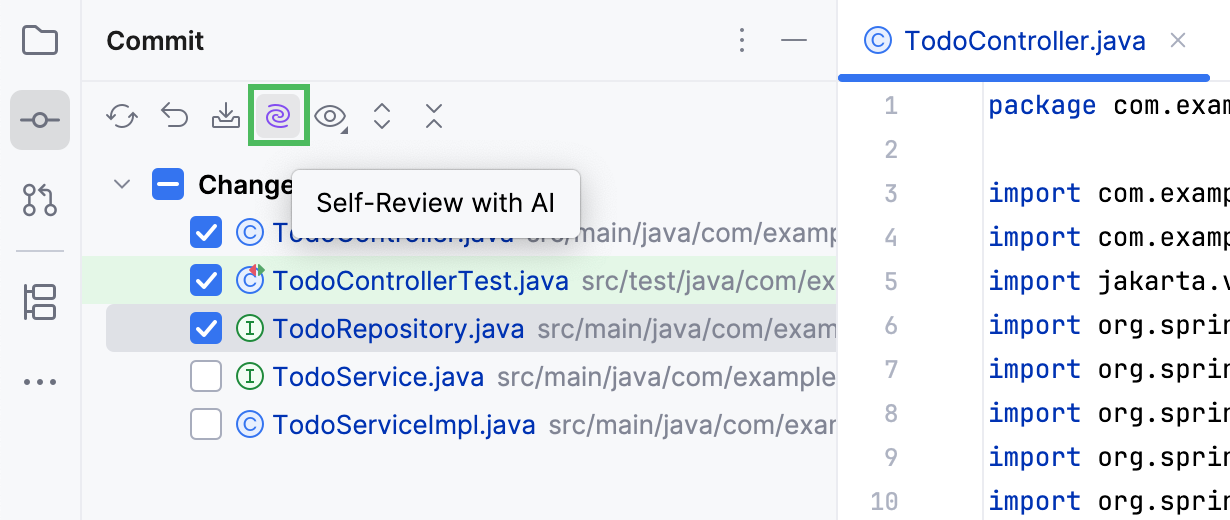
在 AI 自我审查 选项卡中,审查检测到的问题:
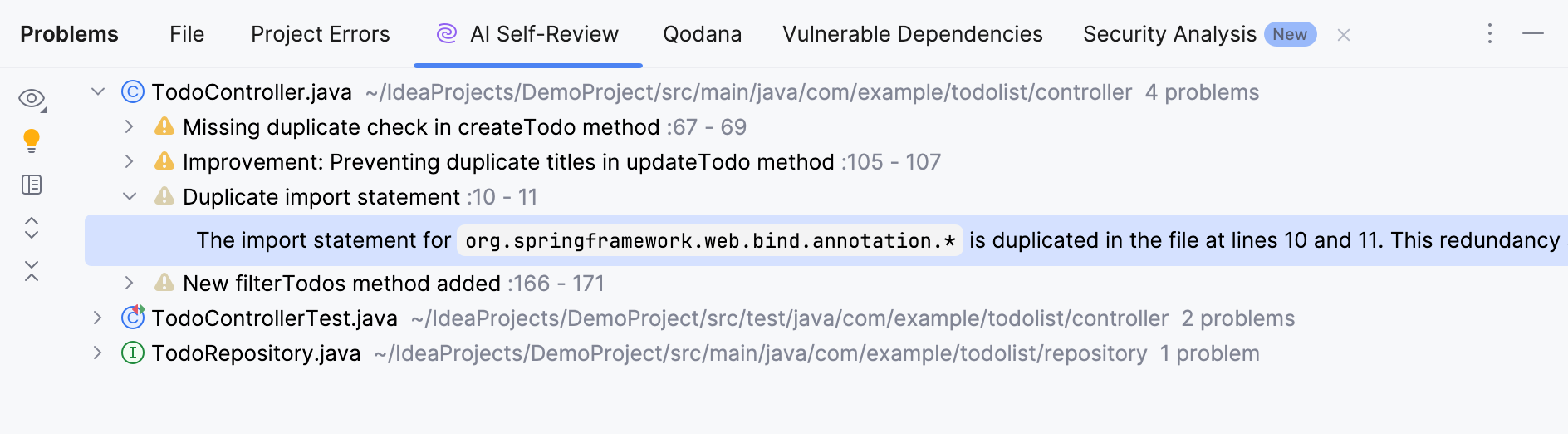
要在编辑器中定位该问题,请双击它,或选中它后按 F4。
如果所选问题有可用的快速修复,请点击
 以应用修复。
要筛选问题列表,请点击
 视图选项 并选择所需的筛选条件。
要在源代码上下文中查看所选问题,请点击
 打开编辑器预览。 将打开一个独立的预览窗格,您可以在其中更改代码并应用可用的快速修复。
与未提交的更改一样,您也可以对已提交的更改执行审查操作。
在左下角点击
 (在 DataGrip 中 ,点击页眉中的
  更多工具窗口},{ 并选择 Git ),或按 Alt+9 打开版本控制工具窗口。
在提交窗格中,选择您要审查的提交并点击
使用 AI 进行自我审查。 AI Assistant 将审查该提交中的所有文件。 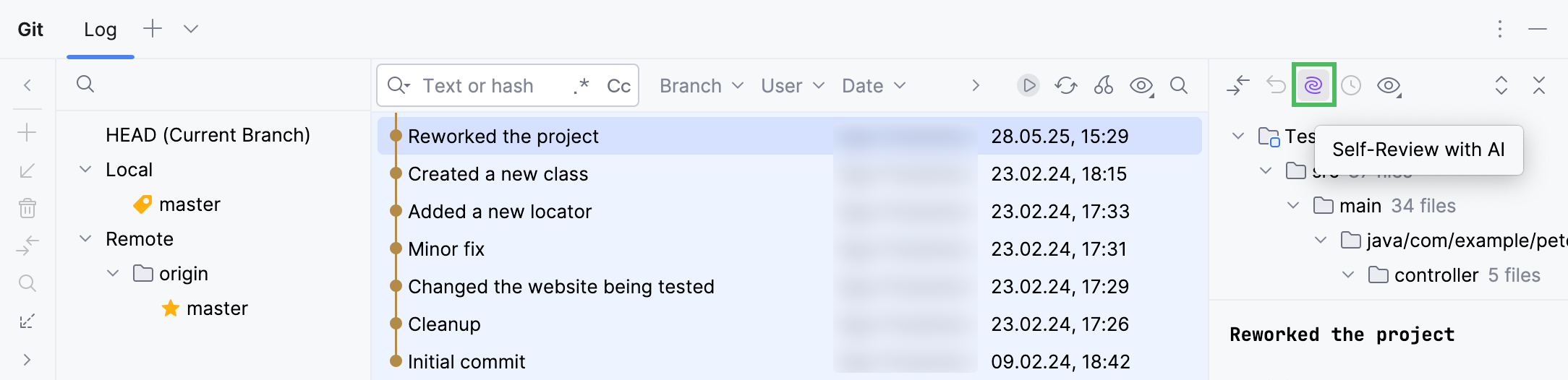
在 AI 自我审查 选项卡中审查更改。
定义使用 AI 进行自我审查的准则
您可以指定一个包含代码审查指南的 Markdown 文件,AI Assistant 在执行代码审查时会考虑该文件内容。
转到 。
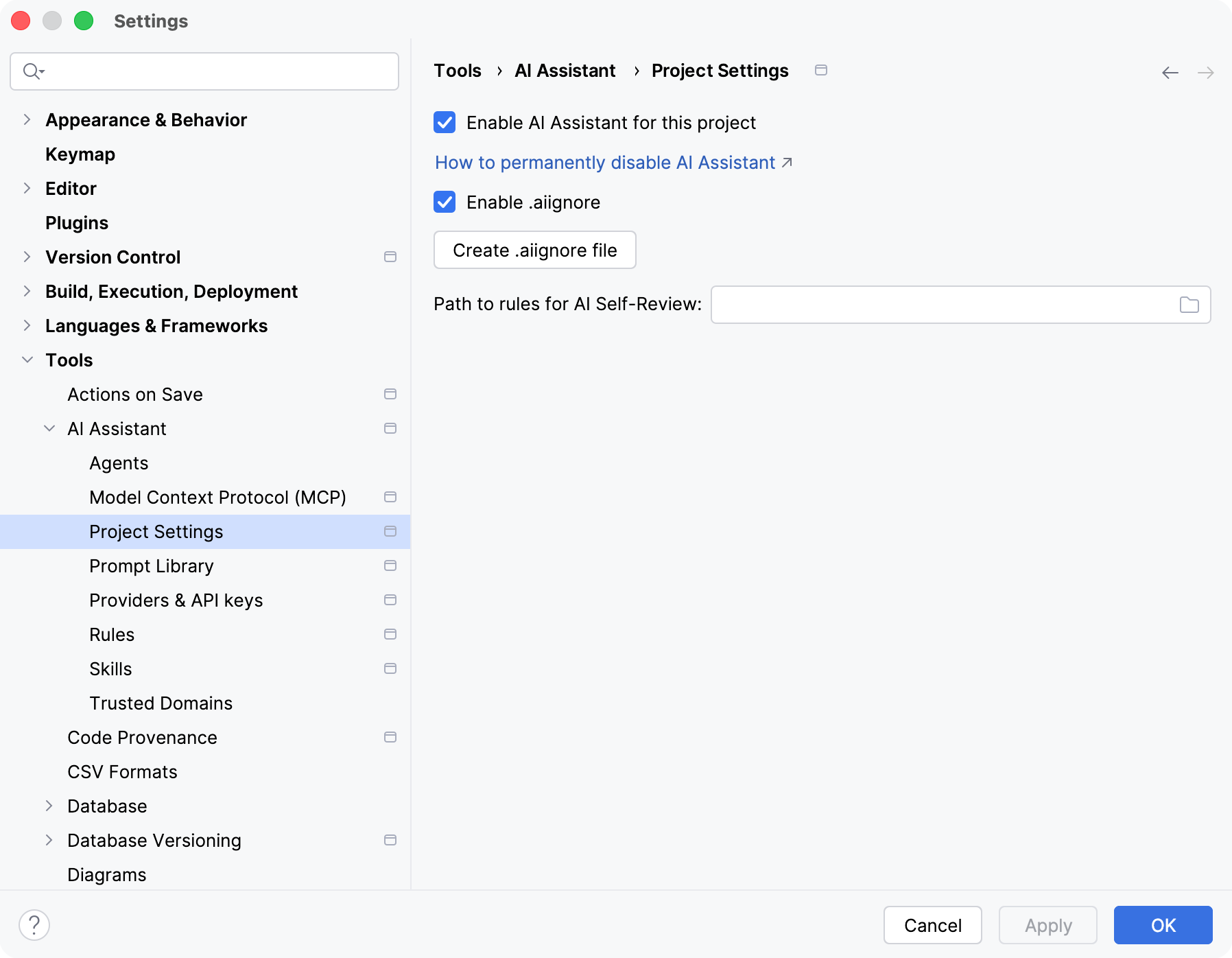
在 AI 自审规则的路径 设置中指定指南文件的位置。
请点击 Apply 以保存更改。
以下是此类指南可能的 示例:
编辑并改进提交信息
在您已经提交更改后,您仍然可以编辑您的提交消息。 使用 AI Assistant 来帮助您分析并更好地描述提交的更改。
在左下角点击
(在 DataGrip 中 ,点击页眉中的 更多工具窗口},{ 并选择 Git ),或按 Alt+9 打开版本控制工具窗口。在提交窗格中,右键点击您要更新的提交,并在上下文菜单中选择 编辑提交消息。
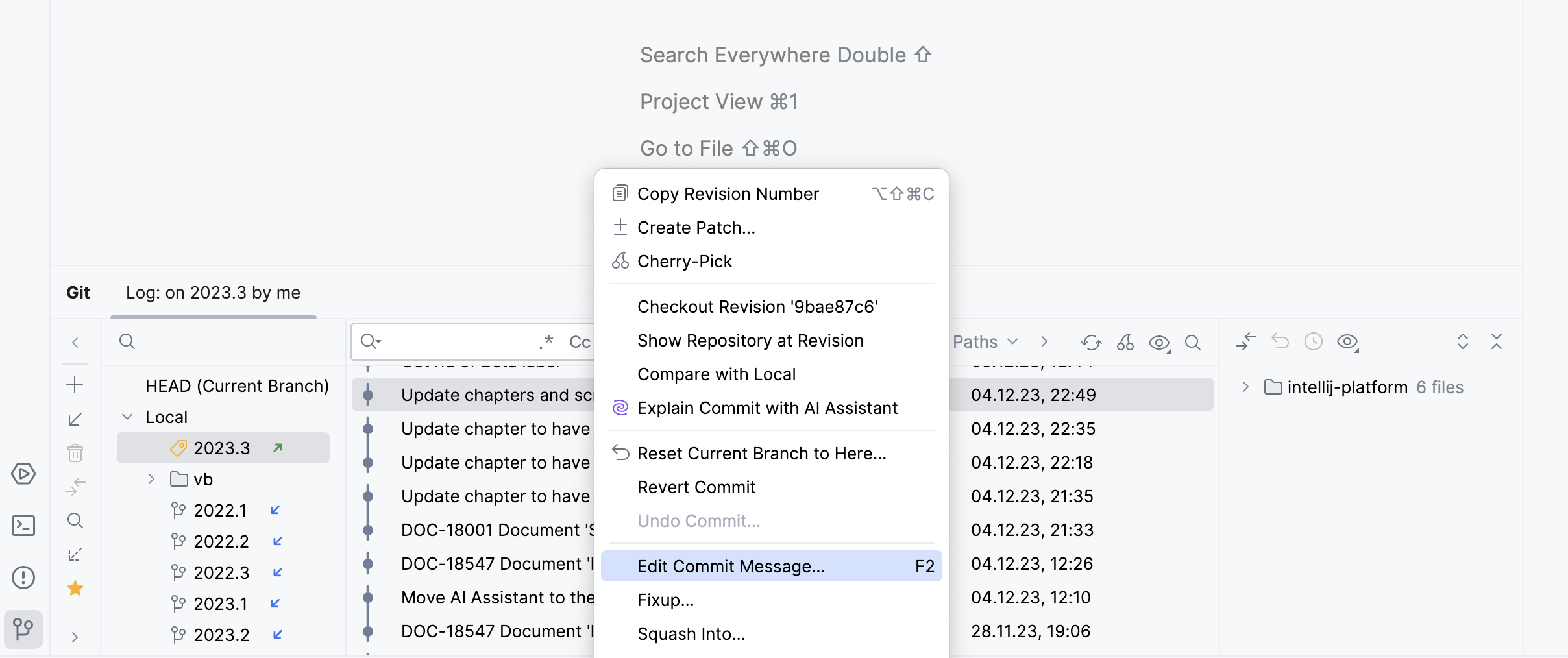
在打开的对话框中,点击
使用 AI Assistant 改进提交信息。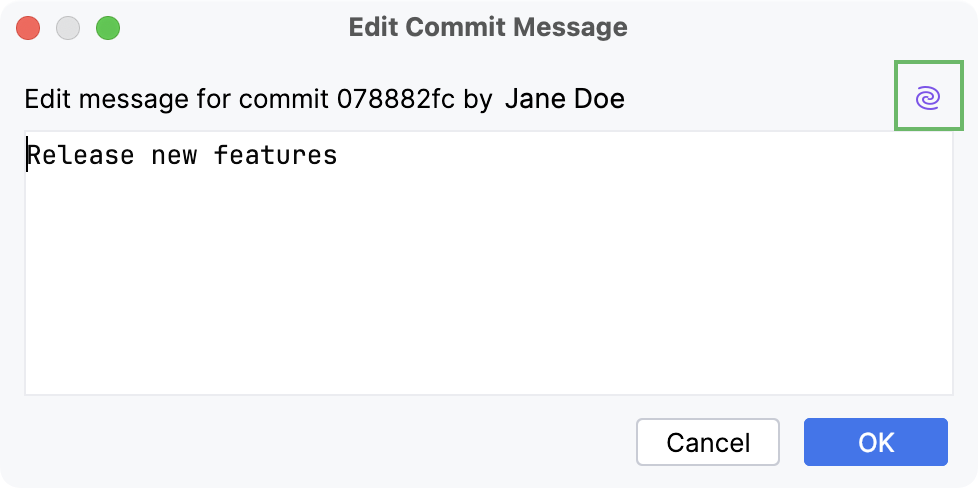
AI Assistant 分析提交的更改并生成改进的消息。
如有必要,请编辑新消息,然后点击 确定 以保存更改。
如果提交已经推送到远程存储库,请按 Ctrl+Shift+K 以同时推送更新后的提交信息。
解释提交
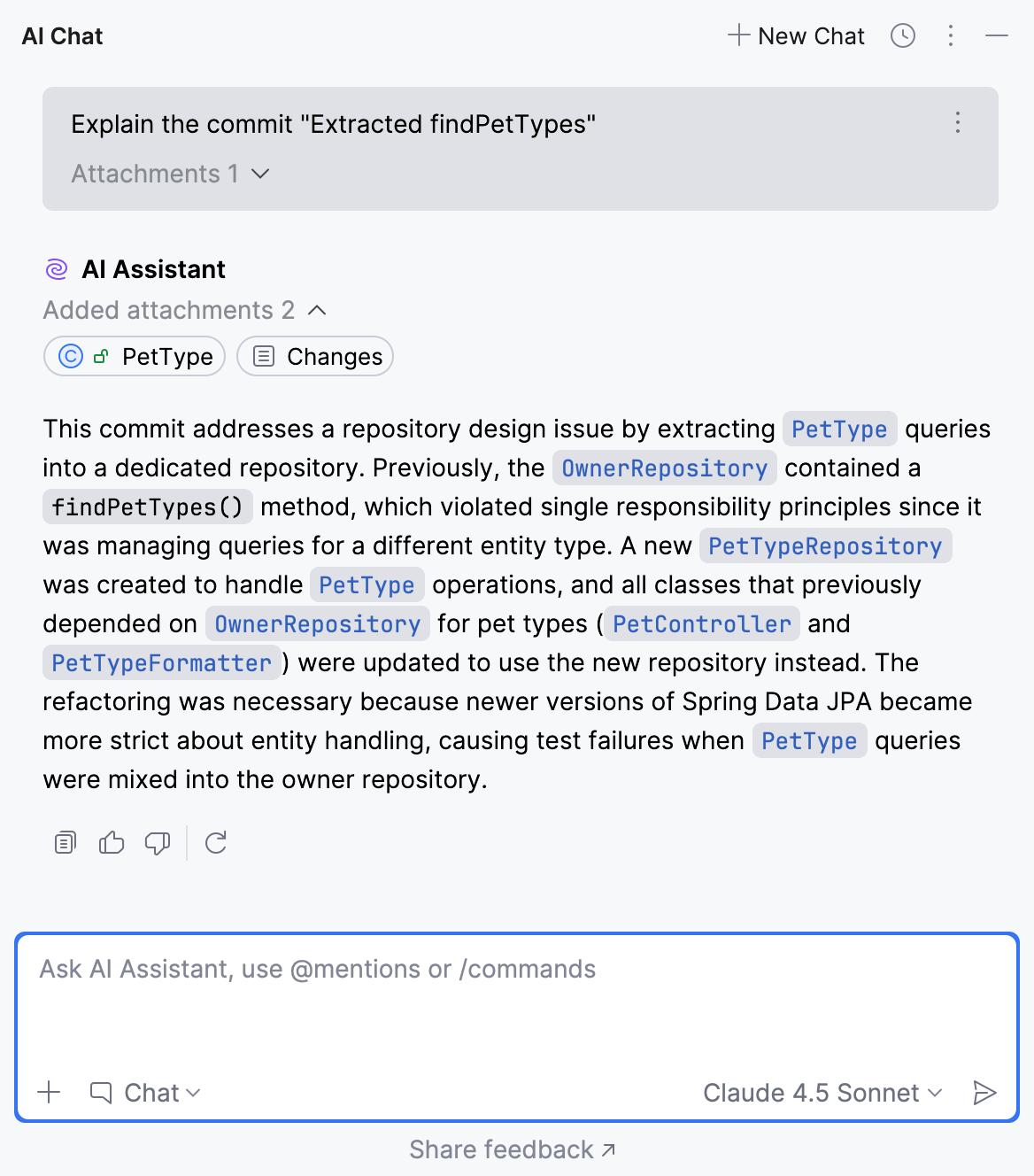
AI Assistant 可以总结一个或多个提交中的更改。
点击左下角的
或按 Alt+9 打开版本控制工具窗口(在 DataGrip 中 ,点击页眉中的 更多工具窗口},{ 并选择 Git)。在提交窗格中,选择您要总结的提交或多个提交,右键点击它们,然后在上下文菜单中选择 使用 AI Assistant 解释提交。
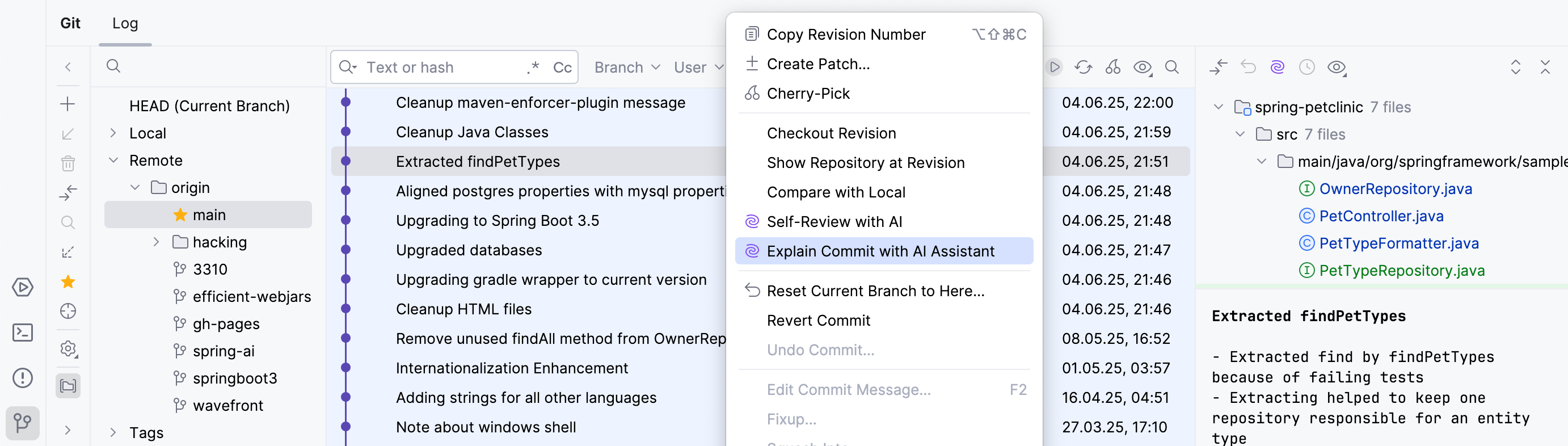
AI Assistant 提供所选提交的摘要。
为拉取请求和合并请求生成标题和描述
AI Assistant 可以直接从 JetBrains IDE 为拉取请求和合并请求生成标题和描述。
在相应的工具窗口中创建新的拉取请求或合并请求时,在描述字段中点击
使用 AI Assistant 生成标题和描述。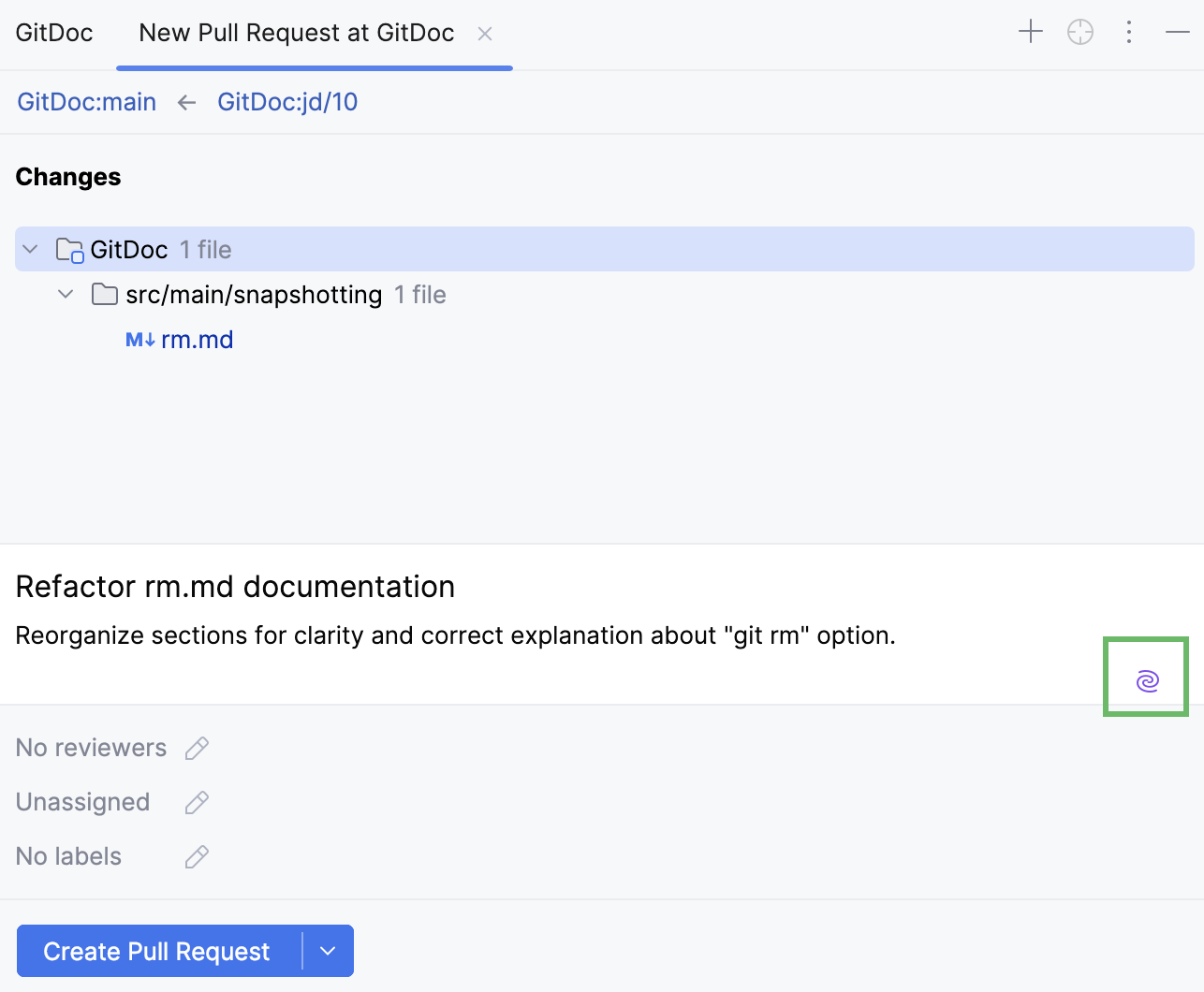
使用 AI 解决 Git 冲突
当多个贡献者处理代码库的同一部分时,您可能会遇到无法自动合并的重叠更改。
JetBrains IDE 提供了解决此类冲突的工具,而 AI Assistant 可通过自动合并冲突更改来协助您。
在 合并修订 对话框中,点击
使用 AI 合并。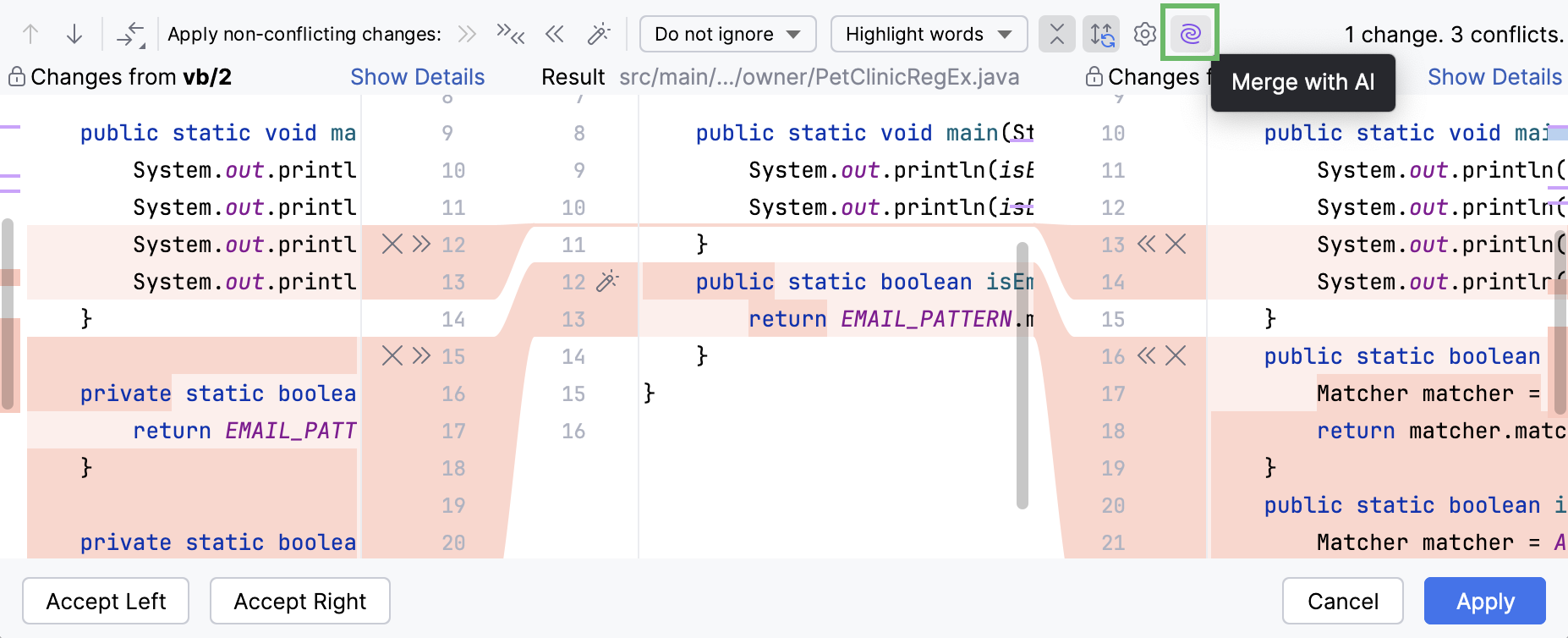
AI Assistant 然后合并非冲突和冲突的更改。
在对话框的中央窗格中查看合并结果,必要时编辑,然后点击 Apply。
通过点击
 还原 撤销修改行中的更改。
生成传入拉取请求的摘要
AI Assistant 可以生成 传入拉取请求的摘要,捕捉关键细节并提供更改的简要描述。 要启用此功能:
按 Ctrl+Alt+S 打开设置,然后选择 。
在 功能 部分,启用 GitHub 插件:在打开拉取请求时生成摘要 设置。
点击 Apply。
之后,当您 打开传入拉取请求时,AI Assistant 将生成一个简要摘要。
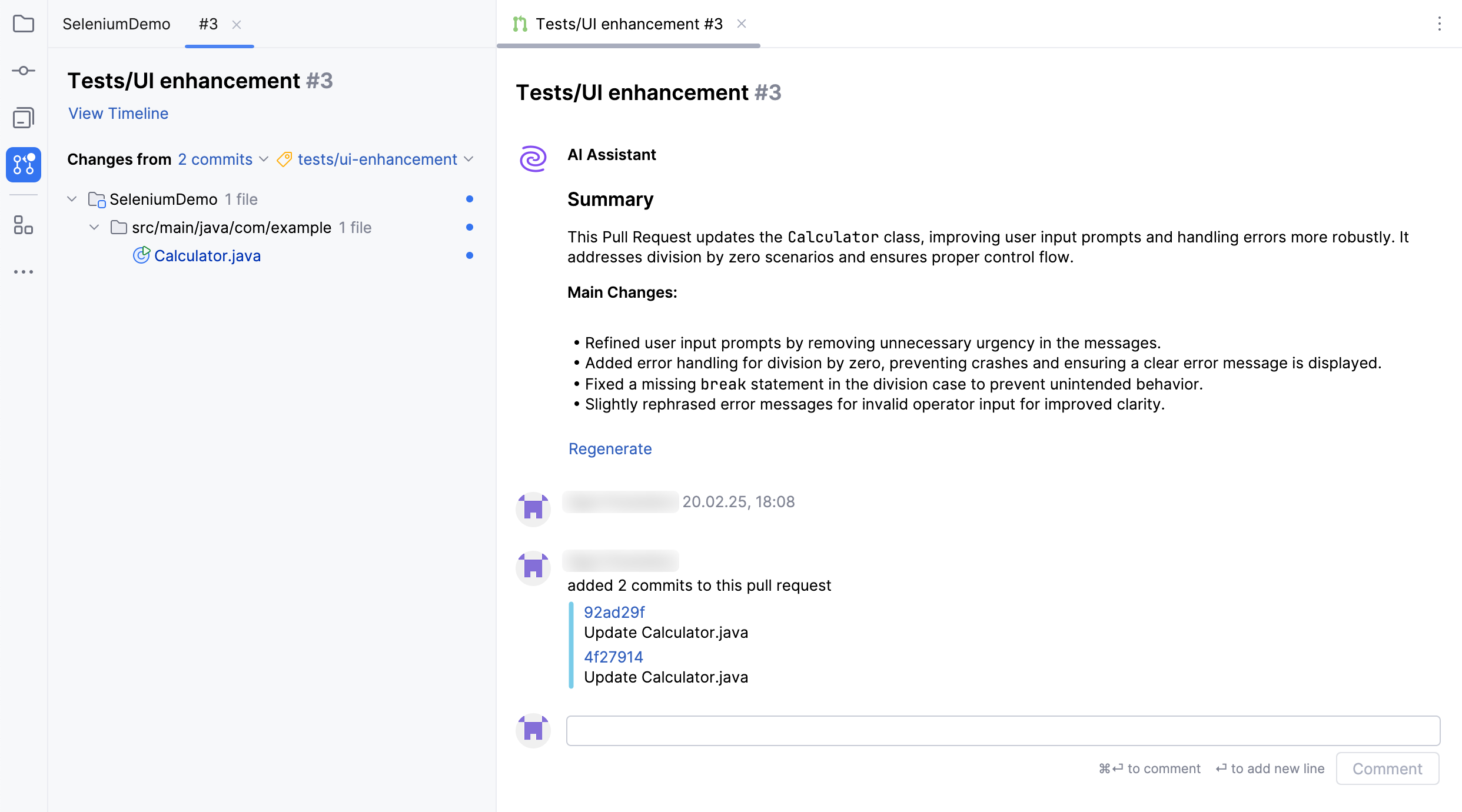
如果生成的摘要不够清晰,请点击 重新生成 以获取更新版本。
您还可以微调摘要生成过程。 为此:
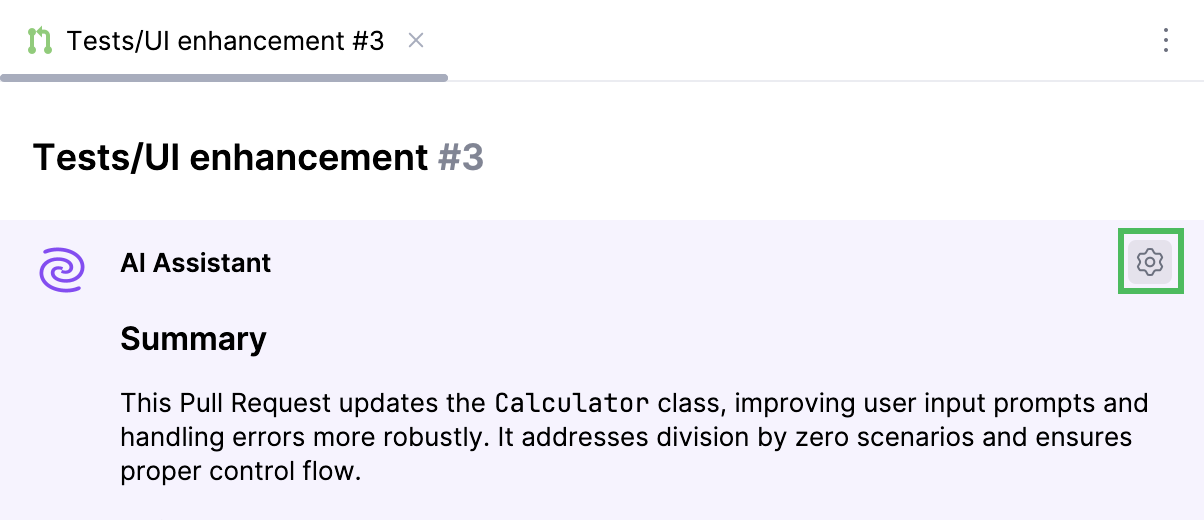
将鼠标悬停在生成的摘要上,然后点击
。
根据需要修改设置:
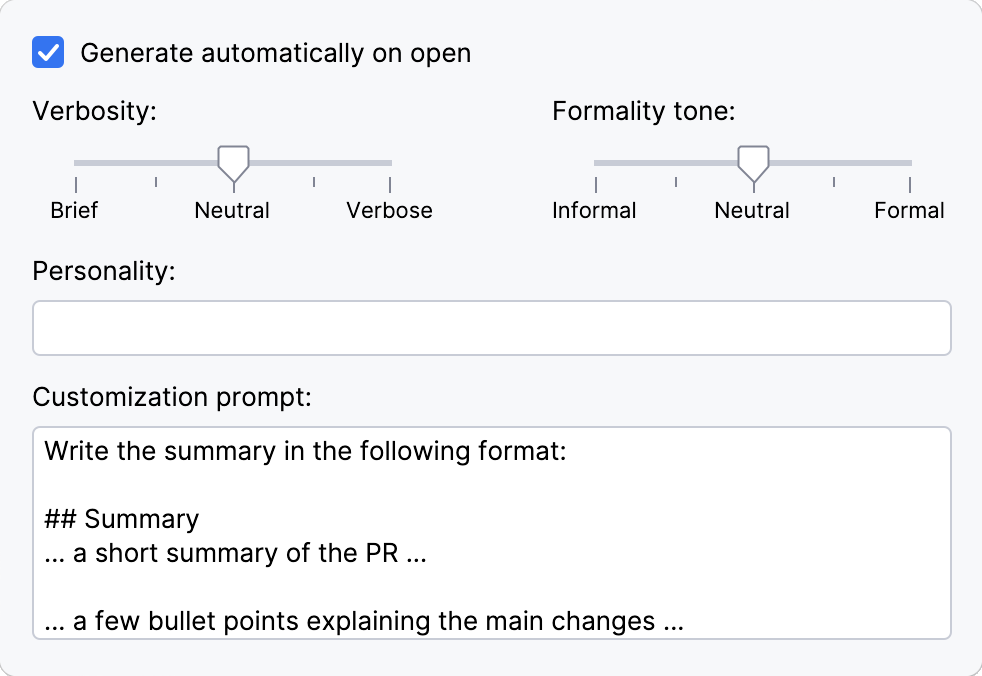
在打开时自动生成 – 如果您希望在打开拉取请求时自动生成摘要,请启用此设置。
详细程度 – 调整摘要的详细程度。 更高的详细程度包含更多信息,而较低的详细程度则保持简洁明了。
正式语气 – 控制摘要的正式或非正式语气。
个性化 – 定义摘要的风格或特性。
自定义提示 – 提供具体的指令或偏好以微调生成的摘要。
生成搁置标题
当您静默搁置更改时,新搁置将获得默认的 Changes 名称。 当搁置较多时,可能会难以找到所需的更改。
与其手动重命名每个搁置,不如使用 AI Assistant 自动生成静默搁置更改列表的标题。
按 Alt+0 打开 Commit 工具窗口。
选择您想要搁置的文件或更改列表,然后点击工具栏上的
 静默搁置 或按 Ctrl+Shift+H。
AI Assistant 将自动为搁置的更改生成搁置名称。
要关闭此功能,请按 Ctrl+Alt+S 打开设置,转到 ,并清除 为搁置的更改列表生成标题 复选框。
配置 Perforce MCP 服务器
如果您的项目使用 Perforce 进行版本控制,您可以在 IDE 中配置 Perforce MCP server ,以便 AI Assistant 能访问 Perforce 工具和数据。 这使 AI Assistant 能够提供更准确、相关的答案,并协助开发工作流。 例如,它可以查询服务器信息、访问工作区数据、获取更改列表详情以及执行 其他操作。
要配置 Perforce MCP Server:
IDE 会检测当前项目是否使用 Perforce 版本控制,并显示通知提示您启用 Perforce MCP server。 点击 打开设置 以打开 Perforce MCP 对话框。
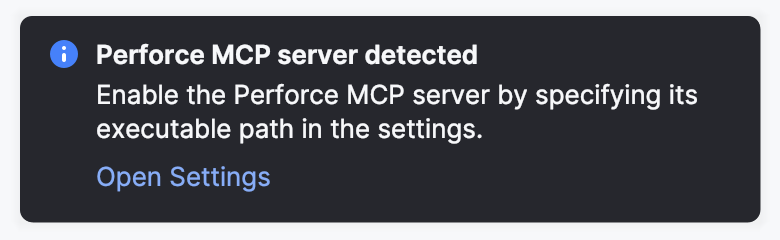
或者,转到 。
在对话框中配置以下设置:
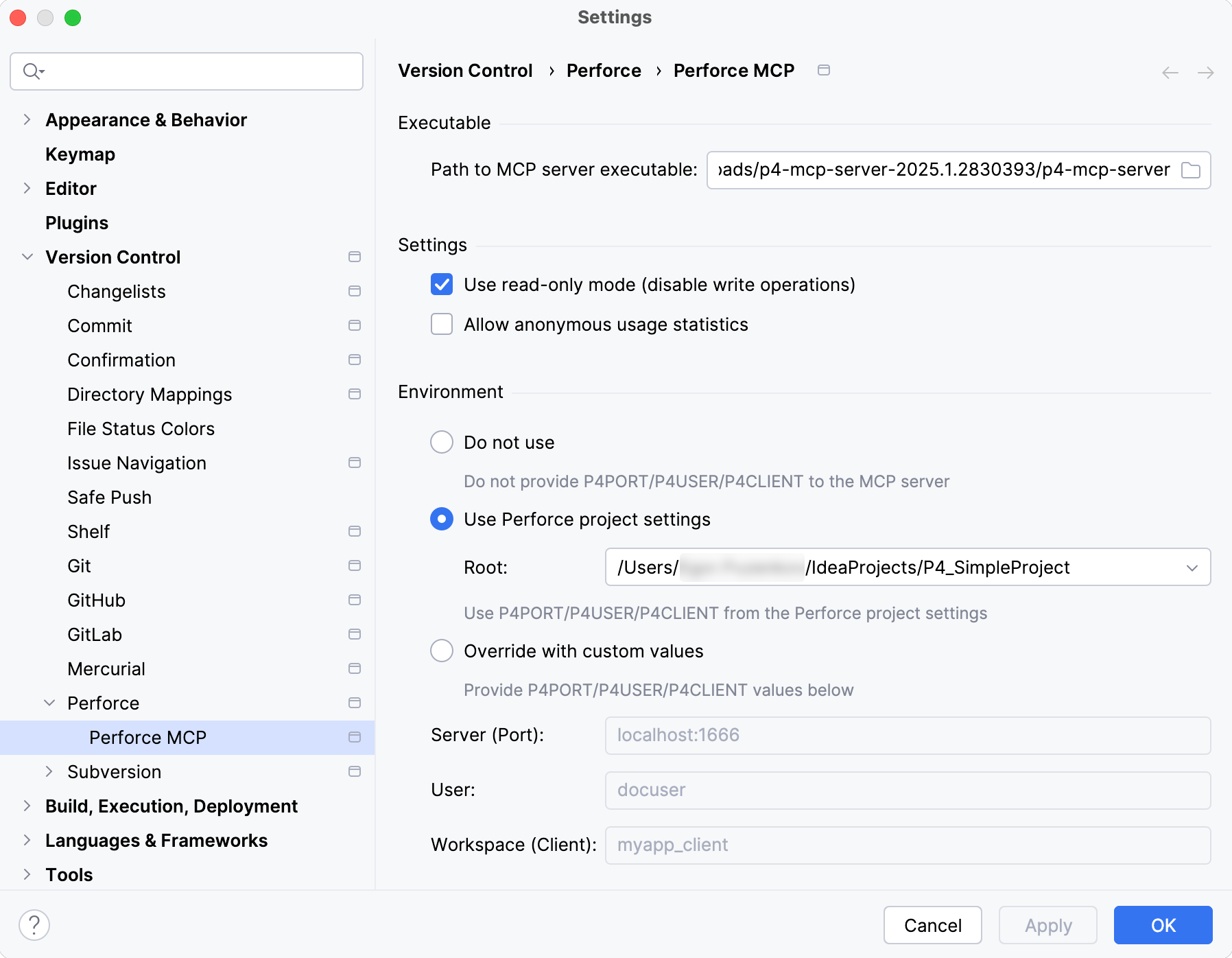
MCP 服务器可执行文件路径 — 指定
p4-mcp-server可执行文件的完整路径。使用只读模式(禁用写操作) — 启用后,将阻止 MCP server 执行任何写操作。 如果希望 AI Assistant 能够使用 Modify tools ,请禁用此选项。
选择您希望如何将 Perforce 连接信息传递给 MCP server:
请勿使用 — MCP server 不会接收
P4PORT、P4USER或P4CLIENT的值。使用 Perforce 项目设置 — 自动向 MCP server 提供当前项目中的
P4PORT、P4USER和P4CLIENT值。使用自定义值进行重写 — 手动指定要与 MCP server 一起使用的 服务器(端口) (
P4PORT)、 用户 (P4USER)和 工作区(客户端) (P4CLIENT)的值。
选择 MCP server 向 AI Assistant 公开的工具集:
全部 — 启用所有可用工具。
个文件 — 访问文件内容、历史记录和差异。
更改列表 — 检索更改列表信息。
搁置 — 访问已搁置的更改列表。
工作区 — 管理并查询工作区信息
作业支持 — 启用对 Perforce 中作业/问题跟踪功能的访问。
点击 Apply 以保存配置。
导航到 ,选中 Perforce MCP 配置的复选框,然后点击 Apply。 这将启动已配置的服务器并建立连接。
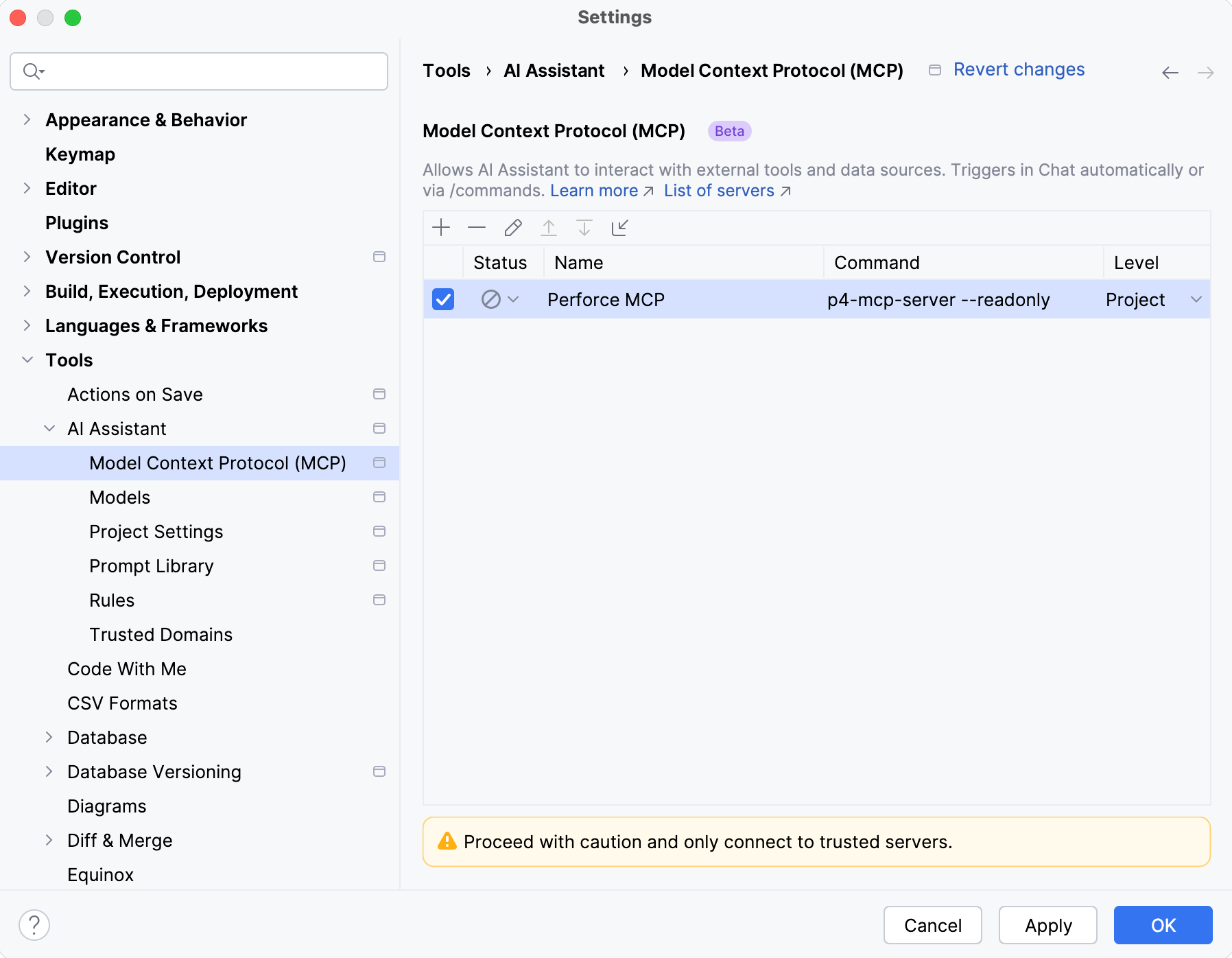
由 MCP 服务器提供的工具将可供 AI Assistant 使用。 它可以在处理您的请求时自动触发这些工具,或者,您可以通过在聊天中键入相应的 / 命令手动调用它们。