ReSharper

Many IDEs and code editors – one ReSharper

ReSharper makes Visual Studio a much better IDE

C# support for VS Code, Cursor, and compatible editors

ReSharper is the most popular extension with 2.5M+ downloads on Microsoft Visual Studio Marketplace

ReSharper has been boosting developer productivity since 2004. During these many years, ReSharper changed the way millions of developers explore, write, improve, and maintain their code. Join them and let ReSharper be your productivity mentor!

Why choose ReSharper

No matter what you need to accomplish,
ReSharper will help you along the way

Explore

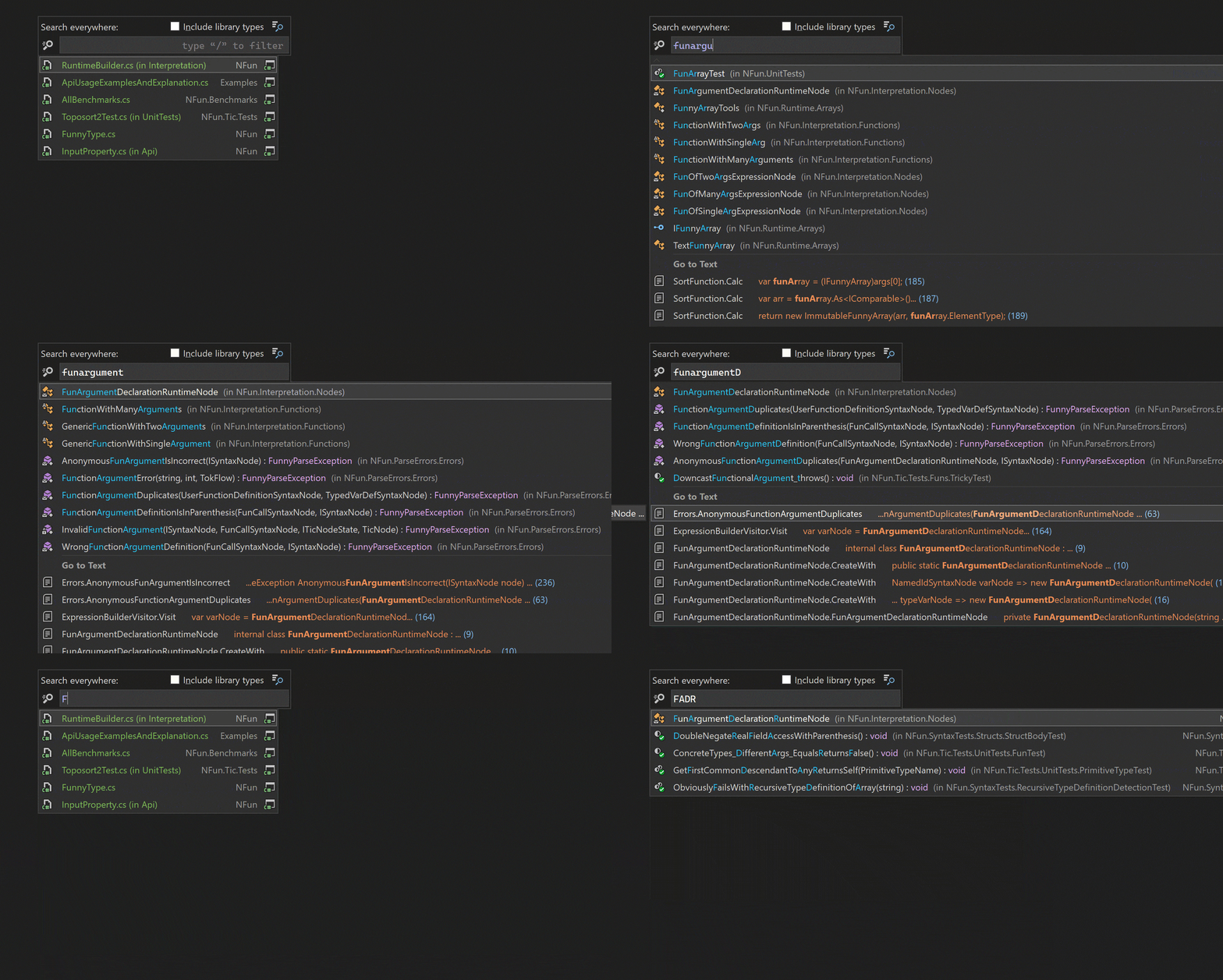
Effortlessly navigate through complex .NET codebases with features that enable you to quickly jump to types, type members, files, usages, bases, declarations, or implementations. With the handy quick documentation feature and AI-powered explanations, you can accelerate your understanding and mastery of any code.

Improve

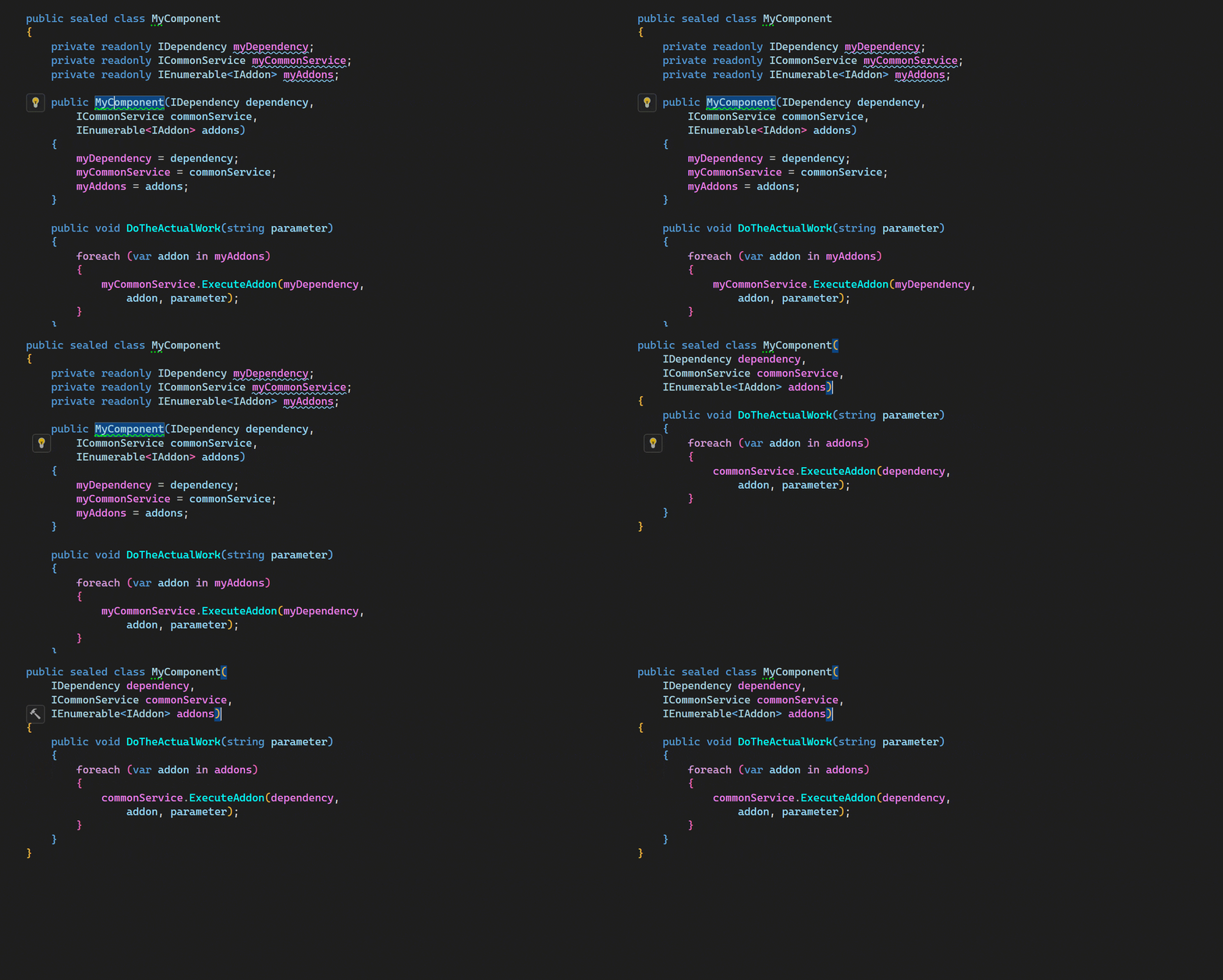
Leverage the robust capabilities of ReSharper for seamless code refactoring. Effortlessly rename code members, modify signatures, and extract methods or classes. Our tool continuously updates with new inspections and quick-fixes to keep your code modern, utilizing the latest C# language features. Enhance your coding efficiency by asking AI for suggestions to optimize and refine your code.

Code

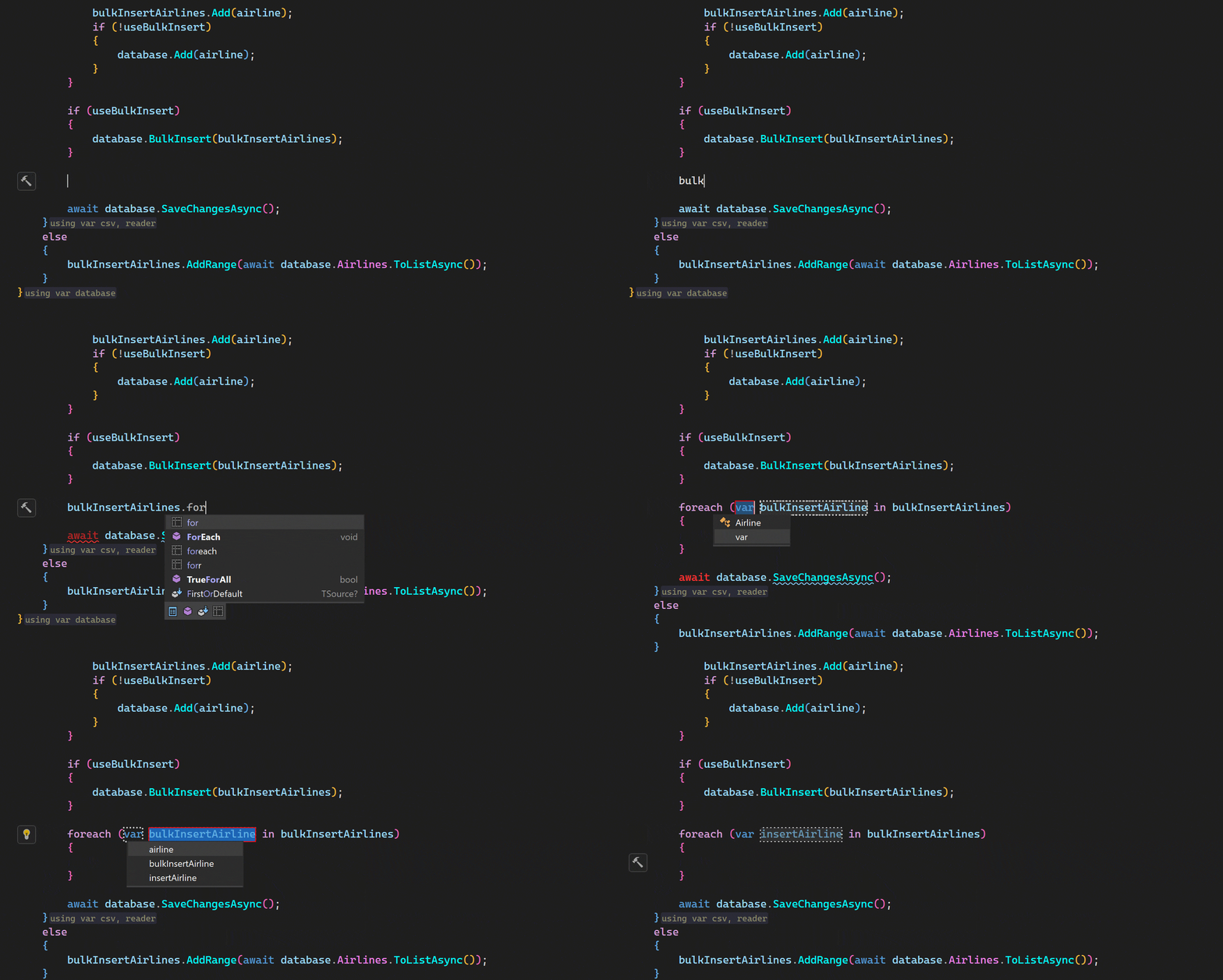
Experience the simplicity of crafting new code with our context-aware completion tools, typing assists, and powerful code generation features. These include live templates, type members generation, and auto-importing namespaces. Minimize your keystrokes using our multiline AI code completion or request AI assistance to seamlessly implement new classes or methods, saving you valuable time and effort.

Maintain

ReSharper is your essential partner in maintaining a high-quality codebase. From running and debugging unit tests to offering advanced debugging tools and a predictive debugger, we’ve got all your needs covered. Our adaptable formatting engine supports diverse coding styles, ensuring your code remains clean and consistent. Utilize AI to detect potential issues or automatically generate unit tests, making code maintenance more efficient and less labor-intensive.

Learn

Elevate your coding skills with ReSharper! Packed with numerous code inspections and quick-fixes, ReSharper introduces new C# language features that you can quickly get to grips with by applying them in real-world scenarios. It doesn’t stop there – you’ll discover best practices and learn the nuances that will allow you to optimize how you work with technologies like Entity Framework.

Observe

Enhance the oversight of your .NET solution’s quality with ReSharper’s solution-wide analysis, offering real-time monitoring of errors and warnings as you type. Use type and project dependency diagrams to gain a panoramic perspective and achieve a comprehensive understanding of your entire .NET solution or project.

Leverage AI

Unleash the full potential of AI with our smart AI Assistant. By leveraging context-aware AI chat, you can pose any programming-based queries or ask AI to explain or find issues in a particular piece of code directly from your text editor. This eliminates the need to manually copy code to the chat. Not only this, but you also have the capability to generate code for an unimplemented method, produce C# documentation comments, or receive multi-line code suggestions while you type. It’s no longer a hassle – your AI Assistant is here to streamline your coding experience!

Develop games

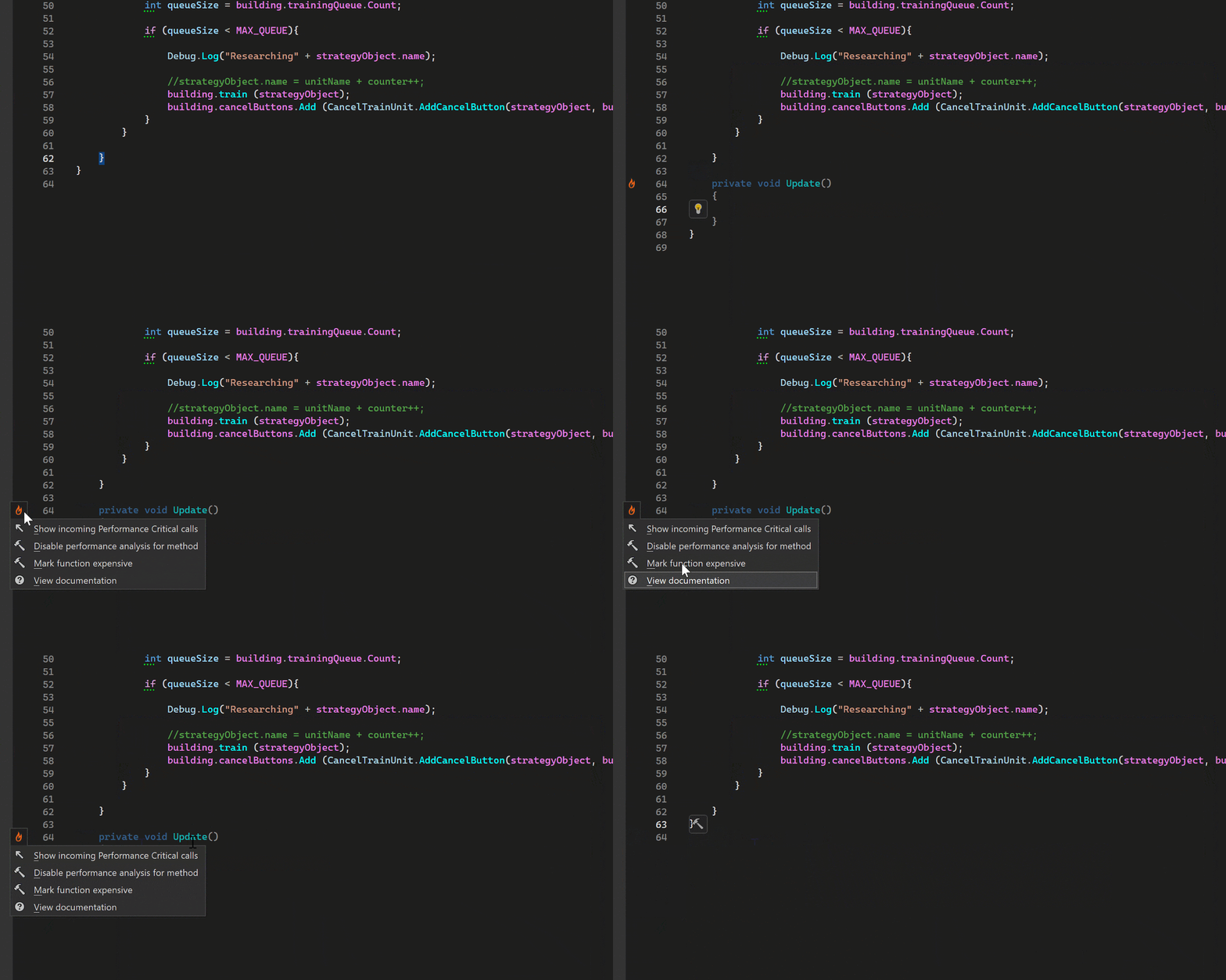
Supercharge your Unity game development with ReSharper’s tailored support. Enjoy intelligent code completion for Unity event functions and APIs, tooltip summaries and links to Unity documentation, and detection and mitigation of common Unity pitfalls with specialized inspections and quick-fixes. Get smart support for ShaderLab files with syntax highlighting, code completion, and error detection. From auto-handling .meta files to implicit usage detection of fields and methods in Unity scenes, prefabs, and assets, ReSharper keeps your workflow smooth and effortless.

If you use Unreal Engine, we’ve got you covered as well! ReSharper C++ is your perfect game development companion in the UE world.

Trusted by market-leading companies

经过验证的合规性与安全性

JetBrains 工具遵循行业领先的安全标准,包括 SOC 2 认证,确保贵组织的数据得到保护,并且我们的产品符合全球法规。我们的信任中心提供了所有 SOC 2 报告、渗透测试报告摘要和安全问卷。

我们的客户评价

What’s new in ReSharper

包含 Junie 的 ACP 支持预览

最新版本引入了 Junie,这是我们向在 Visual Studio 内的 ReSharper 中实现全面 ACP (Agent Client Protocol) 支持迈出的第一步。

‌适用于与 VS Code 兼容的编辑器的调试

完整断点、变量检查、单步导航以及启动并附加功能现已登陆 VS Code 和其他兼容编辑器中的 ReSharper。

更清晰的 C# 分析和重构

更多集合表达式案例、可以检测重复项的增强 Extract Method(提取方法‌),以及更紧密的 .editorconfig 和 Roslyn 分析器集成。

ReSharper brings 20 years of C# expertise to every line of code in Cursor, VS Code, and compatible editors. Now, with debugging!

Whether you need a second pair of eyes or guardrails for code generated by AI, ReSharper fits seamlessly into your workflow – all backed by enterprise-grade security, SOC 2 compliance, and the trust of leading companies worldwide.

Wide compatibility

ReSharper works seamlessly across VS Code and compatible editors, including Cursor and Google Antigravity. Code editors may change, but ReSharper’s always got your back.

Make AI-first workflows production-ready

Ensure your AI-generated code meets professional quality standards. ReSharper helps you review, refine, and ship AI-assisted code with confidence.

Powered by JetBrains expertise

Your code quality is backed by 26 years of developer tool innovation and over 20 years of perfecting .NET solutions. That's proven expertise teams worldwide depend on daily.

The Rider debugging engine, in your editor

Get .NET debugging powered by the same engine that has driven JetBrains Rider for years. No extra extensions, no separate setup – just install ReSharper and set a breakpoint.

More than "good enough"

Get an unbeatable set of inspections and refactorings for C#, Razor, Blazor, and XAML to help you keep your code clean, readable, and well-maintained with less effort.

经过验证的合规性与安全性

Your tools are as reliable as the company behind them. JetBrains maintains SOC 2 certification and adheres to industry-leading security standards.

对非商业用途免费

Get a professional-grade C# development tool completely free for non-commercial use, studying, and hobby projects.

.NET Framework support

Whether your project targets .NET or .NET Framework, ReSharper supports it without compromise.

常见问题及解答

This extension is included in the ReSharper subscription, and a free tier is available for personal, non-commercial use. Visit the Pricing page for more details.

We welcome your feedback, which you can share using this form.

This extension is based on the same code analysis engine as in ReSharper for Microsoft Visual Studio. However, the functionality is different due to LSP limitations and an overall different architecture. To get the most out of all ReSharper features, consider trying our .NET IDE, Rider.

If you need assistance, a great place to start is our web help documentation. If you don’t find what you’re looking for there, feel free to contact the ReSharper support team.

使用 dotUltimate
解锁更多开发能力

Boost your productivity with advanced profilers and coverage tools, as well as AI-powered features. Get dotUltimate, a cost-effective solution for all your .NET and game dev needs.
Rider
ReSharper
ReSharper C++
AI Pro
dotCover
dotTrace
dotMemory
dotPeek

Work your own way, seamlessly switching between Rider and ReSharper at will, and get access to top-tier profilers and coverage tools only available to dotUltimate subscribers.

Accelerate your workflows with AI-powered capabilities integrated into ReSharper and Rider to speed up coding and make it more enjoyable.

通过单一的综合许可证减少采购开销并优化成本。使用 dotUltimate 为您的业务增长做好准备,它会随着开发者需求的变化不断发展。

  1. Work your own way, seamlessly switching between Rider and ReSharper at will, and get access to top-tier profilers and coverage tools only available to dotUltimate subscribers.

1 / 3(Current Item: 1)