Code refactoring
Refactoring is a process of improving your source code without creating a new functionality. Refactoring helps you keep your code solid , dry, and easy to maintain.
Invoke refactoring
Select an item to refactor. You can select a file/folder in the Project tool window or expression/symbol in the editor.
Press Ctrl+Alt+Shift+T to open a list of refactorings that can be selected.
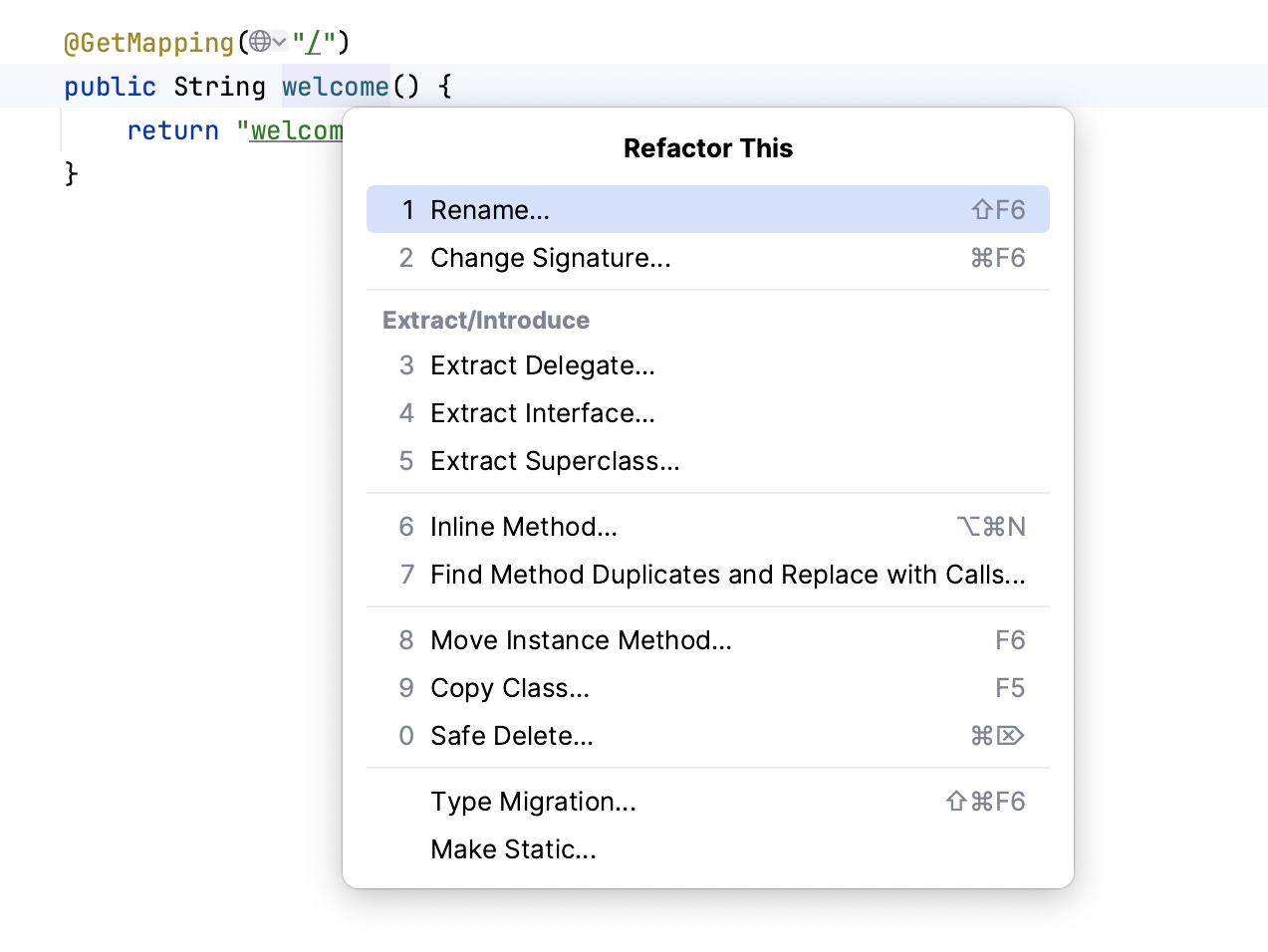
Alternatively, you can use a keyboard shortcut for a specific refactoring.
You can also make a multi-caret selection for an extended range of refactoring operations, including Encapsulate Fields, Move Static Members, Extract Delegate, Extract Interface, and Extract Superclass. To utilize this feature, place the caret in each member you want to apply the refactoring to, and the IDE will automatically preselect and check these members in the refactoring dialog.
If you need to undo your refactoring, press Ctrl+Z.
Invoke refactoring from the Structure tool window
In the left tool bar, click
 to open the Structure tool window.
In the Structure tool window, select methods or fields for which you want to invoke the refactoring actions, right-click them and from the context menu select the name of the refactoring you want to apply.
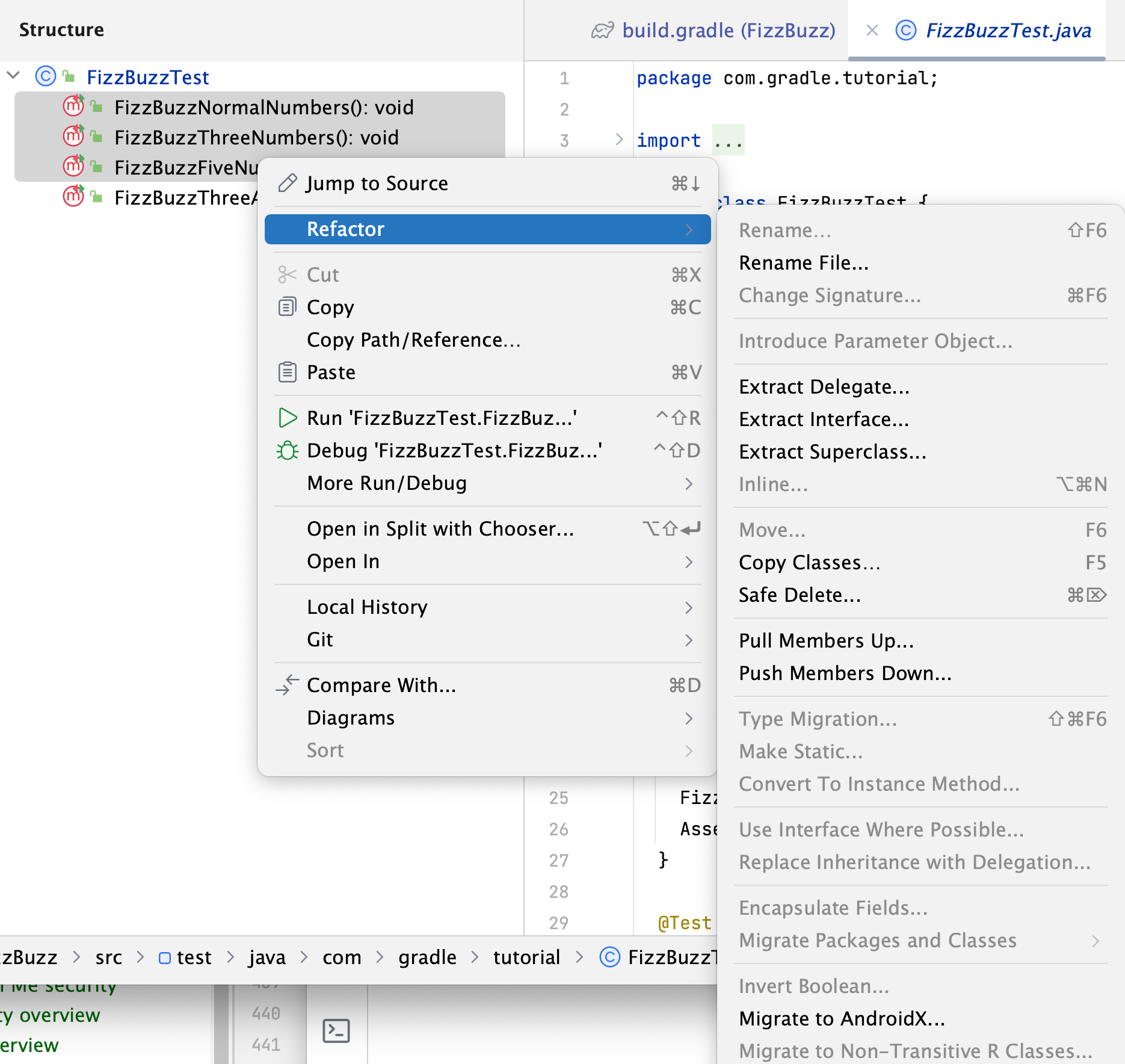
Preview refactoring changes
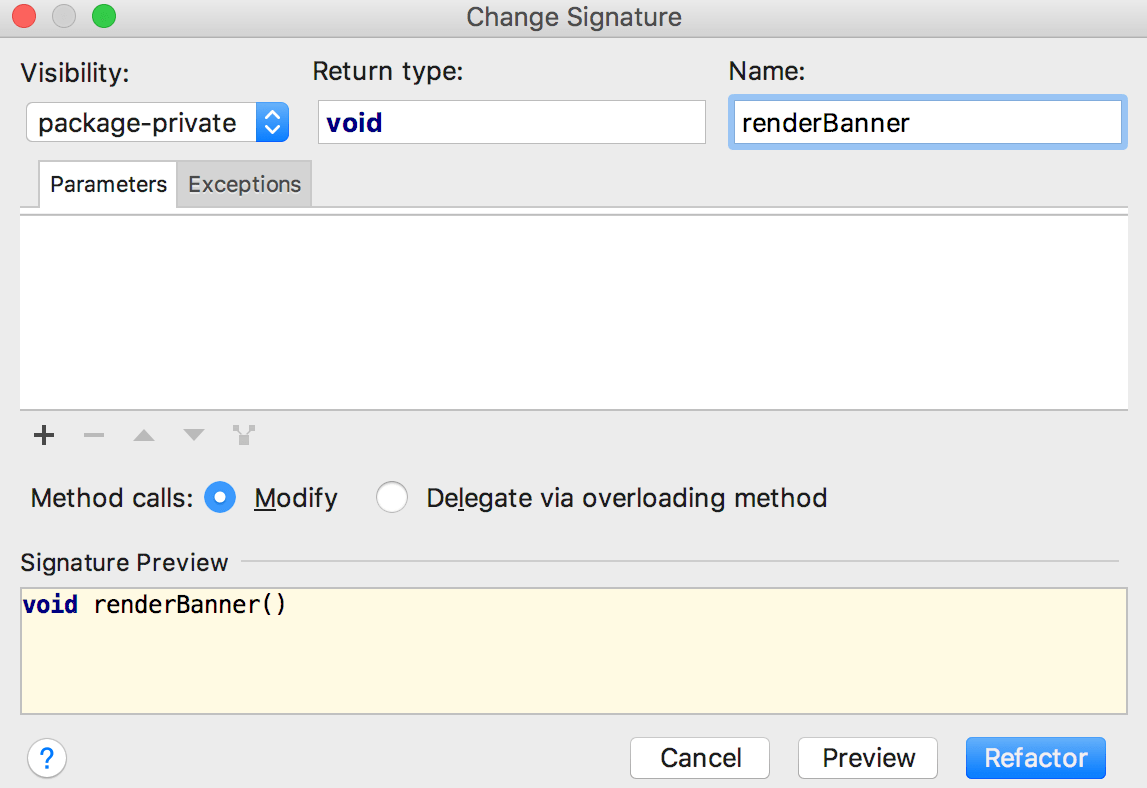
For some refactorings, IntelliJ IDEA lets you preview the changes before applying them.
Click Preview in the Refactoring Preview dialog to see potential changes (the list of usages where the refactoring will be performed).
In the Find tool window that opens, check the changes that are going to be made. You can exclude Delete or remove Ctrl+X changes that you consider unnecessary.
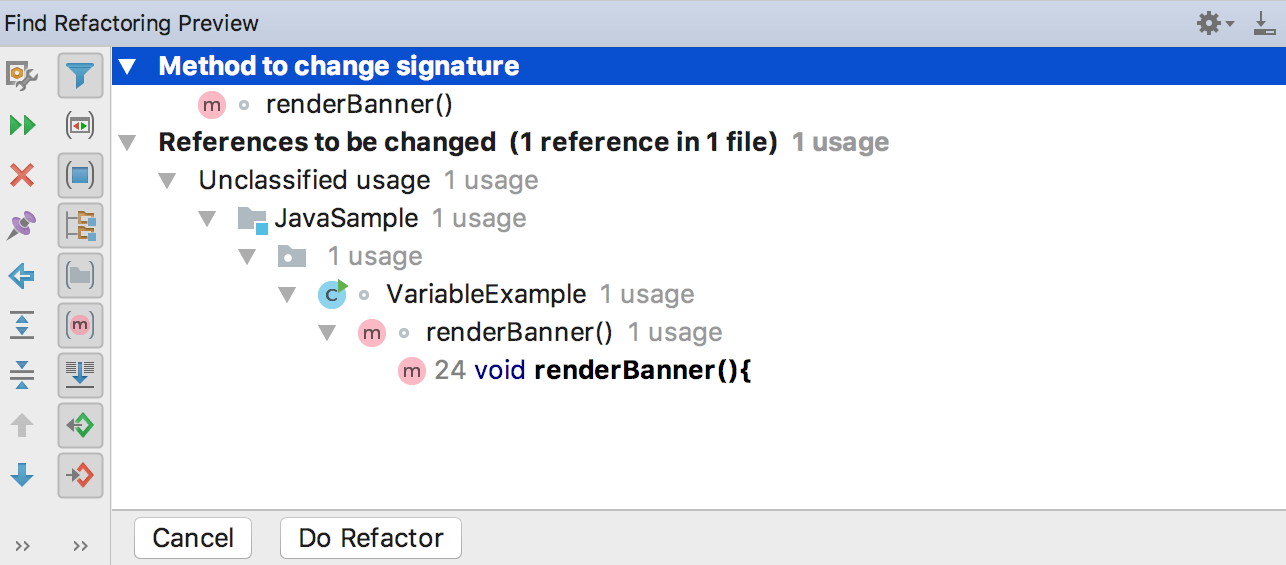
Click Do Refactor to proceed with the changes.
Resolve conflicts
When IntelliJ IDEA encounters problems with your refactoring, it opens a dialog with the list of conflicts and their brief descriptions.
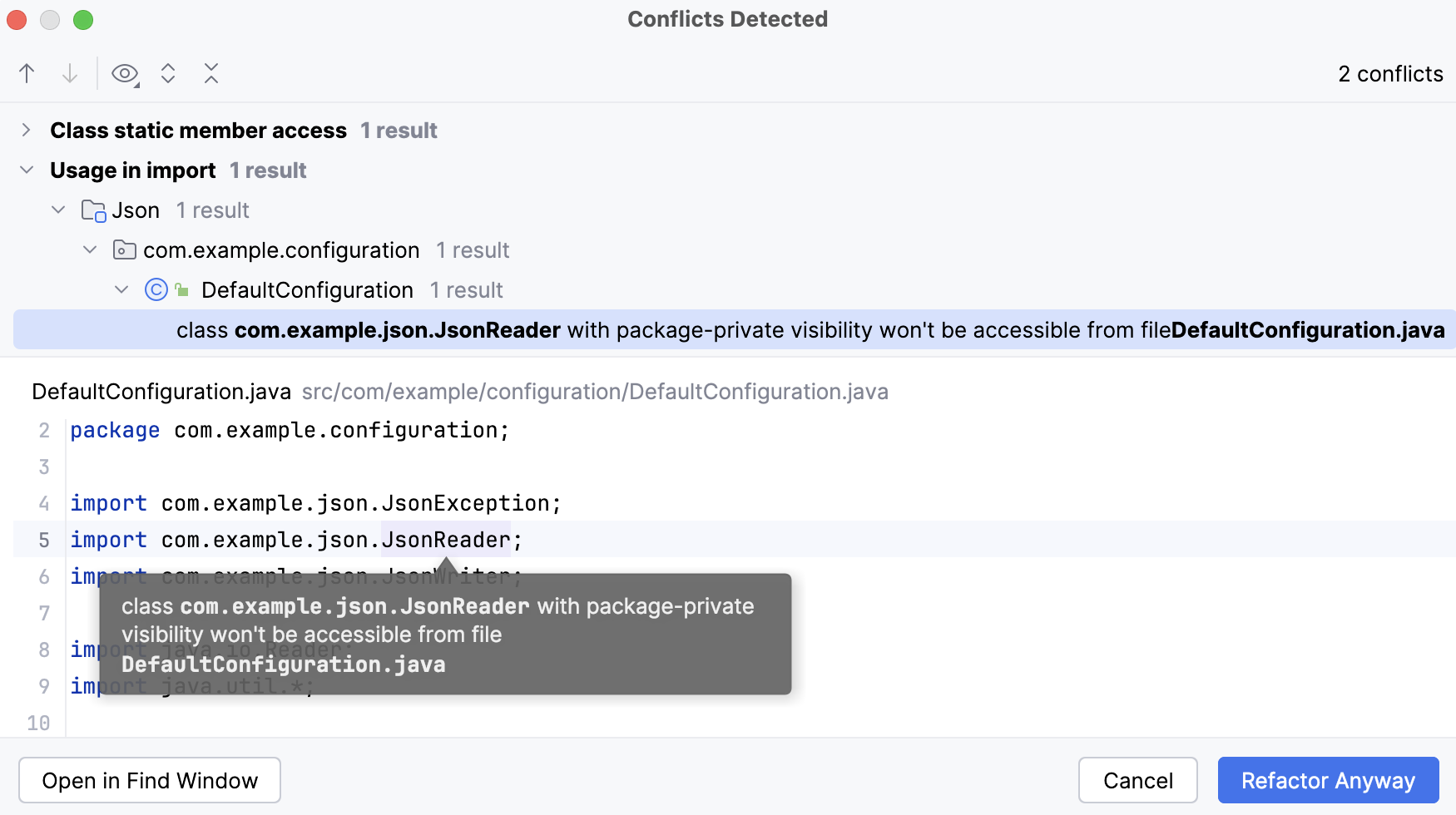
Click Refactor Anyway to ignore the problem and proceed.
Click Open in Find Window to open the conflict entries in the Find tool window and deal with them further.
In the Find tool window, you can apply the refactor by selecting Refactor or click Cancel and return to the editor.
Configure refactoring settings
In the Settings dialog (Ctrl+Alt+S) , select .
On the Code Editing page, in the Refactorings section, adjust the refactoring options and click OK.
The most popular refactorings supported in IntelliJ IDEA
Safe Delete | Alt+Delete | Makes sure that you do not delete files that are referenced in your source code. | |
Copy/Move | F5/F6 | Copies/Moves an element. | |
Extract Method | Ctrl+Alt+M | These refactoring actions help you reduce the code duplication. | |
Extract Constant | Ctrl+Alt+C | ||
Extract Field | Ctrl+Alt+F | ||
Extract Parameter | Ctrl+Alt+P | ||
Introduce Variable | Ctrl+Alt+V | ||
Rename | Shift+F6 | Renames an element. | |
Inline | Ctrl+Alt+N | Inlines an element. Acts as the opposite of extracting. | |
Change signature | Ctrl+F6 | Changes the call signature of a method or class. |