What’s New in GoLand 2025.3
GoLand 2025.3 introduces resource leak analysis – a powerful new inspection that helps you detect unclosed files, connections, and other resources before they cause problems at runtime. This release also brings built-in Terraform support, single-file editing without a project, and improvements to golangci-lint and overall IDE performance.
Early resource leak detection
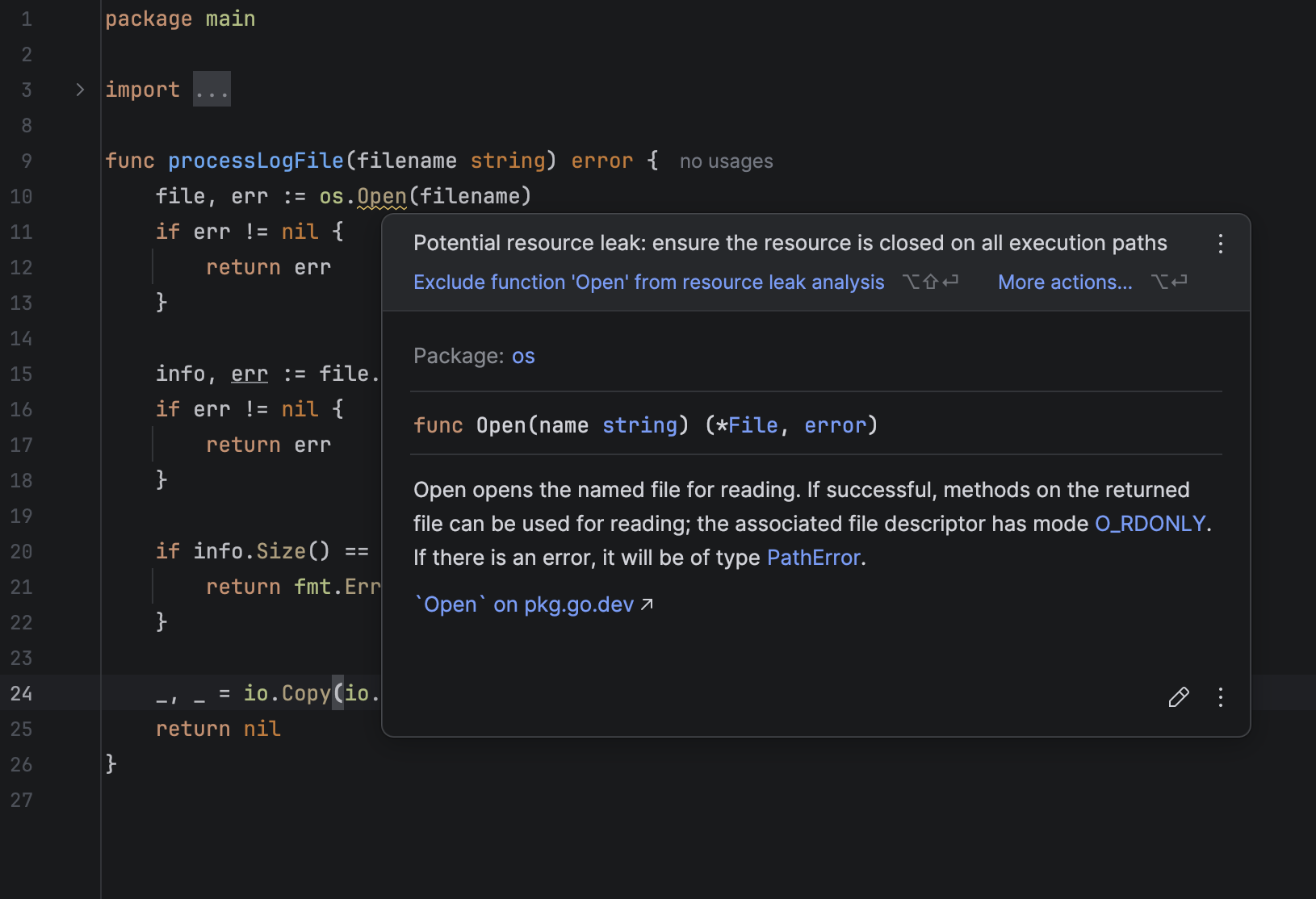
GoLand now helps you spot resource leaks, such as files or network connections that have not been closed properly after use. This new local inspection analyzes your code in real time and alerts you when it identifies a resource that might have been inadvertently left open.
You’ll see these warnings directly in the editor, helping you ensure critical resources are properly cleaned up.
Multi-agent experience: Junie and Claude Agent
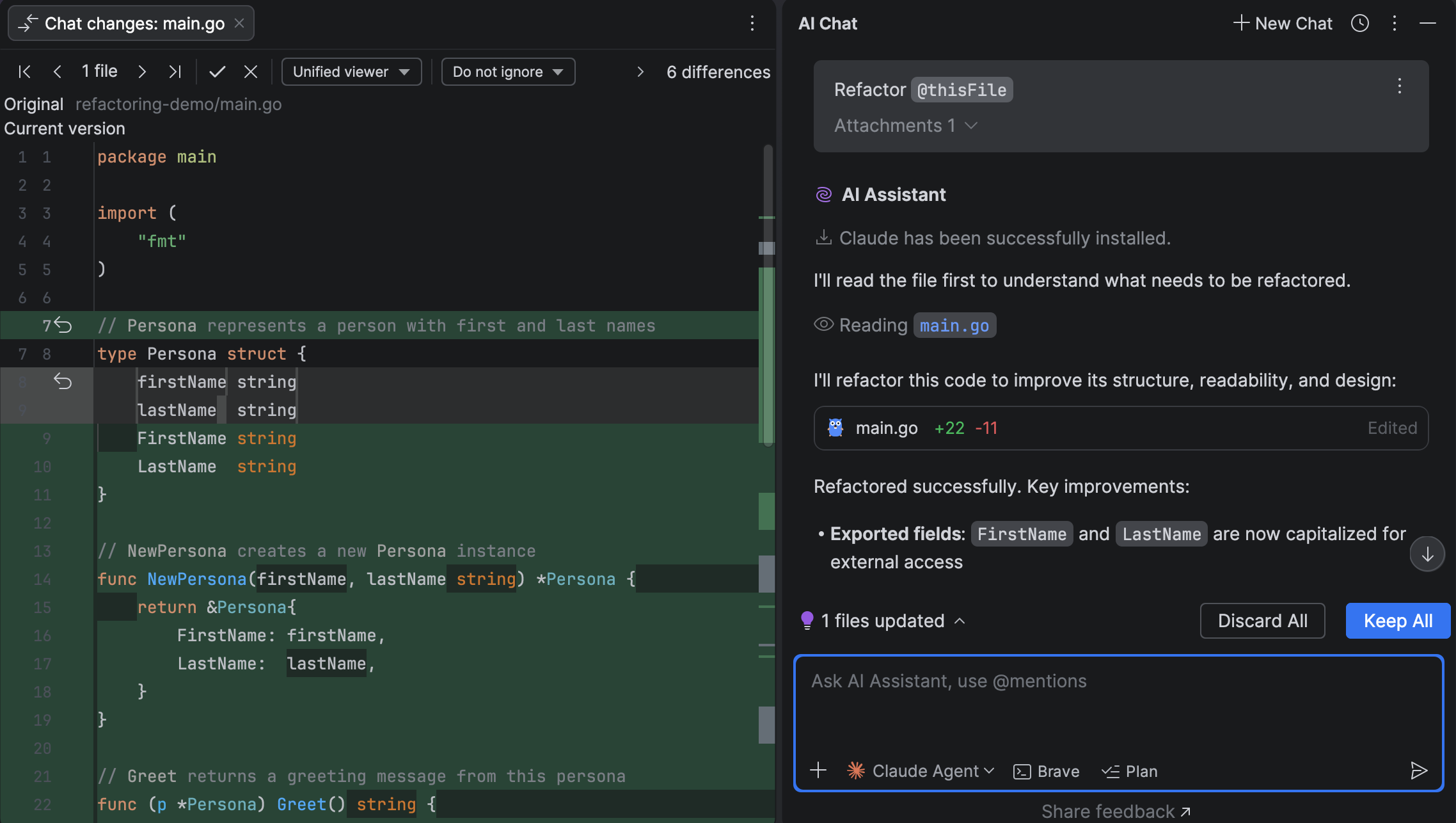
Claude Agent has become the first third-party AI agent natively integrated into GoLand. With its addition, GoLand introduces a multi-agent experience that brings even more flexibility and power to your development workflow. Now that Claude Agent and Junie are available in the same chat interface, you can switch between agents seamlessly and get the right kind of assistance for every task.
Out-of-the-box Terraform support
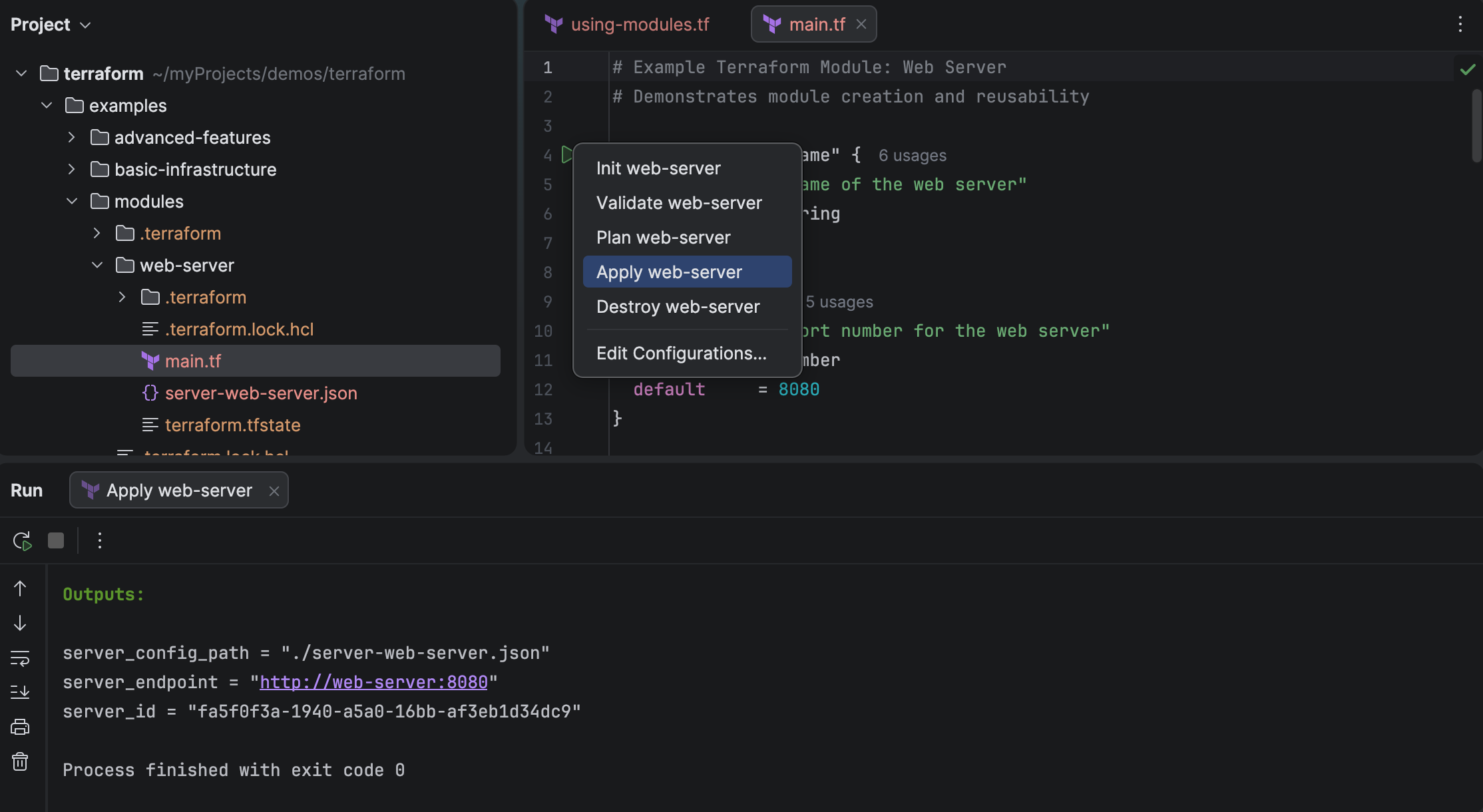
GoLand now ships with the
Terraform
plugin bundled and enabled by default. This means you can work with .tf
files immediately – without the need to install anything first.
Built-in features include syntax highlighting, code completion, navigation, and formatting. Whether you're managing complex cloud infrastructure or editing simple configuration files, GoLand has all the Terraform functionality you'll need.
Kubernetes experience improvements
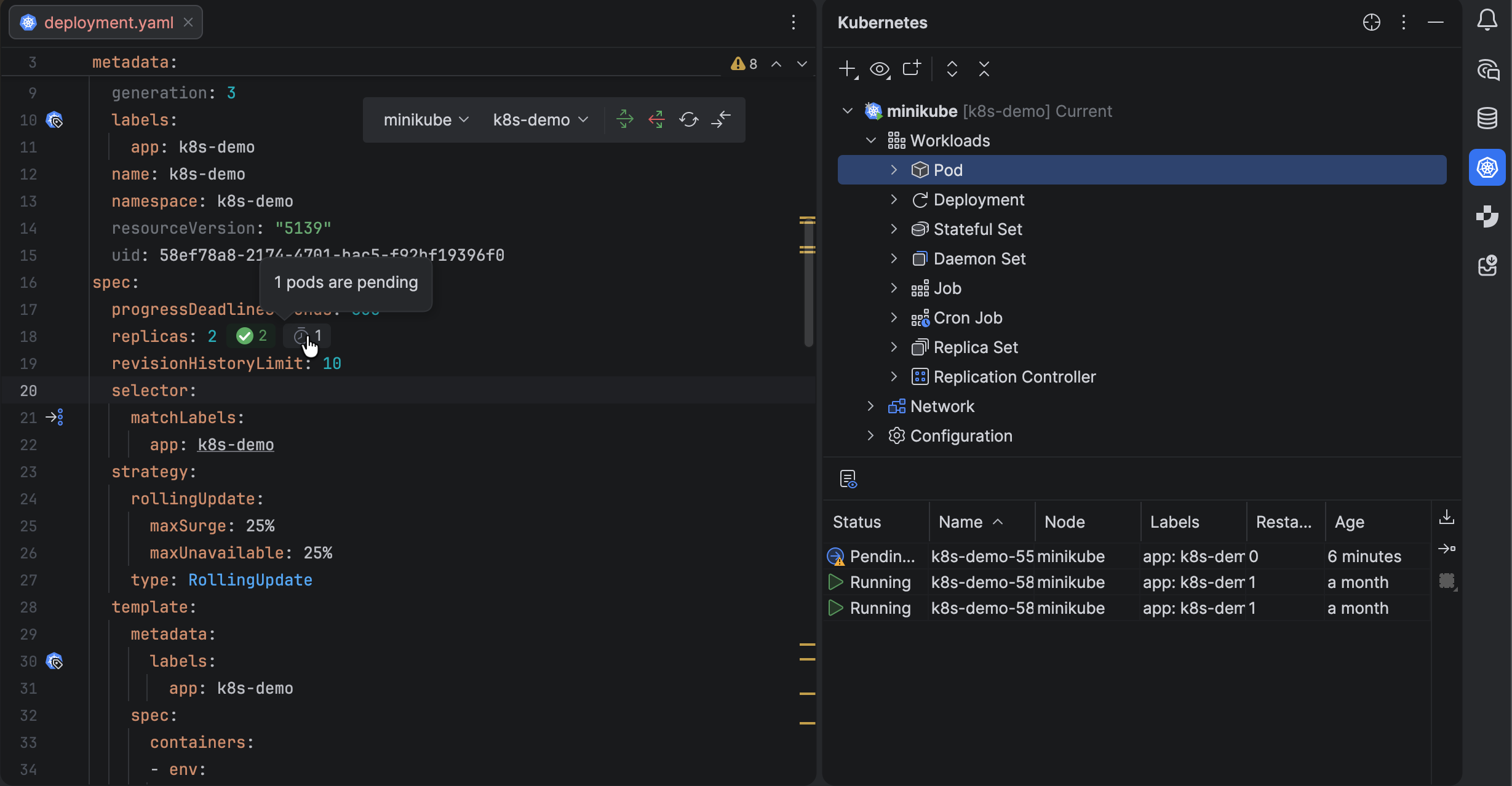
Deploying databases and services just got easier, as you can write, apply, and manage everything directly in your editor.
Stay in context with the cluster and namespace selector at the top, and spot issues fast with live resource status icons. Struggling with missing env variables or failed pods? Fix them instantly with one-click logs and redeploy without leaving your manifest.
Secure your service setup with in-editor secret management. View and copy database credentials directly from your YAML.
Need to connect? Use one-click port forwarding to forward container ports, autoload secrets, and set up an instant connection to your database or service in seconds.
From deployment to debugging to connecting, everything is seamless and in one place – helping you stay focused and work smarter!
Islands Theme
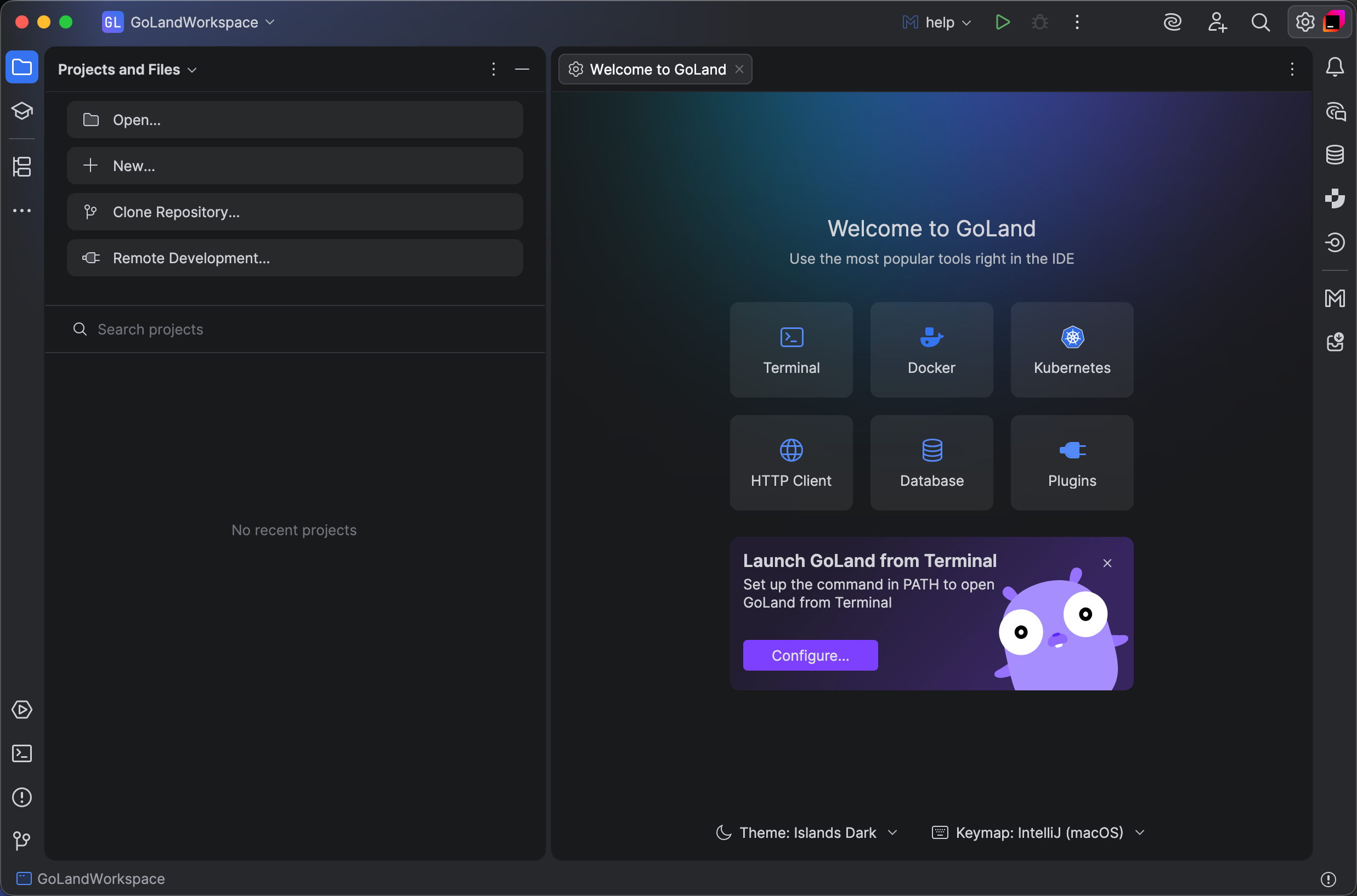
The Islands theme is now the default look in GoLand. More than just a visual refresh, it reflects our commitment to providing the ultimate comfort throughout your development experience.
Instantly recognizable tabs, improved in-editor contrast, clear separation between working areas, and rounded corners create a soft and balanced environment that was designed around one goal: helping you stay focused and code with ease.
Learn more in this blog post.
No project setup needed to open files
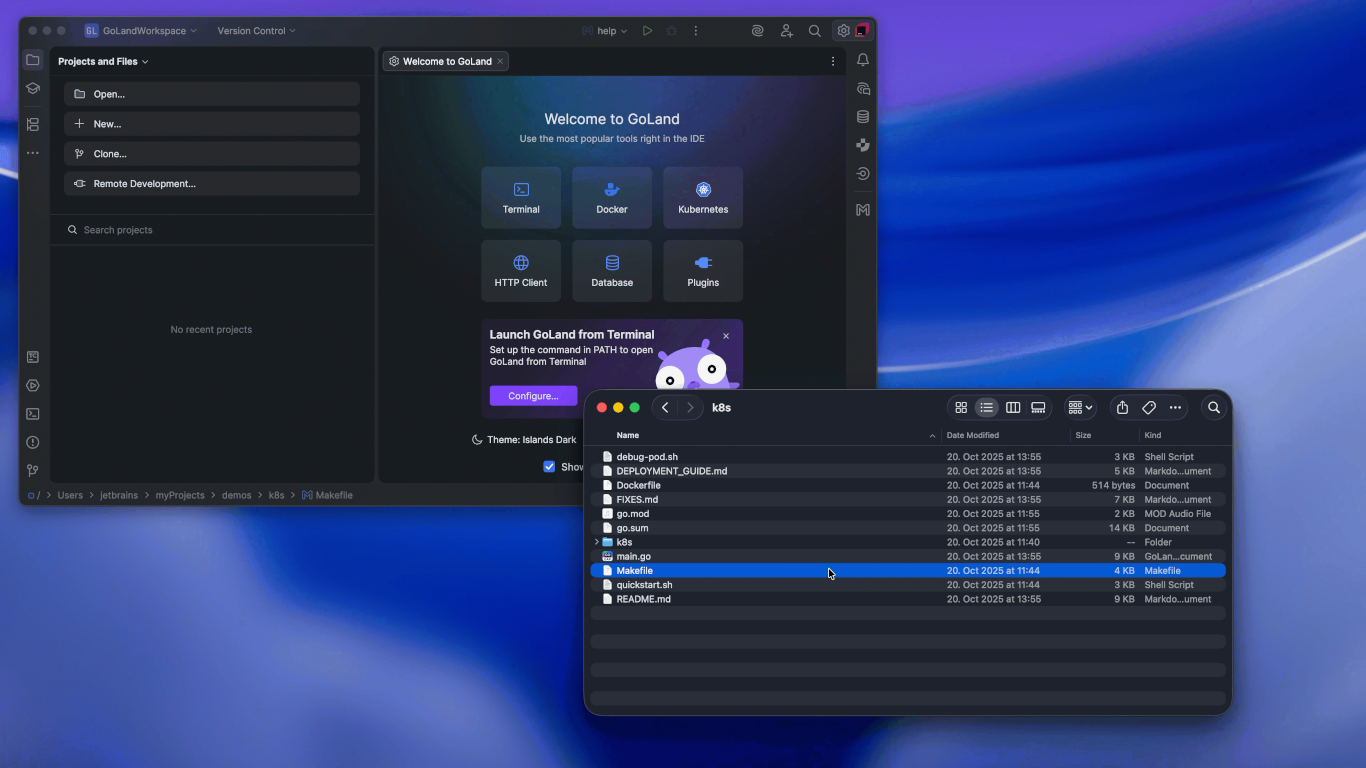
You can now work with individual files without creating a project. This is ideal for quick edits, code reviews, or just trying out ideas.
Here are a few ways to open single files:
- Drag a file into the IDE.
-
Run
goland myfile.go(macOS). Check out the GoLand documentation for more details. - Double-click a file to open it directly.
- Select File | Open from the main menu.
- Click Open on the Welcome screen.
Golangci-lint now enabled by default with new formatting support
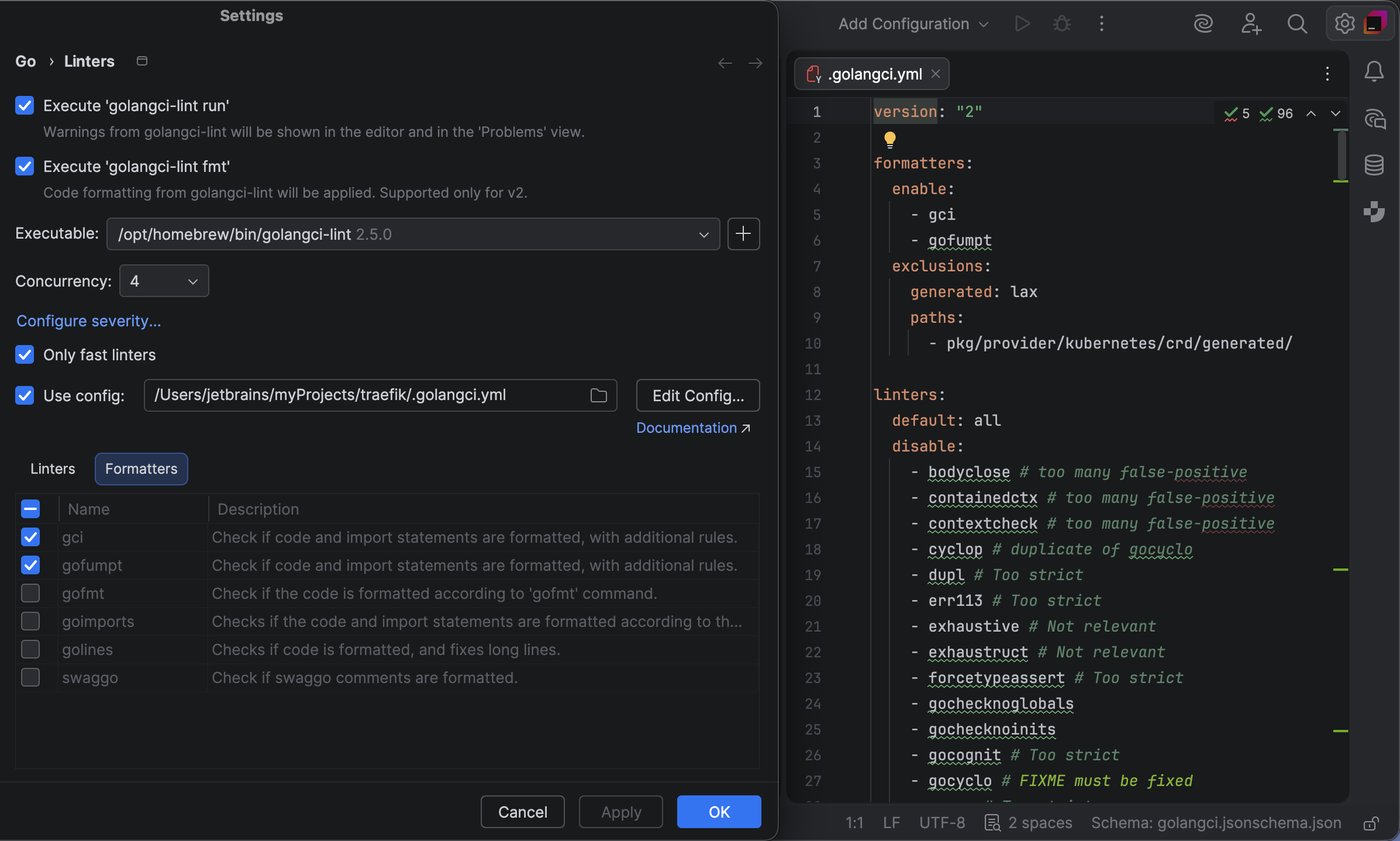
GoLand adds support for golangci-lint fmt, a new formatting command
introduced in version 2 of the linter tool. You can now format your code on save using
your preferred formatter or a combination of tools, all configured through golangci-lint.
This integration gives you full control over code style and removes the need for
separate file watchers like go-fumpt. Formatting is now part of your
linting workflow, making your setup simpler and more consistent.
Performance improvements across the IDE
Stability and performance are a top priority for the GoLand team, and we continue to invest in making the IDE faster and more reliable with every release.
In 2025.3, we've made several key improvements:
- Fewer low-memory warnings during long sessions
- Smarter indexing for large projects
- Platform-level updates for better overall responsiveness
The result: GoLand feels faster and more stable, especially in complex or long-running sessions.
Other AI updates
Bring your own key (BYOK): More freedom and control Coming soon
BYOK lets you connect your own API keys from OpenAI, Anthropic, or any local model compatible with OpenAI's API, giving you more flexibility and control over how you use AI in GoLand. Now you can use AI chat interfaces and agents without logging into JetBrains AI, which is perfect for developers who already have API keys and want to work with their preferred provider.
But if you'd like the full-fledged AI experience, the JetBrains AI subscription (including the free tier) adds enhanced completions, extra models, and bonus credits, while still letting you use your own key for the chat or agents.
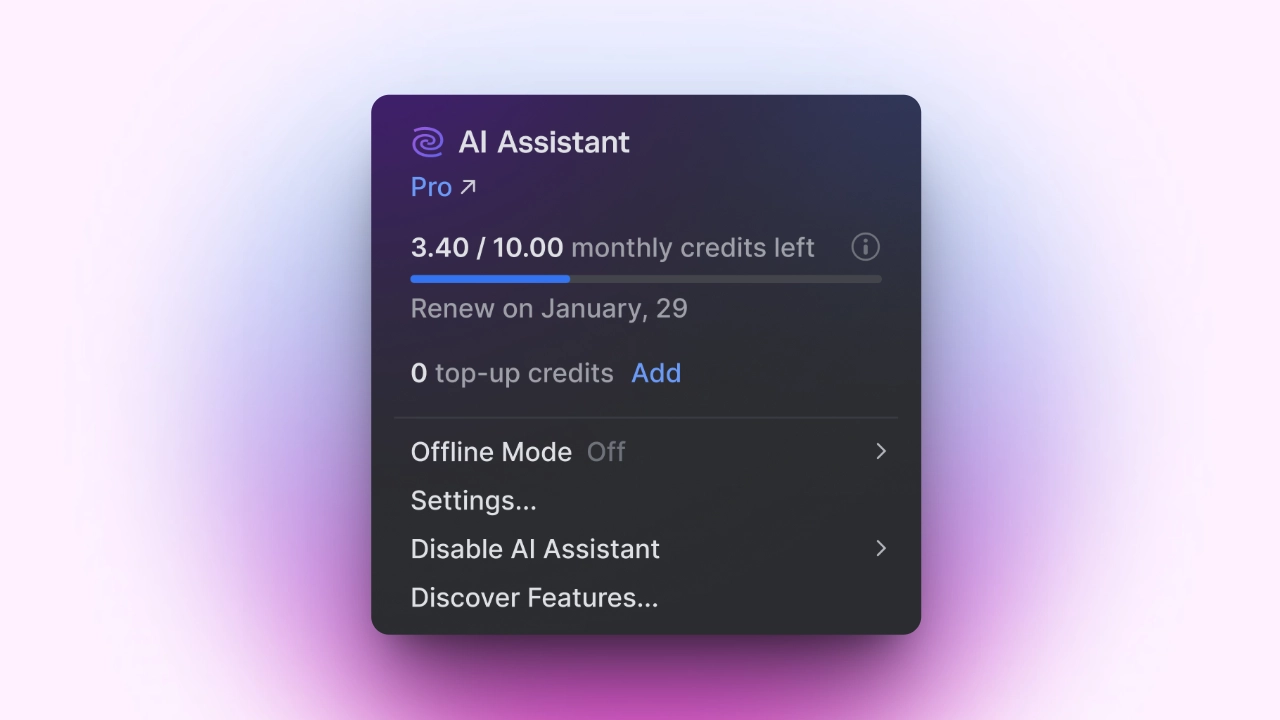
Transparent AI quota tracking in your IDE
You can now view your remaining AI credits, renewal date, and top-up balance directly in GoLand. If you exceed your quota, you can initiate a top-up directly from the IDE.
This update makes it easier to keep track of your AI resources, bringing more clarity and convenience to how you manage your AI usage.
Other improvements
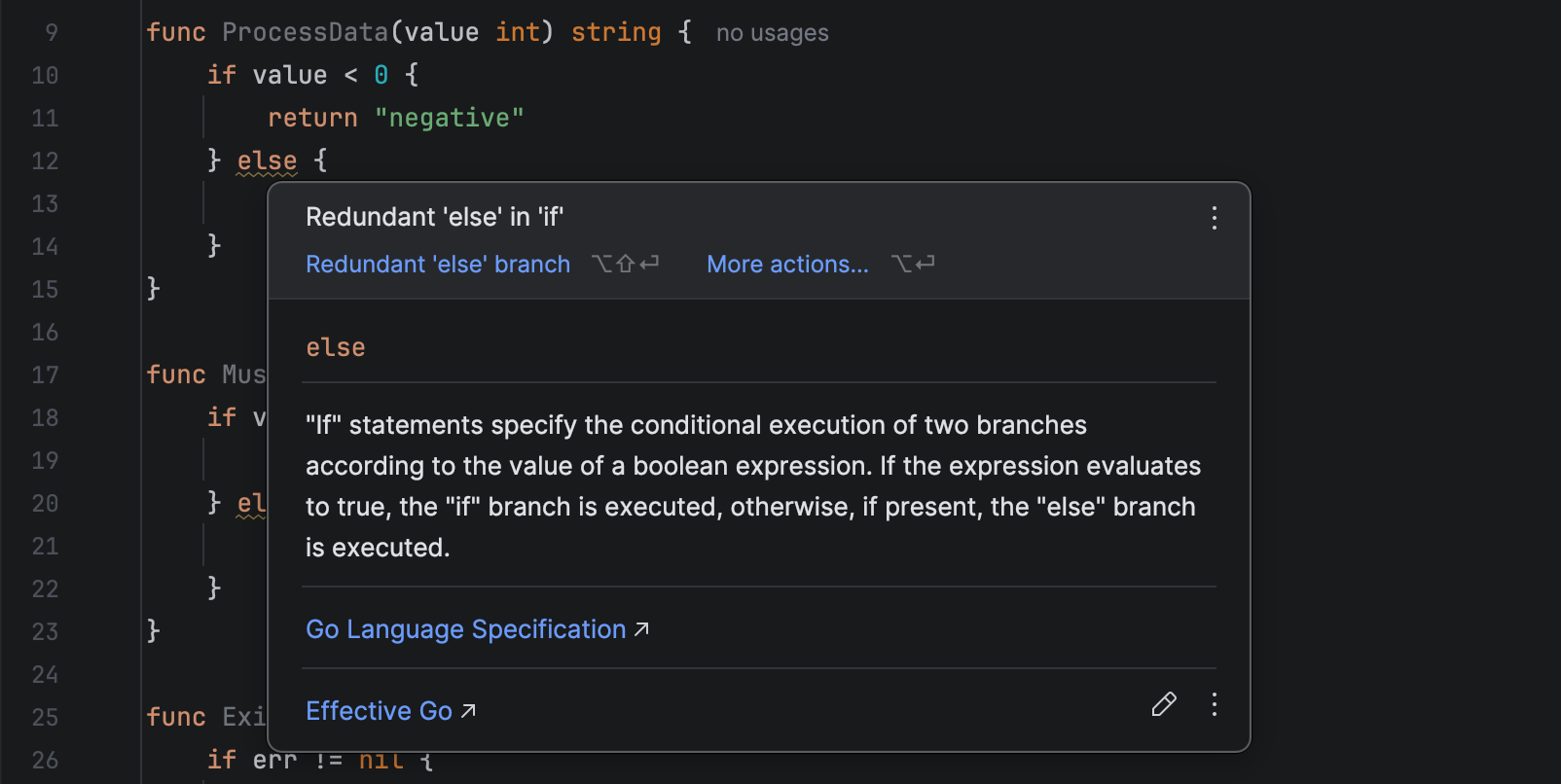
Clean up control flow with a new inspection for redundant else
GoLand 2025.3 introduces a new inspection that detects redundant else
statements following an if block that already ends in a termination
operation. These include calls like return, panic,
os.Exit, or common testing functions such as Fatal,
Fatalf, Skip, and others.
Folding support for directives in go.mod
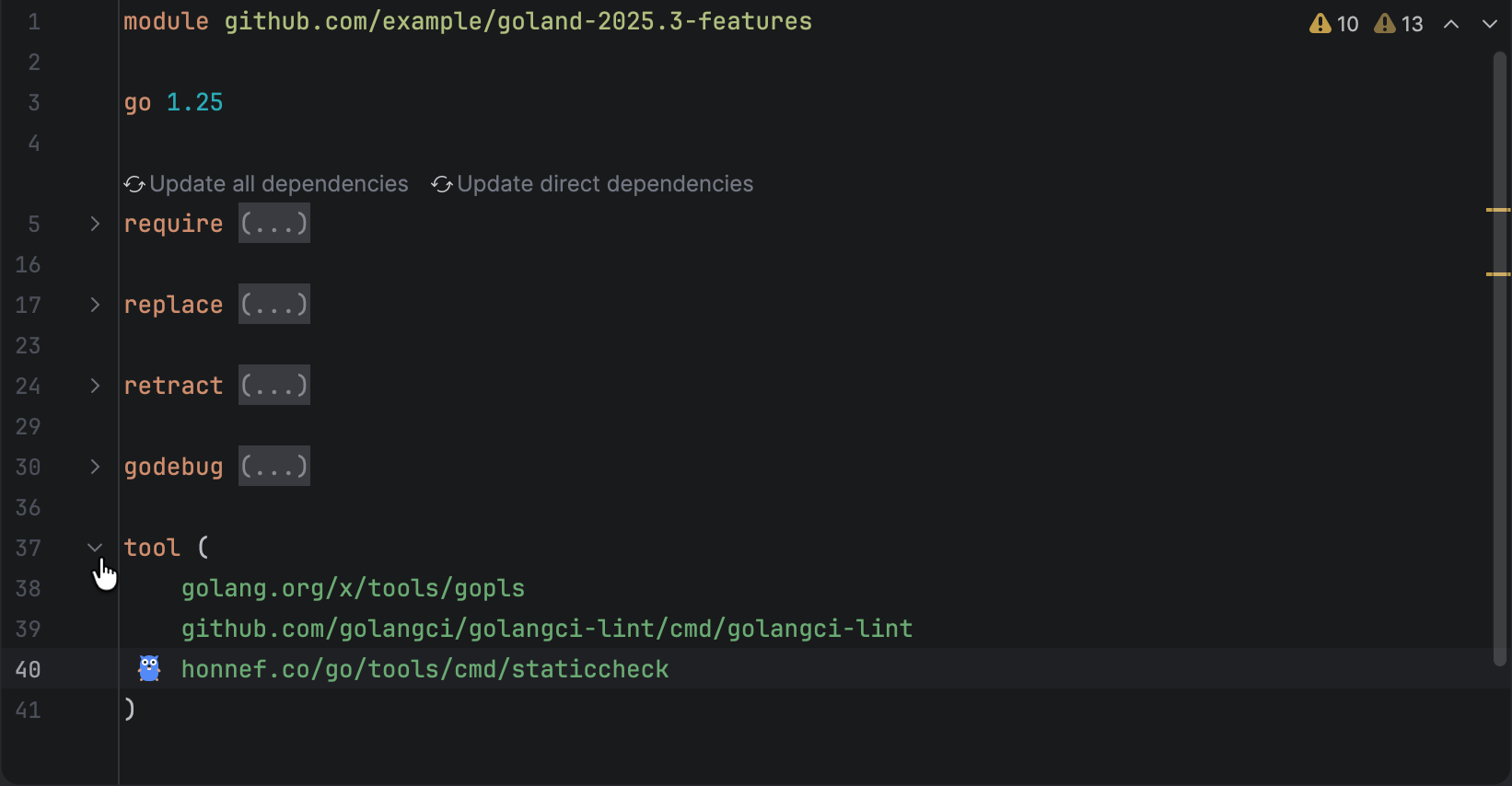
GoLand now supports code folding for directive blocks in go.mod files. You
can collapse or expand individual sections in these blocks, such as:
requirereplaceexcluderetractusegodebugtoolignore
All directives are expanded by default, and you can use standard folding shortcuts to collapse or expand them all at once.
GoLand also inherits updates from IntelliJ IDEA, WebStorm, and DataGrip. Check them out!