Supported models
AI Assistant uses a variety of AI models to power its features and AI Chat. By default, these models are provided through the JetBrains AI service, but you can also use models from supported third-party providers with your own API key or connect locally hosted models.
This flexibility lets you choose the setup that best fits your workflow and privacy requirements.
JetBrains AI service models
The table below lists models available in AI Assistant with the JetBrains AI service subscription:
 – these models are better suited for tasks that require logical reasoning, structured output, or deeper contextual understanding.
Model | Capabilities | Model context window |
|---|---|---|
|
| 1M |
|
| 1M |
|
| 1M |
|
| 1M |
|
| 1M |
|
| 1M |
|
| 1M |
|
| 1M |
|
| 1M |
|
| 1M |
|
| 200k |
|
| 200k |
| 200k | |
| 1M | |
| 1M | |
| 1M | |
|
| 1M |
| 1M | |
|
| 1M |
|
| 1M |
|
| 1M |
|
| 1M |
|
| 1M |
|
| 1M |
|
| 1M |
| 400k | |
| 400k | |
|
| 1M |
|
| 400k |
|
| 400k |
|
| 400k |
|
| 400k |
|
| 400k |
|
| 400k |
| 1M | |
| 1M | |
| 1M | |
| 128k | |
|
| 200k |
|
| 200k |
|
| 200k |
|
| 200k |
- History of supported models
The table below lists AI models supported by AI Assistant, the IDE versions in which they became available, and their current status.
Model
Available in IDEs starting from version
Status
 Claude Opus 5.5
2026.1.x
Active
Claude Sonnet 5.52026.1.x
Active
Claude Fable 5.12026.1.x
Active
Claude Fable 52026.1.x
Active
Claude Opus 52026.1.x
Active
Claude Sonnet 52026.1.x
Active
Claude 4.8 Opus2026.1.x
Active
Claude 4.7 Opus2026.1.x
Active
Claude 4.6 Opus2025.3.x
Active
Claude 4.6 Sonnet2025.3.x
Active
Claude 4.5 Opus2025.2.x
Active
Claude 4.5 Sonnet2025.2.x
Active
Claude 4.5 Haiku2025.2.x
Active
Claude 4.1 Opus2025.2.x
Deprecated by provider
Claude 4 Sonnet2025.1.x
Deprecated by provider
Claude 3.7 Sonnet2024.3.x
Deprecated by provider
Claude 3.5 Sonnet2024.3.x
Deprecated by provider
Claude 3.5 Haiku2024.3.x
Deprecated by provider
 Gemini 3.8 Flash
2026.1.x
Active
Gemini 3.7 Flash2026.1.x
Active
Gemini 3.6 Flash2026.1.x
Active
Gemini 3.5 Flash2026.1.x
Removed by JetBrains
Gemini 3.5 Flash Lite2026.1.x
Removed by JetBrains
Gemini 3.1 Pro2025.3.x
Active
Gemini 3.1 Flash Lite2026.1.x
Removed by JetBrains
Gemini 3 Pro2025.2.x
Deprecated by provider
Gemini 3 Flash2025.2.x
Removed by JetBrains
Gemini 2.5 Pro2025.1.x
Active
Gemini 2.5 Flash2025.1.x
Removed by JetBrains
Gemini 2.5 Flash-Lite2025.2.x
Removed by JetBrains
Gemini 2.0 Flash2024.3.x
Deprecated by provider
Gemini 1.5 Pro2024.3.x
Deprecated by provider
Gemini 1.5 Flash2024.3.x
Deprecated by provider
 GPT-6.1 Sol
2026.1.x
Active
GPT-6 Luna2026.1.x
Active
GPT-6 Sol2026.1.x
Active
GPT-5.6 Luna2026.1.x
Active
GPT-5.6 Sol2026.1.x
Active
GPT-5.6 Terra2026.1.x
Active
GPT-5.52026.1.x
Active
GPT-5.4 mini2025.2.x
Active
GPT-5.4 nano2025.2.x
Active
GPT-5.42025.2.x
Active
GPT-5.3 Codex2025.3.x
Active
GPT-5.2 Codex2025.3.x
Deprecated by provider
GPT-5.22025.2.x
Active
GPT-5.1-Codex-Max2025.3.x
Deprecated by provider
GPT-5.1 Codex2025.3.x
Deprecated by provider
GPT-5.1-Codex mini2025.3.x
Deprecated by provider
GPT-5.12025.2.x
Active
GPT-5-Codex2025.3.x
Deprecated by provider
GPT-52025.2.x
Active
GPT-5 mini2025.2.x
Active
GPT-5 nano2025.2.x
Active
GPT-4.12025.1.x
Active
GPT-4.1 mini2025.1.x
Active
GPT-4.1 nano2025.1.x
Active
GPT-4o2024.2.x
Active
o4-mini2025.1.x
Active
o32025.1.x
Active
o3-mini2024.3.x
Active
o12024.3.x
Active
o1-mini2024.3.x
Deprecated by provider
 Grok-4.3
2026.1.x
Removed by JetBrains
Grok-4.1 Fast2025.2.x
Deprecated by provider
Grok-4.1 Fast (Non-Reasoning)2025.2.x
Deprecated by provider
Grok-42025.2.x
Deprecated by provider
Grok Code Fast 12025.2.x
Deprecated by provider
Models from third-party AI providers
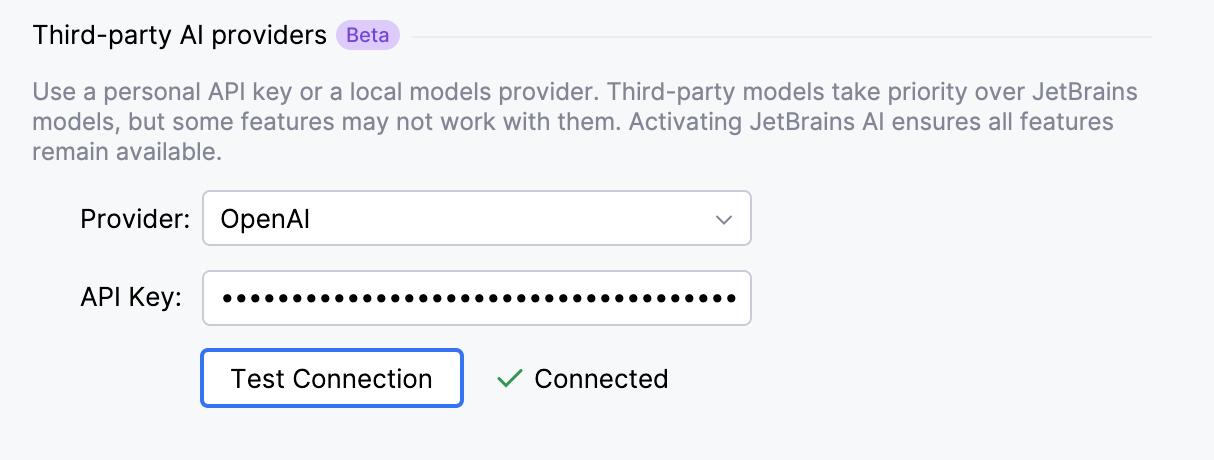
AI Assistant supports the Bring Your Own Key (BYOK) approach, which lets you use your own API key to access models from supported third-party AI providers. With BYOK, you can use supported AI Assistant functionality without a JetBrains AI service subscription.
You can configure the connection in .
Local models
Running models locally can be useful if you prefer to keep your data on your machine or want to experiment with locally hosted models.
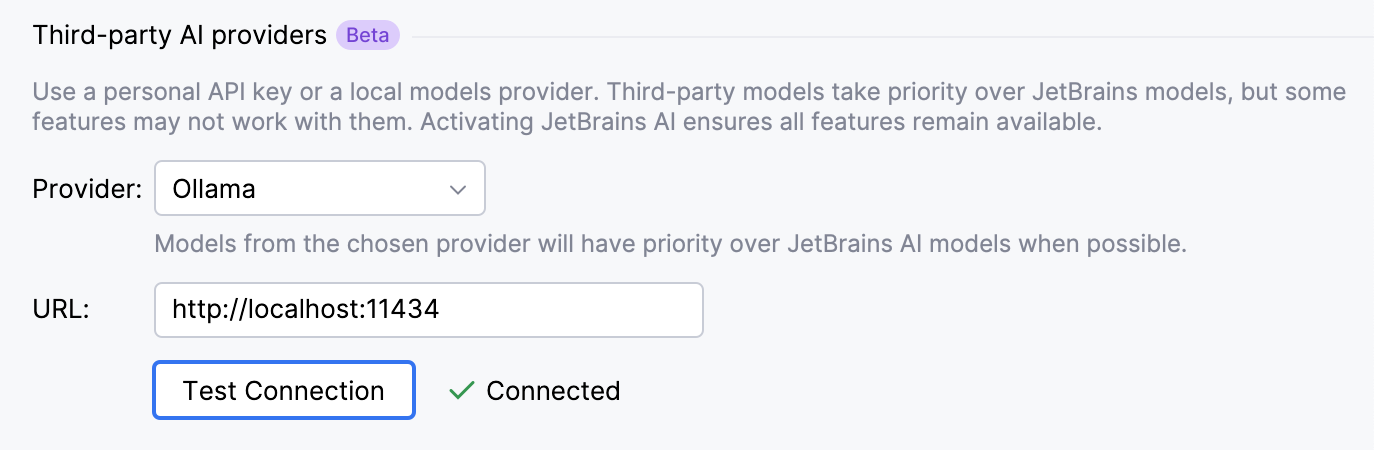
AI Assistant supports a selection of models that can run locally on your machine through Ollama and LM Studio. This allows you to use AI-powered features without relying on cloud-based services.
You can configure the connection in .