Agent capabilities
Agents in JetBrains Air provide the same set of capabilities as their standalone versions. If your project is prepared for agentic development and includes agent-specific files and folders, the selected agent can use them in JetBrains Air as well.
Commands
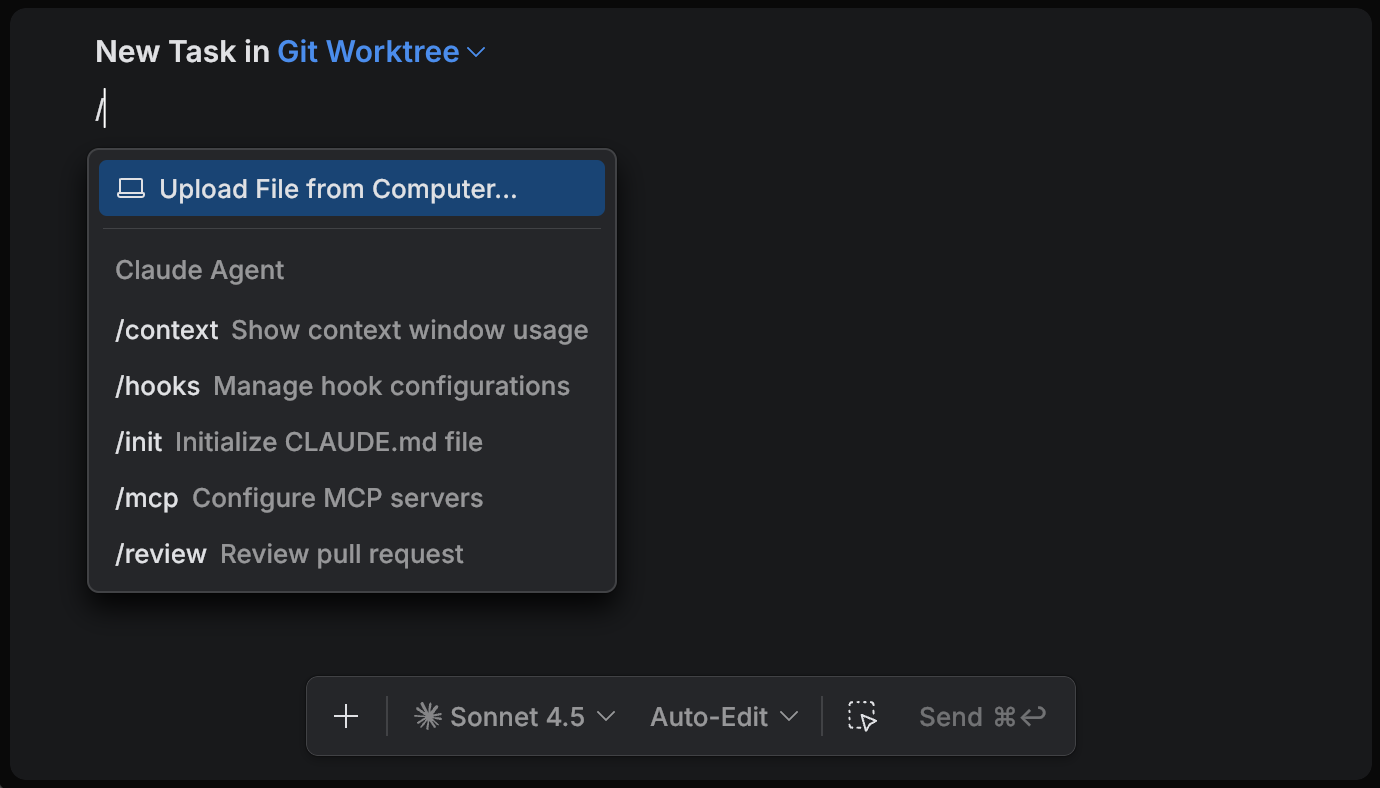
All agents provide built-in commands. In the Chat tool, type / to view the list of available commands for the selected agent, then select a command to insert it into the task.
Project instructions
Project instructions are files in your repository that define "how we work here": conventions, constraints, preferred commands, and review expectations. They are applied automatically by the selected agent.
Claude Agent uses Claude Code instruction files, such as
CLAUDE.mdand configuration under.claude/. Use shared settings to keep instructions in version control and personal settings for local preferences.Other agents use
AGENTS.mdas the primary project instruction file. If your repository contains layeredAGENTS.mdfiles, OpenAI Codex uses them to guide task execution.
Learn more in Project instructions.
Skills
Skills are reusable workflows packaged as named units. Their main purpose is progressive context disclosure: instead of loading all team guidance into every task, the agent loads the relevant workflow only when it decides to use it.
This helps keep the task context smaller, reduces token usage, and makes results more consistent without repeating instructions.
Claude Agent supports skills compatible with Claude Code. A skill is a directory with a required
SKILL.mdand optional supporting files. The agent can invoke skills via commands, and can also choose skills automatically when they match the task.Typical structure:
.claude/ skills/ <skill-name>/ SKILL.mdLearn more in Claude Code documentation.
Other agents support skills as well.
Typical structure:
.agents/ skills/ <skill-name>/ SKILL.mdLearn more in OpenAI Codex documentation.