Valuable non-bundled plugins
JetBrains Marketplace contains over 4000 plugins that you can install to enrich the out-of-the-box CLion functionality. Some of those plugins are already bundled in CLion, and no prior action is required to start using them. However, there are other helpful and qualitative plugins that can improve or even transform your workflow in CLion. This article gives a selection of such valuable plugins.
The plugins are grouped by the tasks they target, each described in the corresponding chapter:
Learn the IDE
Plugin | Description |
|---|---|
Bundles the entire CLion web help for offline use. | |
Prints the PDF version of the selected CLion keymap. | |
Shows keystroke equivalents to mouse presses: 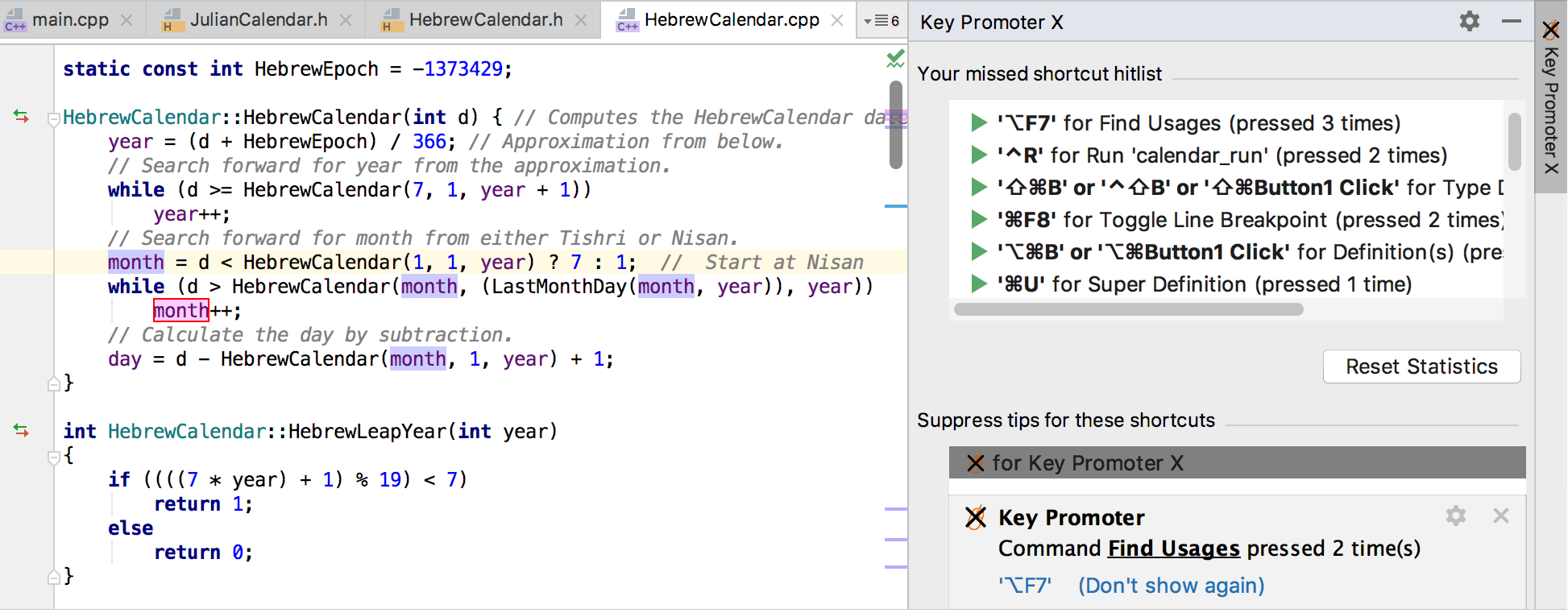 |
Get comfortable with the UI
Plugin | Description |
|---|---|
Switches visibility of the main menu on and off by a single action or a shortcut. | |
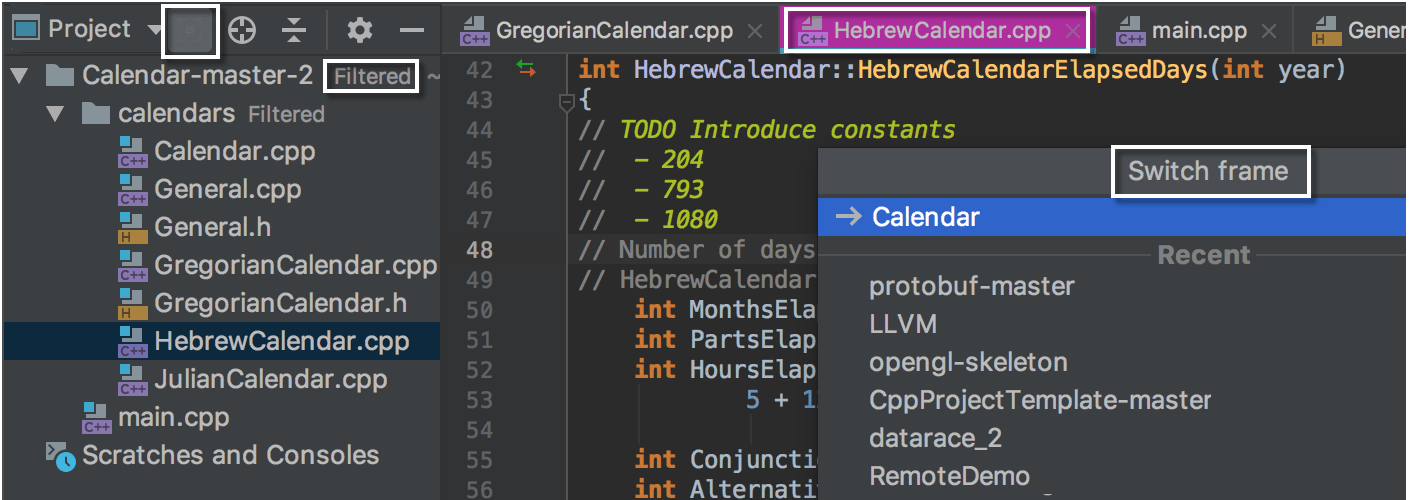
Lets you switch between projects, windows, and frames, alternatively to Alt+Tab and the View menu. The switcher works even with multiple IDE instances, and lets you assign shortcuts to various actions, customizing or expanding the pre-defined shortcut set. | |
Highlights the currently active tab. The highlighting color is easily configurable, which is especially useful for the Darcula scheme. | |
Filters the project tree to show only the currently opened and related paths and files. |
As an example, here is how your CLion screen on macOS with Darcula scheme looks with the filtered project tree, highlighted active tab, and the invoked frame switcher:
Tune the code editor
Plugin | Description |
|---|---|
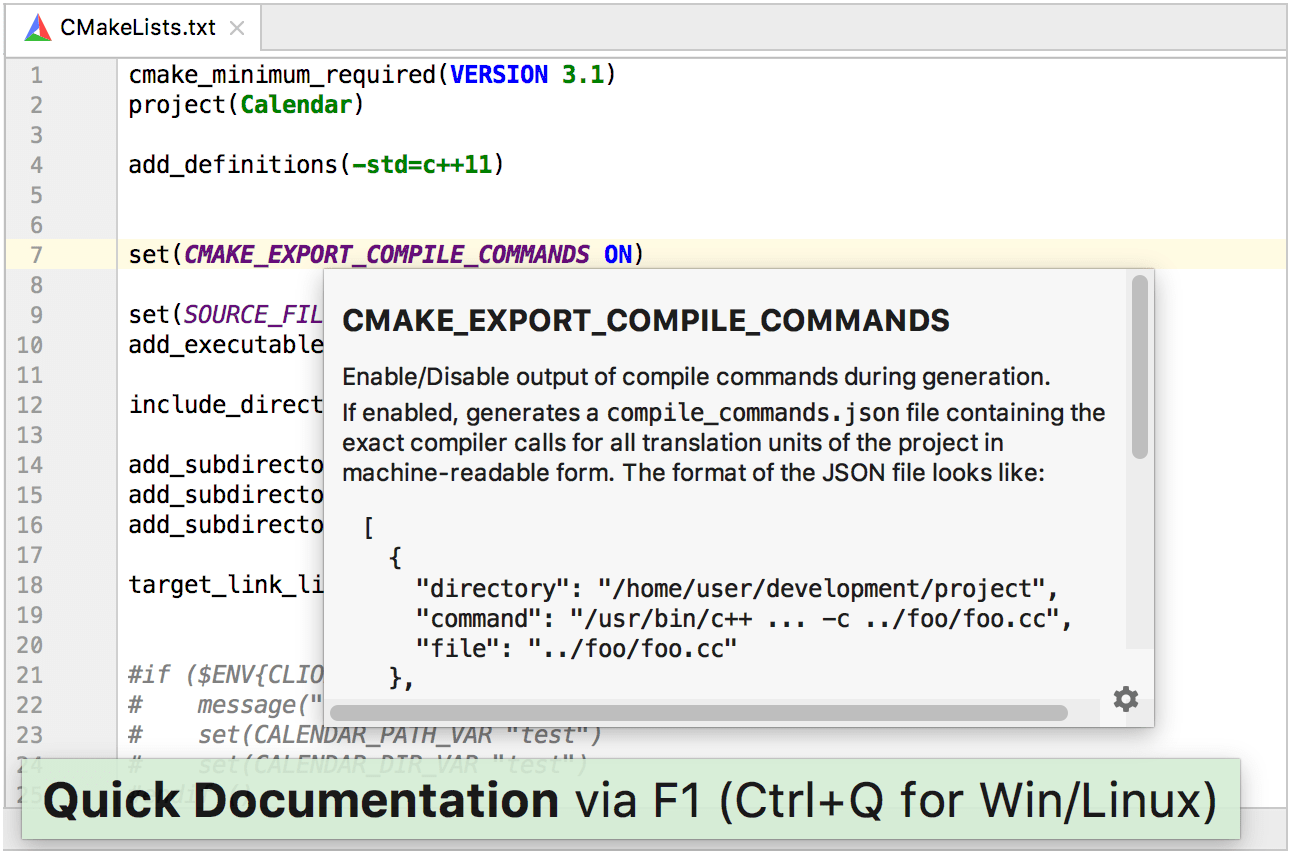
Extends the built-in CMake language support with variables reference and navigation, folding actions, structure view, and other handy features. | |
Provides syntax highlighting and navigation for CMakeLists.txt files. |
The screenshot below illustrates how these two plugins work together:
Plugin | Description |
|---|---|
Provides an assortment of actions for working with any kind of text: C/C++ code or comments, any ASCII symbols, JavaScript, SQL, XML, or text in other languages. | |
Detects a selection, line, or keyword at caret and moves it up or down with a single keystroke. |
Plugin | Description |
|---|---|
Adds the default VS Code keymap. |
Plugin | Description |
|---|---|
Incorporates multiple language engines and supports text-to-speech. | |
Provides spell checking based on Hunspell dictionaries. |
Plugin | Description |
|---|---|
Helps maintain common code style across teams and IDEs: it enables the CLion editor to read the EditorConfig file format and adhere to defined styles. |
Integrate more frameworks and build systems
Plugin | Description |
|---|---|
Lets you import a Bazel BUILD file (with its own language supported in CLion) and run Bazel configurations. |
Add languages and file types support
Plugin | Description |
|---|---|
Adds PowerShell intellisense and scripts execution. |
Fortran (for more information about Fortran support, refer to this article), LaTeX/BibTeX, Gherkin.
Facilitate Debugging
Plugin | Description |
|---|---|
Helps in analyzing logs and parsing console output. Grepping means searching for plain-text lines that contain a match to some regular expression. The plugin enables you to grep the application output, highlight and filter the results, and even change the output or execute an action upon a match: 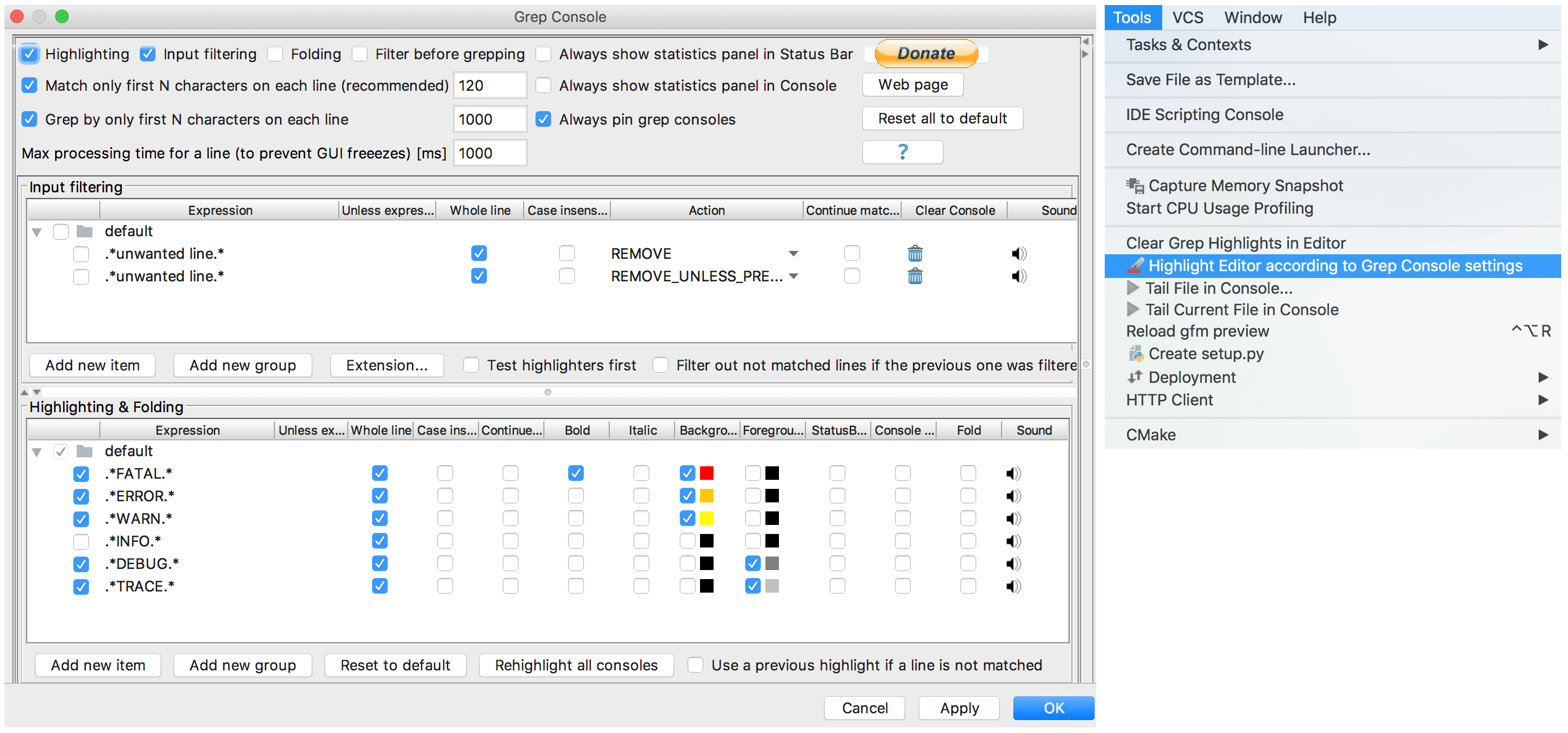 | |
Lets you register Run/Debug configurations as actions in CLion, and call them by using shortcuts or additional toolbar buttons. |
Monitor CPU usage
Plugin | Description |
|---|---|
Adds the CPU load indicator to the status bar, lets you get a thread dump and configure the settings of the Performance Watcher (which is the frozen UI thread dumper in CLion): 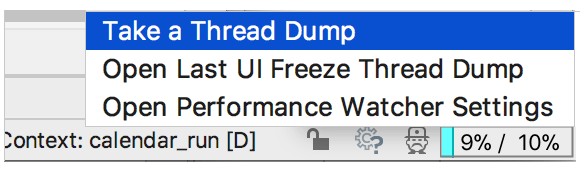 |
Gather statistics
Plugin | Description |
|---|---|
Collects the overall project-level statistics: project files with line counts, sorted by extension and size. |
Expand the scope of VCS-related actions
Plugin | Description |
|---|---|
Highlights the changed code, analogically to the | |
Enriches the default Git integration with features like Git status display, Auto fetch, Behind tracker, and others. | |
Finds GitHub pull requests for the selected line. | |
Provides templates for Git commit messages. | |
Opens files and commits to storages like GitHub or Stash in default browser with a single shortcut. |
Automate builds, track issues, and review code
Plugin | Description |
|---|---|
Integrates the JetBrains’ TeamCity, a continuous integration server. This plugin lets you configure notifications, run builds and tests, view changes, assign investigations, and perform other TeamCity actions without leaving the IDE. | |
Enables you to work with Git and TFVC repositories on Azure DevOps Services or Team Foundation Server (TFS) 2015+. |
Plugin | Description |
|---|---|
Extends the bundled Task Management functionality to provide deeper integration with JetBrains' YouTrack bug tracker. |
Plugin | Description |
|---|---|
Integrates the Gerrit Code Review tool. |
Plugin | Description |
|---|---|
Provides collaborative real-time development across multiple editors and IDEs for team members with Floobits accounts. |
Stay creative and productive
Last but not least, JetBrains Marketplace contains a collection of time management plugins, as well as other tools to increase your productivity. Find a few notable examples below.
Time management plugin | Description |
|---|---|
Implements simple time management technique of tracking the time you actually spend on a project: it adds a tracking bar widget that you manually start for counting. | |
Helps you manage the time spent on a task using Pomodoro Technique. | |
Tracks the time of reading and working on the code that you store in a Git repository. | |
Performs time tracking and collects the language, OS, branch/commit, and other statistics of your work session. |
Also, if you like mind mapping to visually structure your ideas, the SciaReto Mind Map plugin lets you create and edit mind maps in MMD format right in CLion.
And for fun, try the Nyan Progress Bar

to brighten the status bar when waiting for some of the time-consuming CLion actions to finish, or enjoy emojis in commits with the Emoji for Git Commits plugin.