Collection access analysis
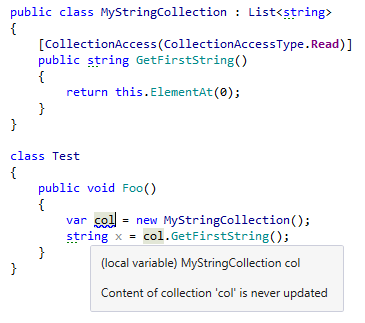
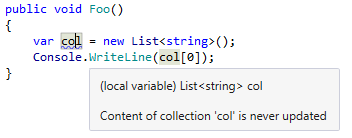
Besides analyzing values of collection items, ReSharper for Visual Studio Code also analyzes each collection you use as a whole — it warns you when a collection is never filled or modified even if there is read access to this collection:
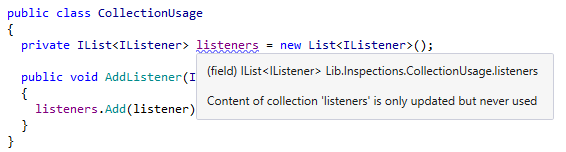
or instead, if a collection is never read:
All standard collection types are analyzed this way by default. If necessary, you can also apply this analysis to your custom collections that derive from IEnumerable. In this case, you need to tell ReSharper for Visual Studio Code how invocations of collection’s public methods will affect the contents of the collection. To do so, mark the methods of your collection class with the [CollectionAccessAttribute], which should have one of four flags: None, Read, ModifyExistingContent, UpdatedContent (the difference between the last two flags is that UpdatedContent means that the marked function can also add new elements to the collection). Here is a simple example to illustrate this: