View and Edit Individual Files
You can navigate to any file in the repository to study its entire content, view its history of changes, and make some edits.
To navigate to the file:
Navigate to the repository which contains the file.
From here you can:
View the file's snapshot of a selected revision. Under the Commits tab, open the revision from the list, then choose the file on the left pane. A diff of the file will be displayed.
View the most recent version of the file. Go to the Files tab and locate the file by browsing the repository tree.
Search the repository for the file or search for content across the repository.
Once the file is open, you can:
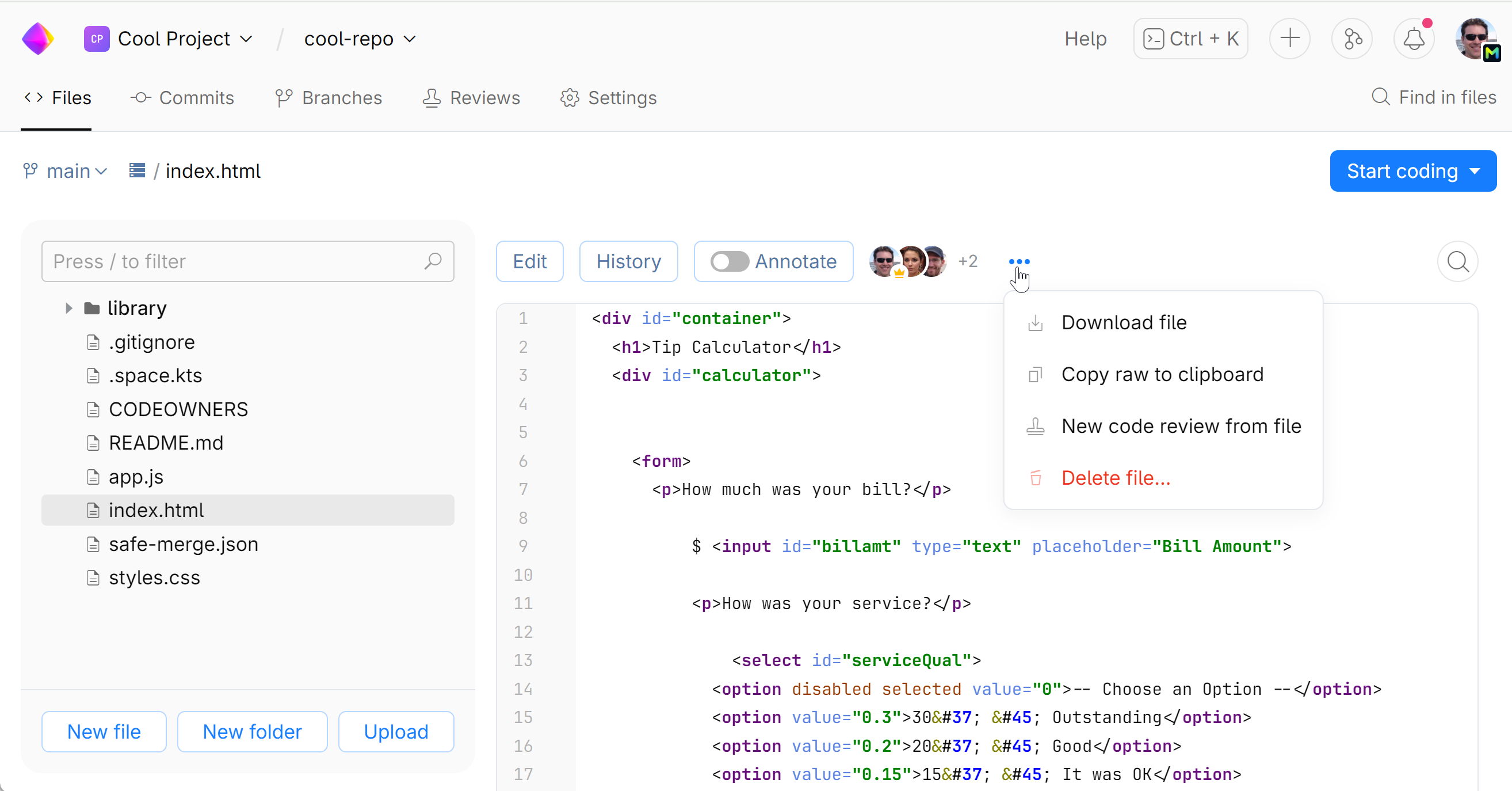
Examine the code and share links to particular code fragments with your teammates.
See what lines of code have been changed over the time, by what commits and contributors. Switch to the Annotate view.
View the history of commits that have affected the file. Go to the History view.
Edit the file content and commit your change to the repository. Go to the Edit mode.
Download the file.
Delete the file.