Use Parameters in Build Chains
This topic illustrates how you can use TeamCity build parameters to exchange simple data between configurations and pipelines of a build chain, as well as separate jobs of single pipeline.
Input and output parameters
Build configurations and pipelines allow you to create parameters of two types: input and output.
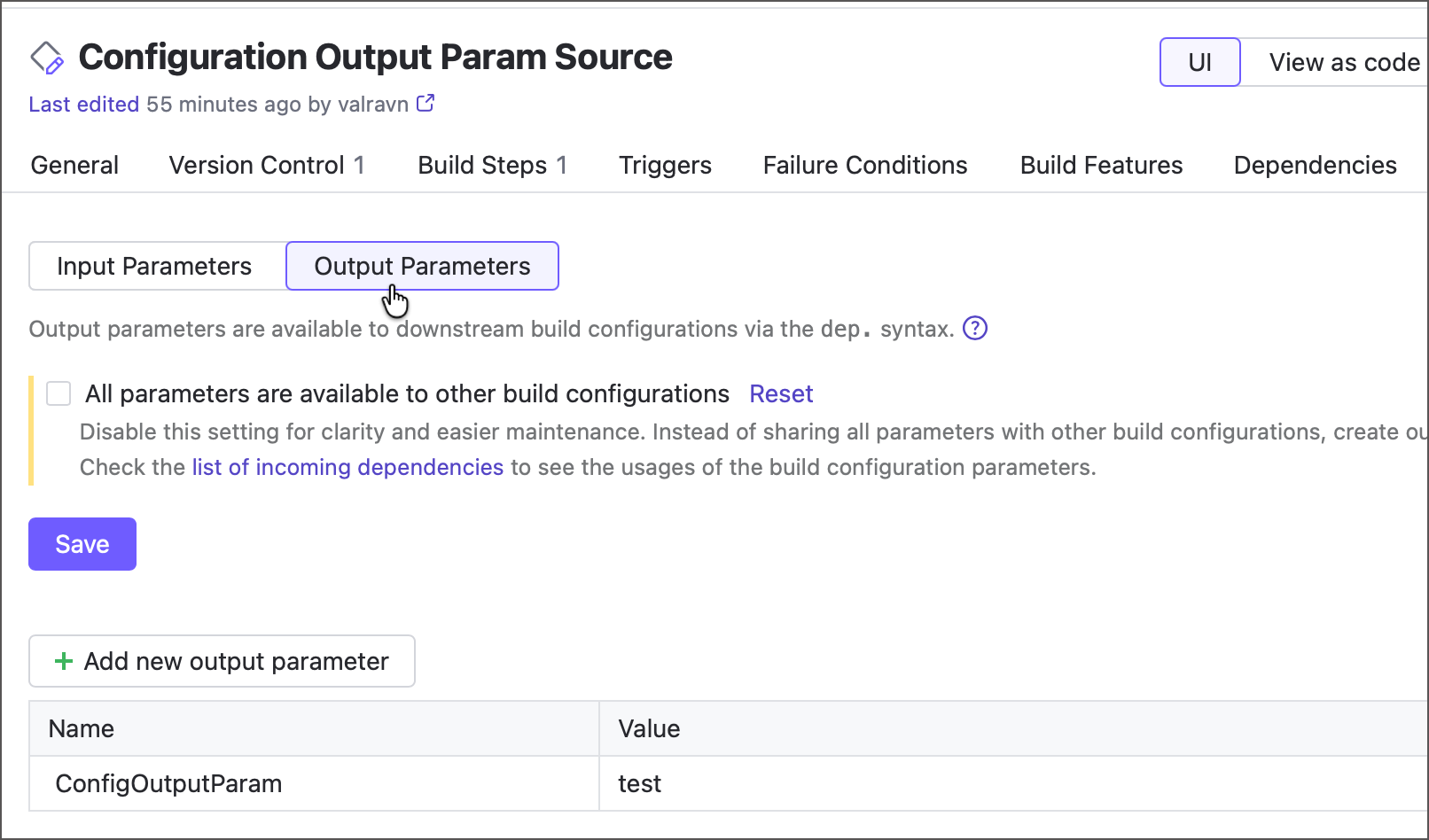
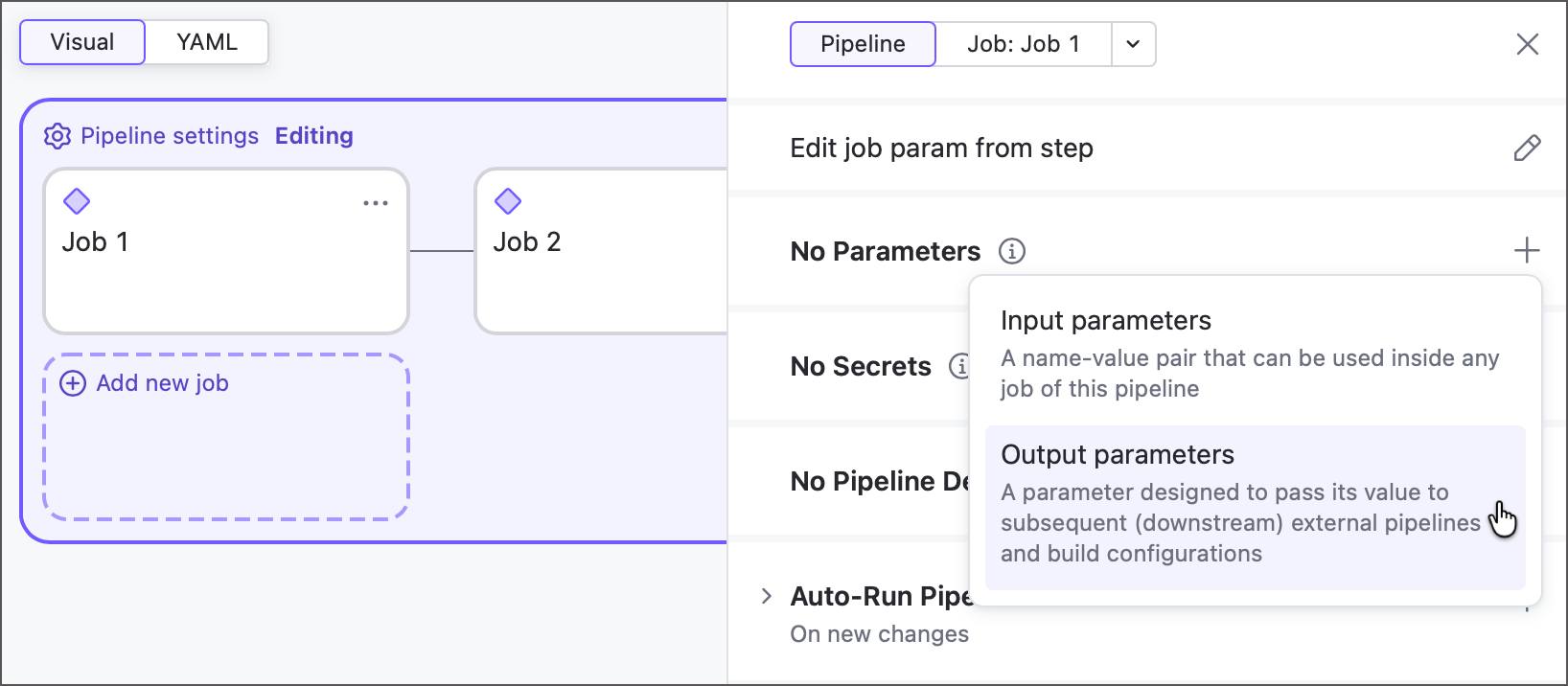
Both of them are manually created name/value pairs. The key difference lies in intended use cases and accessibility settings.
- Input parameters
Input parameters are designed to be consumed by the same configuration/pipeline that defines them. For example, an input parameter that stores a default branch name and referenced in VCS root settings. This value is of no use for other configurations and thus, should not be visible to them.
- Output parameters
Output parameters are configured in one build configuration/pipeline, but can be accessed by another via a snapshot or artifact dependency. For example, a build configuration that builds a Docker image can write this image name to its parameter. The parameter is later used by a downstream configuration that deploys this image to a registry.
Output parameters can share existing parameters as is, modified parameters, and constants.
outputParams { // Expose predefined parameter as is param("originConfName", "%system.teamcity.buildConfName%") // Expose modified parameter value param("buildNumber", "Build %\system.build.number%") // Expose input parameter as is param("name", "%customInputParam%") // Expose static value param("number", "54") }
Read parameters of upstream objects
Jobs can share their parameters with other jobs of the same pipeline only if they are linked in a sequence. Similarly, pipelines and configurations can access each other's parameters only when linked in a build chain.
Access job parameters
Pipeline jobs can retrieve values of preceding job parameters via the job.<job_ID>.<param-name> syntax.
Other pipelines and configurations from the same chain have no access to job parameters of upstream pipelines. If needed, you can assign a job parameter to a pipeline output parameter.
Access configuration and pipeline parameters
To share a configuration/pipeline parameter with a downstream configuration or pipeline, this parameter must be an output one. In this case, any downstream configuration or pipeline can read its value via the dep.<config-or-pipeline-ID>.<parameter-name> syntax.
Output parameters are visible to downstream objects but cannot be used in their own parent configurations or pipelines.
Expose all input parameters of a configuration
In build configurations, the Add new output parameter dialog has two options: enter the value manually or share an existing input parameter as is. Select a required input parameter, and TeamCity will create an output parameter with the %inputParameter% value.
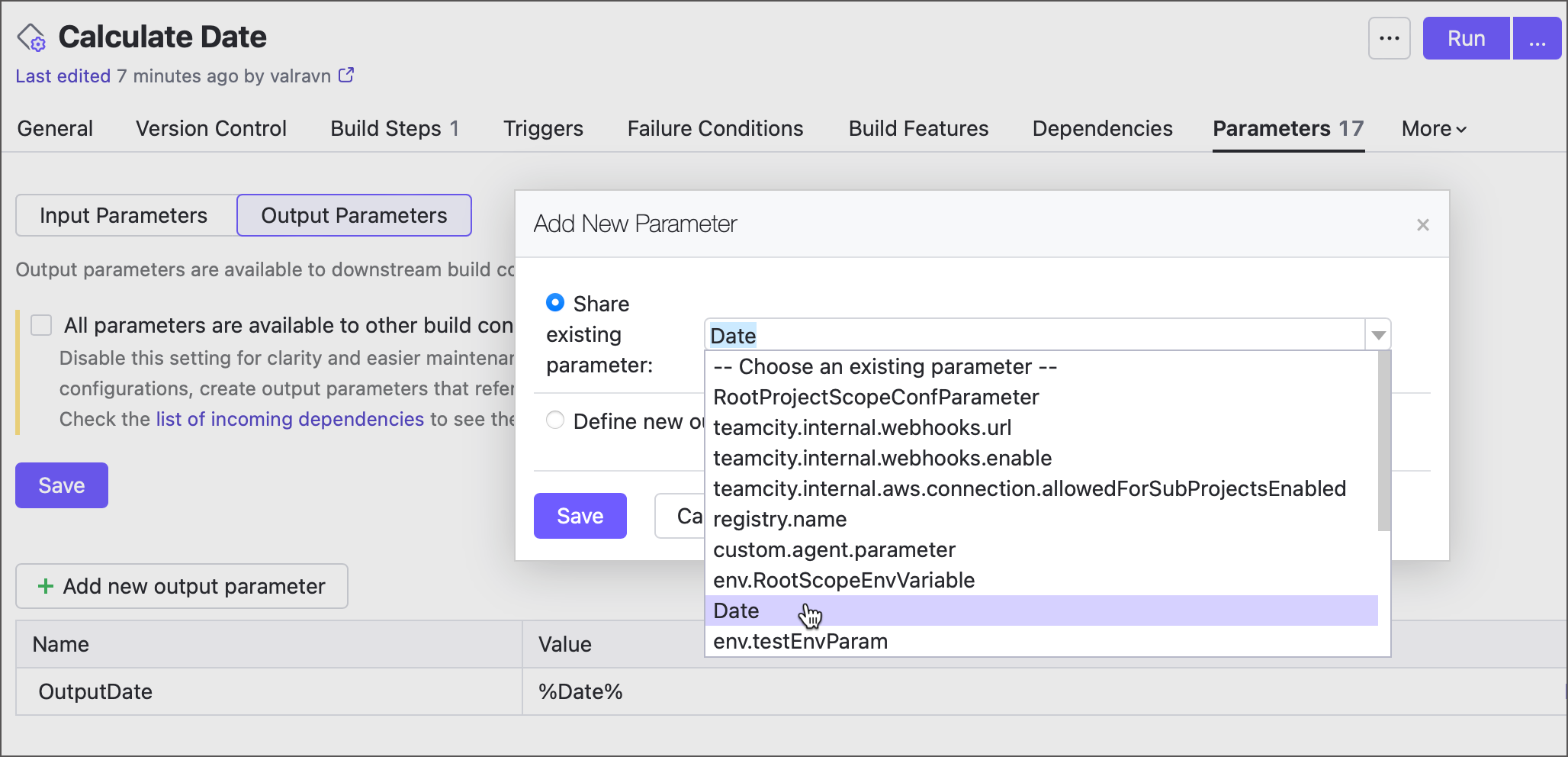
If the All parameters are available to other build configurations setting is checked, you do not need to share each input parameter individually. All of them are automatically exposed and can be referenced via the dep.<config-ID>.<parameterName> syntax.
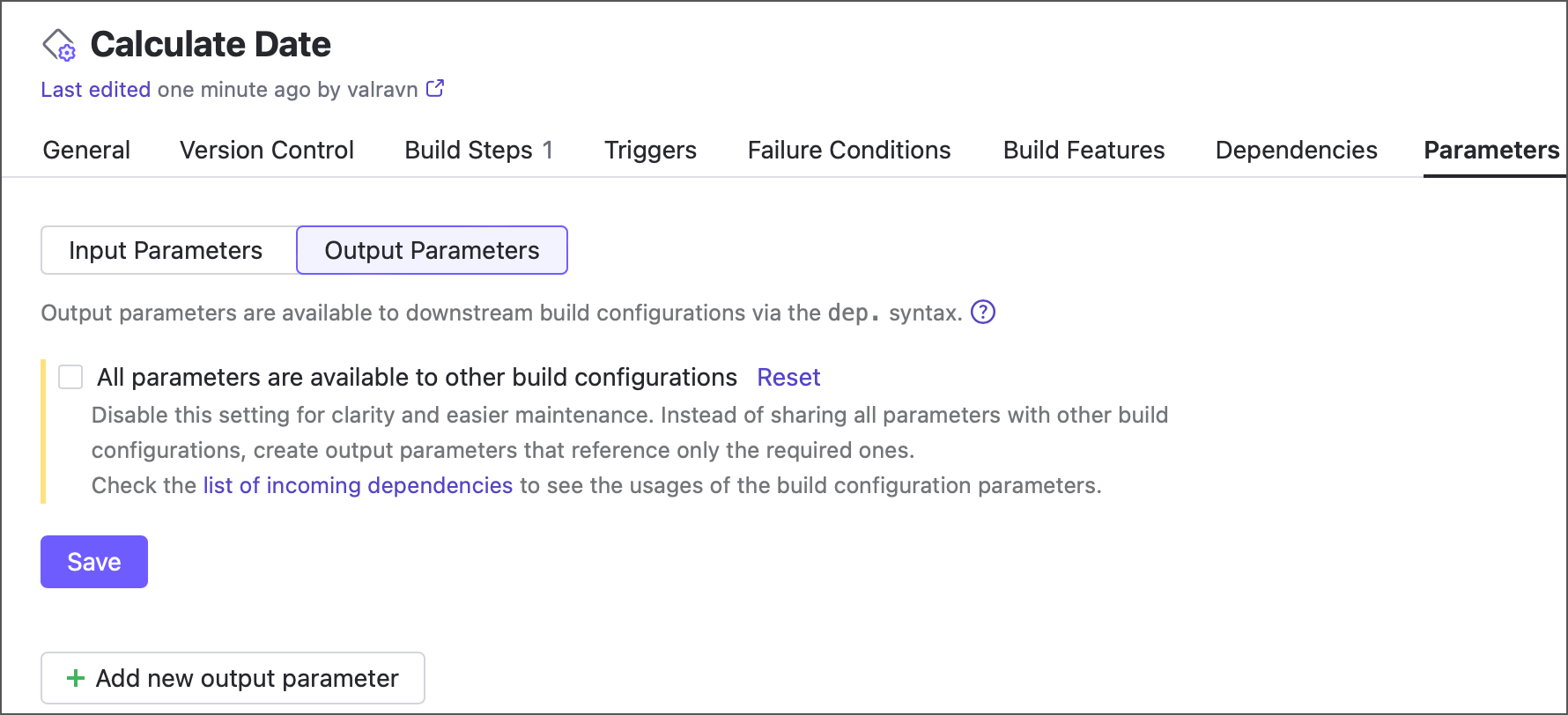
This setting is enabled by default for backward compatibility. However, we strongly recommend you to do the following:
Check all cases of input parameters being used by other configurations.
Expose input parameters you wish to keep sharing by referencing them in new output parameters.
Disable the All parameters are available to other build configurations setting.
Doing so ensures configurations remain easily maintainable: you can edit and remove input parameters as needed, without accidentally breaking downstream configurations that used these parameters via the dep... syntax. In addition, it enhances security by keeping hidden parameters that were never designed to be shared.
Override parameters of upstream objects
A downstream configuration/pipeline can read parameters from an upstream configuration/pipeline via dep.<source-object-ID>.<parameter-name>. Add the override.dep. prefix to do the opposite: override a value of an upstream parameter from a directly or indirectly dependent entity.
The following example illustrates two objects exchanging parameter values:
The build chain contains two objects: an upstream pipeline and a downstream build configuration.
The pipeline declares an input parameter with the default value
foo. When the pipeline runs on its own, this value is used in the build script.When the pipeline runs as part of a build chain (triggered by the configuration's snapshot dependency), the downstream configuration overrides this parameter and sets it to
bar.The pipeline output parameter references the input parameter, so it reports the updated value as well.
In other words, the downstream configuration writes bar to the pipeline input via override.dep., the pipeline exposes it through its output parameter, and the downstream configuration can then read it back via dep..
The types of the sender and receiver do not matter. In this example, a build configuration overrides a pipeline parameter, but the same syntax and behavior apply to any combination: pipeline to build configuration, pipeline to pipeline, or build configuration to build configuration.
Wildcards
Unlike dep. parameters, which require the exact source object ID, override.dep. parameters can replace part or all of the ID with an asterisk (*). This allows you to override input parameters in multiple matching objects at once.
For example, consider a build chain with three configurations that build a .NET project, topped by a composite configuration named "Build All". Each build configuration has a build.mode parameter that sets the compiler mode to either Debug or Release.
When you run the full chain from "Build All", you can keep the current mode or change it for all three configurations at once. To do this, use a single override.dep.*.build.mode parameter instead of three separate override.dep.<config-ID>.build.mode parameters.
Conflict resolution
If a parameter is edited by multiple override.dep. parameters owned by different configurations or pipelines, TeamCity applies the most recent edit made by the entity that runs last.
Otherwise, if the edits are made by multiple same-level entities, the target parameter retains its original value.
Special notes
Output parameters cannot be edited via
override.dep.parameters.The
override.dep.parameters only update existing parameters in target configurations or pipelines; they do not create missing parameters. In addition, upstream parameters that already have the same value are not forcibly updated, which allows TeamCity to reuse previous builds.In pipelines, only pipeline-level parameters can have the
override.dep.prefix. Job parameters cannot modify remote parameters.jobs: Job1: name: Job 1 parameters: # Ignored override.dep.TargetID.myParam: foo dependencies: - TargetID parameters: # Applied override.dep.TargetID.myParam: barWhen overriding pipeline parameters,
override.dep.*.paramNameupdates anyparamNameregardless of its scope: both pipeline inputs and job parameters are affected.If you pass a parameter reference, it will be resolved inside the entity that owns this
override.dep., rather than the entity whose parameter value is edited. If it cannot be resolved, the reference will be passed as plain text and the "Parameter is not fully resolved" warning will be shown in a build log.object UpstreamConfig : BuildType({ name = "Upstream config" params { param("bar", "default") param("foo", "default") } steps { script { id = "simpleRunner" scriptContent = """ echo "%foo%" // Prints "Downstream config" echo "%bar%" // Prints "%invalid%" """.trimIndent() } } }) object DownstreamConfig : BuildType({ name = "Downstream config" params { param("override.dep.UpstreamConfig.foo", "%system.teamcity.buildConfName%") // The name of THIS configuration param("override.dep.UpstreamConfig.bar", "%invalid%") // Unresolved } dependencies { snapshot(UpstreamConfig) { } } })Note that parameter references are resolved before an upstream build actually starts. By that time, all parameters must have their values assigned in pipeline/configuration settings or passed via the Run custom build dialog. If you reference a parameter calculated during a build, no value will be passed.
'reverse.dep.' parameters
The override.dep.<target-ID>.<parameter-name> syntax was introduced in TeamCity 2026.1. In earlier versions, upstream parameters were modified with the similar reverse.dep.<target-ID>.<parameter-name> syntax.
reverse.dep. is still supported, but we recommend override.dep. because its behavior is simpler and more predictable.
Unlike
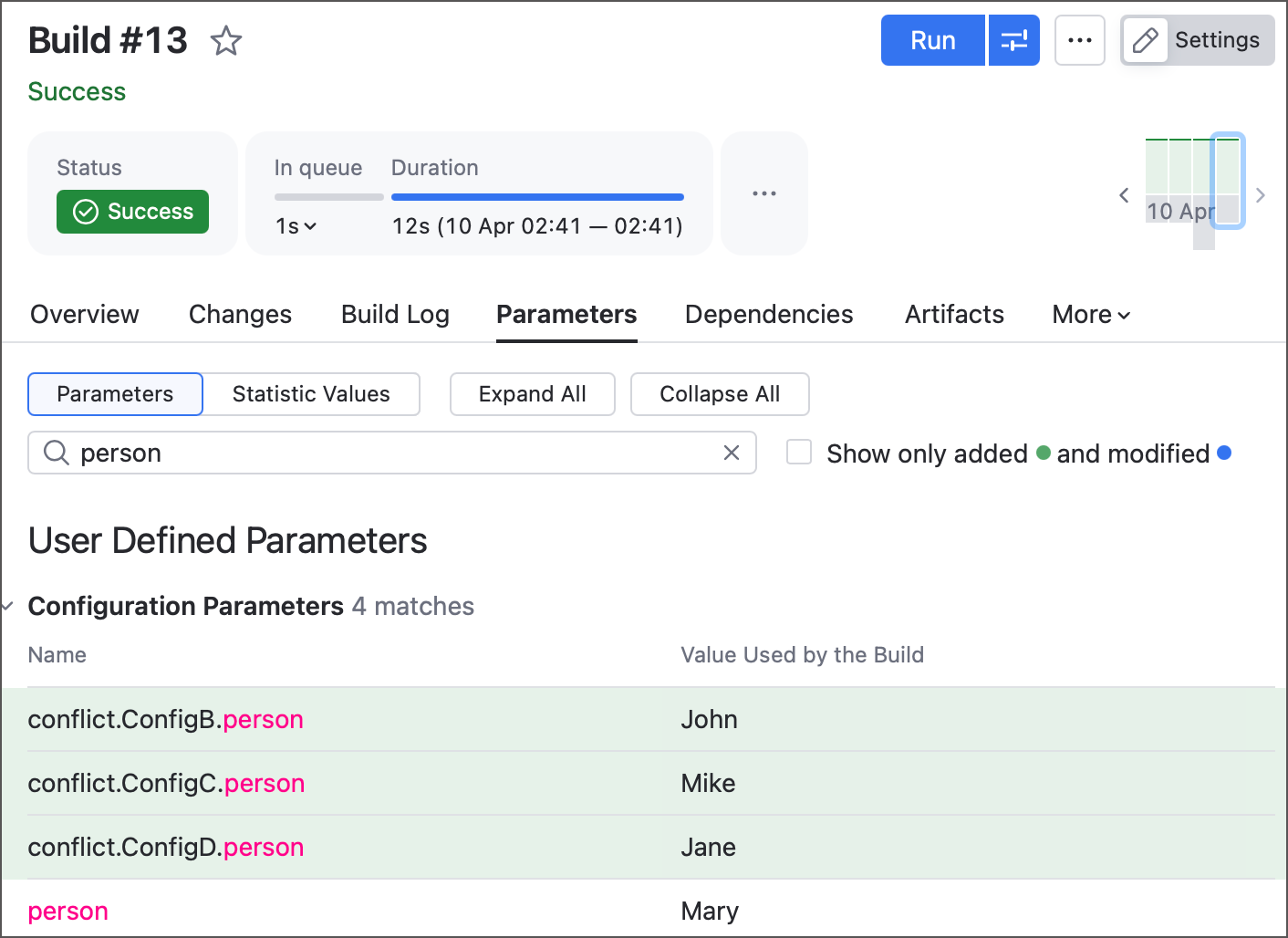
override.dep.,reverse.dep.does not resolve parameter references and passes them as is, which can make upstream configurations or pipelines incompatible with some build agents.reverse.dep.is also more invasive: if a target configuration or pipeline has no matching parameter, TeamCity creates one. By contrast,override.dep.only updates existing parameters and ignores entities without a matching parameter. This is also worth noting since adding new parameters nullifies the " Do not run new build if there is a suitable one " snapshot dependency policy, so upstream builds will never be reused.reverse.dep.uses more complex conflict resolution. When multiple entities modify the same parameter, TeamCity first gives priority to the configuration or pipeline that runs last, just as it does foroverride.dep.. If the conflicting editors are on the same level, TeamCity compares target ID specificity: the parameter with the most specific ID wins.Config A +-----------------------------------------------------------+ | person = "Mary" | +-----------------------------------------------------------+ ┌────────────────────├───────────────────────┐ ▼ ▼ ▼ Config B Config C Config D +----------------+ +----------------+ +----------------+ | reverse.dep. | | reverse.dep. | | reverse.dep. | | ConfigA.person | | Conf*.person | | *.person | | = John | | = Mike | | = Jane | +----------------+ +----------------+ +----------------+ └─────────────────────├───────────────────────┘ Run all ▼ +-----------------------------------------------------------+ | composite configuration | | depends on: ConfigB, ConfigC, ConfigD | +-----------------------------------------------------------+ Config B: fully clarified target ID Config C: ID partially replaced with a wildcard Config D: wildcard instead of target ID Final value in ConfigA: "John" (Config B)Finally, if the conflicting edits come from same-level entities with equally specific IDs, TeamCity leaves the target parameter unchanged and adds a
conflict.<sender_config_ID>.paramNameparameter for each unique conflicting value.