ReSharper C++ 2026.1 の新機能
ReSharper C++ 2026.1 では、起動時間が高速化され、メモリ使用率が縮小されました。 このリリースでは、C++26 の #embed ディレクティブとその他の新しい言語機能がサポートされています。 コーディング支援の改善には、C++20 モジュールの自動インポートと新しい後置補完シナリオが含まれます。 Unreal Engine 開発者は、ブループリントの統合の改善と次期 Unreal Engine 5.8 の互換性に関する修正を利用できます。
パフォーマンス
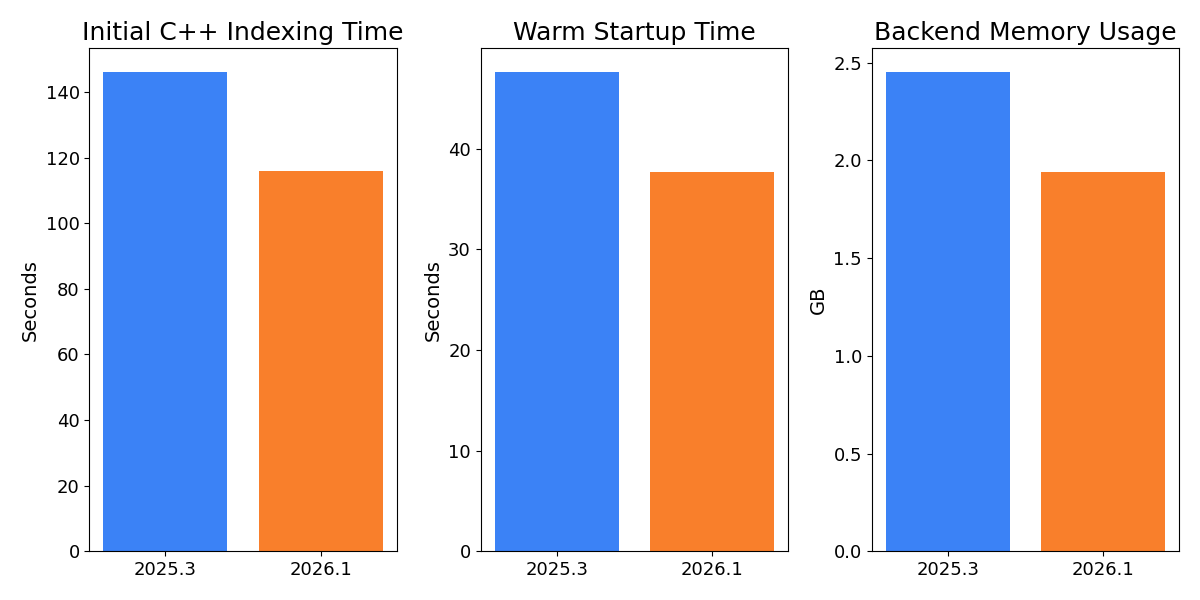
ReSharper C++ 2026.1 では、特に大規模な Unreal Engine プロジェクトの需要に合わせ、あらゆる段階における IDE エクスペリエンスのパフォーマンスが大幅に最適化されました。 Unreal Engine のアウトプロセスに関する Lyra サンプルプロジェクトを用いた当社の測定では、以下の改善が確認されています。
- C++ コードの初回のインデックス作成が最大 20% 高速化し、ソリューションを初めて開いたときの待機時間が短縮されました。
- ウォームスタート時間が 20% 以上改善されたため、前に開いたソリューションに著しく速く戻れるようになりました。
- ウォームスタート後のバックエンドのメモリ使用率が最大 21% 削減されたため、他のワークフローでより多くのリソースを使用できるようになりました。
言語機能

ReSharper C++ で、C++26 と C23 で導入された #embed プリプロセッサディレクティブがサポートされました。 このディレクティブを使用すると、バイナリリソースファイルのコンテンツをソースコードに直接埋め込むことができるため、外部のツールやコードの生成が必要ありません。
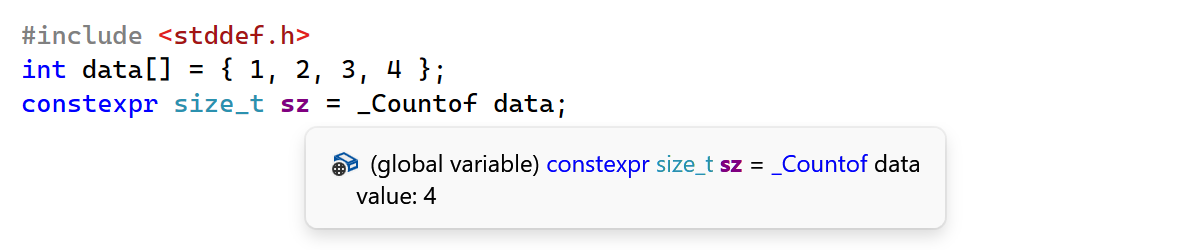
このリリースでは、さらに 2 つの言語機能のサポートが追加されました。
-
_Countof演算子: ReSharper C++ で、C2Y(C の次期標準)の_Countof演算子が認識されるようになりました。この演算子は配列の要素数を返します。 - 浮動小数点型の拡張: C++23 で標準化された
bfloat16_t、float16_t、およびfloat128_t浮動小数点型がサポートされました。
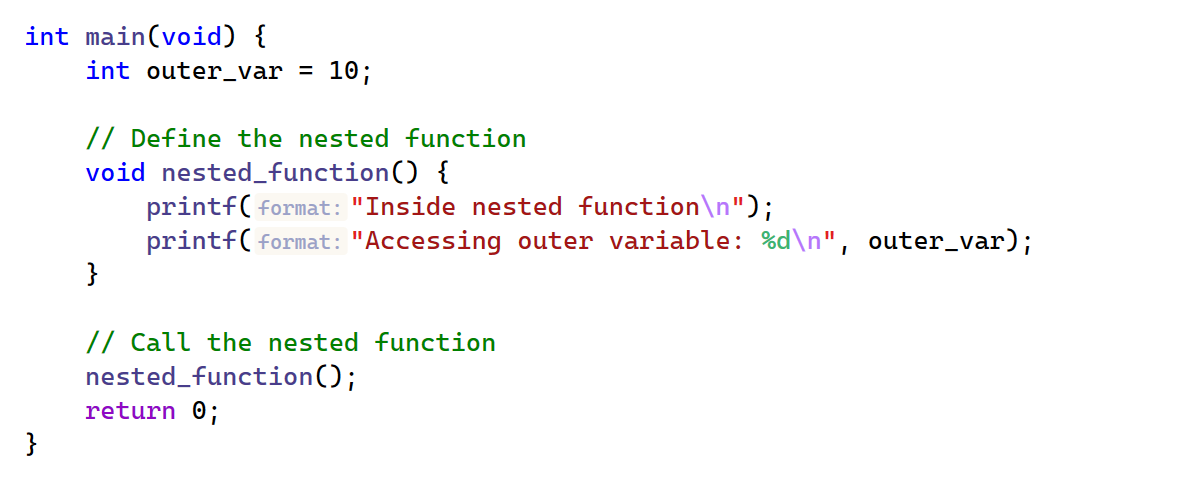
ReSharper C++ 2026.1 では、コンパイラー固有の拡張機能との互換性が改善されました。
- ネストされた関数: ReSharper C++ では、別の関数内の関数を C コードで定義する GCC の拡張機能がサポートされました。
-
_Nullable/_Nonnull修飾子: パーサーが Clang のポインター null 許容性修飾子を認識するようになりました。
コーディング支援
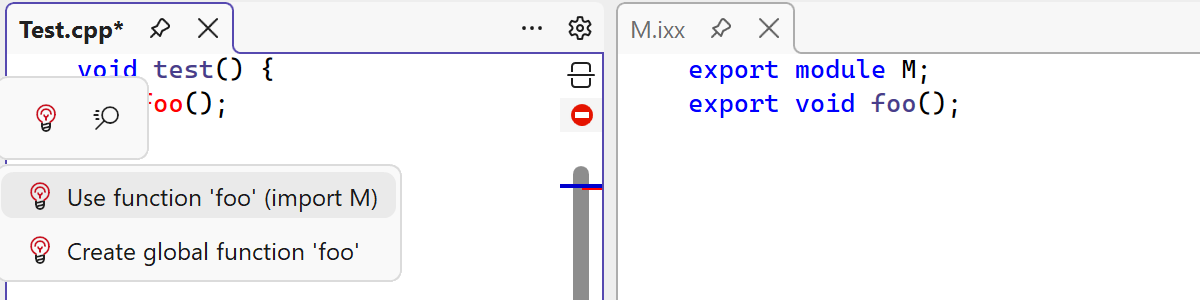
ReSharper C++ の新しい C++20 自動インポートサポートで認知的負荷を抑制しましょう。 エクスポートされたシンボルを使用する際に、対応する import 宣言が欠落している場合、IDE は自動的にそれを挿入するスマート提案を提供するようになりました。 現在、自動インポートはプライマリモジュールインターフェースユニットとモジュールパーティションから直接エクスポートされたシンボルのみをサポートしています。
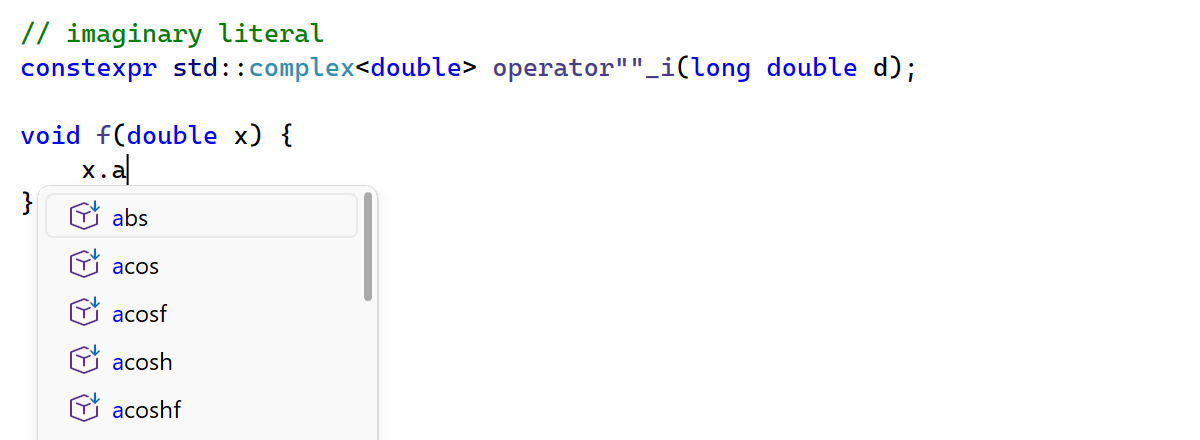
後置補完が拡張され、以下のシナリオに対応できるようになりました。
- プリミティブ型: 以前、後置補完はクラスと構造体型でのみ機能していましたが、
int、bool、floatなどのプリミティブ型の式も処理するようになりました。 - リテラル: 後置補完はリテラルの後でも機能するようになったため、
42.cosを入力すると、cos(42)に展開されるようになりました。 - ユーザー定義のリテラルサフィックス: コード補完をユーザー定義のリテラル演算子で使用できるようになりました。 リテラルの後に
_を入力すると、ReSharper C++ は現在のスコープで表示される一致するoperator""接尾辞を提案します。
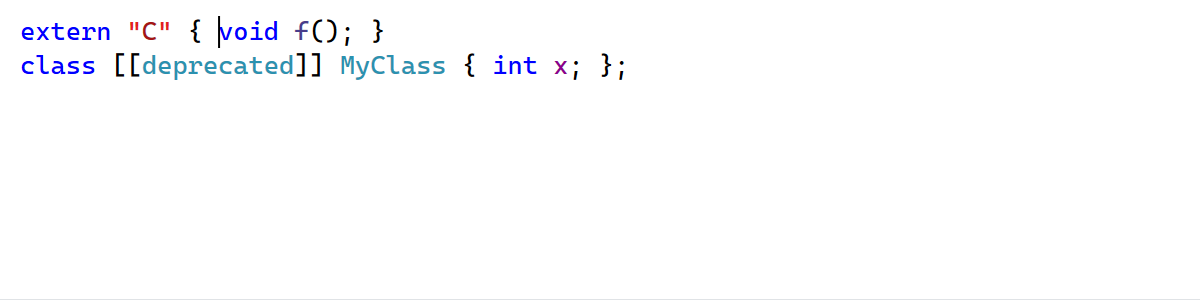
自動インデントの 2 つの改善によって、編集エクスペリエンスがより滑らかになりました。
- 制御フローステートメントまたはクラス定義の丸括弧間で Enter を押すと、属性がある場合でも(
class [[deprecated]] MyClass {}など)、適切なインデントでカーソルが正しく配置されるようになりました。 -
externブロック内の自動インデントは Indent linkage specification block members(リンケージ指定子ブロックメンバーをインデントする)フォーマット設定を尊重するようになりました。
Unreal Engine
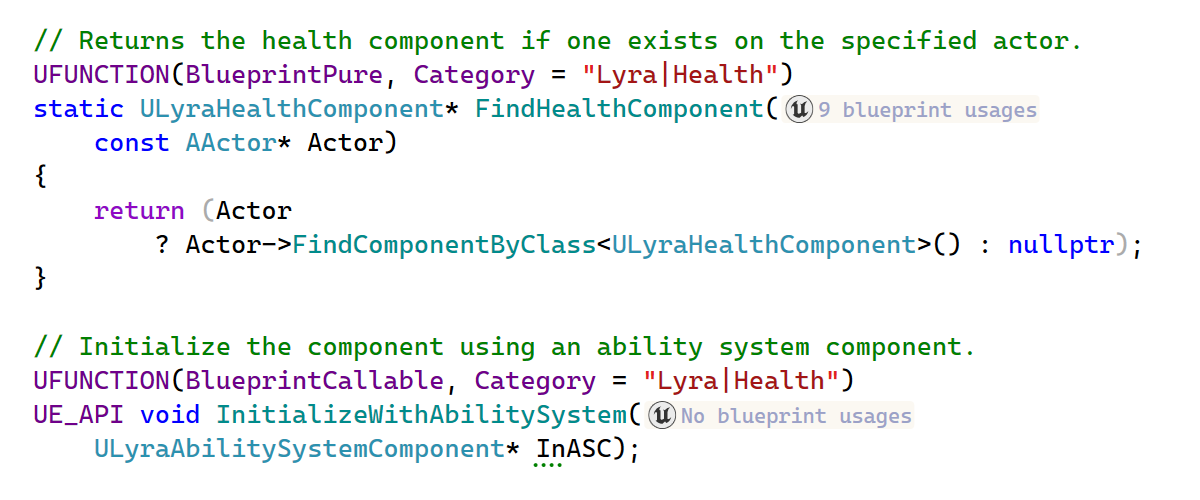
ReSharper C++ 2026.1 ではブループリントのサポートが改善されました。
-
BlueprintPurein Code Vision: Code Vision now recognizes functions marked with theBlueprintPurespecifier in addition toBlueprintCallable. - Event implementations in Code Vision: Code Vision now detects implementations of
BlueprintNativeEventandBlueprintImplementableEventfunctions in Blueprint assets. - Find Usages for delegate properties: Find Usages now discovers Blueprint-side bindings for
BlueprintAssignabledelegate properties. - Improved Blueprint search accuracy: Find Usages for Blueprint references now searches by asset path instead of Blueprint name. This means that if your project contains multiple Blueprints with the same name, the search results are no longer ambiguous.
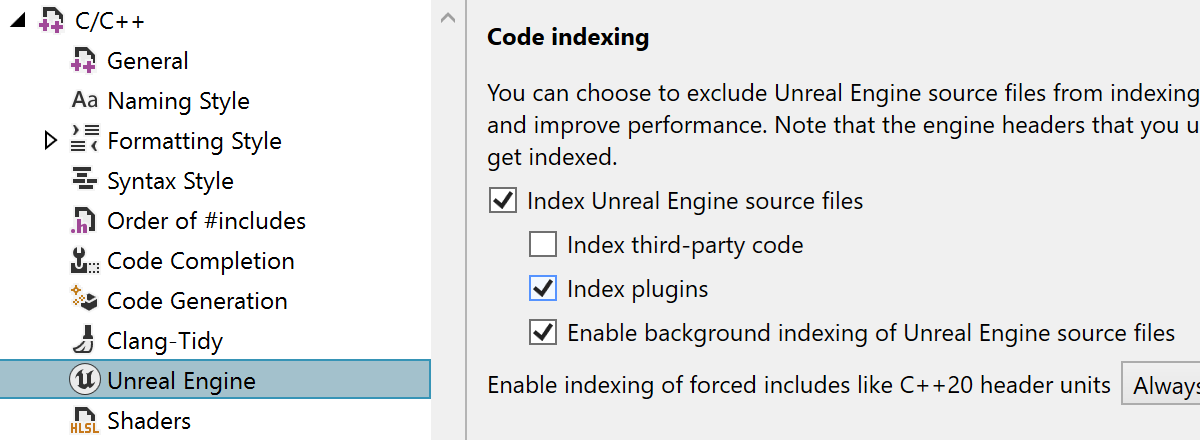
ReSharper C++ now indexes Unreal Engine plugins by default. With the growing use of plugins in Unreal Engine projects and the recent performance gains, indexing plugins by default provides better code analysis and navigation out of the box. You can restore the previous behavior on the ReSharper | Options | Code Editing | C/C++ | Unreal Engine page in Settings.
ReSharper C++ also adds support for the UnrealHeaderTool changes in the upcoming Unreal Engine 5.8. In particular, the DECLARE_DYNAMIC_MULTICAST_DELEGATE macros no longer trigger false-positive errors in code analysis.
Unreal Engine 開発向けのスタンドアロン型クロスプラットフォーム IDE にご興味がありましたら、Rider をぜひご検討ください。 Rider と ReSharper C++ での Unreal Engine のサポートは同等であるため、Rider 2026.1 アップデートと同じ改善を期待できます。
コード解析
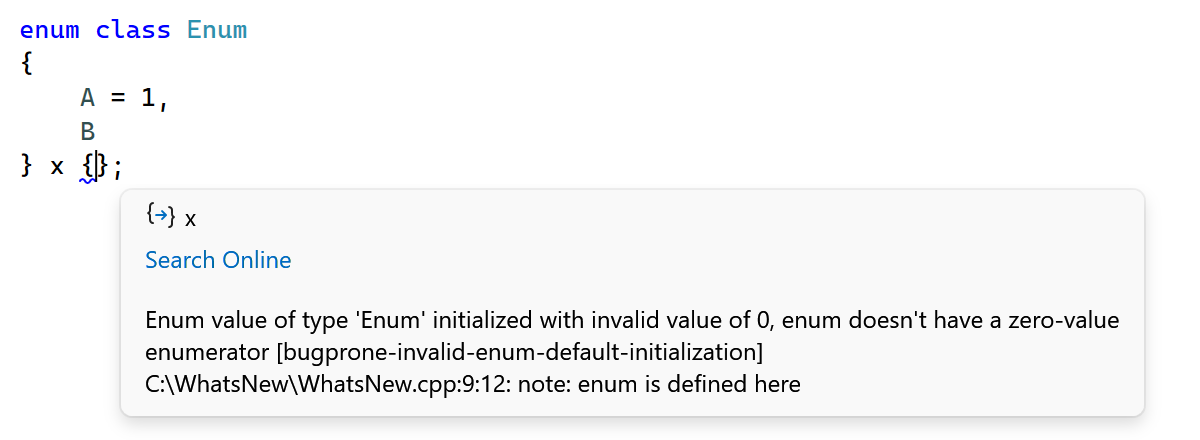
ReSharper C++ 2026.1 updates the bundled Clang-Tidy binary, bringing the latest checks and enhancements from the LLVM 22 release.
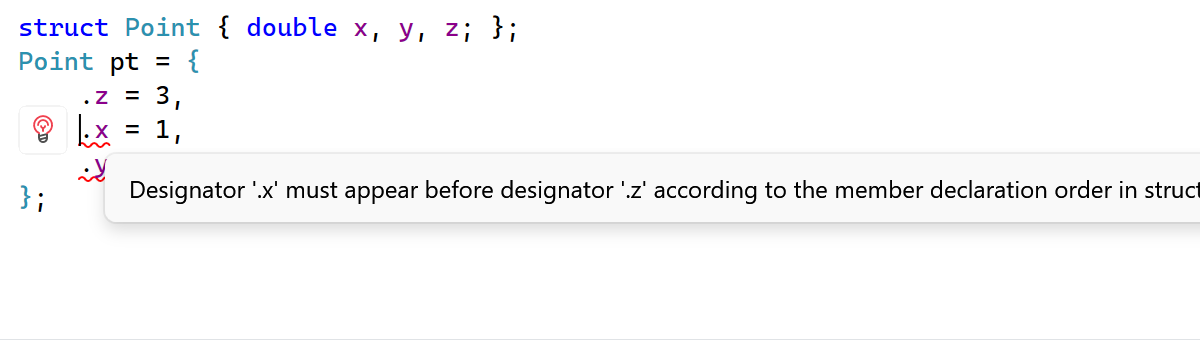
A new inspection detects designated initializers that appear in a different order than the corresponding members are declared in the struct. Since C++20 requires designated initializers to follow the declaration order, out-of-order initializers result in a compilation error. ReSharper C++ now flags these cases and provides a quick-fix that automatically reorders the initializer list to match the struct definition.
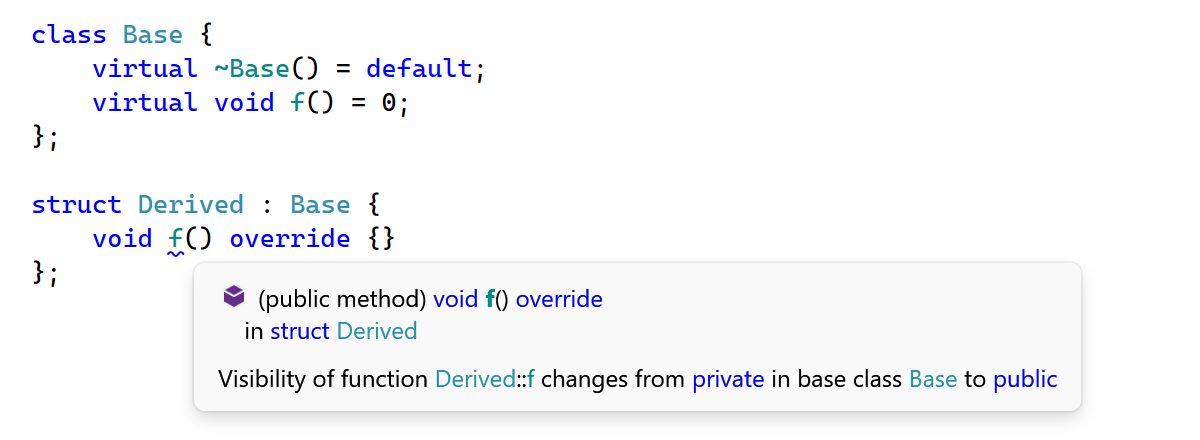
Another new inspection warns you when a function has a different access level (public, protected, or private) than the virtual function it overrides in the base class. While C++ permits changing the access level of an override, doing so is often unintentional and can lead to surprising behavior. The inspection helps catch these subtle mismatches.
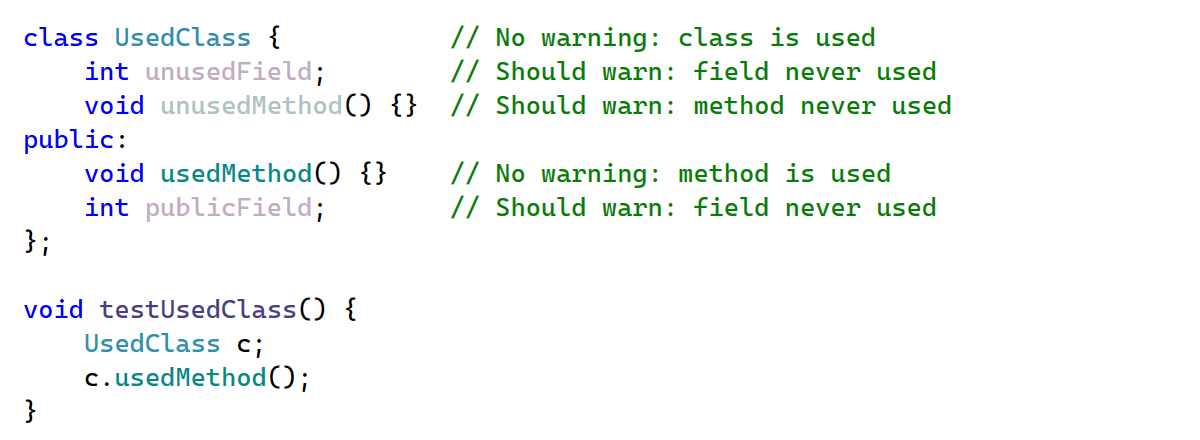
This release extends Unused symbol inspections to class members defined in .cpp source files. Previously, these members were assumed to be externally visible and excluded from the Unused symbol analysis. Now, they are analyzed the same way as static functions and anonymous namespace members.
ナビゲーション
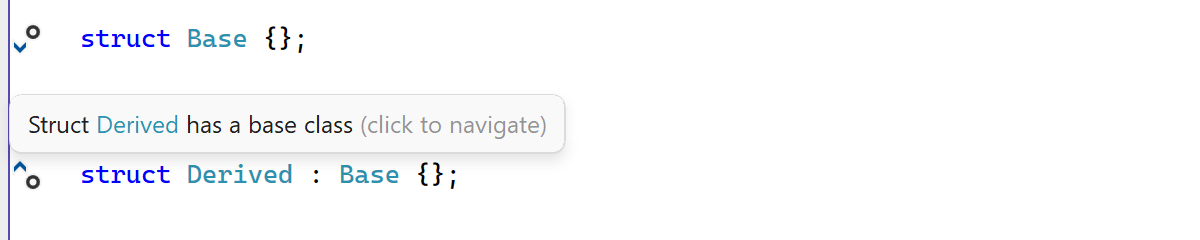
We've refined the gutter marks in C++ files to help you navigate and understand complex codebases with minimal effort.
- Tooltips with semantic highlighting: Tooltips that appear when hovering over gutter marks now feature semantic highlighting, making them easier to read at a glance.
- Navigation to base classes: A new gutter icon on class definitions lets you navigate upward in the inheritance hierarchy to base classes, complementing the existing marks for navigating to derived classes.
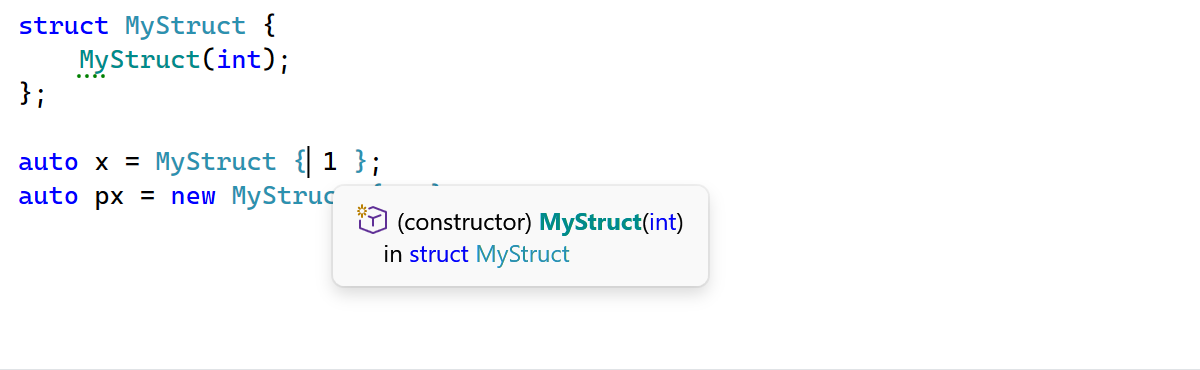
Go to Declaration and other navigation actions now work on the opening brace in brace initialization expressions (e.g. MyStruct { 1 }), in addition to the type name.
Visual Studio 統合
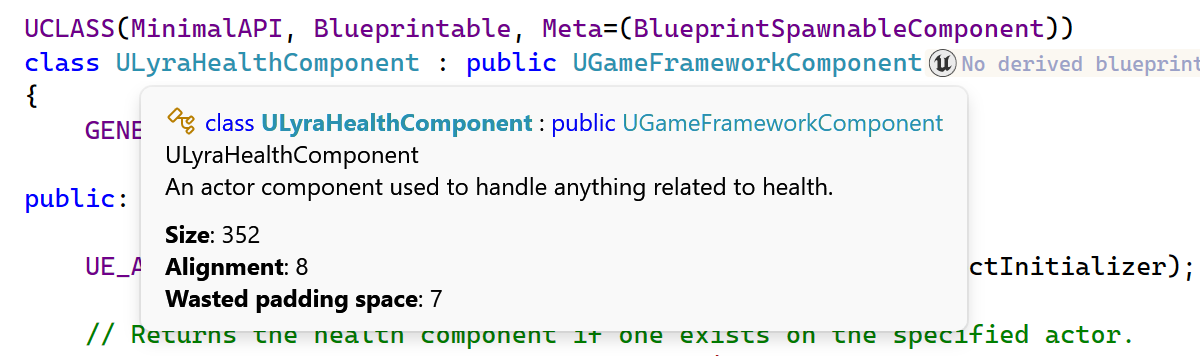
ReSharper C++ tooltips are now available in Visual Studio 2026, restoring the tooltip support that was missing in the initial Visual Studio 2026 compatibility release. Tooltip presentation has also been improved: icons now help distinguish between symbol types, and theming support has been enhanced.
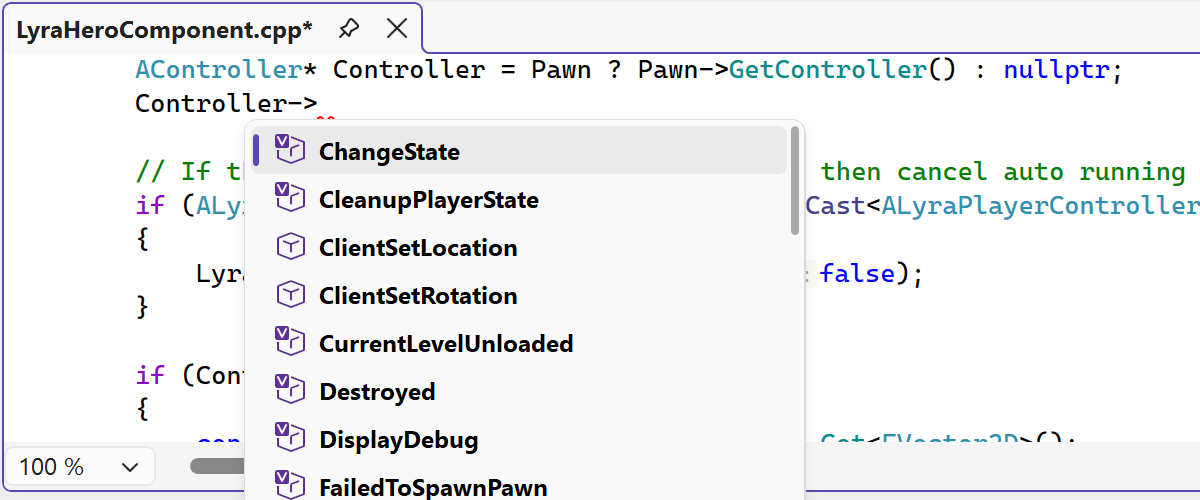
ReSharper の複数のエディター UI 要素を更新し、Visual Studio のモダンな外観により適合させました。
デザインを刷新することで、エディター組み込みのコード補完 UI がよりすっきりとした一貫性のある外観になりました。
パラメーター情報ポップアップ、ツールチップ、その他のエディターのポップアップを含む多数の関連 UI コンポーネントがモダン化され、古いビジュアル要素が置き換えられ、複数のテーマや DPI の設定で見た目が改善されました。
The updated UI now supports Visual Studio’s editor zoom feature, ensuring completion lists and parameter info scale correctly when zoom levels change.
ReSharper C++ 2026.1 fixes several issues with the project model:
- Windows Driver Kit (WDK) projects: ReSharper C++ now correctly recognizes WDK-specific platform toolsets and provides the appropriate default preprocessor definitions.
- WinUI 3 projects: Include paths are now correctly configured.
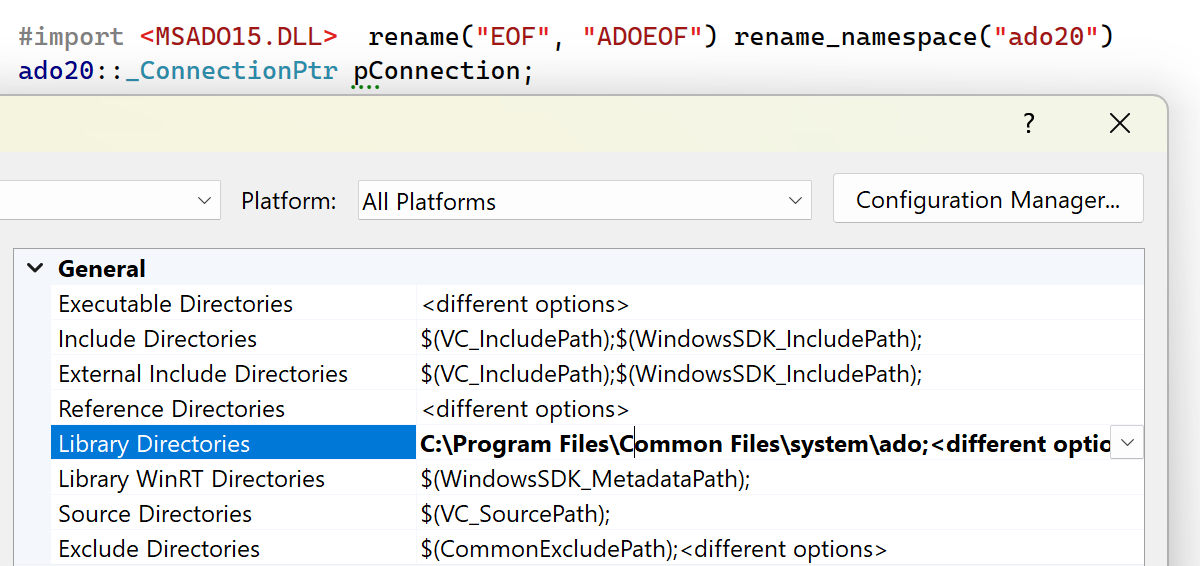
- Library directories for Type Libraries: ReSharper C++ now resolves COM Type Library files (
.tlb) from Library Directories configured in Visual Studio project settings.
このリリースで導入されたその他の変更点については、「ReSharper の新機能」ページをご覧ください。