Qodana / Static Code Analysis Guide / What is Code Refactoring?

An Introduction to Code Refactoring

Messy code is often difficult to understand and even more difficult to update. It might work at the surface level, but it can also break easily. Code refactoring tries to solve these problems, helping teams to restructure and clean up their code and make future development smoother.

Here we'll explore what goes into code refactoring, including why it’s essential, and when and how to do it. We’ll also look at how tools like Qodana can simplify the process by identifying potential issues early on.

What is code refactoring?

Code refactoring is the process of improving your code structure without changing what it does. It makes the codebase easier to read, understand, and maintain, while preserving its core behavior and functionality.

You’re not adding new features or changing how the code works. Instead, you’re fixing internal, underlying issues and strengthening the structure, making the system more reliable and efficient to work with.

Refactoring is a continuous process in proper software maintenance and is crucial for maintaining and extending your code. Static analysis tools like Qodana can help you identify parts of your code that need refactoring before they present bigger problems.

Why is refactoring important?

Refactoring has several benefits that impact your codebase and software performance:

  1. Improved code readability: A major advantage of refactoring is that it helps you make hard-to-follow code intuitive and straightforward. Clear, easy-to-follow code helps other developers, and even your future self, quickly understand and manage software projects.
  2. Enhanced maintainability: Messy codebases waste developer resources. When your code is tidy, updates and fixes take less time and energy. This becomes a critical issue when projects outlive their original creators.
  3. Better performance: Removing unnecessary complexity and inefficiencies improves your code, leading to faster execution, quicker user responses, and lower operational costs.
  4. Better collaboration: Refactored code is consistent and aligns better with coding standards. Development teams spend less time arguing about unclear logic and more time building new features.
  5. Reduced bugs and errors: Eliminating redundant or poorly structured code often resolves hidden flaws. Clear logic and concise structures make it easy to spot mistakes and reduce the risk of one bug bringing the entire system down.

Take Google's experience with legacy C++ code. The organization struggled with maintaining over 100 million lines of outdated APIs and inefficient queries. Developers faced deeply nested loops, duplicated logic, and queries that slowed down their workflows.

To address this, Google began refactoring. It broke down complex functions into modular components, simplified loops, and eliminated duplicate code. This refactoring reduced Google’s manual coding effort by about 78%, improving maintenance and speeding up development cycles.
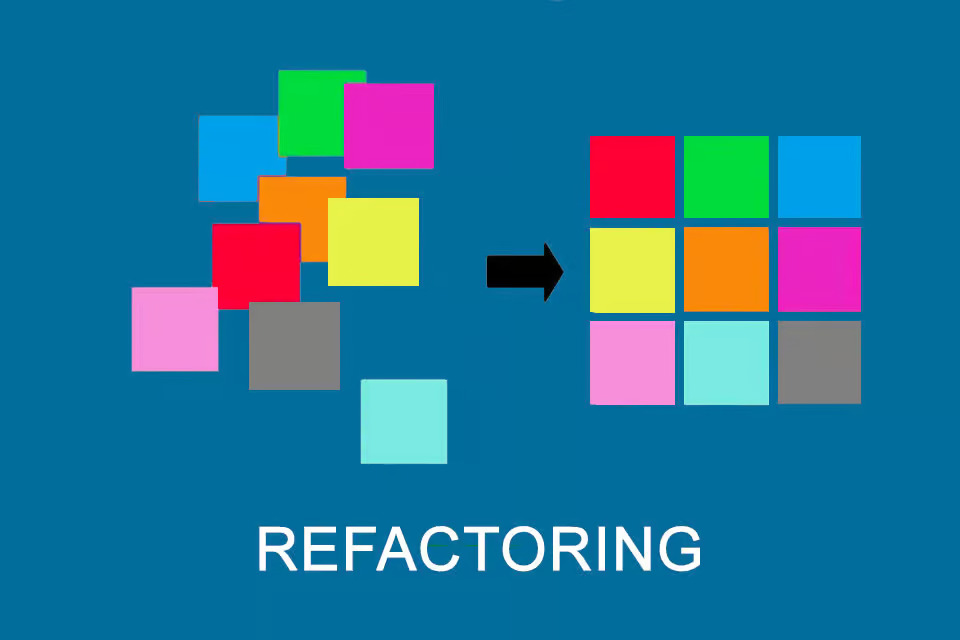
Refactoring benefits explained with a before-and-after code blocks illustration

When should you refactor?

Refactoring is all about timing. You don’t want to do it so frequently that you never ship features, but you also can’t wait until things start to break. You need to be proactive, rather than constantly reacting to emergencies.

Here are a few ideal times to consider code refactoring:

Before adding new features

When you build on top of shaky logic or overly convoluted code, you create technical debt you’ll eventually have to pay. Spend time making sure the core architecture and existing logic are sound before adding anything new. Clean code means fewer issues when new features are deployed.

When code becomes difficult to understand

If you open a file and find it hard to decipher what’s going on, that’s a sign your code needs refactoring. Good code should explain itself. If you struggle to understand it, it likely requires some improvement.

After identifying code smells

Issues like duplicated code, long functions, deep nesting, or DRY (don't repeat yourself) violations are signs of deeper structural issues. Spotting any of these patterns should trigger refactoring.

During regular maintenance

Regular upkeep prevents your codebase from turning into unmanageable "spaghetti code" or causing sudden emergencies.

Before performance optimization

It’s easier to optimize small, modular chunks of code than one large, unorganized piece of it. Refactor first, then optimize. Otherwise, you risk amplifying inefficient patterns instead of speeding up the system.

When onboarding new developers

Bringing in fresh eyes can reveal clunky parts of the code you’ve learned to overlook. If a new teammate stumbles over a specific piece of logic, that’s a sign you should refactor.

Refactoring best practices

Refactoring without a plan isn’t recommended. You can end up with partially completed changes that never ship, and you might even break things in the process.

To get the best results from refactoring, you should:

Have a plan: Before starting, know what you want to achieve. Are you removing duplication? Extracting smaller methods? Modernizing your architecture? Define your refactoring goal and scope so you can accurately measure success.

Automate your tests: Tests catch unintended side effects. If you’re refactoring code that isn’t well-tested, pause and write tests first. It’s much easier to refactor when you’re confident you’ll be alerted if something breaks.

Make small, incremental changes: It’s more effective to tackle refactoring in bite-sized chunks, especially in critical production systems. Large-scale refactoring increases risk. Make small changes, test, then move on to the next piece.

Leverage code reviews: Peer reviews help to spot edge cases you may have missed. The collaboration also ensures that any lessons learned and best practices are shared across your whole team.

Utilize static code analysis tools: Tools like Qodana quickly pinpoint issues, suggest improvements, and integrate into your workflow, streamlining the refactoring process.

Document as you go: Brief, clear documentation helps other developers understand the reasoning behind each change. This prevents confusion when someone else picks up the code next.

Example: Before and after refactoring

Let’s take a look at a simple code refactoring example.

Before:

The code below calculates area and volume in a single function. This violates the principle of single responsibility and makes the code less clear and harder to maintain or reuse.

def calculate_area(length, width, height):
    area = length * width
    volume = length * width * height
    print(f"Area: {area}")
    print(f"Volume: {volume}")

After:

In the refactored version, we've separated concerns clearly. Calculations for area and volume are now in distinct functions, each with a single responsibility. This makes the code cleaner, easier to test, and simpler to maintain.

def calculate_area(length, width):
    return length * width

def calculate_volume(length, width, height):
    return length * width * height

area = calculate_area(5, 10)
volume = calculate_volume(5, 10, 15)
print(f"Area: {area}")
print(f"Volume: {volume}")
How Qodana can help

Identifying where to start can be the hardest part of refactoring: You know something’s not quite right, but you’re not sure where the problem is.

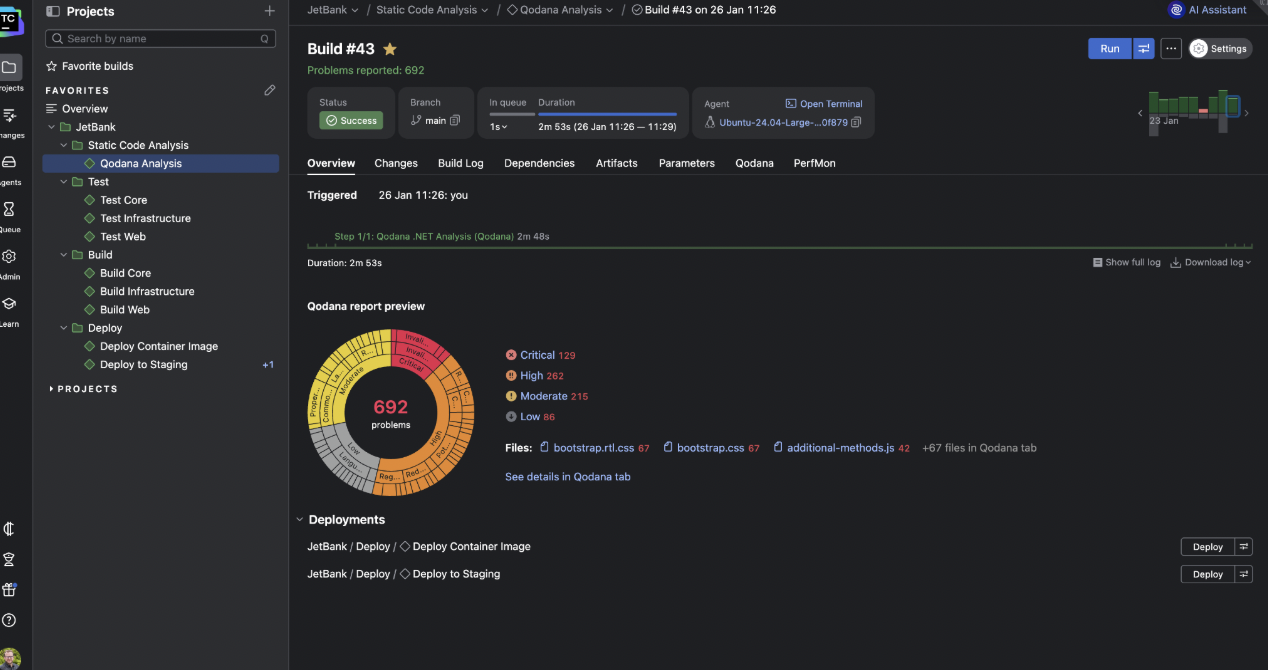
Qodana makes this step easier by scanning your codebase to highlight problem areas. You can prioritize which parts to tackle first and decide where best to direct your resources.

The code quality platform offers:

  • Automated code inspections: Qodana runs comprehensive checks across your codebase, identifying duplications, dead code, potential bugs, etc. This automates a chunk of the “where should I look first?” problem.
  • Excellent IDE and CI/CD integration: Qodana plugs easily into your CI/CD pipeline and many popular IDEs (like IntelliJ IDEA, PyCharm, and Rider), so every pull request triggers an automated inspection.
  • Detailed insights: Qodana produces comprehensive reports with clear suggestions, references, and actionable insights to guide refactoring efforts.
  • License and security compliance: In addition to analyzing your code, Qodana helps ensure it meets regulatory standards and security best practices. This is important for avoiding legal or security headaches down the line.

Use Qodana to kickstart code refactoring efforts

Regular code refactoring may initially seem daunting. But once it becomes part of your routine, you quickly see the benefits.

Set up Qodana and let it do the heavy lifting of pinpointing areas needing attention, freeing you to build cleaner, faster, and more maintainable software.

CI build dashboard showing static analysis results with issue counts.