Agents
Coding agents are AI systems that can autonomously plan and execute multi-step development tasks in your project. They edit files, run commands and tests, use external tools, and report progress as they work. You can review the proposed changes and keep or roll them back as needed.
Working with an agent generally follows this pattern:
Select an agent – pick the agent you want to work with from the available options.
Configure it for your needs or the task – select an operation mode (if the agent supports them) and a processing model.
Extend its capabilities – optionally add instructions, skills, or MCP tools to give the agent additional knowledge or actions.
Write a prompt – describe what you want the agent to do.
Authorize actions – approve, deny, or let them run automatically based on the agent's operation mode.
Review the results – keep the changes you want, roll them back, or send a follow-up prompt to refine.
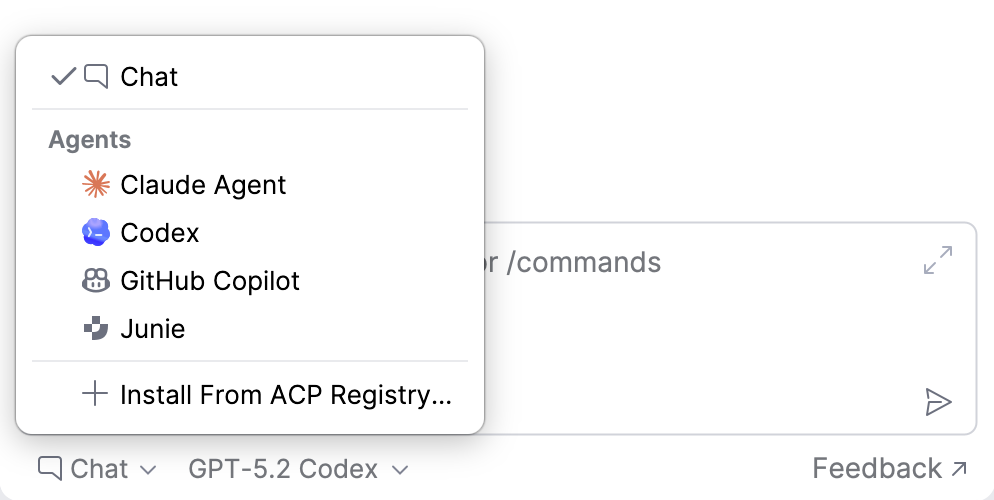
Available agents
AI Assistant currently integrates the following coding agents:
Agent | Operation modes | Skills | Project instructions |
|
|---|---|---|---|---|
Brave mode, Debug mode | — |
| Respected | |
Auto, Default, Accept Edits, Plan, Don't Ask, Bypass | Supported |
| Not respected | |
Read-only, Agent, Agent (full access) | Supported |
| Not respected | |
Agent, Plan, Autopilot | — |
| Not respected |


You can also connect external coding agents through the Agent Client Protocol (ACP).
Extend agent capabilities
Beyond per-agent settings, AI Assistant provides shared capabilities for tailoring how agents work in your project.
Agent instructions – define how the agent should behave in your codebase. Provide coding conventions, architectural constraints, common workflows, and any other project-specific guidance. Instructions are stored in
AGENTS.md(orCLAUDE.mdfor Claude Agent) so they can be version-controlled and reused across the team.Skills – give the agent reusable, structured abilities to handle specific tasks. Install curated skills from public repositories or create custom ones tailored to repeatable workflows in your project. Supported by Claude Agent and Codex.
MCP tools – connect the agent to external tools and data sources through the Model Context Protocol. Configure MCP servers in your IDE settings to let the agent invoke the tools they expose when relevant to your task.