Project environments
An environment configuration captures what a codebase needs to build and run – the VM size, internet access, and the variables and secrets tasks rely on. Set it up once at the project level, and every member runs cloud tasks against the same environment. Project admins create and edit these configurations; members run tasks against them but can't change them.
If the configuration you need already exists as a personal one, or belongs to another project, you can move it into this project instead of setting it up again.
Create an environment configuration in a project
On the Projects page, select the project.
Under Environments, click New Environment.
Set up the environment as described in Create an environment configuration.
If the configuration uses personal secrets, tell project members which personal secrets to create.
Share a project's environment
An environment configuration you create from the project page belongs to the project and is automatically shared with everyone in it. You are its Owner, and every other project member gets Can view access to run cloud tasks with the configuration.
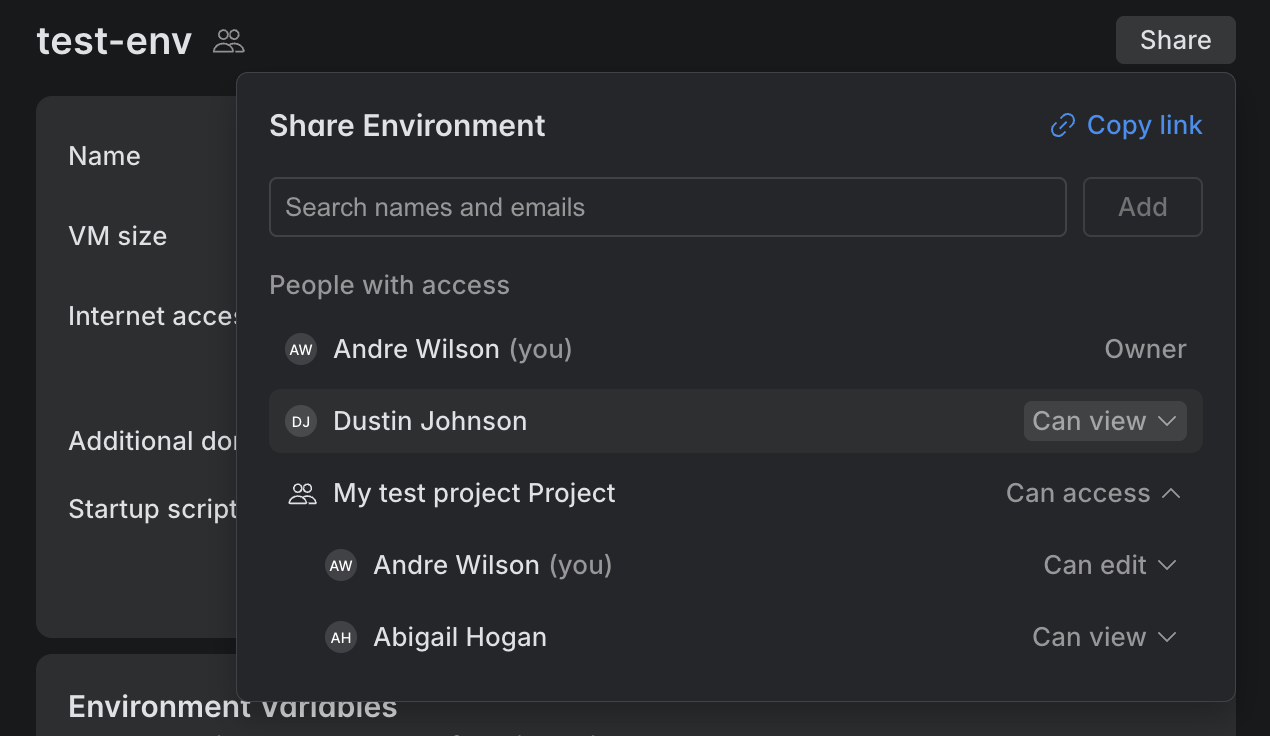
If needed, click Share to share the configuration with people outside the project – other users, service accounts, or user groups – or to change a project member's access to Can edit or Can view.
For details, see Share an environment configuration.