Code insight for Scala
IntelliJ IDEA provides the following general features for code insight and better code readability:
Scala gutter icons
Gutter icons help you navigate between Scala classes, traits, and opaque types, and their companion objects.
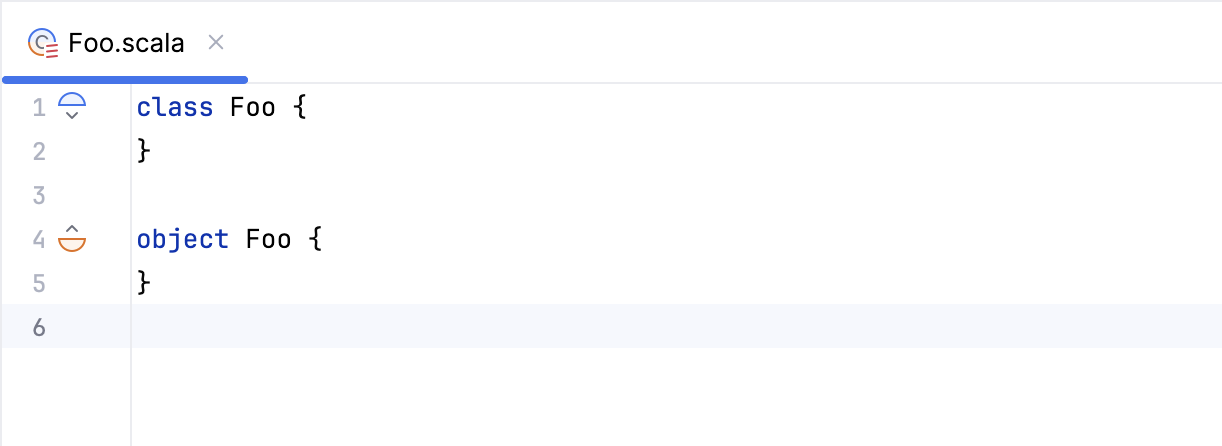
If a given data structure has a companion object, i.e., an object of the same name in the same file, you will see a gutter icon to the left of it, and another to the left of the companion object. A small arrow o`ver or beneath the icon will point to the direction in the file where you can find the companion object (if you look at the data structure's icon) or to the data structure (if you look at the companion object's icon). If you click on the gutter icon, the caret will jump to that place.
Icon | Description |
|---|---|
| A gutter icon for a |
| A gutter icon for a |
| A gutter icon for an |
| A gutter icon for an |


Implicit hints
IntelliJ IDEA lets you enable, expand, and collapse editor hints for implicit conversions and arguments. These so-called implicit hints provide visual cues about implicits required in the given place in the code by the Scala compiler. The feature enhances code readability and debugging capabilities without actually altering the codebase.
In the main menu, go to (or press Ctrl+Alt+Shift +=). In the editor, right-click the hint and from the pop-up menu, select the appropriate action to expand the existing hint, disable the mode, or to see the implicit arguments.
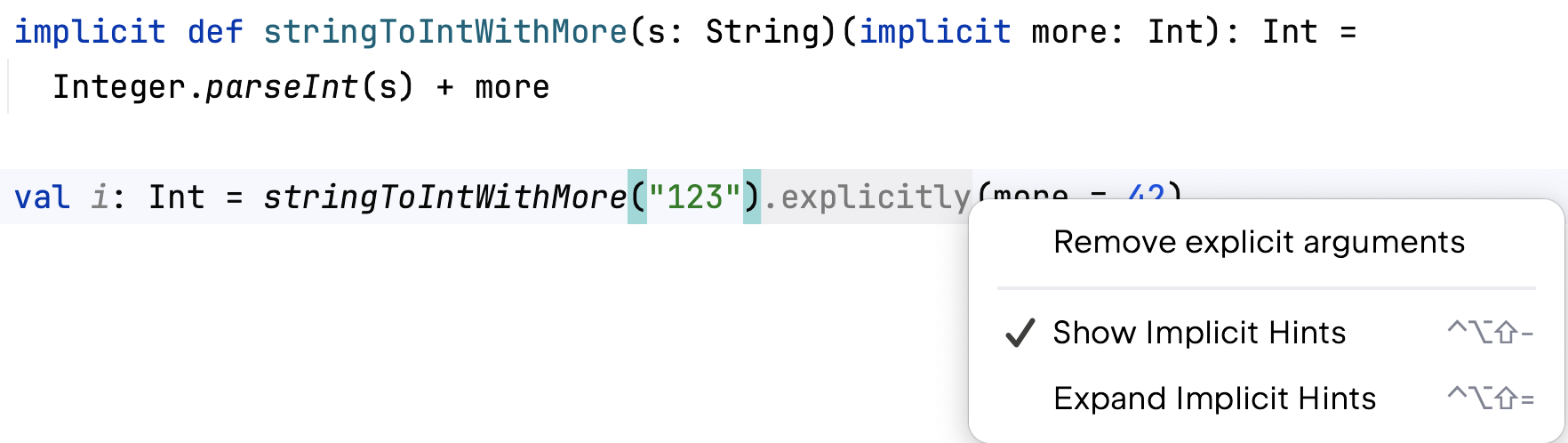
Alternatively, while in the editor, you can press Ctrl+Alt+Shift+ + to enable the implicit hints. If you press the same shortcut again, IntelliJ IDEA expands the implicit hints to show you more detailed information. Press Ctrl+Alt+Shift+ - to collapse the hints.
Type mismatch hints
These inlay hints will appear if the result type of an expression differs from the declared type of the value in which the result is supposed to be held.
This option is located in settings: press Ctrl+Alt+S to open settings, then select and find the option Show hints on type mismatch.
Type hints
IntelliJ IDEA can display the inferred type of value as an inlay hint. This is particularly useful for values with complex types or when using generic functions.
