Monitoring current AI Credits usage
The Users and licensing page shows current monthly AI Credits usage for users in your organization. You can check how many AI Credits they spent this month and how many AI Credits remain available.
The Balance used column in the table on the Users and licensing page shows the percentage of AI Credits used out of the user's total monthly AI Credits. The total includes the monthly AI quota and top-up limits from all licenses with AI assigned to the user. The user consumes their AI quota first, then top-up AI Credits.
View current AI Credits usage for a user
Log in to JetBrains Central Console.
In the sidebar, under AI management, select Users and licensing.
Search for a user either by scrolling through the list or using the search box at the top of the page. For details, see Searching for users.
Review the value in the Balance used column in the table.
The value in the Balance used column may exceed 100% if the org admin reduces the Top-up limit for the user after this user has already reached their previous limit in the same month.
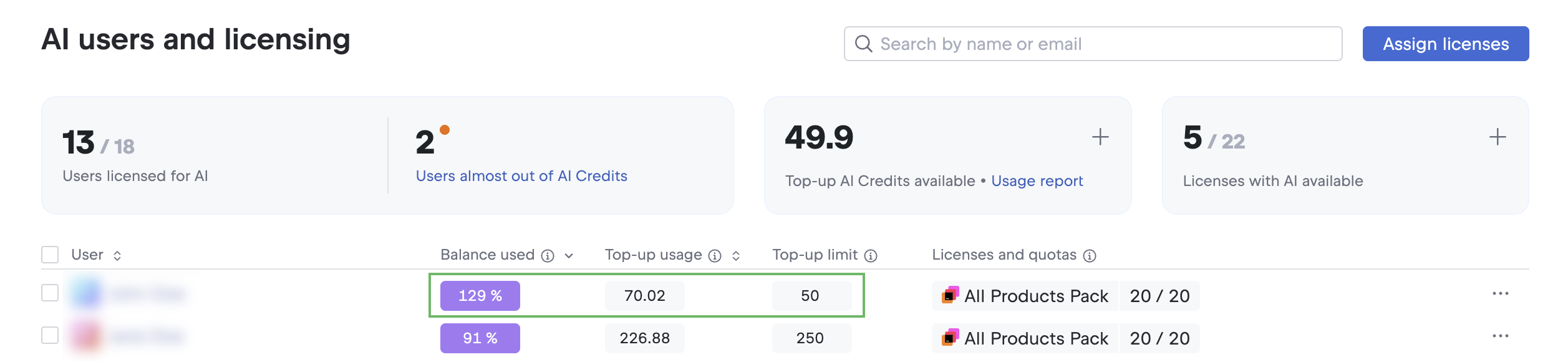
When one or more users have reached or are close to their AI Credits limit (Balance used is 80% or higher), the Users licensed for AI information card displays the number of those users, along with the Users almost out of AI Credits link to view them.
Identify users running low on AI Credits
Log in to JetBrains Central Console.
In the sidebar, under AI management, select Users and licensing.
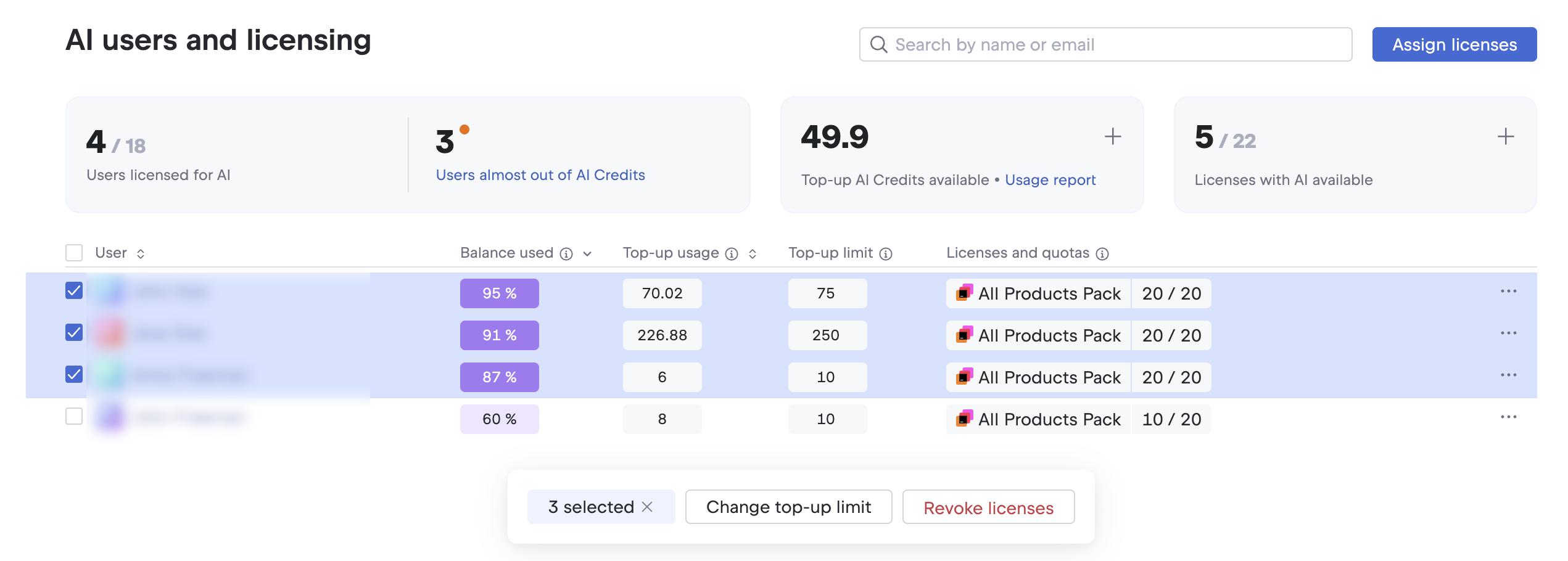
In the Users licensed for AI information card at the top of the page, click Users almost out of AI Credits.
Users who have reached or are close to their AI Credits limit are selected in the table. If needed, you can change their top-up limits using the toolbar below the table. For details, see Set top-up limits for users.
Monitor AI quota usage
The Licenses and quotas column in the table on the Users and licensing page displays the current monthly AI quota usage for each license with AI assigned to the user.
View current AI quota usage by license
Log in to JetBrains Central Console.
In the sidebar, under AI management, select Users and licensing.
Search for a user either by scrolling through the list or using the search box at the top of the page. For details, see Searching for users.
Review the quota usage values for each license assigned to the user in the Licenses and quotas column.
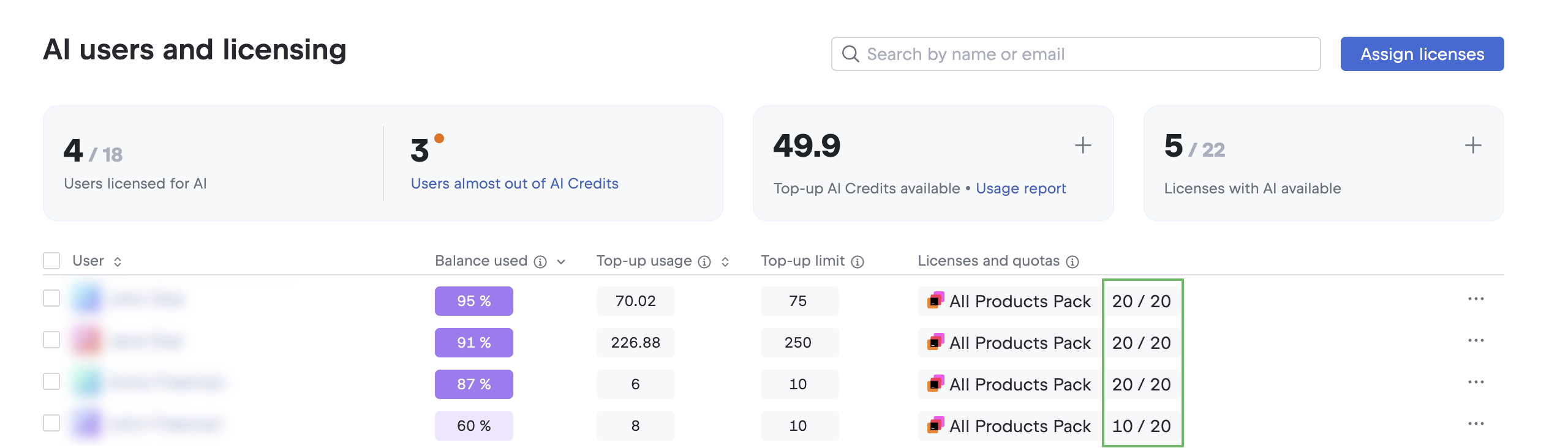
The quota usage is represented as two values:
First value: The number of AI Credits spent from the license quota this month.
Second value: The monthly AI Credits included with the license.
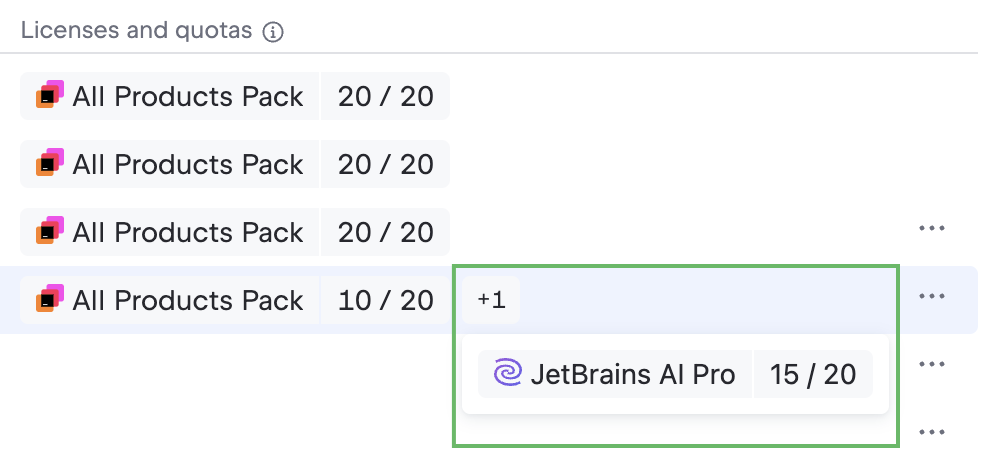
If the user has multiple licenses, and they do not all fit in the column, the +N indicator appears. Click it to view the current AI quota usage for the remaining licenses in the dropdown.
Monitor top-up AI Credits usage
You can view the current number of top-up AI Credits available in your organization and track their monthly usage for each user.
View available top-up AI Credits for the organization
Log in to JetBrains Central Console.
In the sidebar, under AI management, select Users and licensing.
Review the value in the Top-up AI Credits available information card at the top of the page.
This value shows the total number of top-up AI Credits available for users in your organization.
View current top-up AI Credits usage for a user
Log in to JetBrains Central Console.
In the sidebar, under AI management, select Users and licensing.
Search for a user either by scrolling through the list or using the search box at the top of the page. For details, see Searching for users.
Review the values in the Top-up usage and Top-up limit columns.
Top-up usage: The number of top-up AI Credits the user has spent this month.
Top-up limit: The maximum number of top-up AI Credits the user can spend each month. To learn how to set and adjust limits, see Set top-up limits for users
Access the top-up AI Credits usage report
Log in to JetBrains Central Console.
In the sidebar, under AI management, select Users and licensing.
In the Top-up AI Credits information card, click Usage report.
Review the data on the Credit consumption page. For details, see AI Credits consumption.