Move subscriptions to a different subscription pack
All subscriptions in a pack renew together using the same payment method. If your organization has subscriptions tied to different departments or cost centers, you may need separate renewal schedules and payment methods. In this case, you can split your subscriptions into several existing or new packs.
Move subscriptions to a different pack
Log in to JetBrains Central Console.
In the sidebar under Billing select Subscription packs.
If you don't see this page, your role doesn't have the necessary permissions.
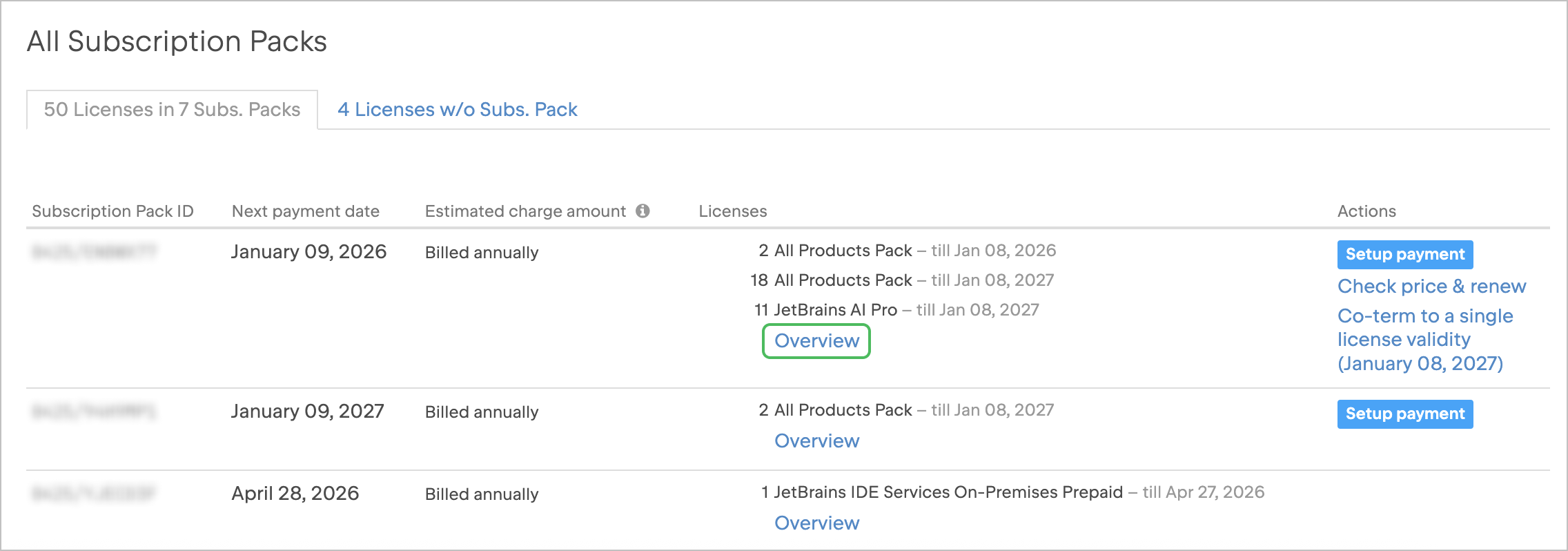
Find the subscription pack to which your subscriptions currently belong and select Overview.
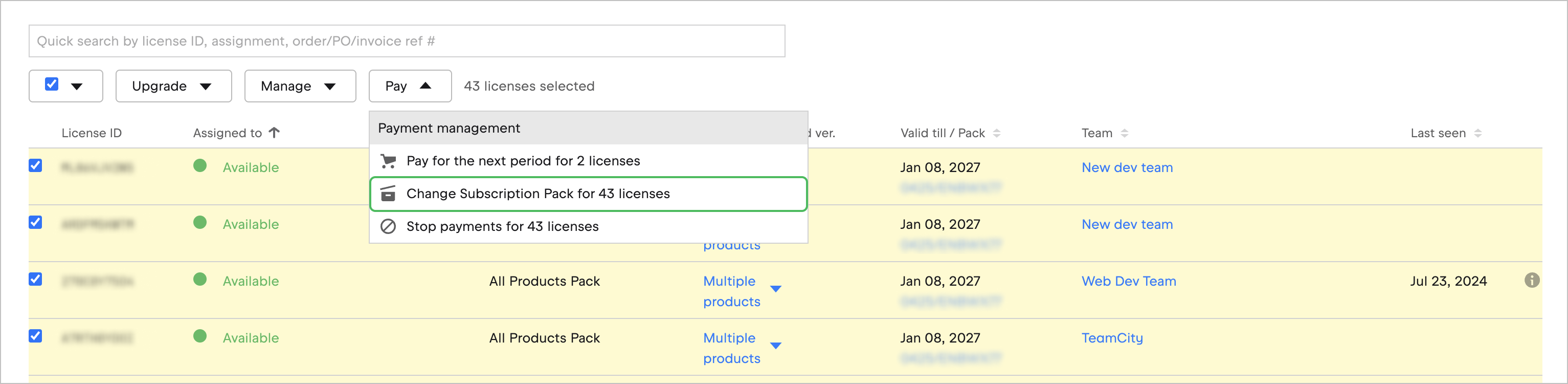
In the license list, select the subscriptions you’d like to move to a different pack, open the Pay drop-down menu, and then select Change Subscription Pack for X licenses.
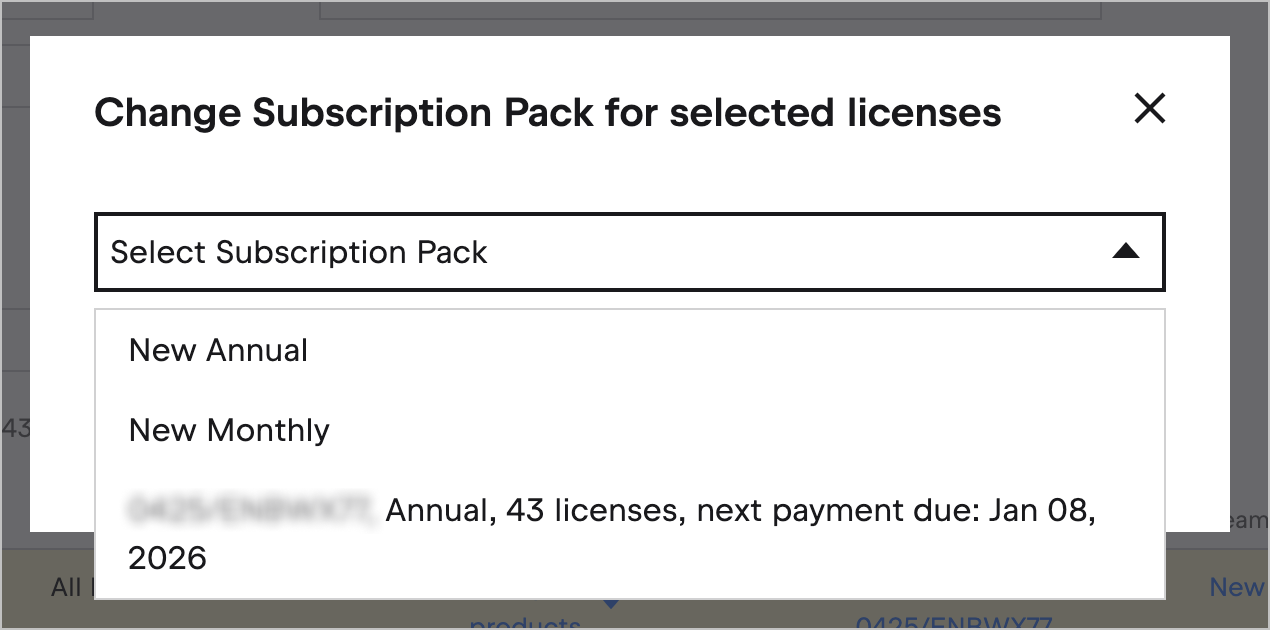
In the dialog that appears, select the target subscription pack. You can either select an existing pack or create a new one.
Click Move licenses.
Resume payment on canceled subscriptions
When you cancel a subscription, it’s removed from the pack. To resume payments, you can move a canceled subscription to a new or an existing active pack. Here’s how to do this:
Log in to JetBrains Central Console.
If you're an org admin, click Licenses in the sidebar. If you're a team admin, click in the sidebar, select the team you want to manage, and then click View licenses under the total number of licenses.
On the license view page, select Without packs in the Subs. Pack filter and click Search.
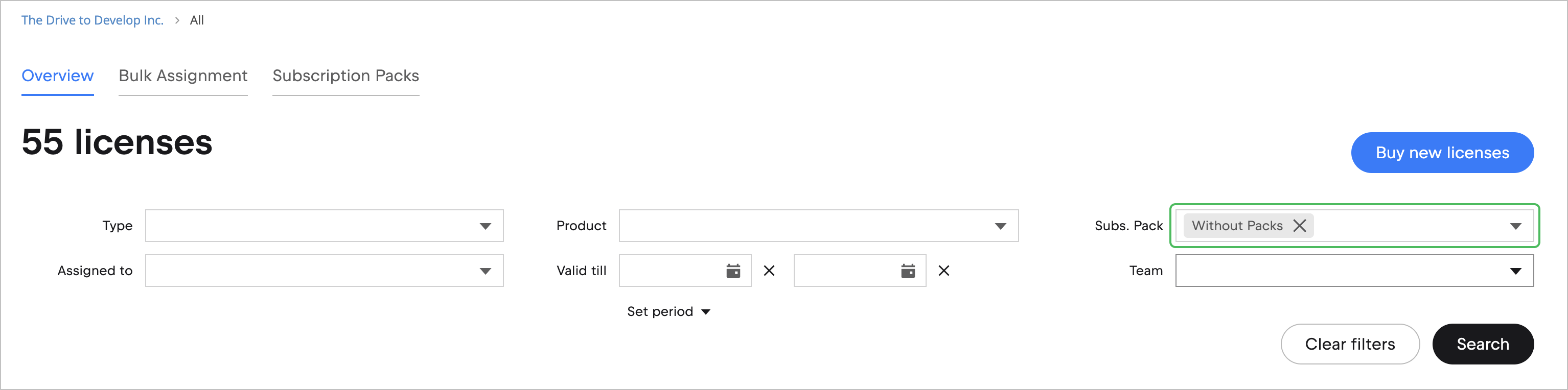
In the filtered subscription list, find and select the subscriptions you want to renew.
Open the Pay drop-down menu, and then Change Subscription Pack for X licenses.
In the dialog that appears, select the target subscription pack. You can either select an existing pack or create a new one.
Click Move licenses.
Subscription pack’s payment date adjustment
If you move a subscription to another pack, the pack’s payment date will update if the new subscription renews earlier. If it renews later, the payment date won’t change.
For example, let’s say your pack’s payment date is April 24, 2025:
If you add a subscription that renews on March 11, 2025, the entire pack’s payment date will move to March 11, 2025.
If you add a subscription that renews on May 20, 2025, the pack’s payment date won’t change.The new subscription will be co-termed with the rest of the pack at the next renewal.