Licensing and subscriptions
Junie is powered by the JetBrains AI service which connects you, as a product user, to different external large language models (LLMs) and enables AI features.
JetBrains AI license tiers
JetBrains AI offers several license tiers: AI Free[1], AI Pro, AI Ultimate[1], and AI Enterprise[1].
The difference between license tiers lies in the quota size. Quota (also referred to as cloud credit quota or monthly quota) is a resource that regulates access to third-party LLM-powered features. Each month, you receive a certain number of AI Credits, which represent your quota. These credits are consumed when you use features that rely on external cloud models.
If you run out of AI Credits included in your subscription, you can top up your balance to continue using AI features. These Top-up AI Credits are valid for 12 months and remain available until they are used or expire.
License tier | Price | Dedicated quota | Ability to top up AI Credits |
|---|---|---|---|
AI Trial | Free | 10 AI Credits per trial period |
|
AI Free | Free | 3 AI Credits per 30-days |
|
AI Pro | $10 USD | 10 AI Credits per 30-days |
|
AI Ultimate | $30 USD | 35 AI Credits per 30-days |
|


License tier | Price | Dedicated quota | Ability to top up AI Credits |
|---|---|---|---|
AI Trial | Free | 20 AI Credits per trial period |
|
AI Pro | $20 USD | 20 AI Credits per 30-days |
|
AI Ultimate | $60 USD | 70 AI Credits per 30-days |
|
AI Enterprise | $60 USD | On par with AI Ultimate quota, or higher[2] |
|
License tiers availability
Some license tiers may be unavailable in older versions of JetBrains IDEs. For example, the AI Free license tier is only available in IDEs starting from version 2025.1 or later. The AI Ultimate[4] license tier is available in IDEs starting from version 2024.2.1; earlier versions only support AI Pro and AI Enterprise license tiers:
AI Free | AI Pro | AI Ultimate | AI Enterprise | |
|---|---|---|---|---|
IDE versions 2025.1 and later |
|
|
|
|
IDE versions from 2024.2.1 to 2025.1 |
|
|
|
|
IDE versions prior to 2024.2.1 |
|
|
|
|
In addition, these license tiers have other limitations:
The AI Free license tier is not available in Android Studio.
The AI Free license tier is not available in Community Editions of PyCharm and IntelliJ IDEA, as well as in PyCharm Unified when used for free.
The AI Pro license tier provided for free with the All Products Pack or dotUltimate subscription, as well as the AI Free license tier, cannot be activated if the IDE license is obtained via the License Server.
The AI Free and AI Ultimate license tiers are only available in the serviceable territories, with the exception of Mainland China for now.
Get the JetBrains AI license
Sign up for a trial
To access the JetBrains AI service, you need to acquire a license. Before acquiring one, you can sign up for a limited trial that includes 30 days of AI Pro usage.
To start a trial:
Log in to your JetBrains Account.
Open the IDE where you want to try Junie.
Install Junie.
Once installed, open the Junie tool window and click Start Free Trial.
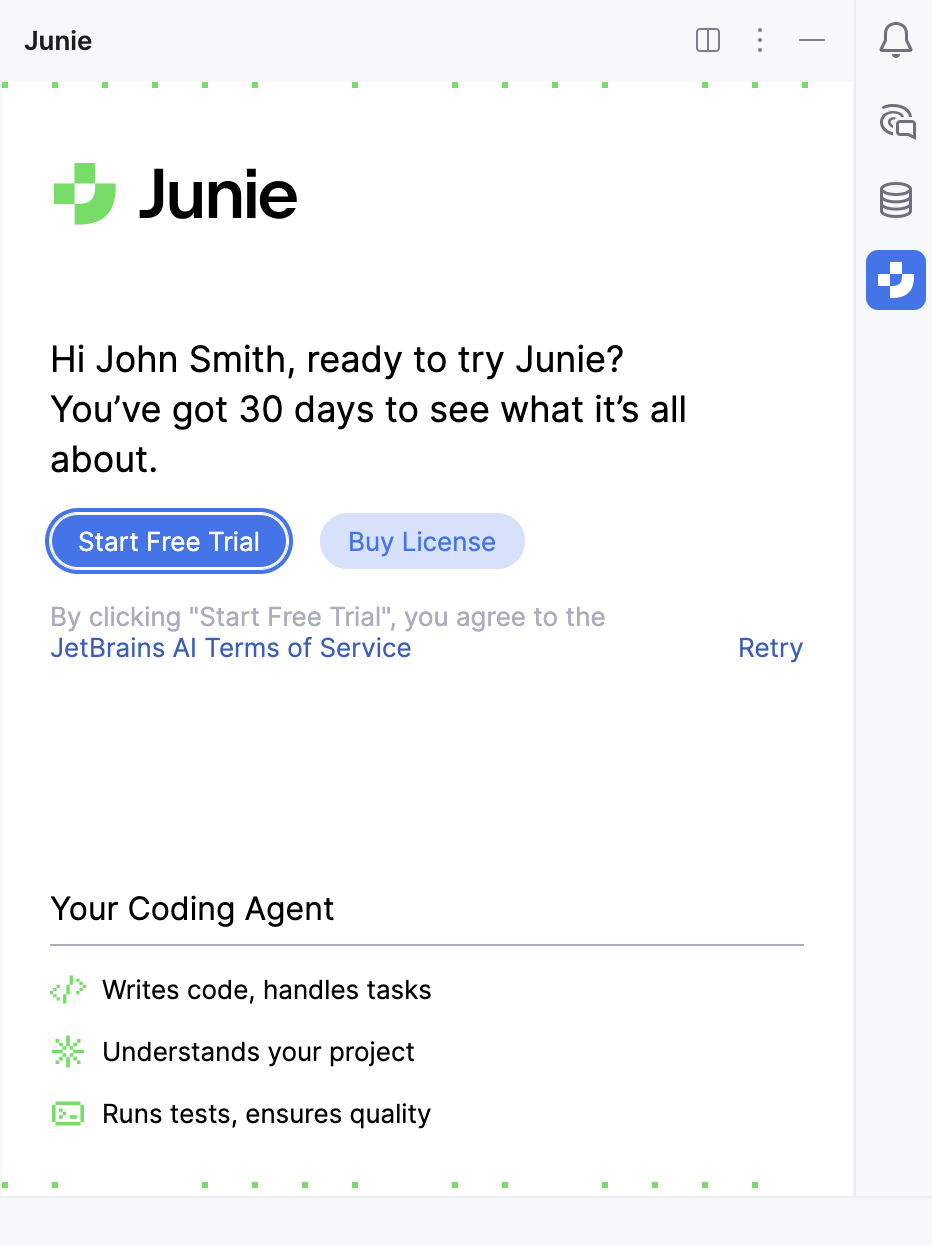
In some cases, you may be asked to link a credit card to your JetBrains Account. If prompted, in your account, navigate to Payment Methods, click Add credit card, and provide the required information.
After this, your free trial will be linked to your JetBrains Account. Once it expires, you can either switch to a paid license or you will be moved to the AI Free tier.
Acquire the license
To acquire the JetBrains AI license:
Log in to your JetBrains Account.
Navigate to the AI in IDEs webpage.
Select the license tier you want to acquire and proceed to checkout.
On the eStore Order Checkout page, enter all required information, and submit your order.
Once the order is processed, the purchased JetBrains AI license will be linked to your JetBrains Account.
Contact support
If you need any help regarding your license, you can contact our support team.
Manage multiple JetBrains AI licenses
To manage multiple licenses, use the AI Assistant's AI Chat tool window.
In the AI Chat tool window, click the
 Options button.
Select the Manage License option from the list.

This opens a License pane where you can review the license details:
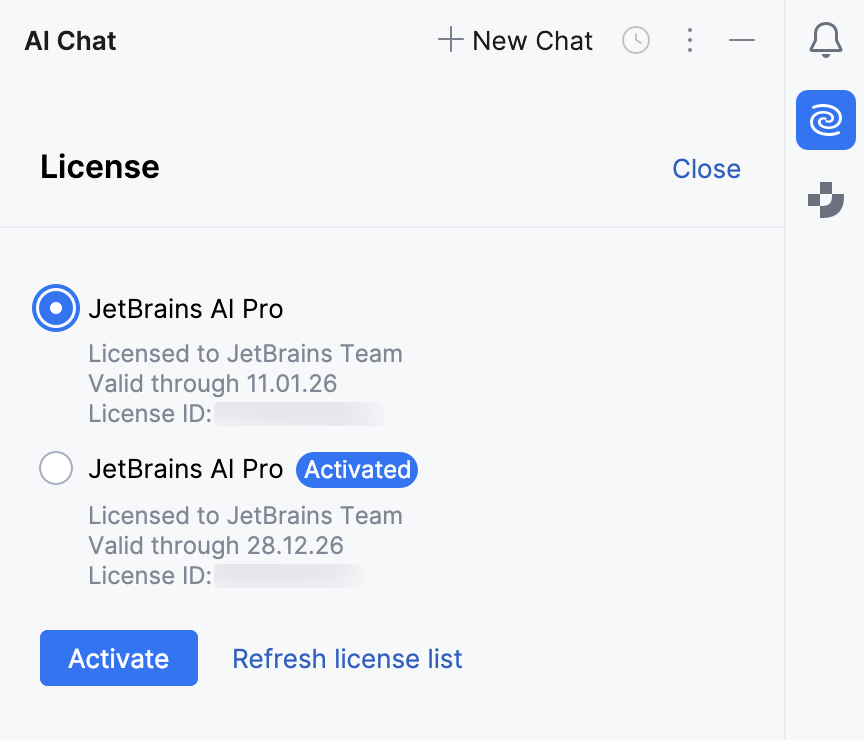
If you have multiple licenses, you can choose the one you want to use by selecting it from the list and clicking Activate.
To refresh the list of licenses, click Refresh license list.
Manage Top-up AI Credits
You can manage your Top-up AI Credits through the  JetBrains AI widget directly in your IDE or in JetBrains Account settings.
Using the JetBrains AI widget
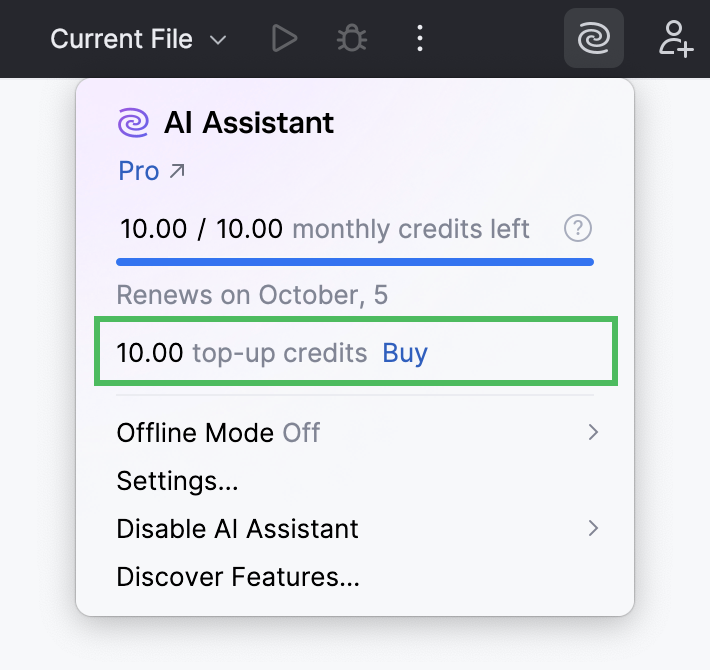
The JetBrains AI widget located in the window header toolbar lets you quickly purchase additional Top-up AI Credits and track your usage.
Add Top-up AI Credits
Click Buy near the top-up credits counter.
On the eStore Order Checkout page, specify the number of Top-up AI Credits you want to purchase.
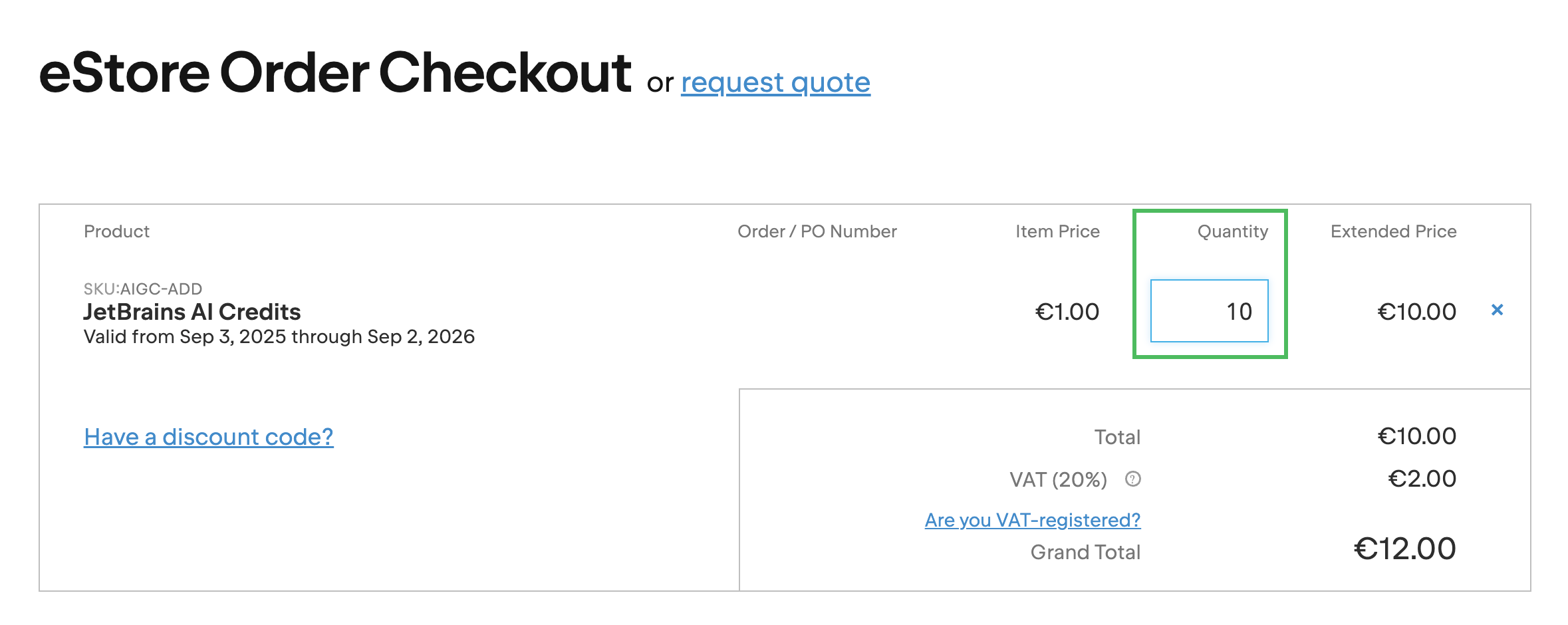
Provide any other required information and submit your order.
Track Top-up AI Credits usage
The top-up credits counter shows how many Top-up AI Credits you currently have, with an option to add more, if needed.
Using JetBrains Account
In the settings of your JetBrains Account, you can purchase Top-up AI Credits and view usage information.
Add Top-up AI Credits
Log in to your JetBrains Account.
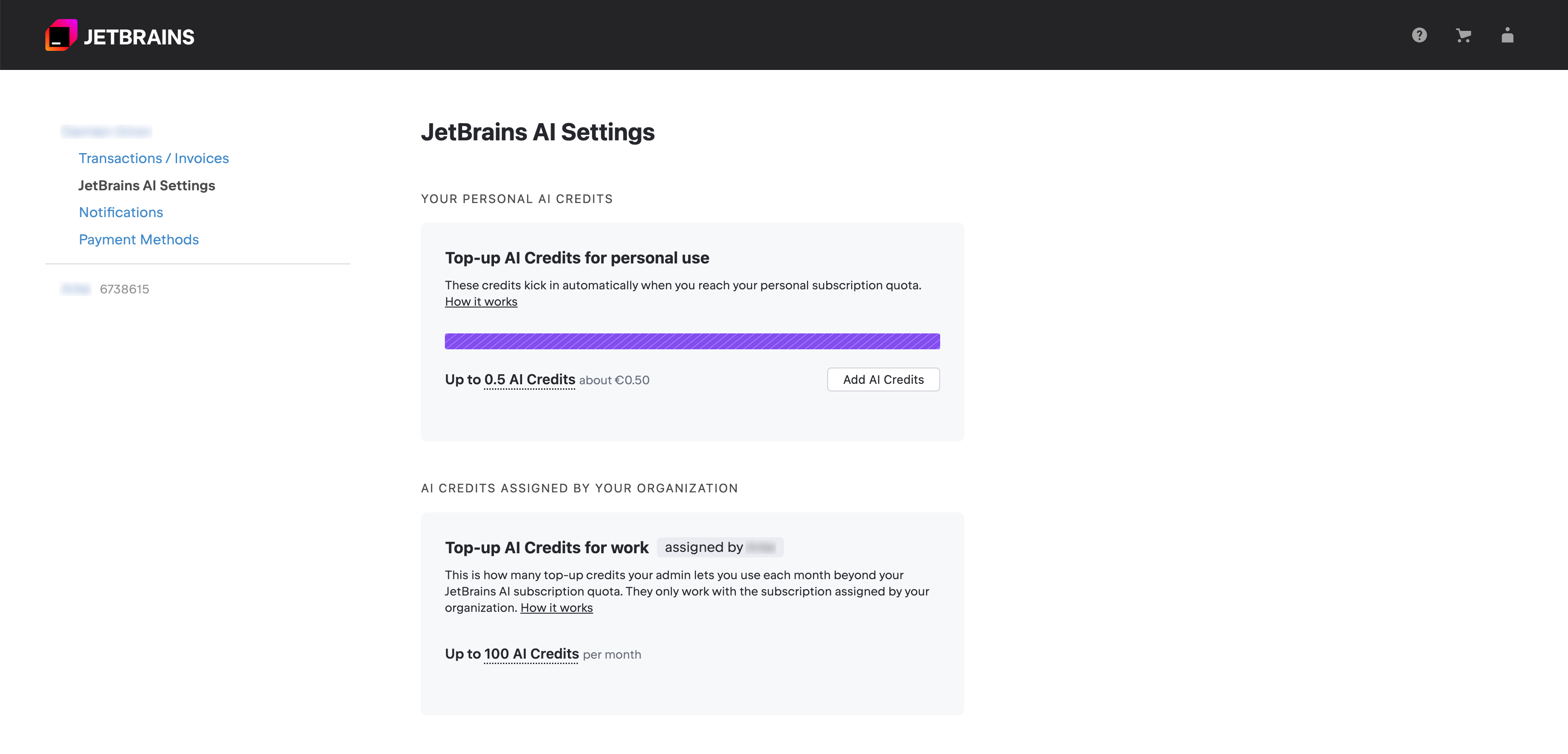
Navigate to the JetBrains AI Settings section.
In the Top-up AI Credits for personal use card, click the Add AI Credits button.
Pass eStore Identification and proceed to checkout.
On the eStore Order Checkout page, specify the number of Top-up AI Credits you want to purchase.
Provide any other required information and submit your order.
Track Top-up AI Credits usage
Log in to your JetBrains Account.
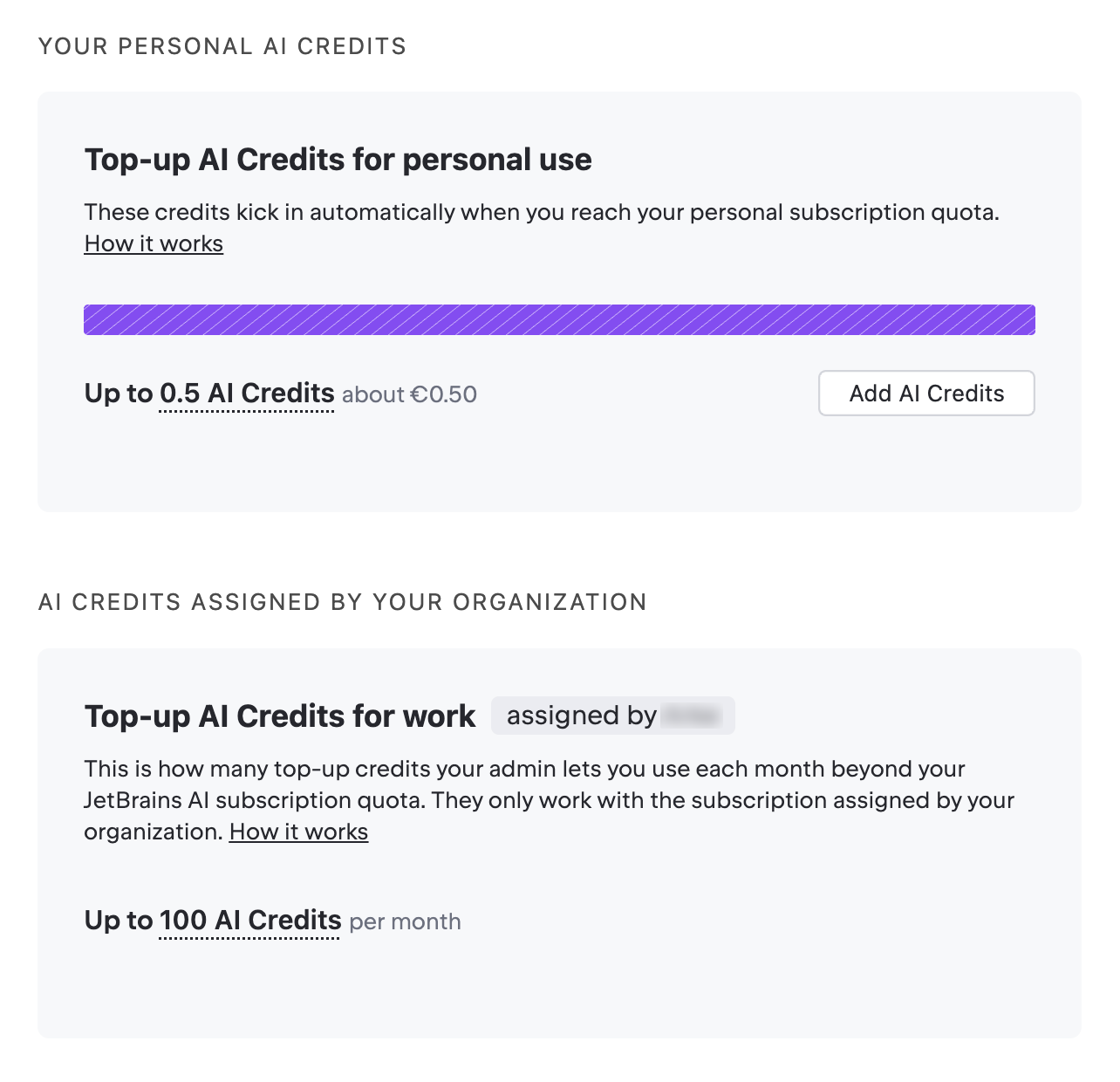
Navigate to the JetBrains AI Settings section.
Review the Top-up AI Credits for personal use and Top-up AI Credits for work cards. The upper card displays your personal AI Credits, while the lower one displays AI Credits assigned to you by your organization.
Add Top-up AI Credits
Log in to your JetBrains Account.
Switch to your organization.
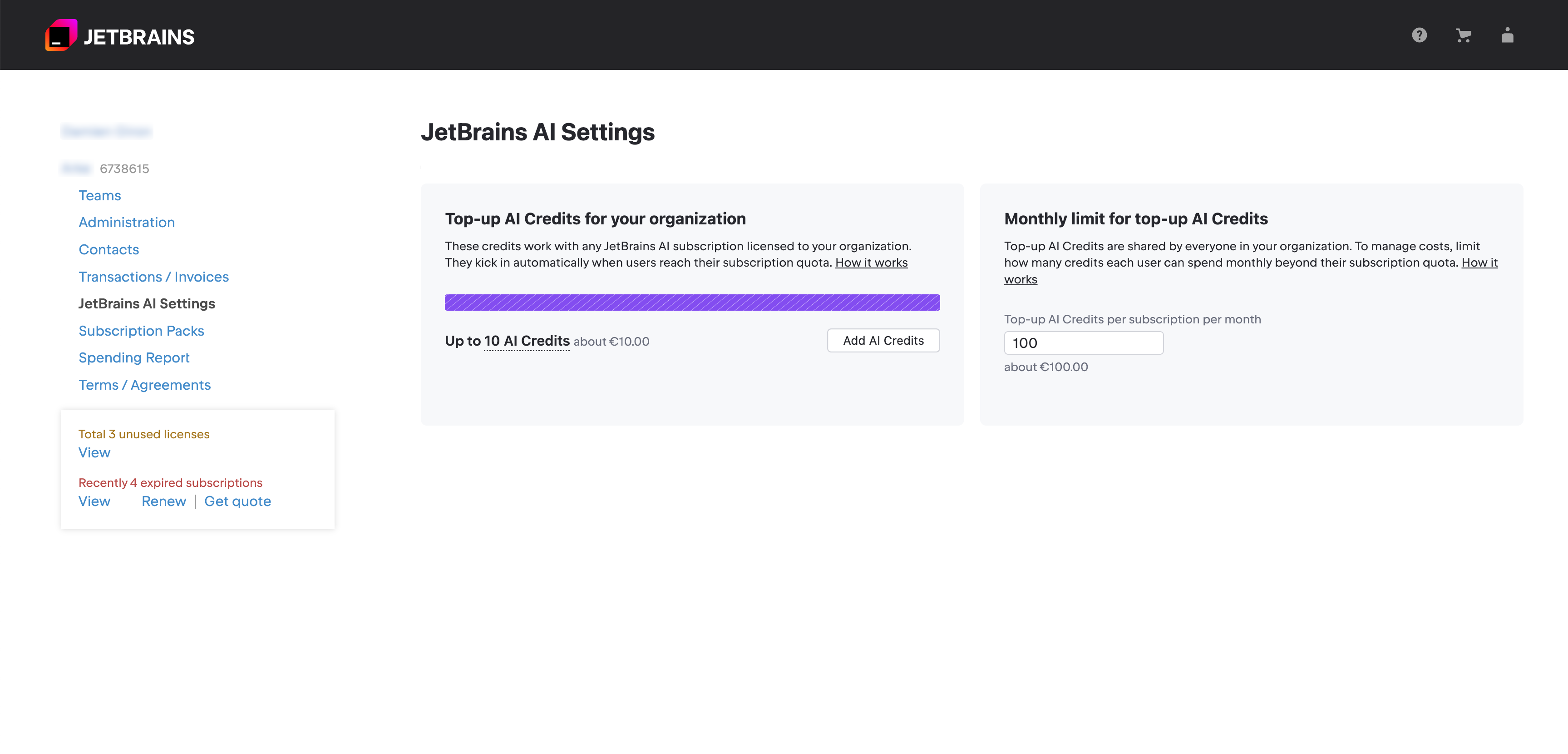
Navigate to the JetBrains AI Settings section.
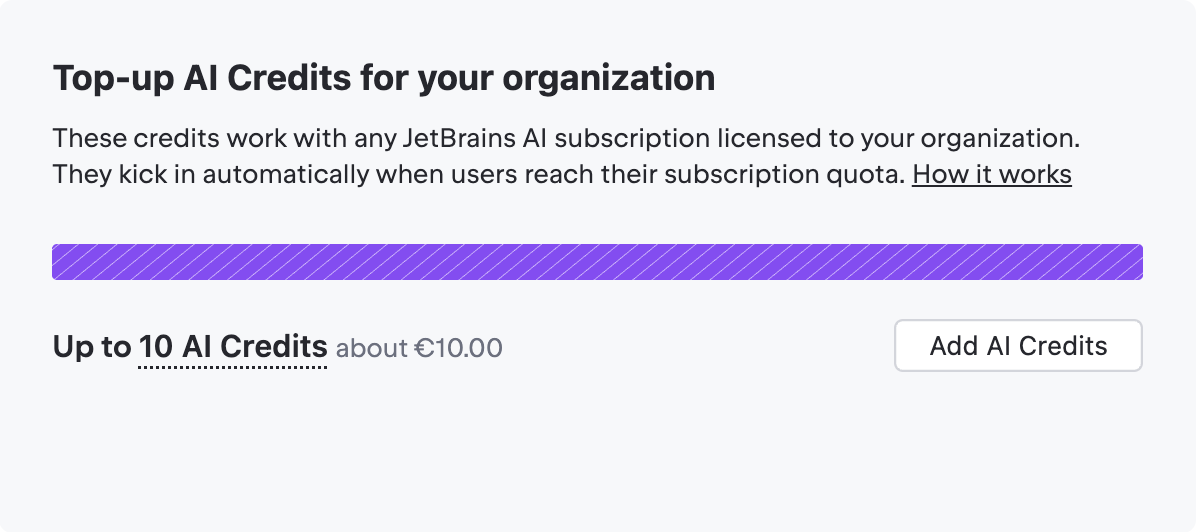
In the Top-up AI Credits for your organization card, click the Add AI Credits button.
Pass eStore Identification and proceed to checkout.
On the eStore Order Checkout page, specify the number of Top-up AI Credits you want to purchase.
Provide any other required information and submit your order.
Limit the use of Top-up AI Credits
Log in to your JetBrains Account.
Switch to your organization.
Navigate to the JetBrains AI Settings section.
In the Monthly limit for top-up AI Credits card, specify how many Top-up AI Credits can be used in a month per subscription.
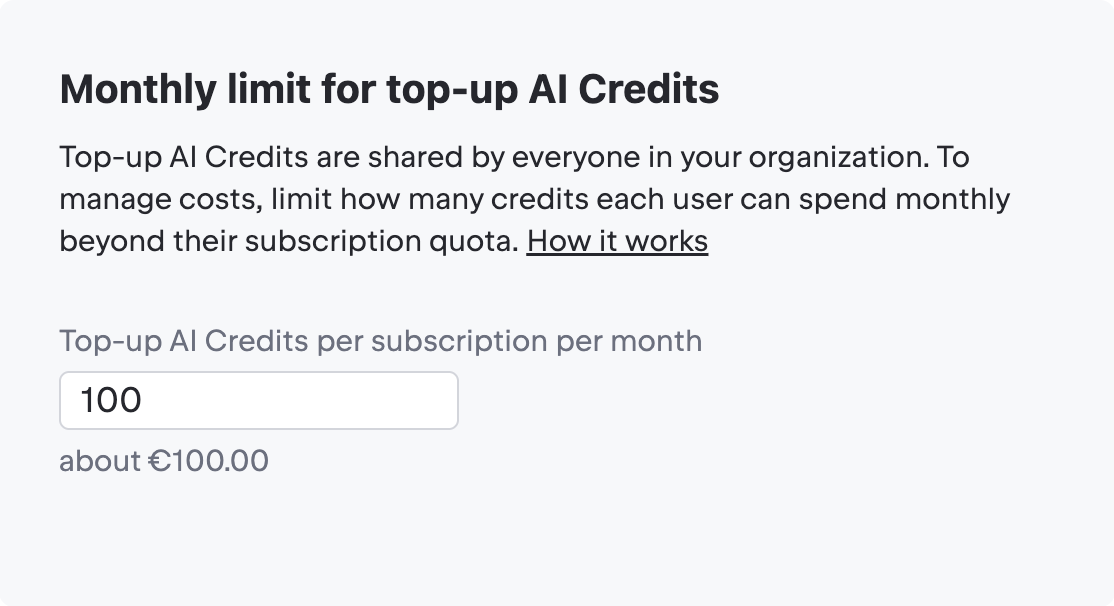
Click Save to apply the changes.
Track Top-up AI Credits usage
Log in to your JetBrains Account.
Switch to your organization.
Navigate to the JetBrains AI Settings section.
Review the Top-up AI Credits for your organization card. It displays the number of Top-up AI Credits available to your organization.
Review Top-up AI Credits usage report
At the beginning of each month, you receive a report with details of your Top-up AI Credits usage for the previous month. The report is sent to the email address associated with your JetBrains Account.
The report provides various details, but the following fields are the most important for interpreting your Top-up AI Credits usage:
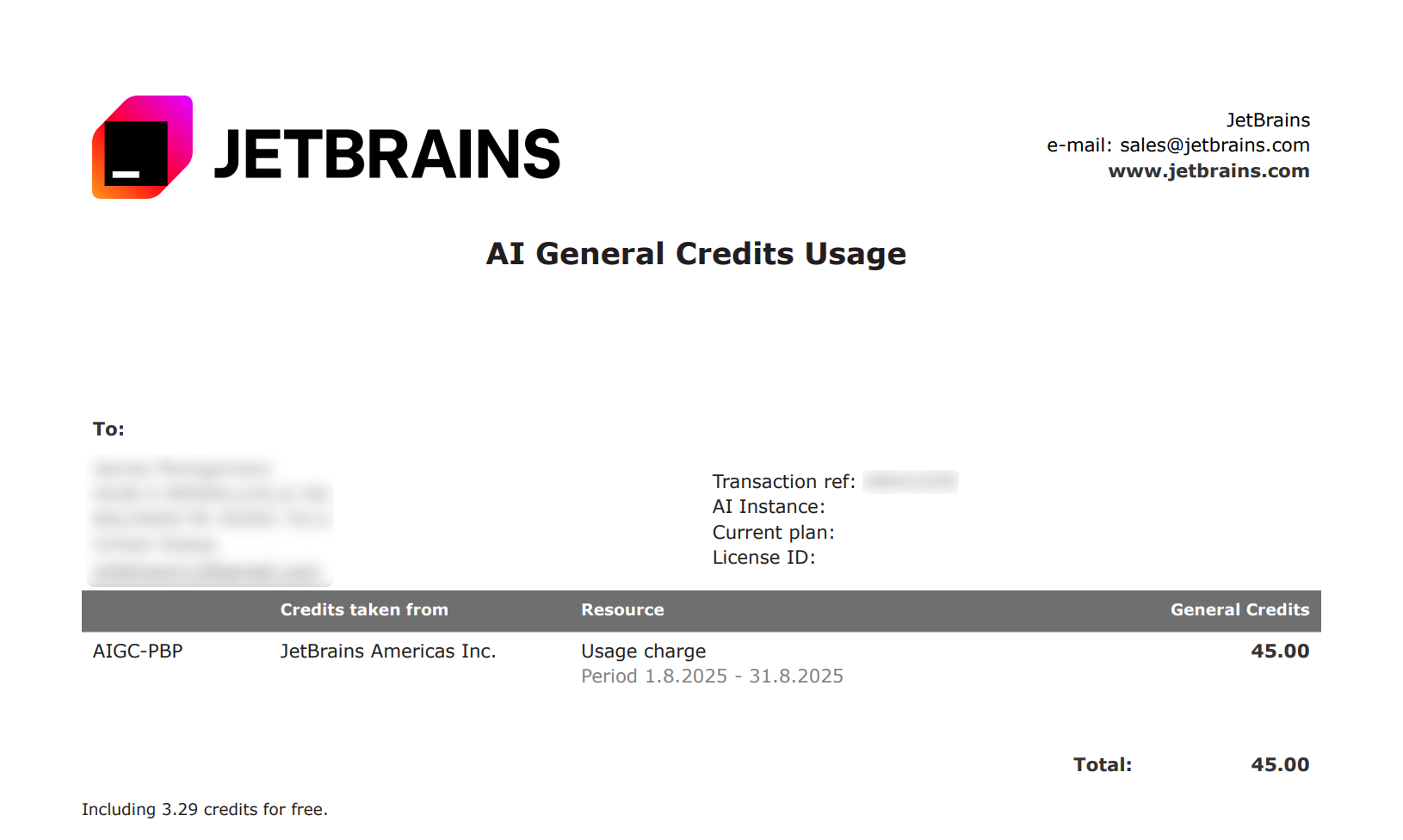
Period – the date range covered by the report.
Total – the total number of Top-up AI Credits spent during the specified period. Only purchased Top-up AI Credits are counted.
Including credits for free – the number of Top-up AI Credits spent that were obtained at no cost through discounts or promotional offers.
Quota and AI Credits FAQ
- What are quotas and AI Credits?
Quota is a monthly resource measured in AI Credits, which are consumed when you use features powered by external cloud models.
The number of AI Credits available to you matches the price of your subscription. Each AI Credit corresponds to $1 USD charged in your local currency.
- How much usage do I get from one AI Credit?
One AI Credit roughly allows you to use Junie for processing:
~8 prompts using the GPT-5 cloud model, with Think More/Smarter mode disabled.
~3 prompts using the Claude Sonnet cloud model, with Think More/Smarter mode disabled.
- When does my quota renew?
The quota reset occurs every 30 days from the date when you first used your JetBrains AI license.
- How is quota usage calculated?
Quota usage is calculated dynamically for each interaction based on several factors, primarily the number of tokens used — units of text from both your input and the AI’s response. Since token usage can vary depending on the length, complexity, and context of a request, the quota cost may differ from one interaction to another.
- How can I track my quota usage?
Quota usage can be tracked in the
JetBrains AI widget located on the toolbar in your IDE's window header. The dialog shows the progress bar with the remaining quota and the number of days until the quota resets.
The monthly credits left counter shows how many AI Credits you have left out of your subscription quota. The progress bar reflects overall usage and decreases as you use cloud-based features. The date under the progress bar indicates when the monthly quota resets.
Alternatively, you can track quota usage in the Junie tool window. To do so, click the
Options button and select License Info from the list. The License information dialog that opens will show the available quota in percentage and license info.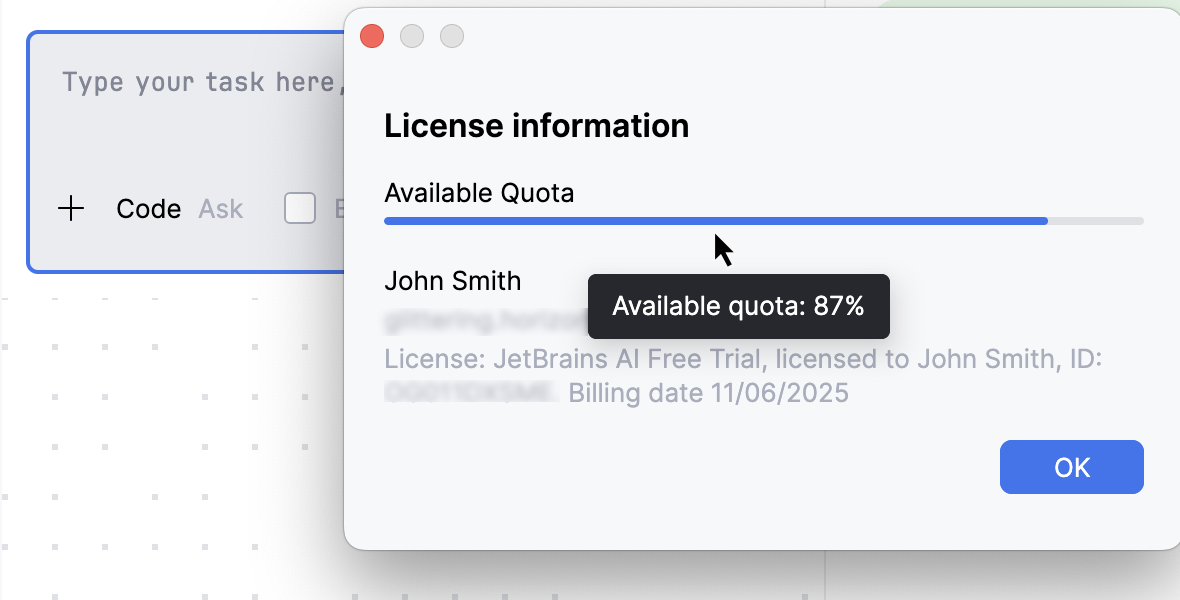
- What to do if the quota usage limit is reached?
Once the quota for the current period is exhausted, you have the following options:
Wait for the next 30-day cycle when the quota resets.
(Trial, AI Pro, AI Ultimate) Top up your AI Credits to continue using AI features beyond your monthly quota.
Use a different license if you have multiple JetBrains AI licenses.
Upgrade to a higher tier to renew the quota. This also increases the total number of AI Credits available per 30-day period.
- What can lead to high quota usage?
Several factors can increase quota consumption:
Long follow-up threads: Using multiple follow-up tasks to a prompt causes context to grow exponentially, increasing token consumption and quickly consuming your quota.
Expensive models: Models with higher token costs consume quota faster.
How to reduce quota usage:
Break large tasks into smaller ones. Smaller and more precise tasks normally take fewer tokens because they require less context exploration and fewer requests to LLMs.
Switch to more cost-effective models.
For heavy Junie workloads, consider upgrading to the AI Ultimate license tier, which is better suited for extensive use of the plugin.
Top-up AI Credits FAQ
- What are Top-up AI Credits?
Top-up AI Credits are additional AI Credits you can purchase to continue using cloud-based AI features after the dedicated quota included in your license tier is exhausted.
You can top up you AI Credits balance in the settings of your JetBrains Account.
- How Top-up AI Credits are spent?
Junie starts using your Top-up AI Credits only after your monthly quota is fully used. They remain in use until the monthly quota is renewed. Once the new monthly quota becomes available, Junie switches back to using it. Any remaining Top-up AI Credits stay in your balance and will be used again only after the next monthly quota runs out.
- Where can I track the usage of Top-up AI Credits?
Top-up AI Credits can be tracked in the
JetBrains AI widget located in the toolbar in the window header:The top-up credits counter shows how many Top-up AI Credits you currently have, with an option to add more, if needed.
As an alternative, you can also track Top-up AI Credits in the settings of your JetBrains Account.
In addition, a report with details of your Top-up AI Credits usage for the previous month is sent at the beginning of each month.
- Do Top-up AI Credits expire?
Top-up AI Credits stay valid for 12 months from the date they were added, unless specified or agreed differently. They remain available to you until they are used or expire.
- Can I use Top-up AI Credits in other licenses?
Top-up AI Credits can be used across all JetBrains AI licenses purchased under the same customer account. This means that any Top-up AI Credits you purchased yourself can be used only for licenses you personally bought.
Likewise, Top-up AI Credits provided by your organization can be used only for licenses assigned to you by the organization.
- How are Top-up AI Credits used in an organization?
Top-up AI Credits are shared among all JetBrains AI licenses purchased by your organization. Administrators can set the limit on how much Top-up AI Credits can be used per subscription in the settings of your organization account.
- Are there any regional limitations on using Top-up AI Credits?
Currently, Top-up AI Credits are not available for use in Mainland China.