Merge Requests and Code Reviews
SpaceCode makes it easy for you and your team to review code, discuss changes, and keep track of accumulated knowledge.
A code review in SpaceCode can be associated with one or more commits, or an entire branch. Once initiated, a code review becomes a separate entity with a unique ID, allowing you and your teammates to exchange comments over specific lines of code or discuss changes in general.
SpaceCode lets you create three different types of code reviews:
Merge Request. If your team workflow requires that code is reviewed before it gets merged into the base (main, master) branch, you commit your changes to your feature branch and create a special review for these commits called Merge request. As soon as this review is successfully passed, you can then merge your branch into the base branch right from SpaceCode.
A reviewer approval of a merge request can be preset by the project admin as one of the Quality Gates mandatory requirements for merging changes into a protected branch. In this case changes cannot be merged unless they satisfy all the conditions.
Plain Code Review. This code review can be used if your team workflow implies direct commits to the unprotected main branch of the repository. You initiate a review after pushing your changes, discuss them with the reviewer(s), and make additional commits until all your changes are accepted and no further improvements are required.
File Review. You can create this code review to require changes to some specific files before these changes are actually made. Once this review is created the collaboration process is the same as with a pain code review.
Turn-based code review
In SpaceCode, a typical code review process involves two or more participants which can be divided into the following roles:
Author is a committer who usually initiates (creates) a code review or merge request for his/her commits and invites one or more reviewers to examine the changes he/she has committed.
The commit author is always considered the author of the review, no matter who has actually created the review.
Reviewer is expected to examine the changes committed by the author. Participants can discuss specific lines of code, or add general comments. As soon as all the issues are resolved, the reviewer approves the changes.
SpaceCode code review process resembles a strategy game where participants take turns when playing. SpaceCode lets you know when it's your turn to act or wait for the other participant(s) to finish what they are doing. Status indicators for each of the participants reflect whose turn it is at any moment.
Code review example
Let's take a look at a typical code review with two participants: Travis the Author and Andrea the Reviewer.
Travis has added a file to the repository and now wants Andrea to check if his code is okay.
Travis clicks
 on the top right corner, chooses Code Review, finds his commit and creates a code review for it.
Next, Travis adds Andrea to the code review as a reviewer. As a result, Travis's status is set to Waits for a response, meaning that he's waiting for a response from Andrea:
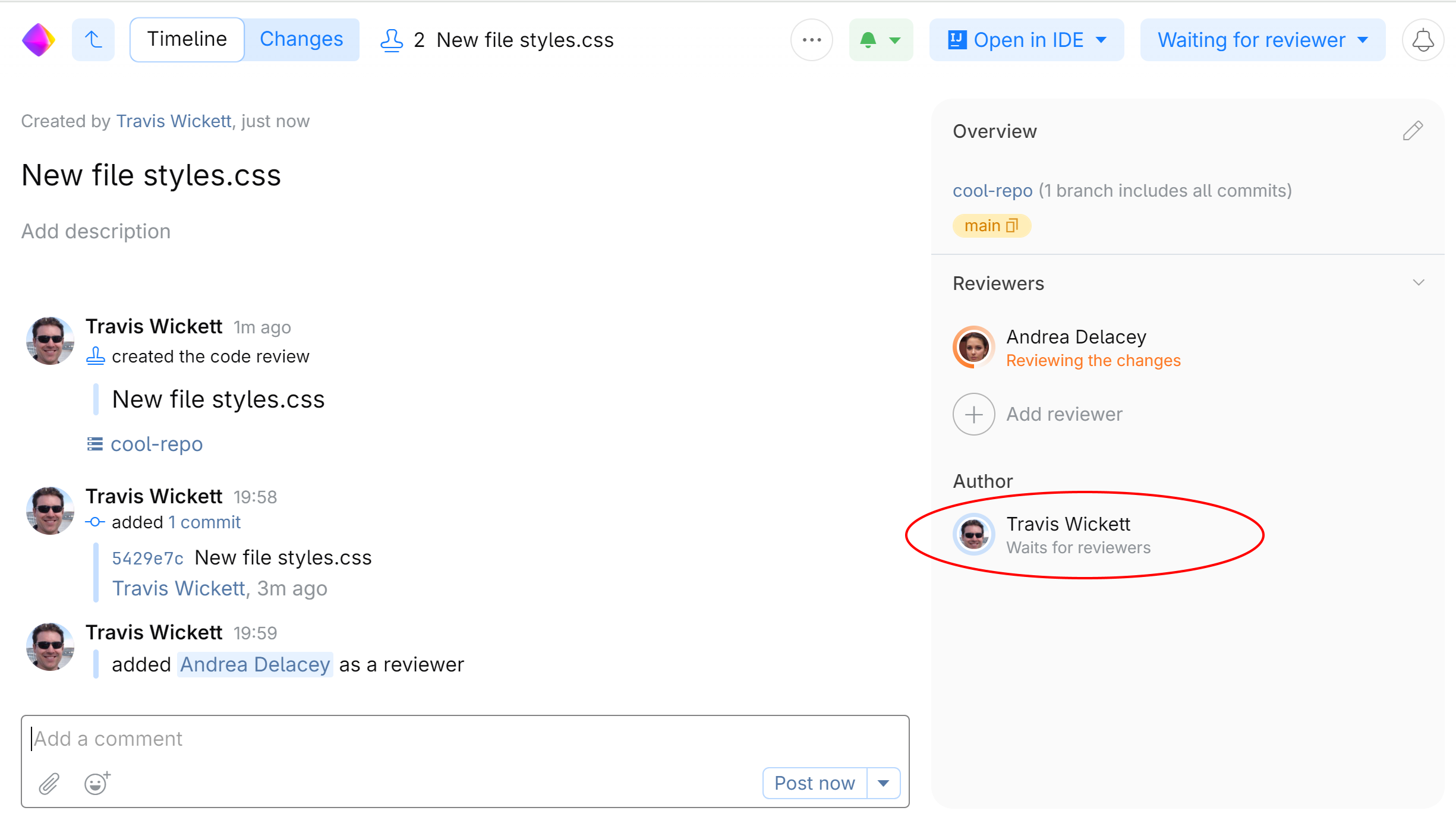
At the same time Andrea is sent a notification with a link to the review. Now it's her turn.
Andrea opens the review. Her current status is Reviewing the changes because that's what she is expected to do:
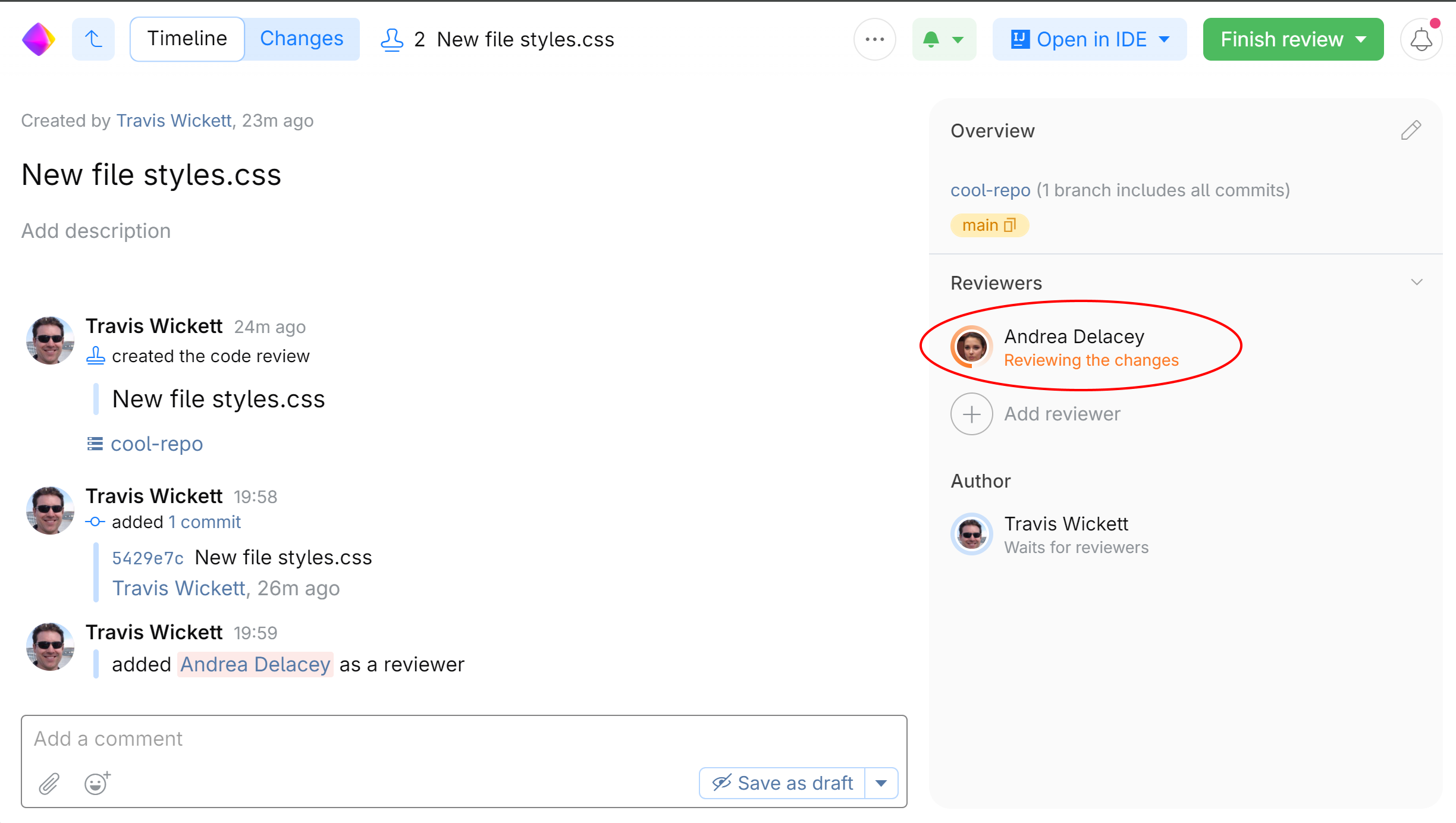
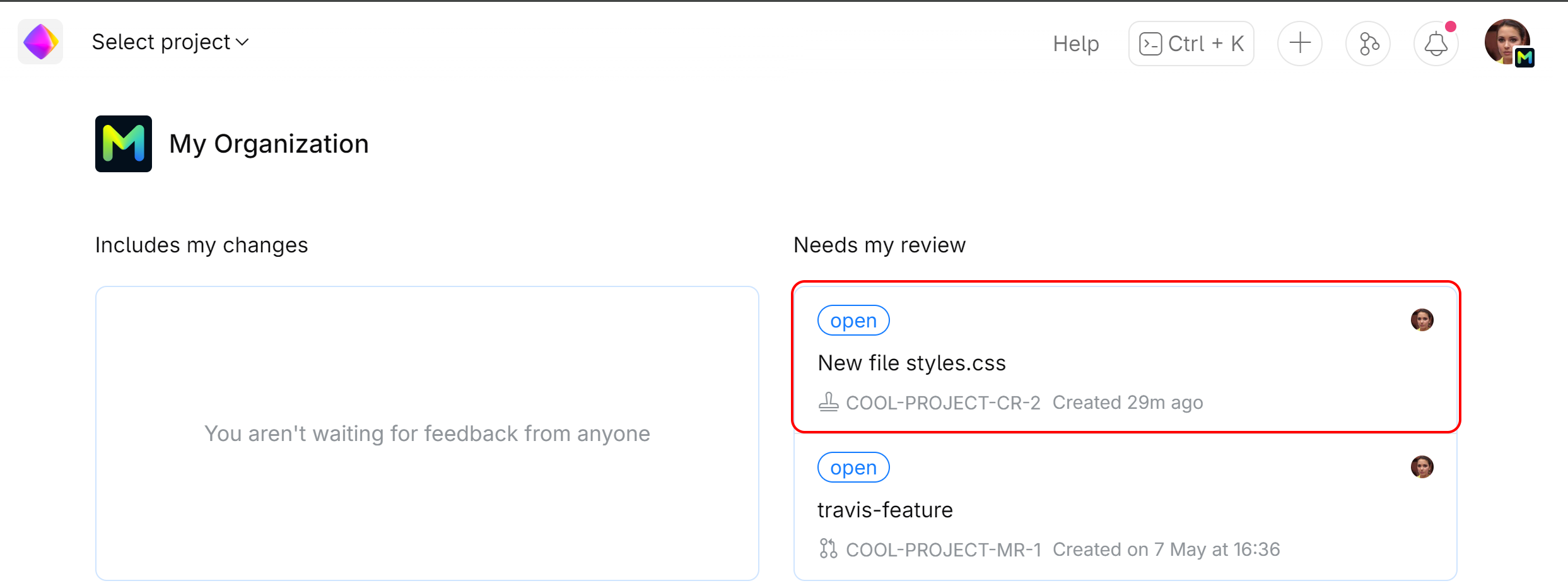
If she goes to her dashboard (home page), she will notice that a new item under Needs my review has been added to it:
Andrea goes to the Changes tab and examines the code. At this stage SpaceCode gives her a choice of either accepting the changes if everything is fine, or start a discussion and wait for response from Travis. Since she notices some issues, she writes a few comments, saving them as drafts, and clicks Submit drafts:
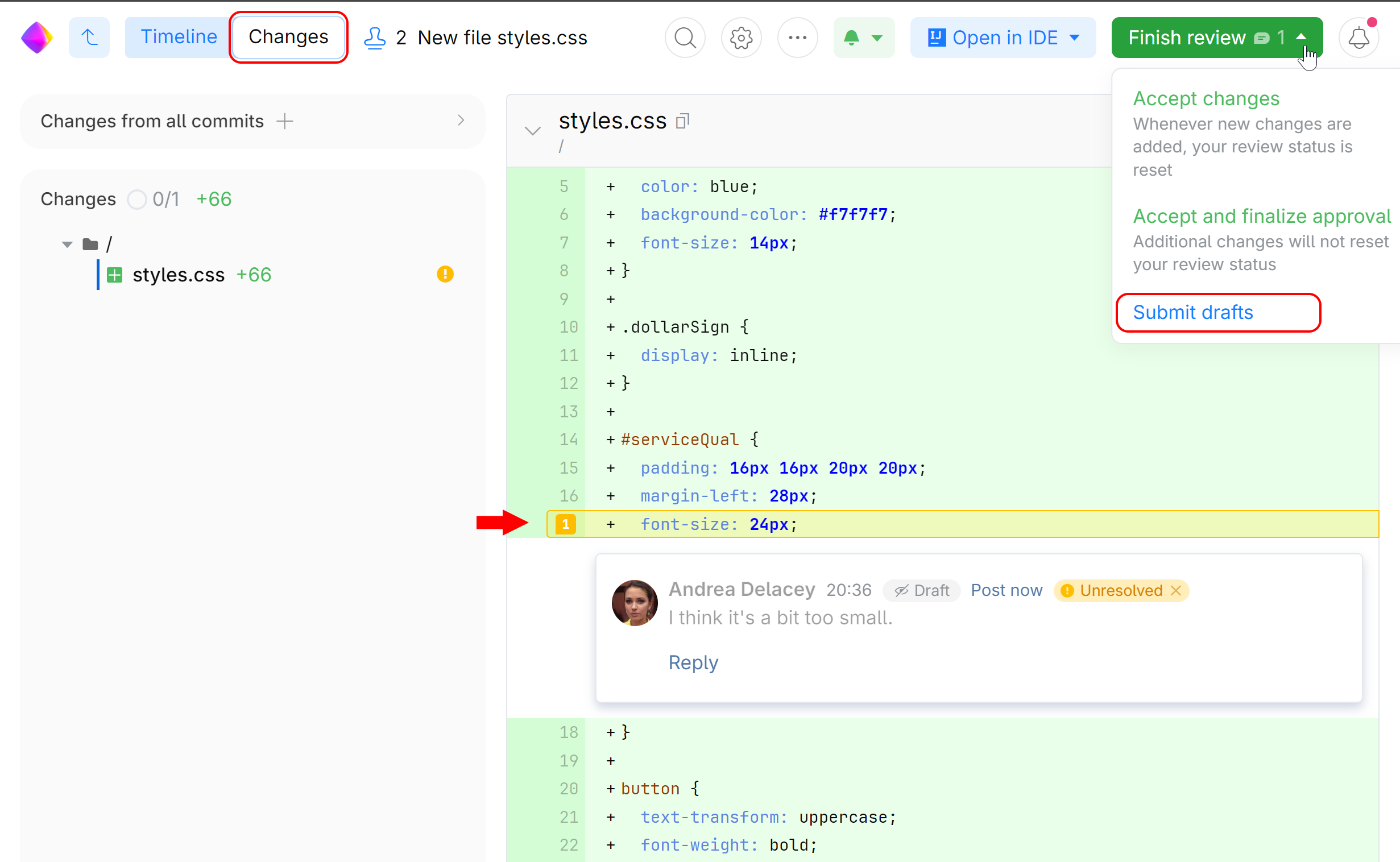
Once Andrea hits Submit drafts, the comments she saved get submitted, her status is set to Waits for updates and the turn goes back to Travis.
Now, Travis's status shows Revising the files because he's expected to respond and possibly make some improvements to his code. Travis replies to Andrea's comments, commits his fixes and attaches this commit to the review.
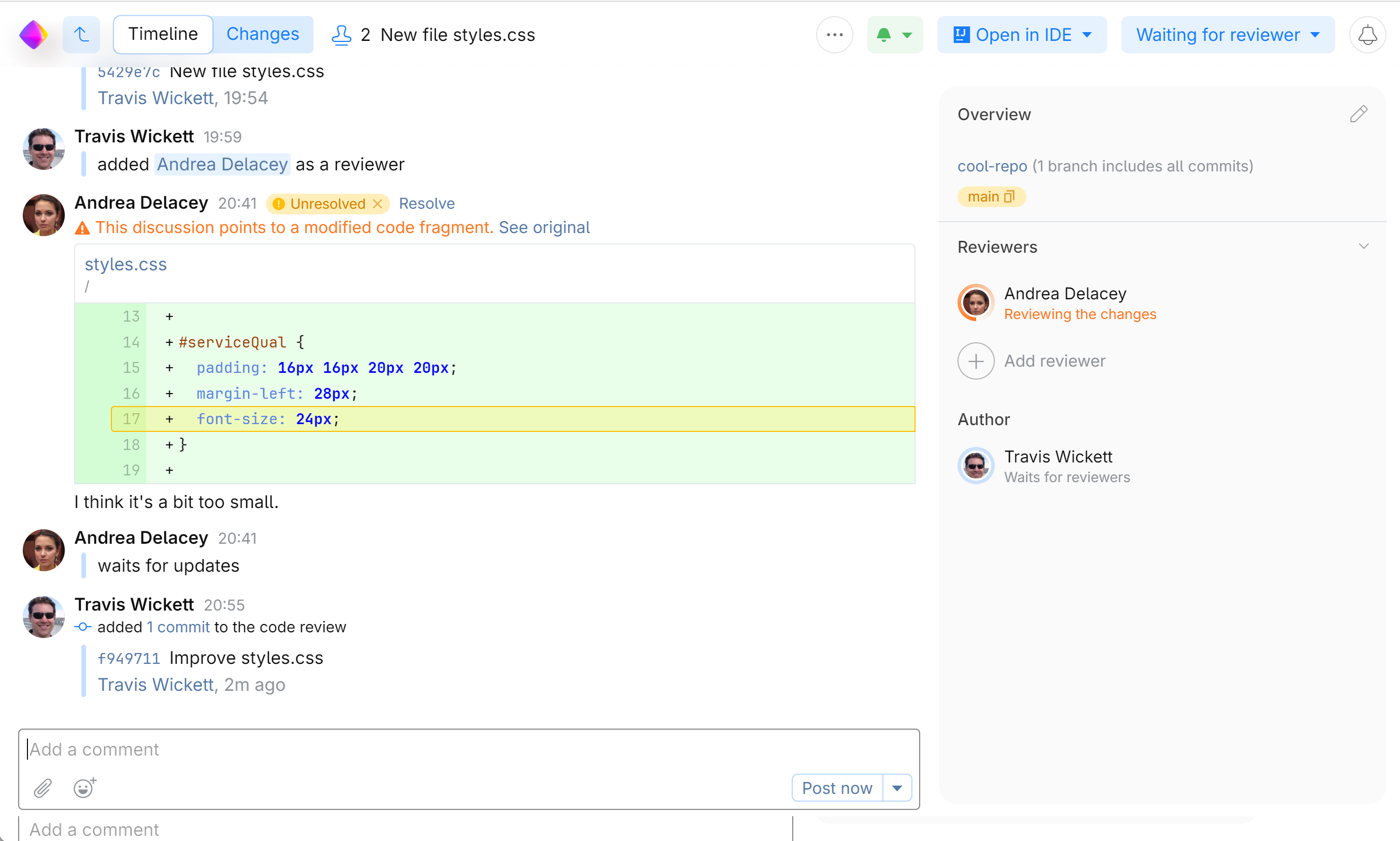
As he adds his new commit, the turn automatically goes to Andrea as Travis's status changes to Waits for updates.
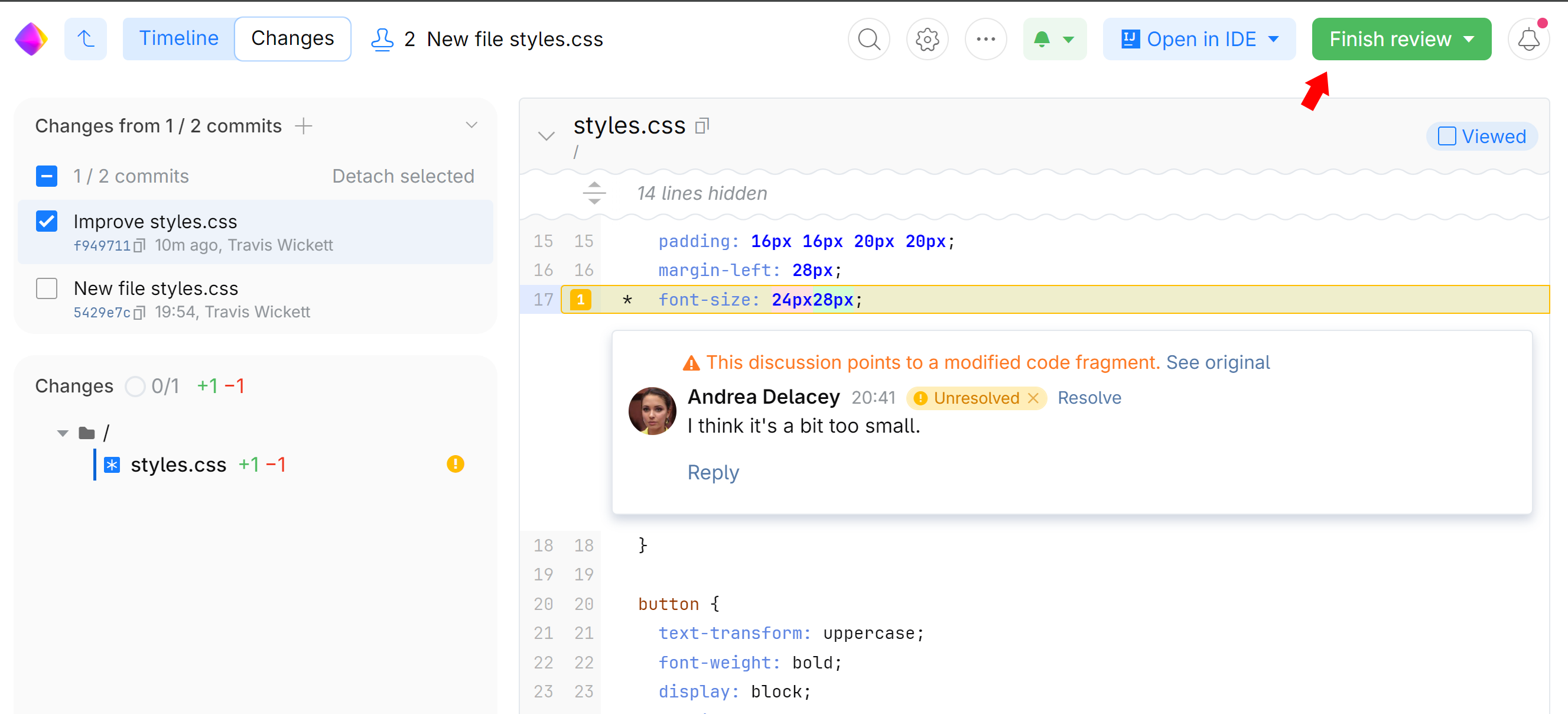
Andrea reviews the fixes. This time everything looks good, so she clicks Finish Review which also means that she accepted the changes and completed the review:
It's Travis's turn again. He sees that Andrea has accepted the changes, and since there's nothing left for him to do, SpaceCode suggests that he closes the review:
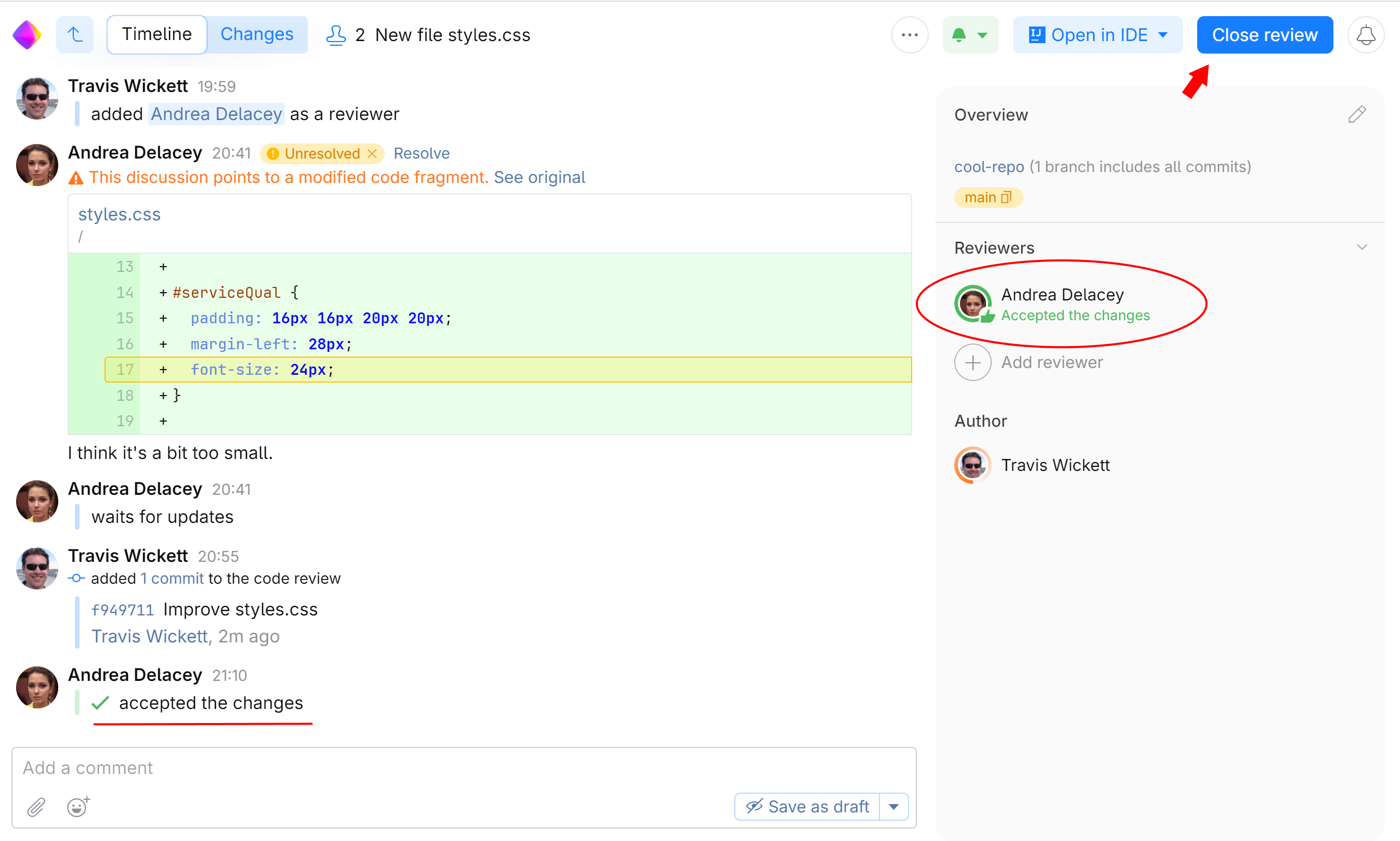
If Andrea or Travis had marked all their discussions resolved, SpaceCode would have closed the review automatically after Andrea accepted the changes.