Rider 2026.1 の新機能
Rider 2026.1 brings improved support for the .NET ecosystem and game development workflows, as well as refinements to the overall developer experience. このリリースのハイライトは以下の通りです。
任意のエージェントを組み込み可能
- ACP レジストリ: AI エージェントをワンクリックで参照・インストール。
- Git ワークツリー: 複数ブランチで同時に作業できます。あるブランチをエージェントに任せながら、自分は別のブランチで作業を続行できます。
The latest language support
- C# 14 newness, C# 15 Preview features, and more
.NET support and productivity improvements
Game development improvements
- Complete mobile development support for Unreal Engine on Android and iOS
- CMake support for C++ gaming projects Beta
- Redesigned Unity Profiler integration
- Enhanced Godot editor integration
AI
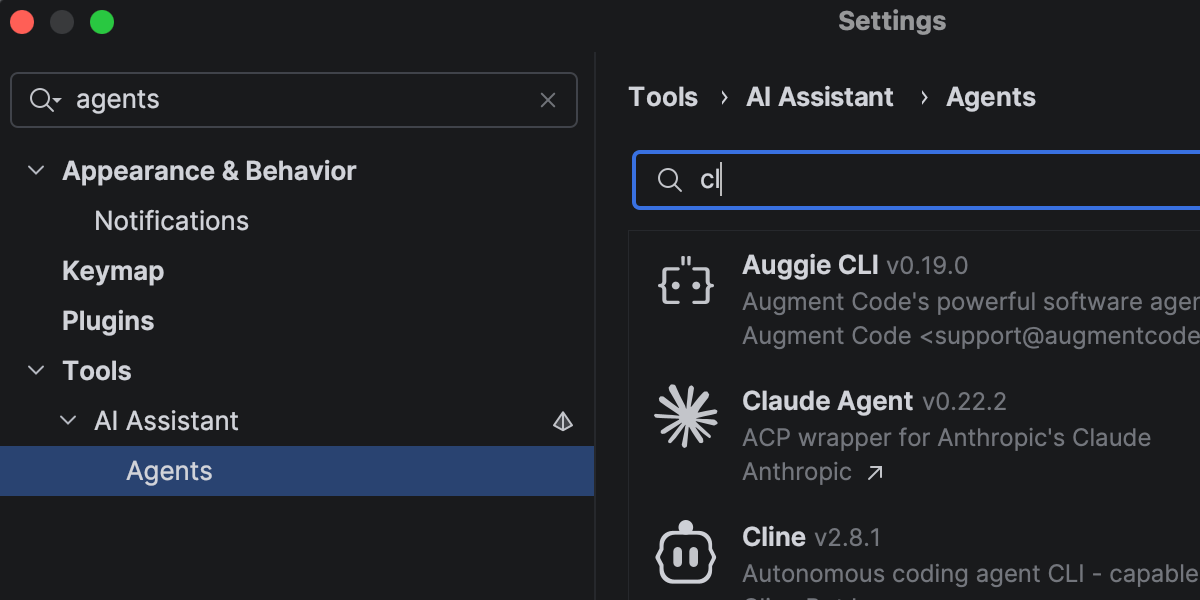
Rider はお好みの AI ツールを業務開発ワークフローに組み込めるオープンプラットフォームとして進化し続けています。
In addition to Junie, Claude Agent, and Codex in the AI chat, you can now choose from a wider range of agents, including GitHub Copilot and Cursor, and dozens of external agents supported via the Agent Client Protocol. 新しい ACP レジストリにより、使用可能なエージェントを見つけてワンクリックでインストールできるようになりました。
More improvements for working with AI agents in Rider here.
Faster solution loading and code completion
Rider 2026.1 improves performance in areas you notice during everyday work.
Opening solutions and attaching to running processes is now faster thanks to more efficient indexing of the referenced assemblies. Code completion is also more responsive, particularly for import suggestions, helping you stay in flow with fewer interruptions.
Code analysis has also been optimized, contributing to lower overall IDE overhead.
The latest language support
C#
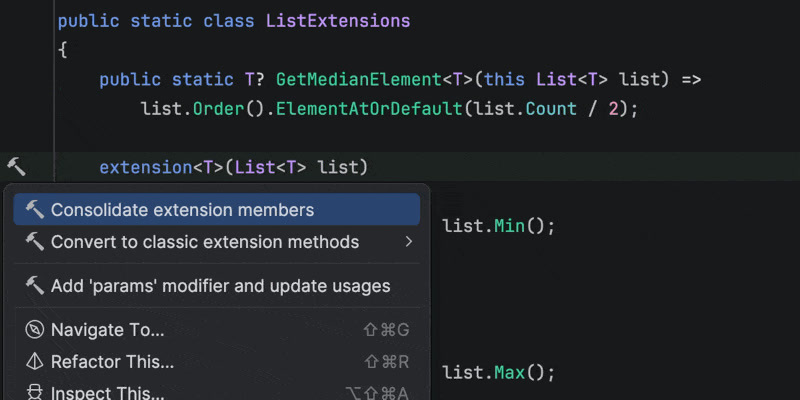
Rider 2026.1 brings improvements to code analysis, new inspections, and support for evolving language features. Enhanced support for C# extension members includes better navigation and refactorings, as well as improved quick-fixes that automatically import missing extension members when needed.
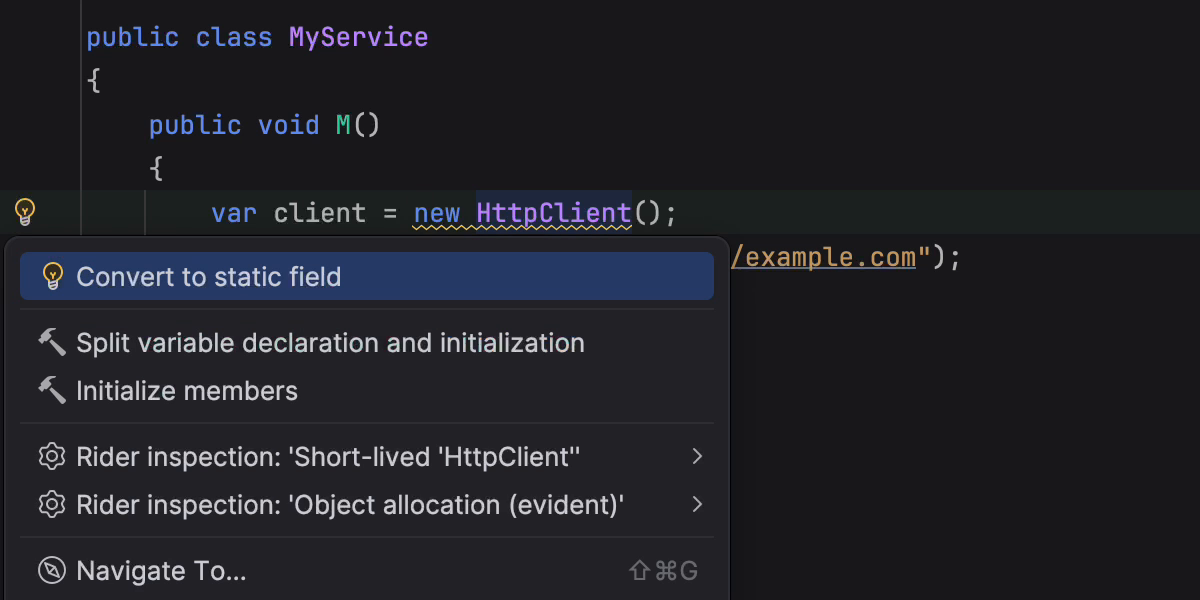
This release also introduces early support for C# 15 Preview language features, such as collection expression arguments and the [ExtendedLayout] attribute, helping you experiment with new syntax as the language evolves. In addition, several new inspections and style options help catch subtle issues, such as short-lived HttpClient instances or incorrect use of ImmutableArray<T> with collection initializers.
Rider’s C# code intelligence is powered by ReSharper. If you want to dive deeper into C# language updates, we describe them in detail on the What’s New in ReSharper 2026.1 page.
Improved debugging for F#
Rider's new Smart Step Into for F# support makes it easier for you to choose your step target. The debugger can also display return values for function calls, helping you understand program flow without adding extra logging. Stepping has been improved for async and task expressions, and multiple issues affecting F# debugging have been fixed.
For the full list of changes and fixes, see the F# plugin release notes.
.NET support and productivity improvements
ファイルベースの C# プログラムのサポート
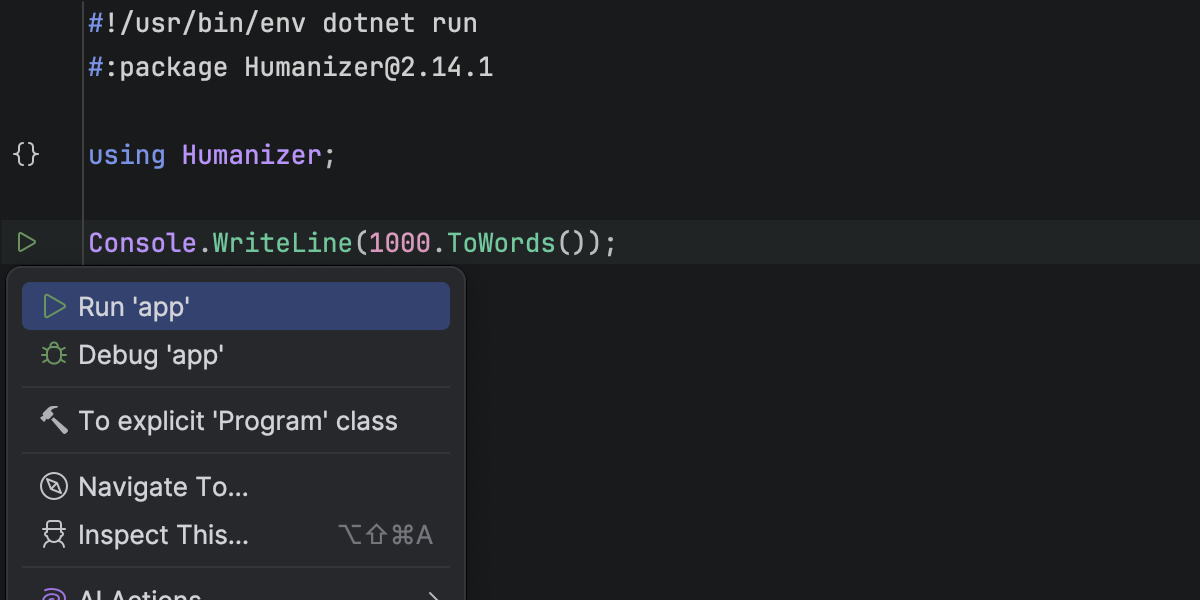
Rider now supports working with single-file C# programs that can be run using dotnet run file.cs. IDE からスタンドアロンの .cs ファイルを直接開いて実行できるため、.csproj は必要ありません。
Rider のエディターは、トップレベルのステートメント、#! shebangs, and #: directives, including #:package and #:sdk. コードハイライト、コード補完、実行マーカー、デバッグ機能のすべてを使用可能で、簡単なスクリプト、プロトタイプ、単発のツールを単体の C# ファイルとして作成することができます。
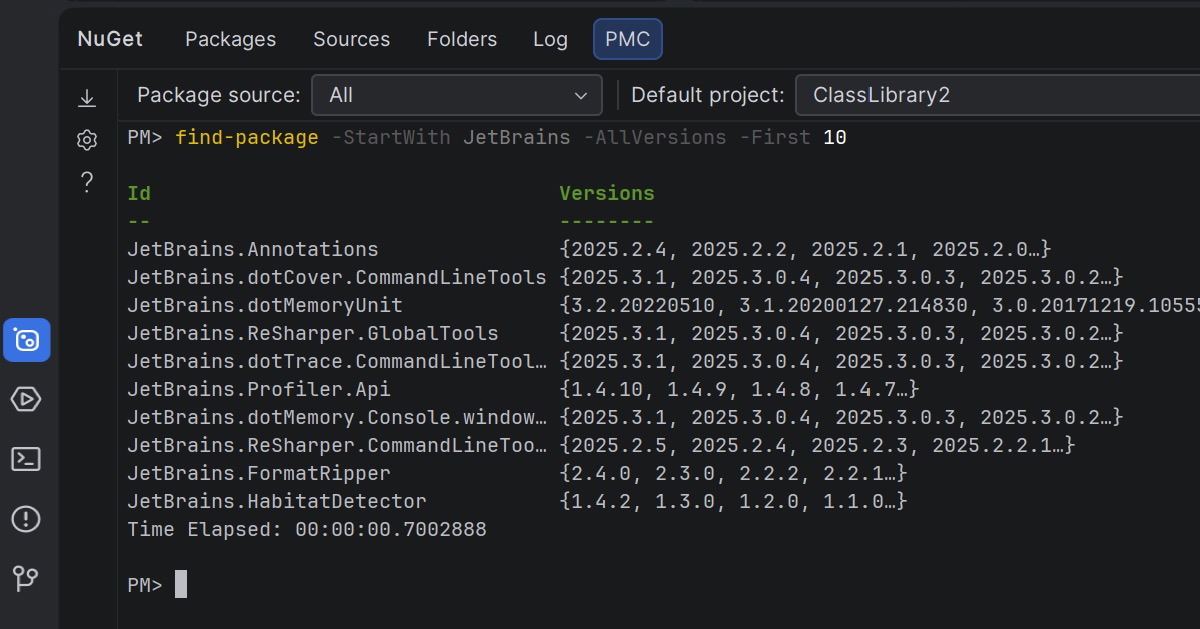
NuGet Package Manager Console Preview
Rider 2026.1 brings NuGet’s PowerShell-based workflow into the IDE, offering a Package Manager Console (PMC) that’s currently in preview.
The new console supports standard NuGet PowerShell commands, as well as commands provided by NuGet packages themselves. Entity Framework Core の PowerShell コマンドが完全にサポートされているため、Rider を離れることなく馴染みのある EF Core ワークフローを活用できます。
NuGet と Entity Framework Core のコマンドは、NuGet ツールウィンドウから実行することも、ターミナルから直接実行することもできます。 In the NuGet tool window, you can select the package source and default project using UI controls. In the terminal-based console, this context is displayed in the PowerShell prompt and can be changed using PowerShell commands.
Let us know what you think about this feature here.
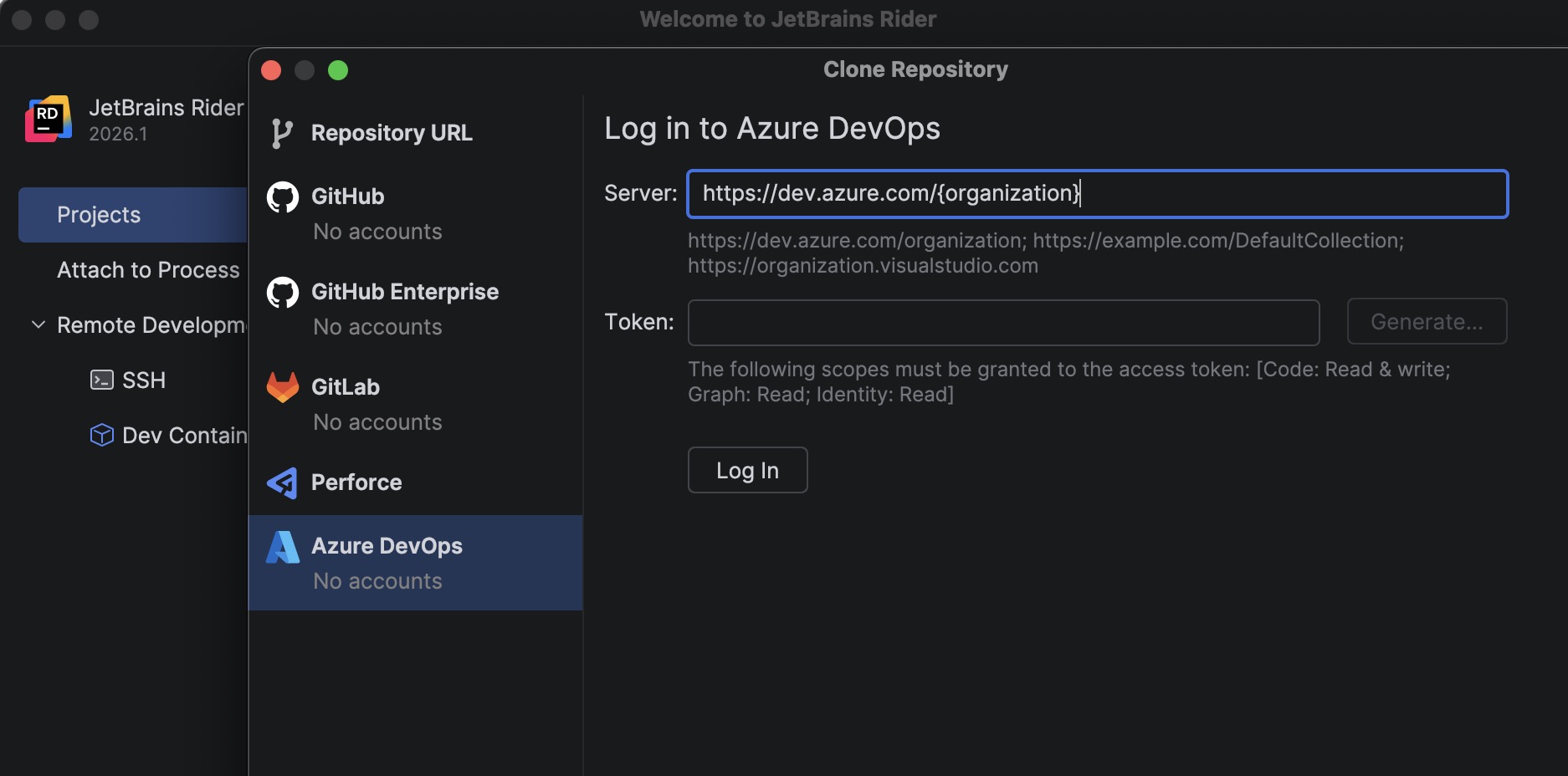
Azure DevOps: リポジトリのクローン機能
A new bundled Azure DevOps plugin allows you to clone repositories directly from Rider.
To get started, go to File | Open | Get from Version Control and select Azure DevOps from the list of providers. Rider authenticates you using a personal access token (PAT) and then displays the repositories available to your account so you can clone them directly from the IDE.
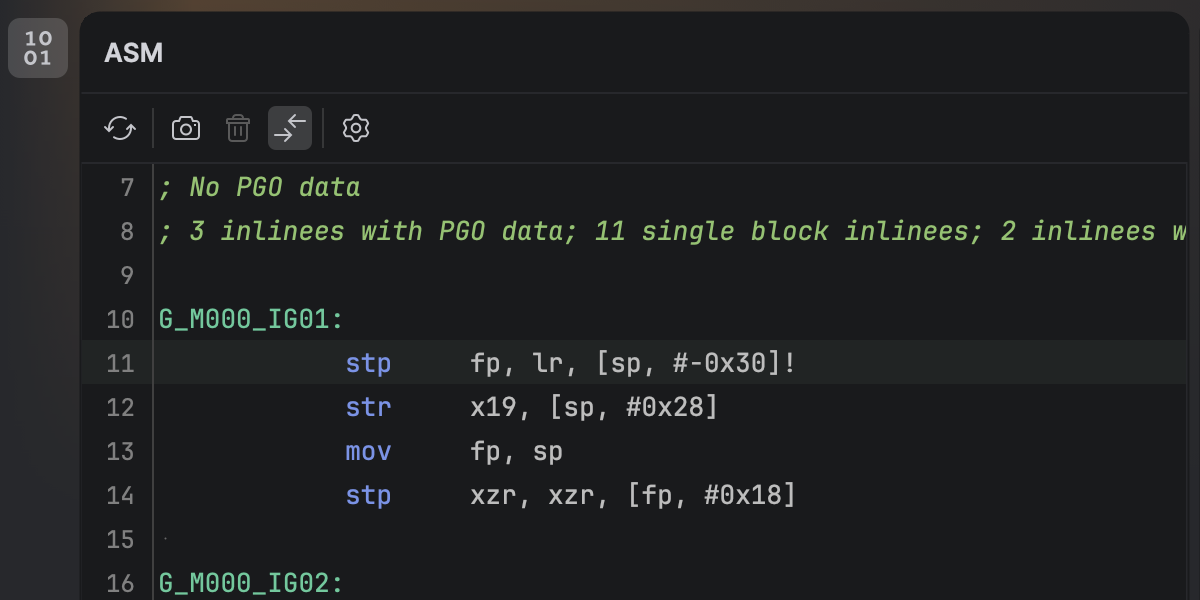
.NET 逆アセンブリビューアー
You can now view the native disassembly generated from your C# code without leaving Rider. 新しい .NET Disassembler プラグインをインストールすると、JIT、ReadyToRun、NativeAOT コンパイラーが生成した出力を新しい ASM Viewer(ASM ビューアー)ツールウィンドウ内で検査できるようになります。
Smoother MAUI iOS development workflow from Windows
Developing .NET MAUI applications for iOS from Windows requires connecting Rider to a Mac build host. Rider 2026.1 streamlines this workflow with a new setup experience that automatically prepares the remote environment.
When you connect to a Mac, Rider now verifies that the remote system has everything configured, including macOS, Xcode, the .NET SDK, and required MAUI workloads. If any components are missing, Rider can install or update them automatically, helping you get started faster.
Additionally, you can now build, deploy, and debug MAUI iOS applications from Windows more reliably. We’ve improved diagnostics and connection stability, and fixed issues that previously prevented MAUI apps from deploying to iOS simulators or Windows devices.
Game development improvements
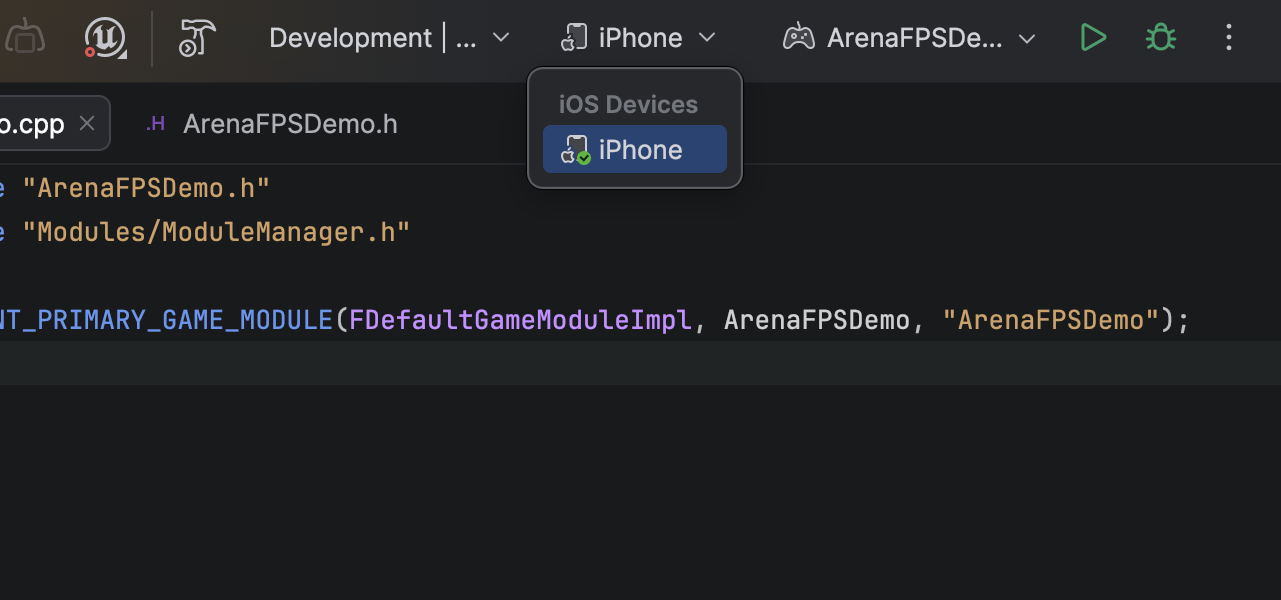
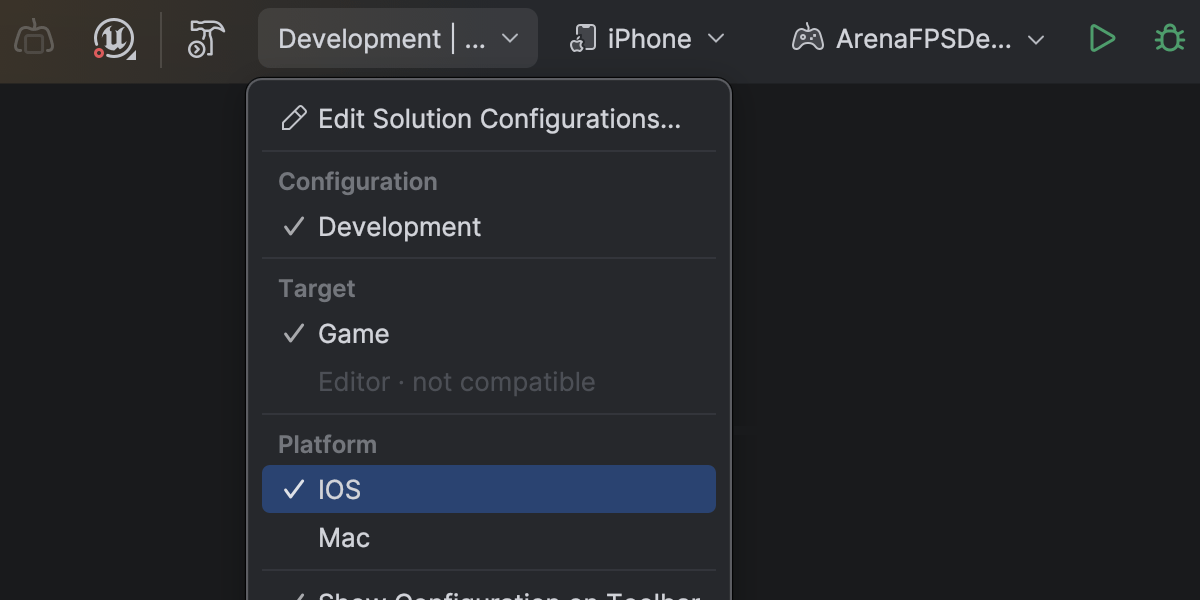
Complete mobile development support for Unreal Engine on Android and iOS
Rider 2026.1 fully supports mobile game development for Unreal Engine across both major mobile platforms. このリリースでは Rider 2025.3 で導入された Android ベースのモバイルデバイスと VR デバイス向けのデバッグのサポートが拡張され、iOS ベースのモバイルデバイスと VR デバイスもサポートされるようになりました。
On macOS, you can debug Unreal Engine games running on iOS devices directly from Rider. 使い慣れたデバッガーのインターフェースの中でブレークポイントの設定、変数の検査、コードのステップ実行、コールスタックの解析を行うことができます。
最初のプロビジョニングと署名のための Xcode の設定は、Apple の要件に従って引き続き必要となります。
Dramatically faster variable inspections for UE projects
Inspecting complex variables while debugging Unreal Engine projects is now much faster and more responsive. Expanding containers no longer slows down your debugging session, making it easier to explore object state and understand what’s happening at runtime.
This improvement comes from a rewritten parser and evaluator for Natvis expressions used by Rider’s debugger. Variable inspection with the rewritten evaluator is up to 87 times faster on warm runs and 16 times faster on cold ones, and the debugger’s memory usage has dropped to just over a third of what it was.
Get the full story of how we were able to achieve that in this blog post.
Blueprint improvements
Finding usages, event implementations, and delegate bindings across Unreal Engine Blueprints and C++ code is now more reliable, making it easier to trace how gameplay logic connects across assets.
Code Vision now supports the BlueprintPure specifier and correctly detects blueprint events implementations in Blueprints. Find Usages has also been improved and now identifies additional BlueprintAssignable delegate bindings.
Blueprint usage search now relies on the asset path instead of the Blueprint name, ensuring accurate results even when multiple Blueprints share the same name.
Rider’s C++ intelligence is powered by JetBrains ReSharper C++. For a complete overview of the C++ improvements in this release, see the dedicated What’s New in ReSharper C++ 2026.1 page.
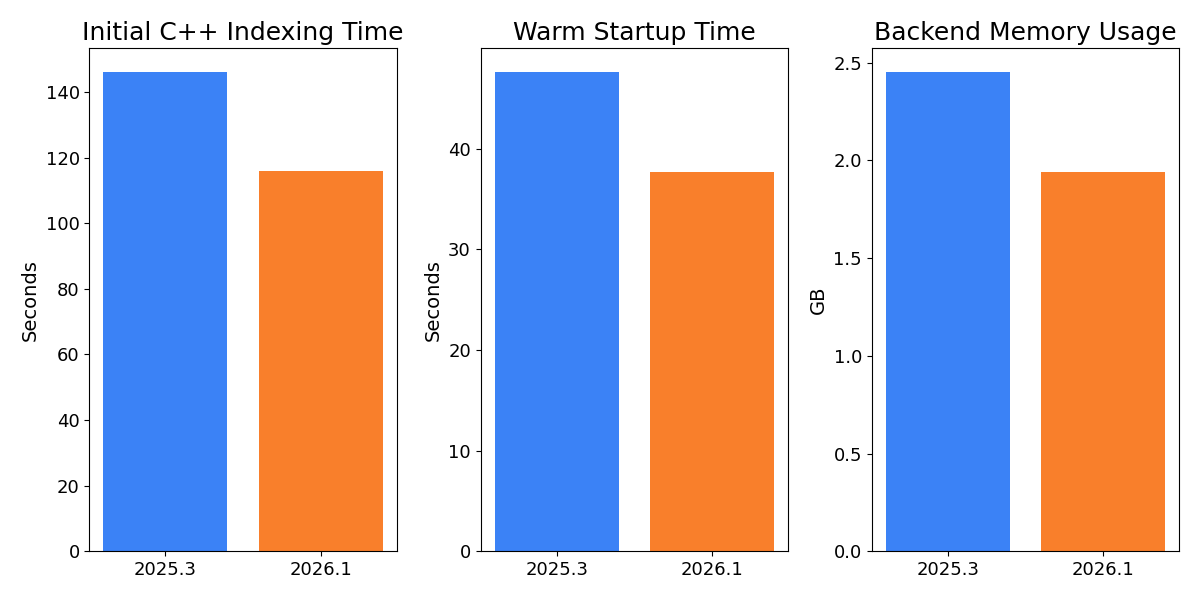
Faster indexing and lower memory usage for Unreal Engine projects
Working with large Unreal Engine codebases is now noticeably faster and more resource-efficient. In our measurements on Epic Games’ Lyra sample project, initial C++ indexing is over 20% faster, helping you get to work sooner when opening a project for the first time.
After opening an already indexed project, the backend uses approximately 14% less memory, reducing the IDE’s footprint and leaving more resources available for the rest of your workflow. Warm startup is also 10% faster, so returning to your project between sessions feels snappier.
Rider now also indexes Unreal Engine plugins by default. With the growing use of plugins in Unreal Engine projects and the recent performance gains, indexing plugins by default provides better code analysis and navigation out of the box. You can restore the previous behavior on the Language & Frameworks | C/C++ | Unreal Engine tab in Settings.
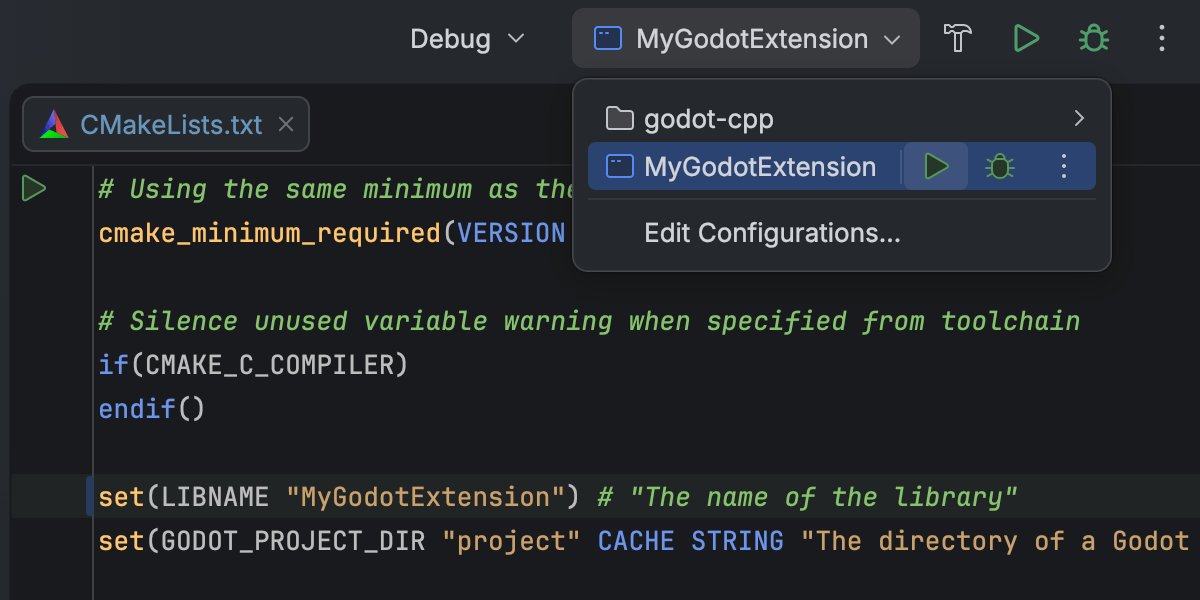
CMake support for C++ gaming projects Beta
Rider 2026.1 introduces Beta support for CMake-based C++ projects, allowing you to open, edit, and build them directly in the IDE. そのため、他のビルドシステムに切り替えることなくクロスプラットフォームプロジェクトに取り組みやすくなっています。
This initial implementation focuses on C++ workflows, including those for editing and debugging CMake configuration files. 一部のワークフローやエッジケースでは依然として改良が必要かもしれませんが、今後のリリースで引き続きパフォーマンスや互換性を向上させる予定です。 We would love for you to share your experience in this ticket.
This addition is intended to support game development workflows that rely on CMake, such as projects built around CMake-based engines or tooling. For general-purpose C++ and embedded development, CLion remains the primary JetBrains IDE.
Unity プロファイラー統合の再設計
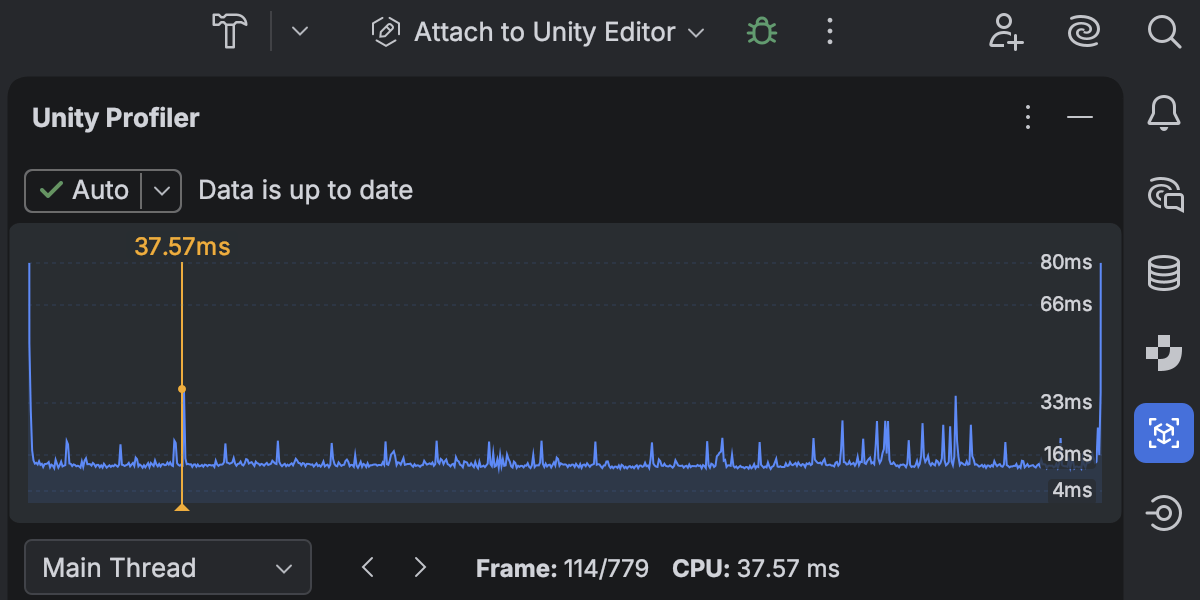
Performance investigation for game projects has become a first-class workflow in Rider 2026.1, thanks to the redesigned Unity Profiler integration.
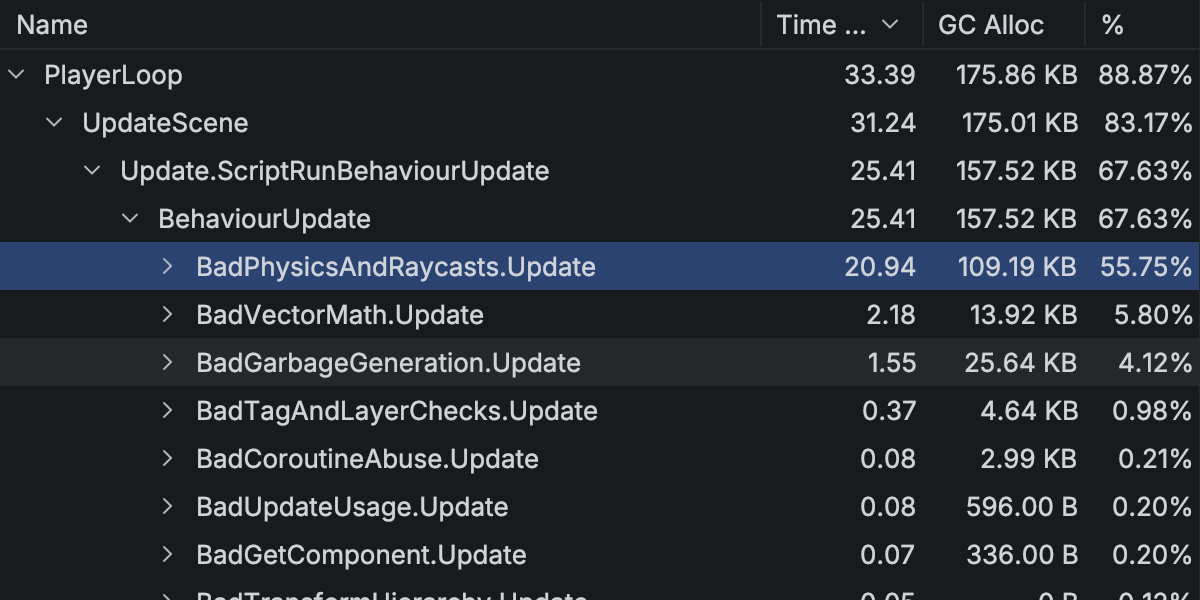
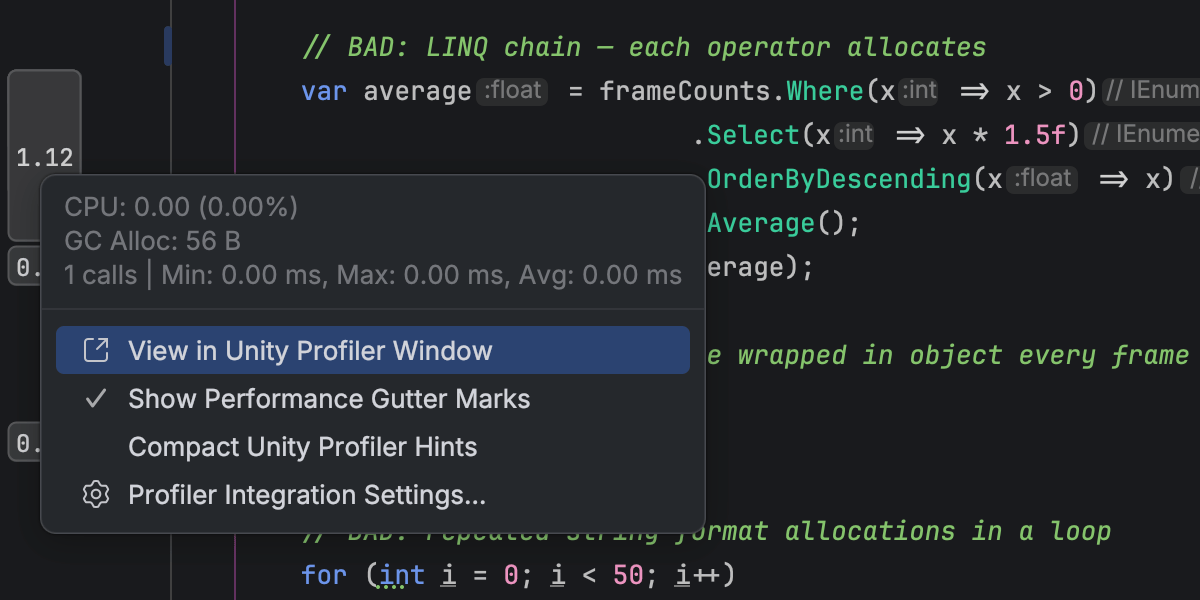
You can now open Unity Profiler snapshots directly in Rider and analyze them in a dedicated Profiler tool window with a structured view of frames and call stacks. A timeline view shows CPU time per frame, helping you quickly identify slow frames and performance hotspots.
Profiler data is tightly integrated with your code. プロファイラーの各フレームやコールスタックから対応するソースへ直接移動できます。エディターのガターインジケーターには実行時間とメモリの情報がインラインで表示されます。
This integration reduces context switching between the Unity Editor and Rider, allowing you to move more naturally between performance data and code when investigating runtime issues.
Please note that Rider does not perform profiling itself and relies on profiler data produced by Unity. Learn how to get started from our documentation.
Windows 版の .NET の混合モードでのデバッグ
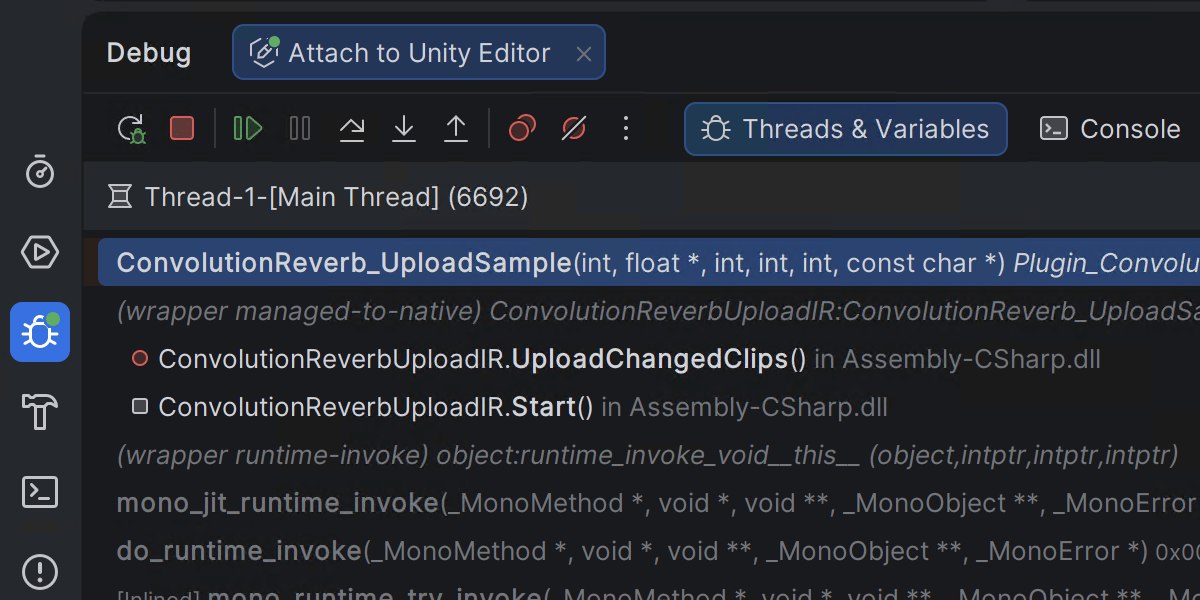
Rider 2026.1 introduces mixed-mode debugging, which lets you debug both managed (.NET and .NET Framework) and native (C/C++) code in a single debugging session. This is particularly useful for applications that cross managed-native boundaries, such as those where .NET code calls into native libraries or game engines built from a mix of managed and native components.
This feature is currently available only on Windows. You can leave your feedback on the feature in this ticket.
Godot エディターの統合を強化
Rider’s Godot integration includes a new add-on that bridges the Godot editor and Rider. このアドオンを Godot ツールバーで有効化すると、Godot エディターの設定が自動的に構成され、よりスムーズに Rider で開発できるようになります。
Godot エディター組み込みの AssetLib で「JetBrains Rider Integration」と検索することから始めましょう。
Platform and IDE changes
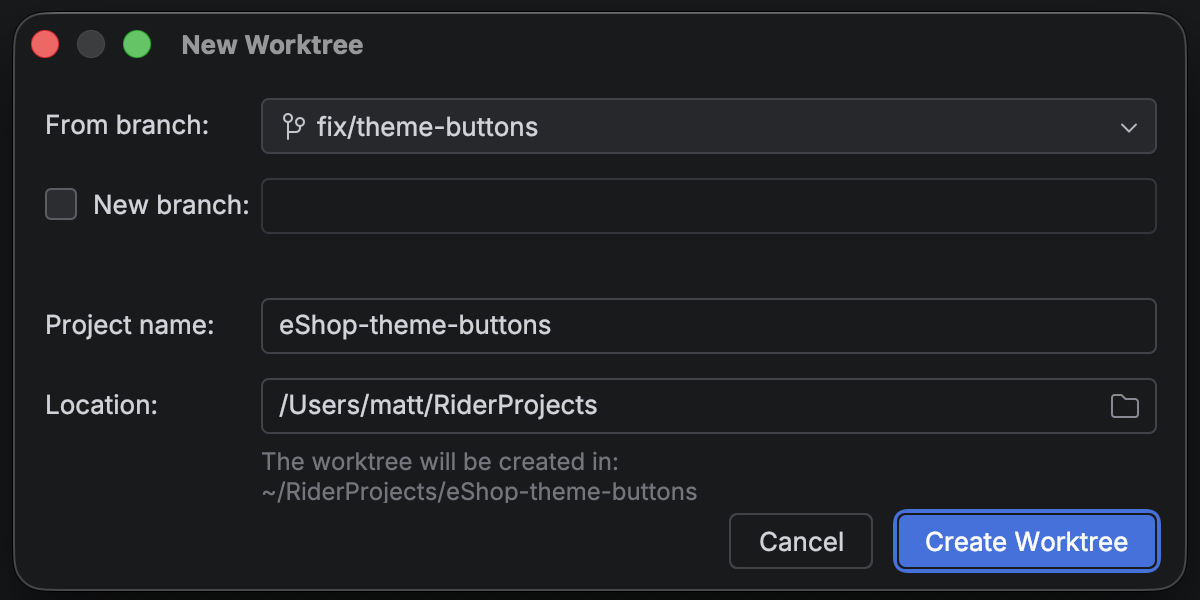
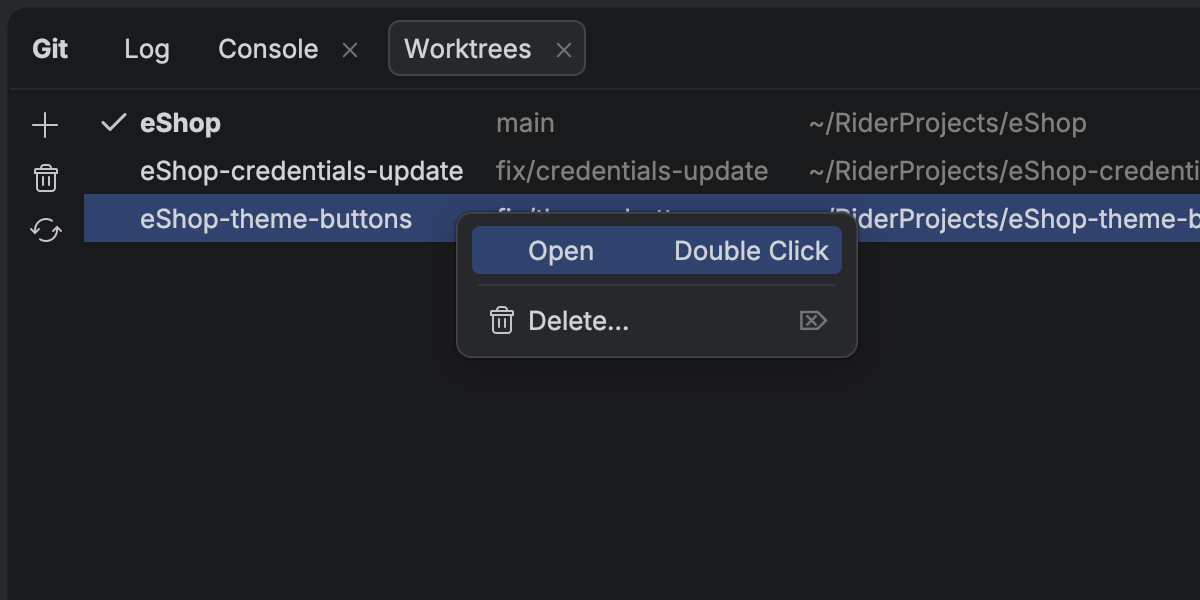
Git ワークツリーによる複数ブランチの同時操作
Rider はお好みの AI ツールを業務開発ワークフローに組み込めるオープンプラットフォームとして進化し続けています。
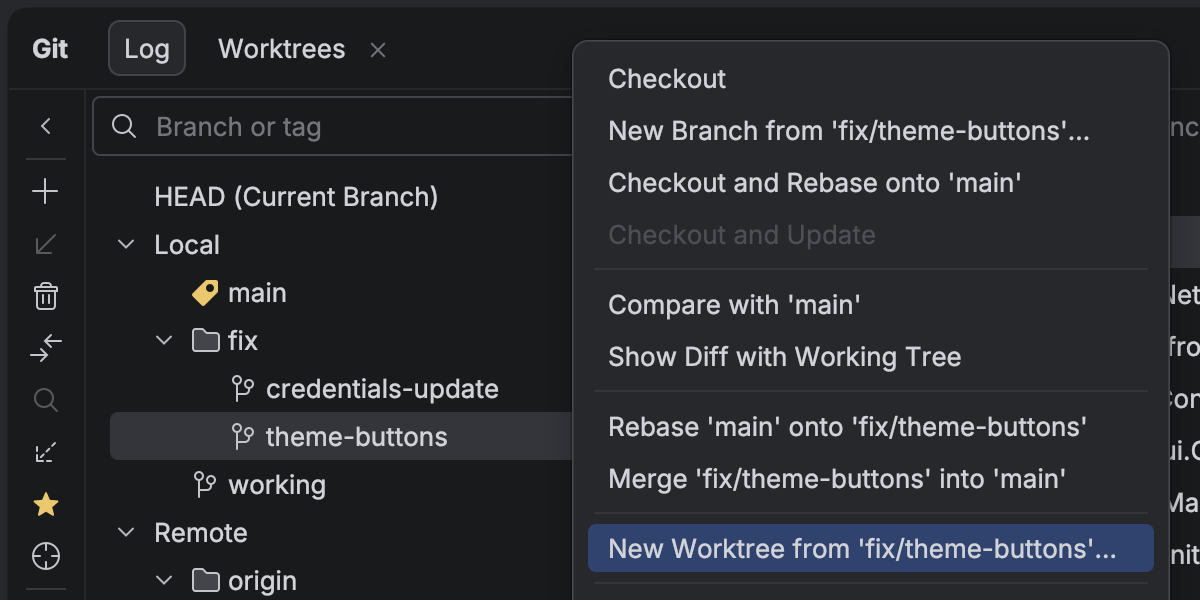
AI エージェントの進化に伴い、複数タスクの並列実行が大幅な時間短縮手法になりつつありますが、Git ワークツリーはまさにその目的に大いに役立ちます。 To support cutting-edge workflows for AI-boosted software development, Rider now provides first-class support for Git worktrees. 緊急のホットフィックス用に別のワークツリーを作成し、別のワークツリーを AI エージェントに引き渡し、main ブランチで作業を続行できます。これらすべては、作業を中断することなく常に行うことができます。
エージェントを使用しない場合でも、ワークツリーによってブランチの切り替えにかかる時間を節約することができます。これは、大規模なプロジェクトの場合には特に効果的です。
データベース操作
AI チャットと Codex、Claude Agent の統合でユーザーが接続したデータベースが完全に標準でサポートされるようになりました。 IDE から自然言語でデータベースの状態を照会、解析、変更できるようになりました。 外部エージェントでも MCP サーバー経由で同じ機能を使用できます。
データソーステンプレートを使用してデータソース設定を JetBrains Account 内に保存できるようになりました。 このアップグレードは All Products Pack ユーザーや JetBrains IDE の複数のインスタンスを使用するユーザーにとっては特に有益で、データベース機能を備えたすべての JetBrains IDE でデータソースのテンプレートと設定にアクセスすることを可能にします。
Code With Me のサポート終了
IDE を継続的に進化させ、開発者にとって最も有益な部分に注力するため、協働コーディングとペアプログラミングのサービスである Code With Me のサポートを終了することを決定しました。 近年はこの種の機能に対する需要が低下していることから、業務ソフトウェア開発に適したよりモダンなワークフローを優先させています。
バージョン 2026.1 からは Code With Me がすべての JetBrains IDE にバンドルされなくなります。 その代わり、JetBrains Marketplace で独立したプラグインとして提供されるようになります。 2026.1 は Code With Me を公式にサポートする最後の IDE バージョンとなり、その提供は段階的に終了される予定です。
You can read the full announcement and see the sunset timeline in this blog post.