NAnt and MSBuild script editing
When you create or maintain build scripts, ReSharper helps you with its XML support, as well as with build script-specific functionality such as code completion, code inspections and quick-fixes.
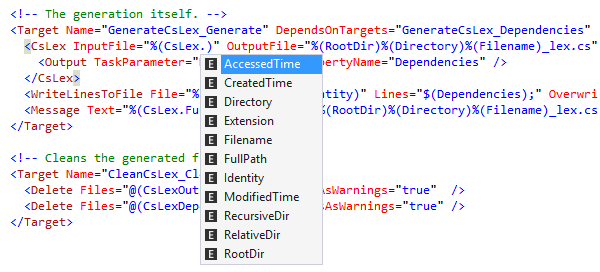
Editing and completion
All editing and assistance features provided for XML are available in build scripts as well. These include Import Symbol Completion and highlighting.
Specifically in build script files, ReSharper lets you complete names of properties, targets, tasks, and attributes that are available within the current scope.
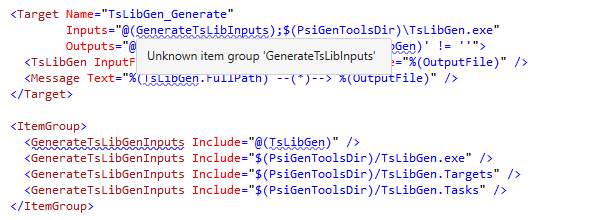
On-the-fly error highlighting
ReSharper analyses your build scripts on the fly — while you type — and highlights unknown properties, targets, tasks, and attributes. Status indicator and navigation between errors are available in build scripts as well.
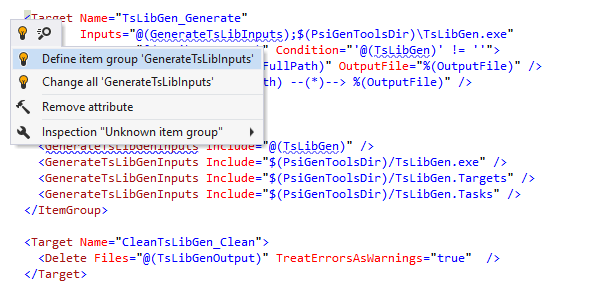
Quick-fixes
In build script files, ReSharper offers quick-fixes for unknown properties,
targets,
tasks,
and their attributes. Quick-fixes are
represented by the red light bulb  that appears
automatically to the left of the code line containing the error when you position the
caret
on the error.
that appears
automatically to the left of the code line containing the error when you position the
caret
on the error.
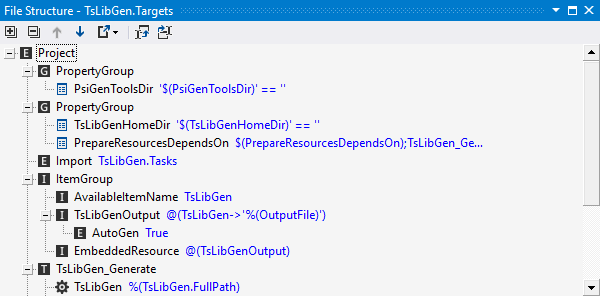
Navigation & search
ReSharper can navigate you in build scripts in a number of ways. For example, you can:
- Go to declaration of tasks, targets and properties from reference.
- Find usages.
- Navigate between usages.
- Highlight usages.
Also, with the File Structure window, you can see what properties and targets the current build script contains.
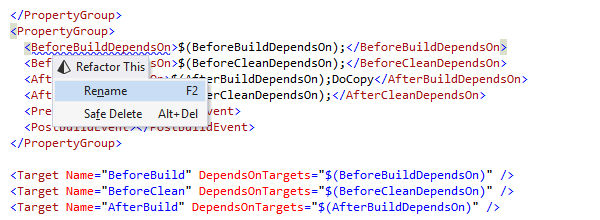
Refactorings
When you rename a property or target with ReSharper's Rename refactoring, all its references, as well as usages in comments and strings are automatically updated to reflect the change. Just press Ctrl+R, R on a symbol to rename it.
When you invoke the Safe Delete refactoring on a target or a property in a build file, ReSharper performs all necessary validations and operations to remove selected symbol. ReSharper can also remove any conflicting references for you. Just press Ctrl+R, D on a symbol for safe deletion.
Note on shortcuts
All keyboard shortcuts provided in this page are available in ReSharper's default "Visual Studio" keymap. For details on ReSharper's two keymaps, see ReSharper Documentation.