Credits and usage
Everything you run in Air Teams spends JetBrains AI credits from your subscription. Cloud tasks and automation runs use the JetBrains AI provider whatever agent you pick, so there is one meter to watch and nothing to connect.
How much a task costs depends on the agent and model you choose, and on how much the task reads and writes. A task that stays well inside its context window spends less, because the agent re-reads less of its own history.
Which credits a task spends
Cloud tasks always spend your JetBrains AI credits.
Automations spend JetBrains AI credits too. A personal automation spends yours; a project automation spends whichever credits the project is set to use, which also decides who the run acts as – see AI credits for automation runs.
Local tasks in the Air app can spend a provider account of your own instead – see Credits in the Air app.
Where your limit comes from
You have a monthly credit limit. If you belong to an organization, an administrator sets it and can raise it – see AI access in the Air Governance documentation.
The same administrator controls whether you can run cloud tasks at all and which agents are available to you – see Manage AI access for your organization.
Check how much you've used
Check your credits in the browser
Open Air Teams.
Go to . Your account card shows how much of your credit limit is still available.
Air Teams tracks usage for JetBrains AI only. For a provider you connected directly in the Air app, check the usage in that provider's own app or console, the same way you would outside Air Teams.
Credits in the Air app
The app can run an agent on an account of your own, so a local task doesn't have to spend JetBrains AI credits. Three kinds of account can be behind an agent:
JetBrains AI – the provider you connect with your JetBrains Account, metered in the same credits and against the same monthly limit as your cloud tasks.
Your own provider account – an Anthropic, OpenAI, or Google account that you connect directly and that spends its own balance. Either a subscription you already pay for, such as Claude Pro, Max, or Team, where tasks count against that plan's quota, or an API billing account you connect with your own key (BYOK), where tasks spend your API balance.
Agents you add yourself – metered in whatever their own subscription is metered in.
Local tasks follow the rule "your own account comes before JetBrains AI credits". If you connected your own account for the provider behind the agent, the task spends that account's subscription quota or API balance. It spends JetBrains AI credits only when the agent has no account of your own connected.
One exception: Docker tasks can't use a Claude subscription. In Docker, Claude Agent runs on Anthropic API billing or on JetBrains AI credits.
For how to connect an account, see Connect an AI provider.
Check your JetBrains AI credits in the Air app
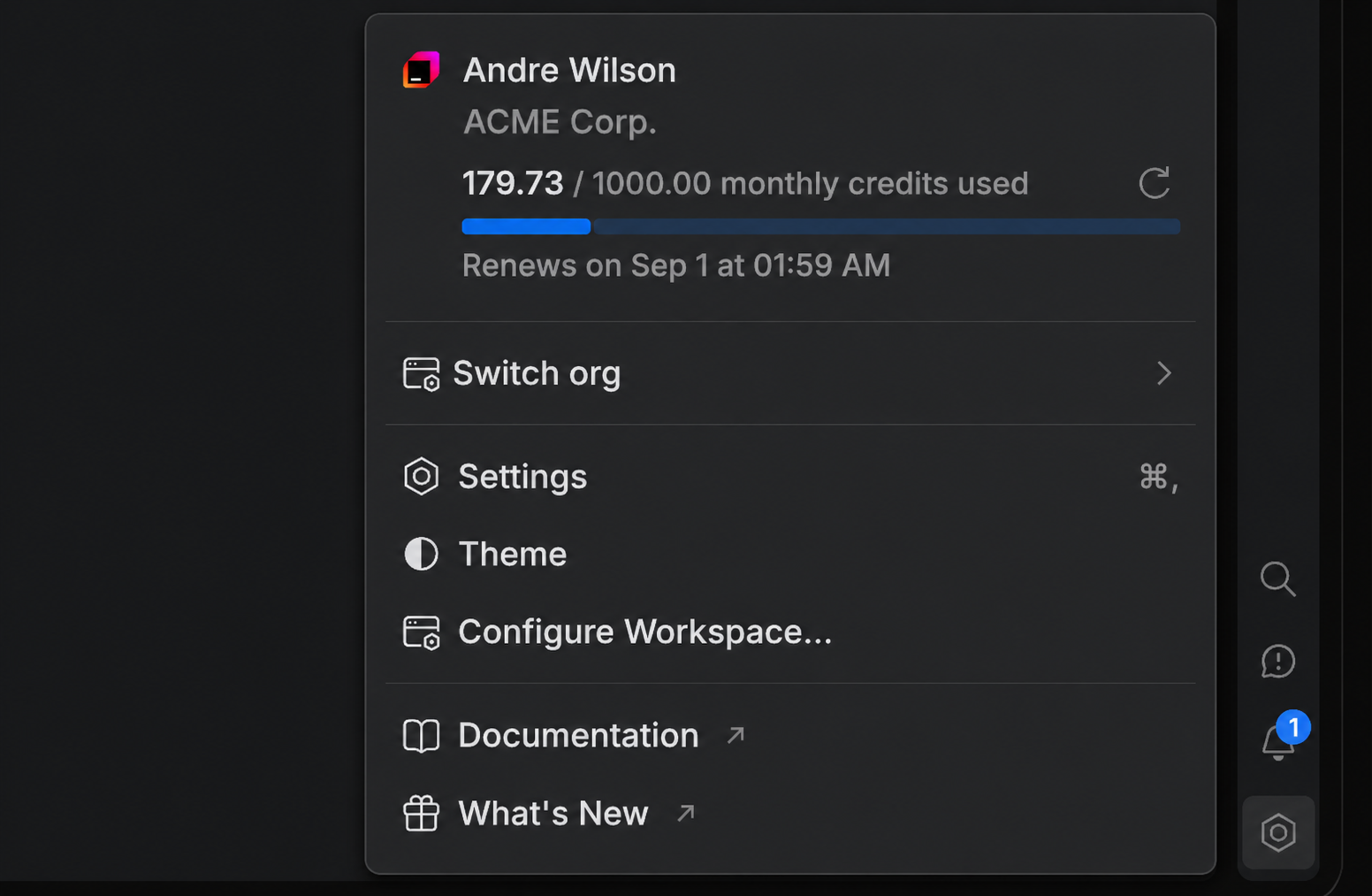
Open the settings menu at the bottom of the tool panel on the right.
Read the counter at the top of the menu. It shows your credit usage and the date your limit resets. To update it, click the refresh icon.
The same counter appears next to the JetBrains provider in .