TeamCity Pipelines Roadmap
Pipelines reimagine the familiar TeamCity experience with a more intuitive visual interface. While pipelines are powered by the same reliable backend, we have intentionally moved away from our traditional approaches, simplified core concepts and redesigned them from the ground up.
We expect this approach to pay off as the initiative evolves, but it also means pipelines currently offer less customization and fewer features than classic build configurations. As we determine which areas to prioritize next, your feedback is especially valuable. Our goal is to build a CI/CD solution that truly fits your needs, and your input is essential in helping us shape it.
Join our Slack to share and discuss your ideas, or send bug reports to Zendesk / YouTrack.
Features in development
This section shares features that are already in active development. We expect to deliver them in the nearest release cycles.
More build steps and build features
With support for .NET build steps in version 2025.11 and four job-level build features in 2026.1, pipelines have closed one of the larger functionality gaps with classic build configurations.
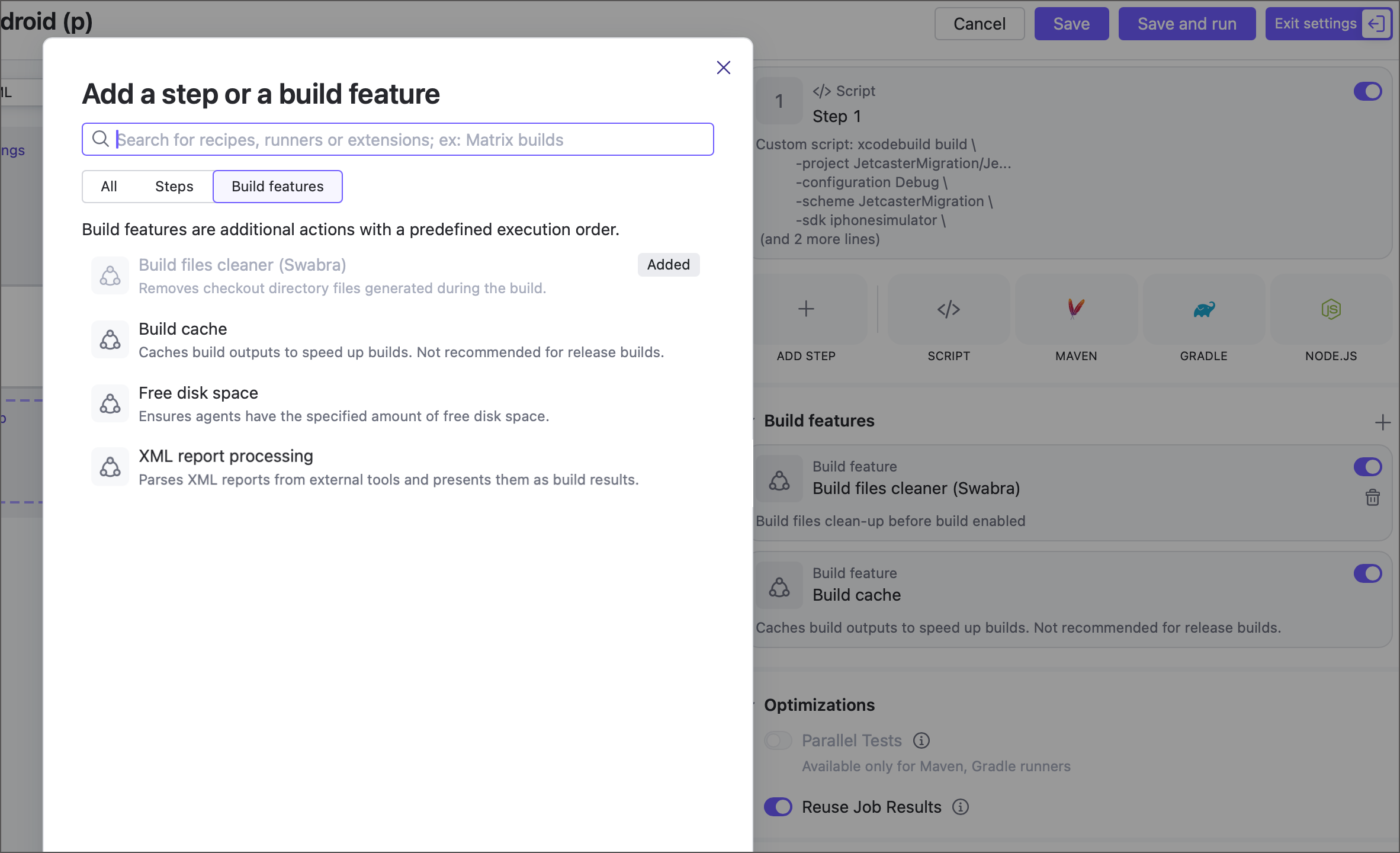
We plan to add more steps and features based on your feedback. If you need the Python step, the Build approval feature, or anything else, let us know so we can prioritize accordingly.
Checkout rules for partial checkout
Sometimes a job does not need the entire repository to do its job (pun very much intended). This is especially true for large monorepositories, where checkout can add a serious delay to your workflows.
To help with this, we plan to support checkout rules, which are already available in build configurations. The value this feature brings to the table is especially meaningful in TeamCity, which is smart enough to ignore commits to files excluded from checkout. This means more build reuses and less manual tinkering to keep your runs fast.
Implemented features
This section lists planned features that were implemented in previous versions.
Integration with build chains
Build chains can now consist of both build configurations and pipelines.
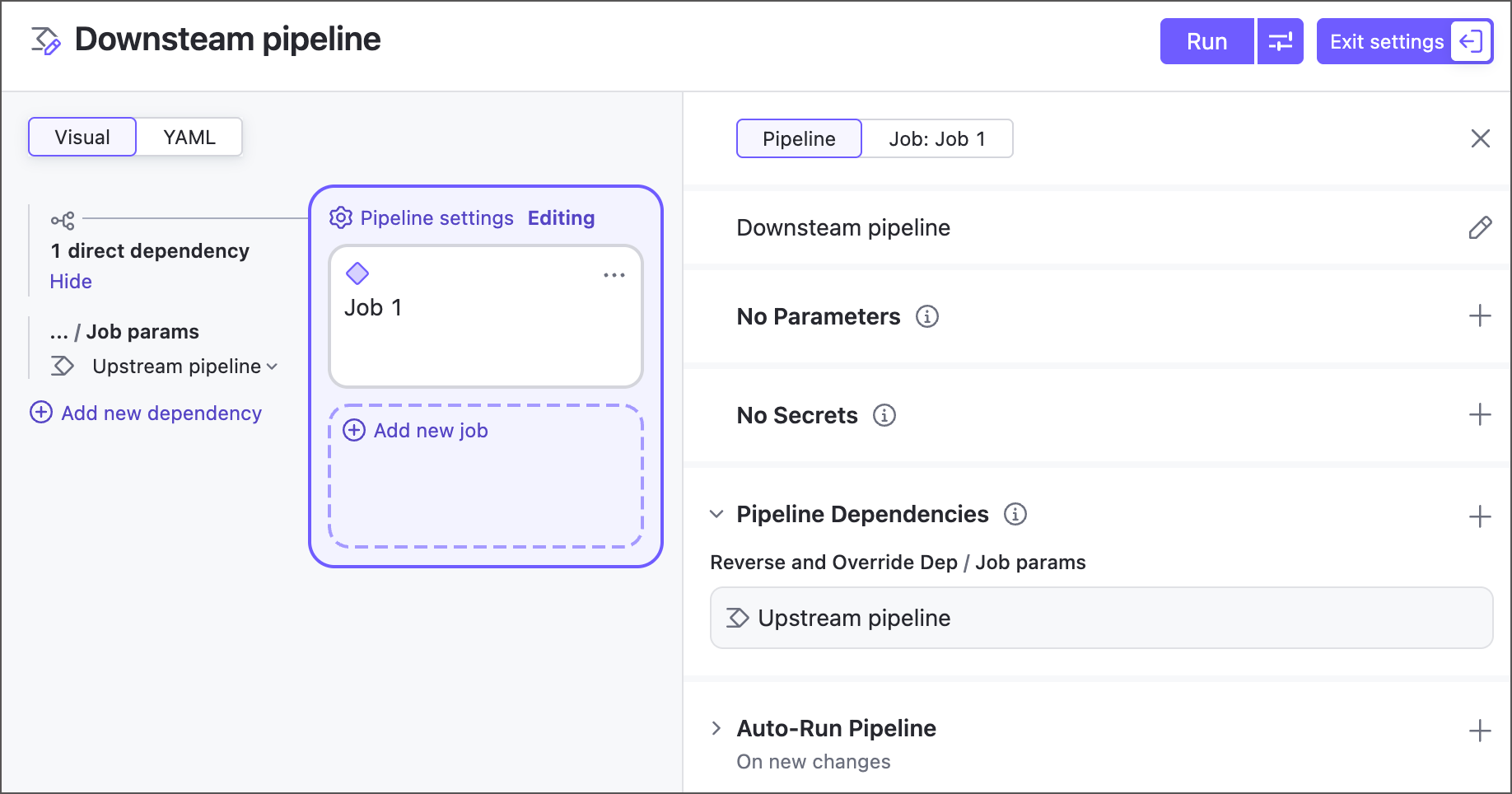
When configuring pipeline dependencies, you have the same familiar options as for build configuration snapshot dependencies: revision synchronization mode, execution policy for failed dependencies, and more.
Learn more: Pipeline Dependencies.
Kotlin DSL support
If a parent project stores its settings in Kotlin DSL, you now have the option to continue storing pipeline settings in a remote YAML, or include its settings in Kotlin format to the project's .kts file.
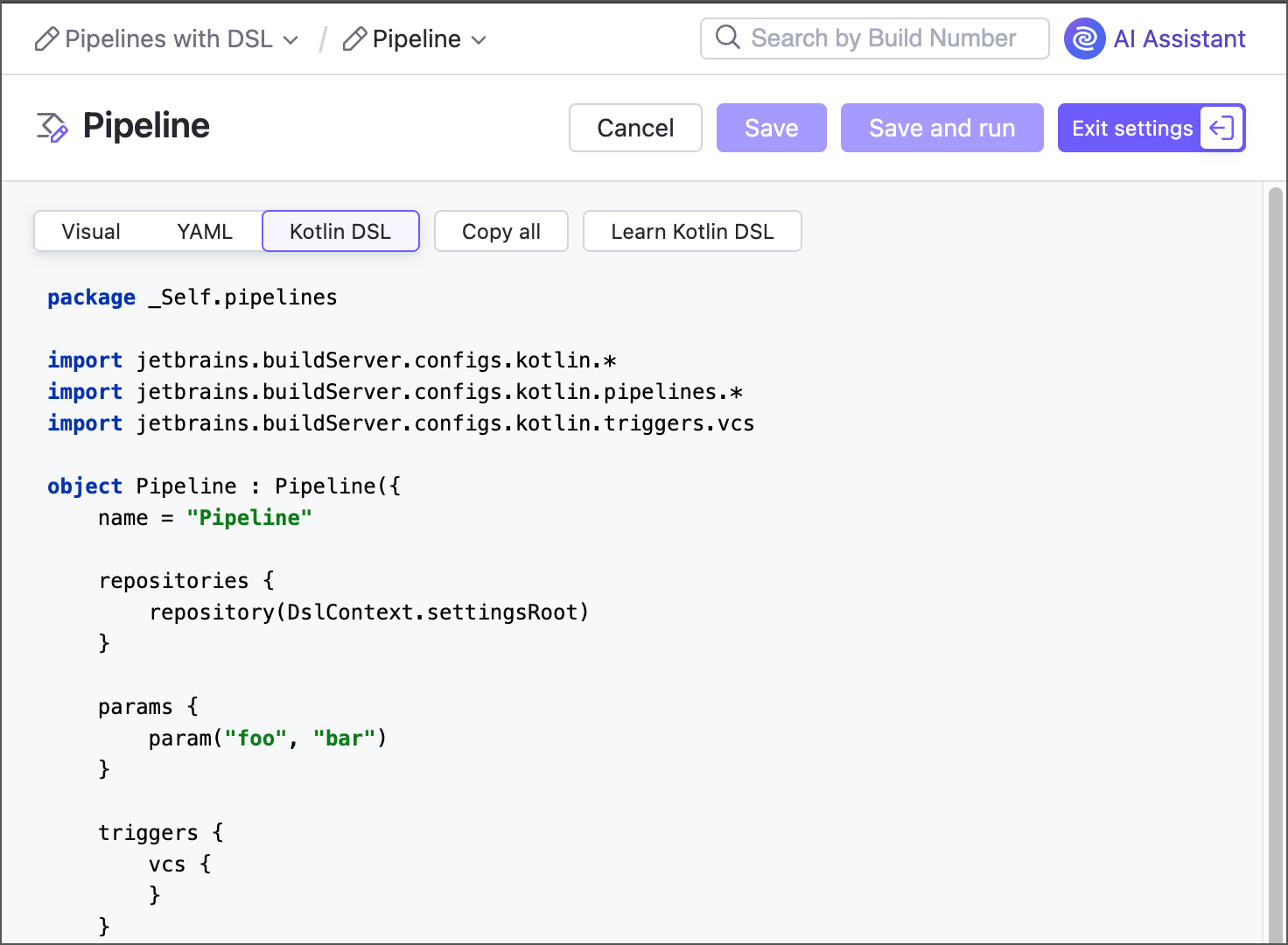
This change benefits teams that prefer Kotlin DSL for their configuration-as-code workflows, and do not wish to have "gaps" in their configuration files.
Learn more: Pipelines Kotlin DSL.
Custom runs
Running custom builds is a great way to trigger a tailored build sequence without changing configuration settings. You can schedule a build, pick a specific agent, override parameters, skip dependencies, and more. Starting from version 2026.1, this functionality is available for both classic build configurations and pipelines.
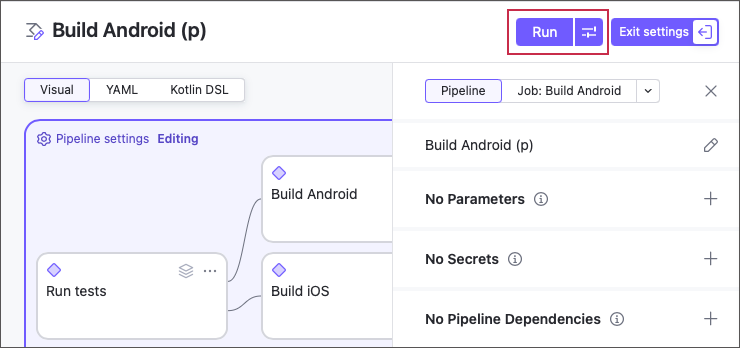
Learn more: Running Custom Build.
Job-level build features
Version 2026.1 adds support for build features that were previously available only in build configurations. In pipelines, you can now add these features to jobs just as you add build steps.
At the moment, pipelines support four such features, not including natively integrated ones like the commit status publisher:
We expect to support more features based on your feedback.
Learn more: Build Features.
.NET build steps
In version 2025.11, we're bringing the familiar .NET build step to pipelines. Instead of one single step with dozens of settings that depend on the selected step command, pipelines split this build step into a series of task-specific units.
See the More build steps and build features section for more information on other steps currently available only in build configurations.
Learn more: .NET.
Project registry connections support
Starting with version 2025.11, Docker and NPM connections owned by projects are available as integrations in pipeline and job settings.
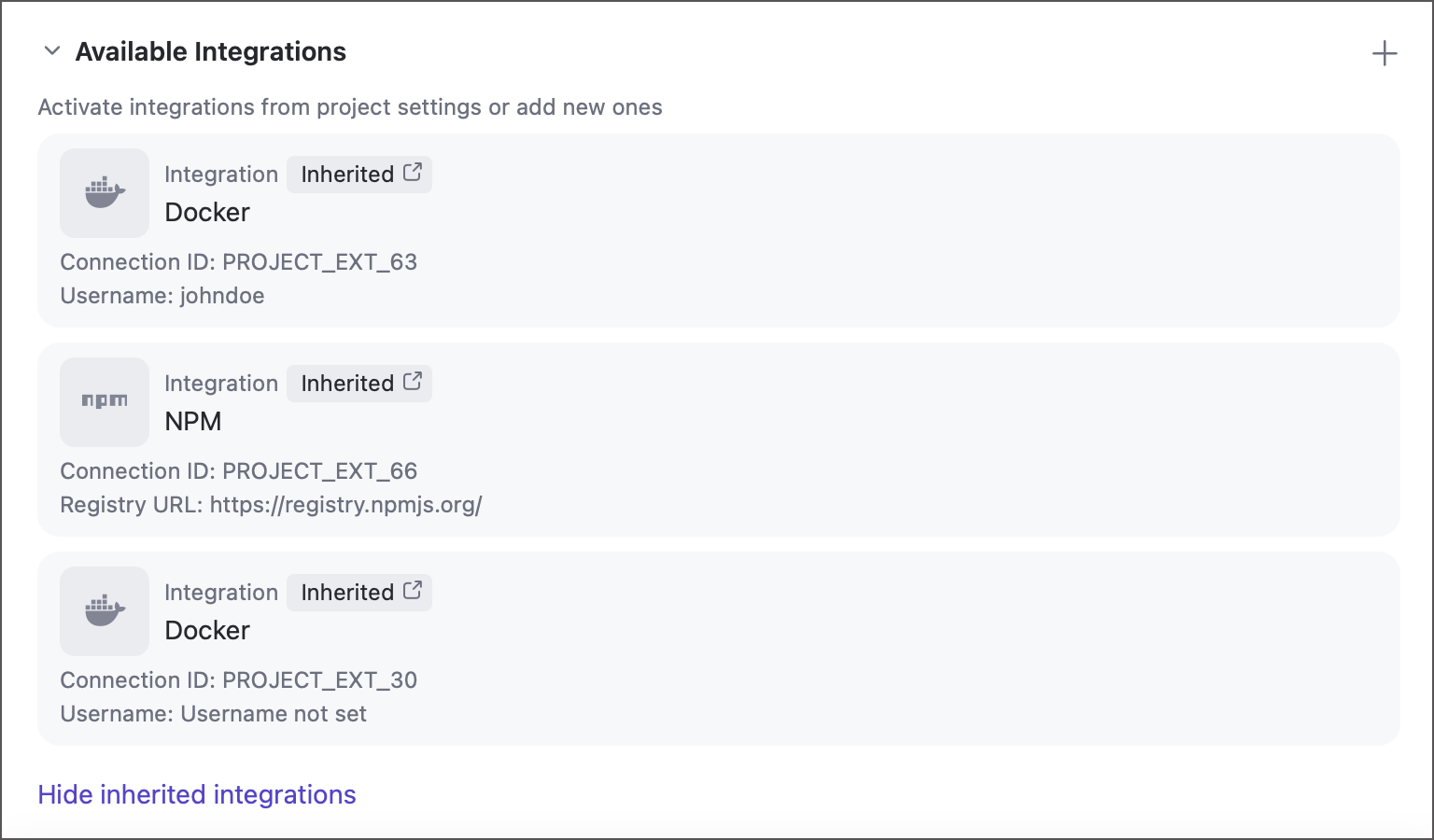
Learn more: Pipeline Settings.
Advanced build and test actions
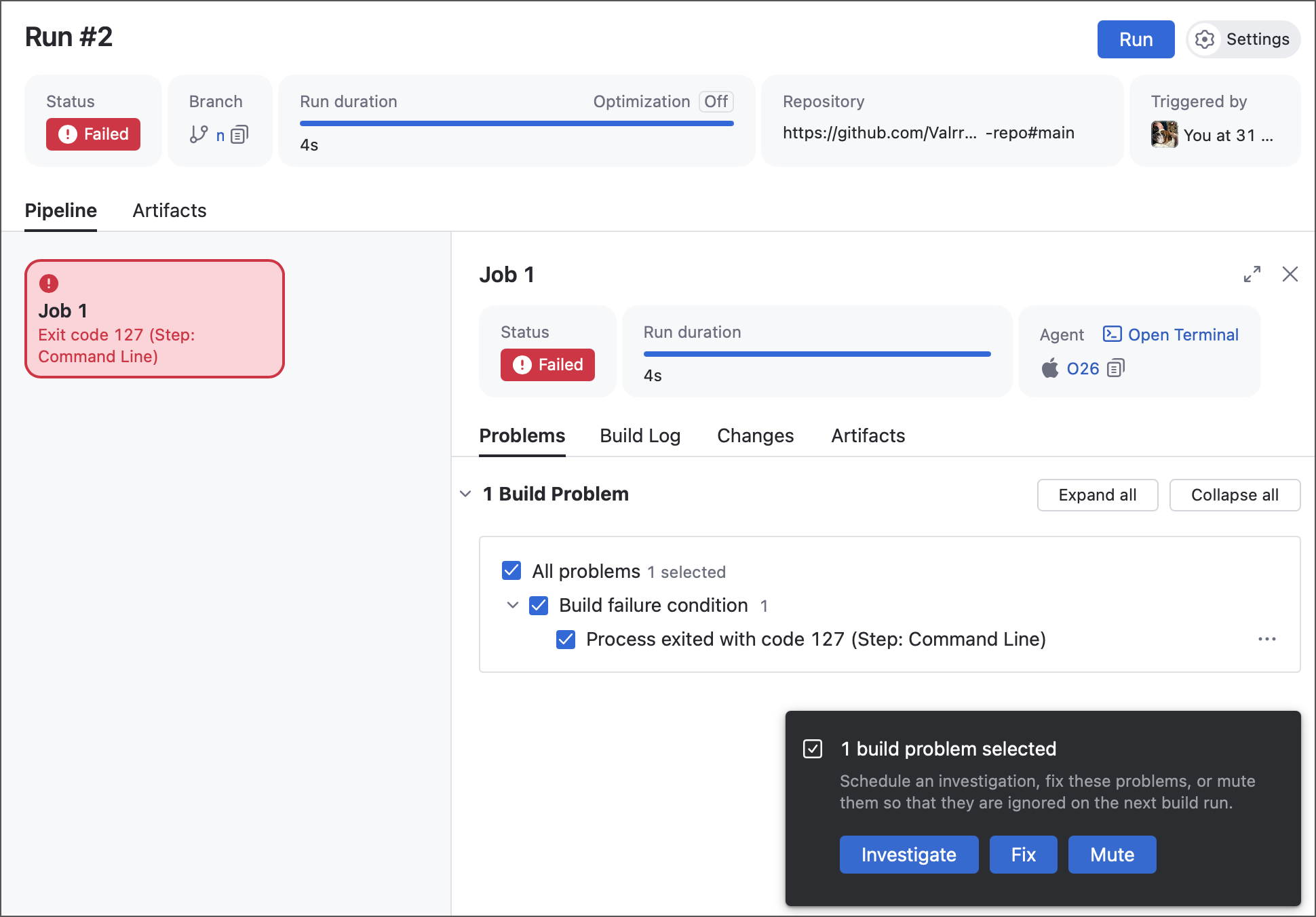
Starting with version 2025.11, pipelines support some of advanced features that was previously available only in build configurations. Users can now process build and test failures: assign investigations, mute irrelevant failures, and manually label as fixed issues that are expected to be resolved in future builds.
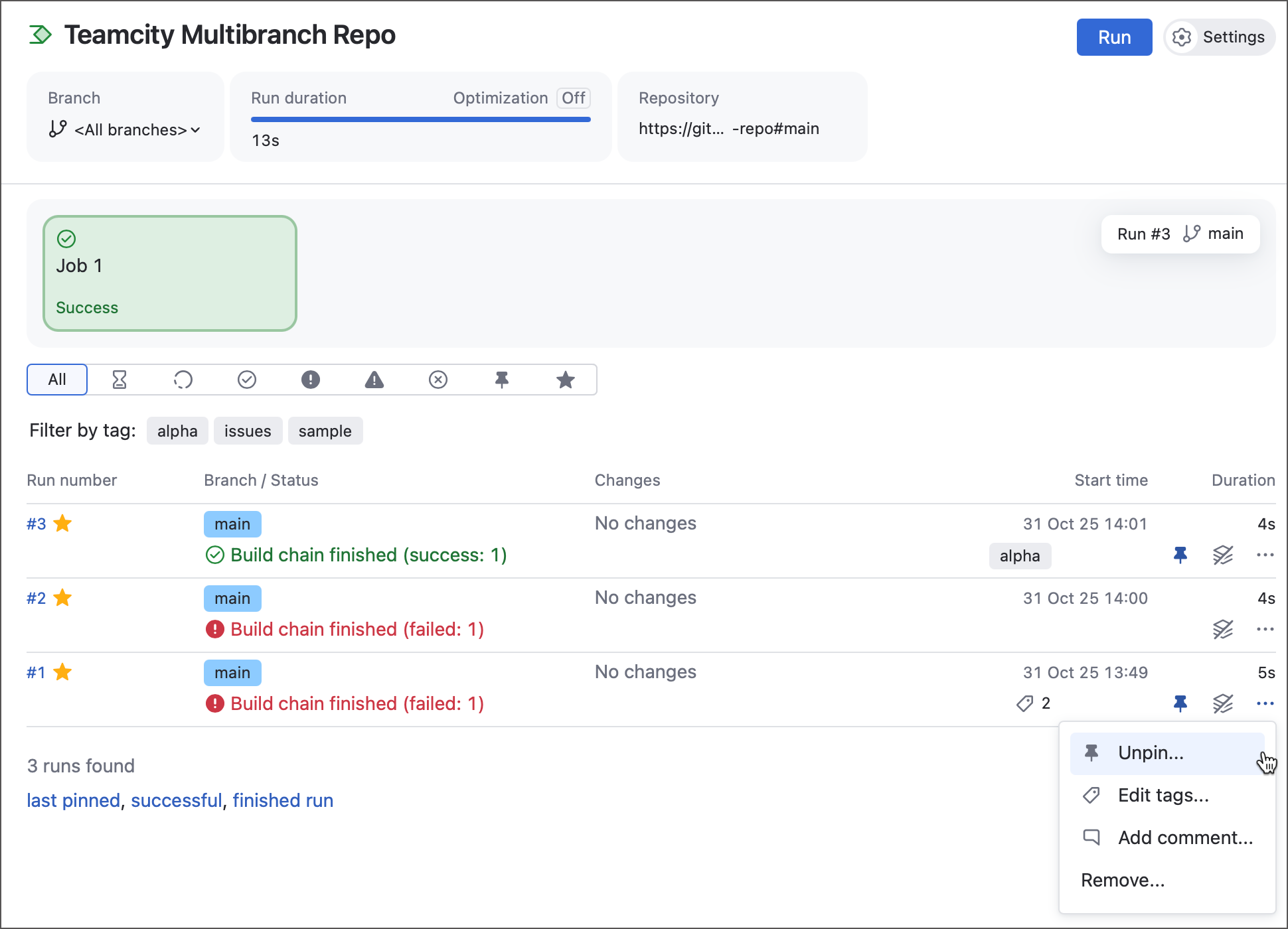
In addition, the run actions menu now includes options to pin, tag, and comment individual pipeline runs.
Learn more: Working with Build and Test Failures, Main Actions on Builds
Parameter import
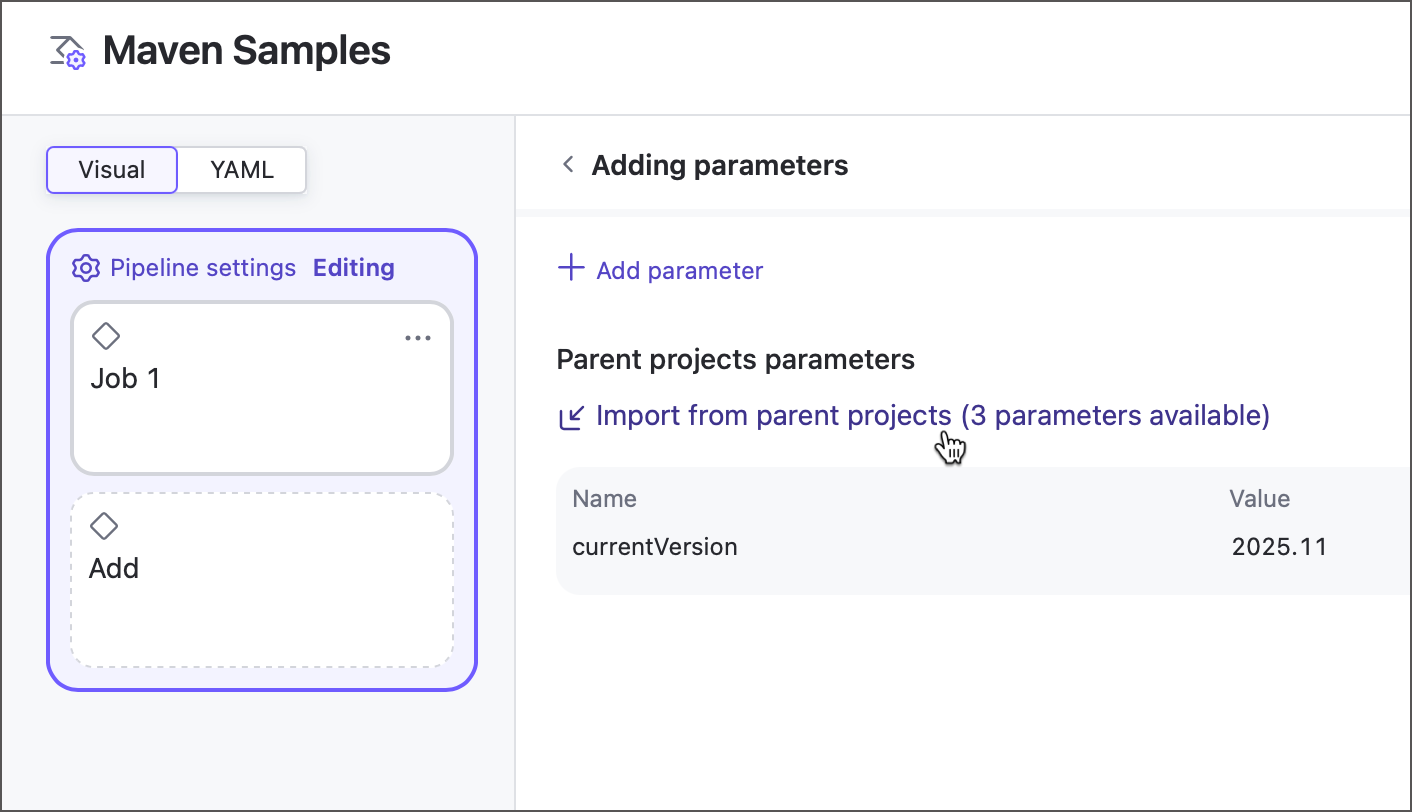
Previously, a parameter owned by a project could not be used inside pipelines. Referencing such parameters would result in an implicit agent requirement: only agents that provide a value for this parameter were eligible to run this pipeline.
Starting with version 2025.11, you can import any parameter from a direct or indirect project and use it as any other native pipeline parameter.
Learn more: Pipeline parameters, Configuring Build Parameters
Planned features
Below are the features we’re considering for future pipeline releases. Join our Slack Workspace or contact us through our usual support channels to help us identify the most important items and refine our priorities.
Job failure conditions
We plan to introduce failure conditions similar to those in build configurations. This will give you finer control over when a job is marked as failed and allow downstream jobs to run even if earlier ones fail.
Execution timeouts
We’re exploring timeout settings that let you define maximum run durations. Jobs or pipelines that exceed the threshold would be automatically canceled and marked as failed.
Recipes support
Recipes complement custom build steps by letting you package commonly used logic into reusable assets and download community-created steps from JetBrains Marketplace. Adding recipe support would greatly expand what pipelines can do.
Build step conditions
Classic build configurations support step execution conditions that specify criteria for when a step should run. We plan to add a similar feature for steps inside pipeline jobs.
Typed parameters
Pipelines currently support only single-value text parameters (including masked secret parameters for sensitive values). We aim to implement more parameter types available in classic build configurations, such as checkboxes, multi-selects, and values pulled from external sources.
Templates
Templates help configure multiple build configurations that share similar settings. We plan to bring an equivalent concept to pipelines, enabling you to define reusable YAML templates.
VCS YAML recognition
You can already save pipeline settings to a repository. Next, we want TeamCity to do the opposite: detect pipeline YAML files in supported VCS hosts (GitHub, GitLab, Bitbucket, and so on) and automatically create pipelines from them.