Run gofmt After the Builtin Formatter
Ensure that your code is always formatted with gofmt.
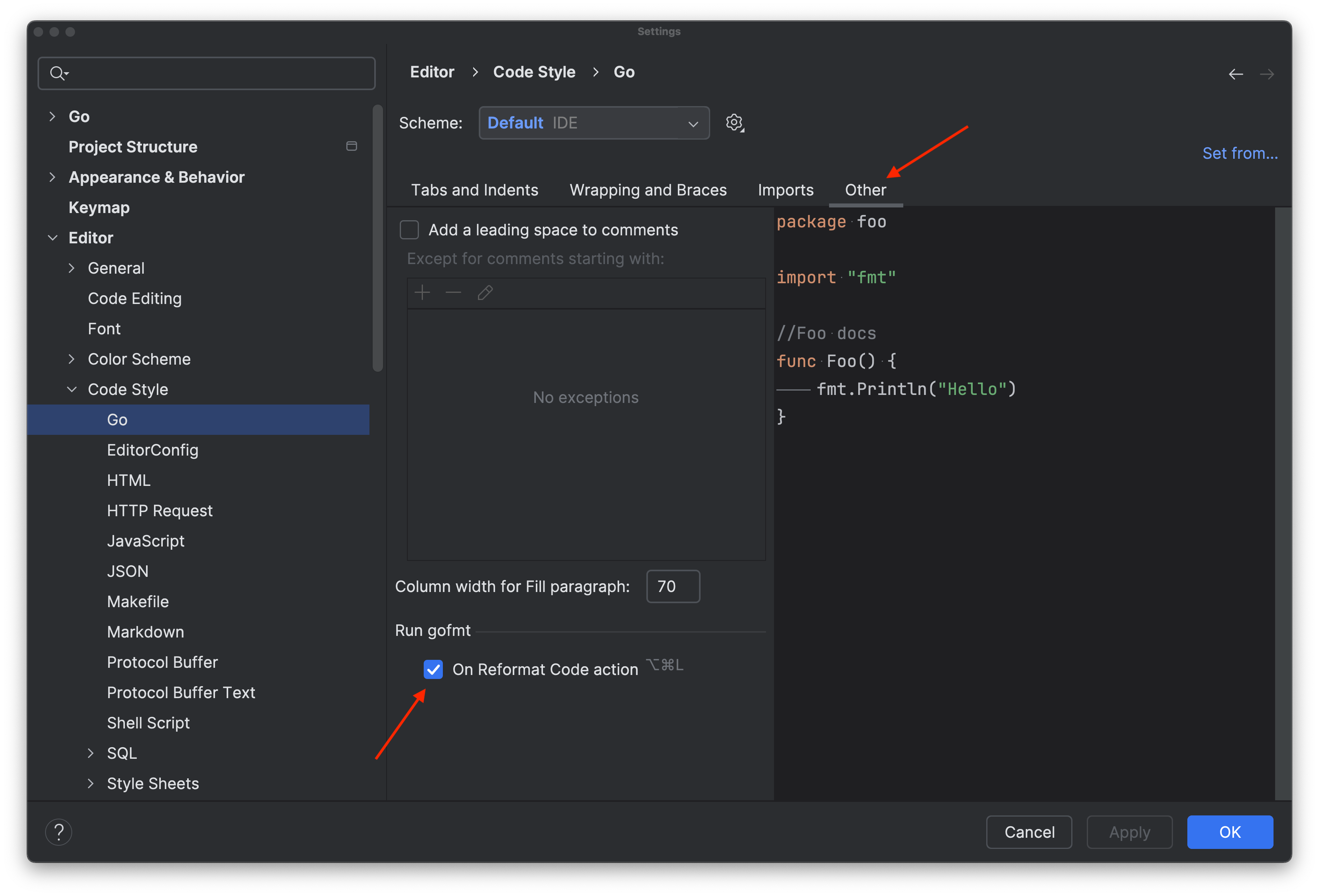
To use this feature, check the On code reformat option under Settings/Preferences | Editor | Code Style | Go | Other.
Now you can use the default shortcut, ⌘⌥L (macOS) / Ctrl+Alt+L (Windows/Linux), to trigger the builtin formatter.
You can also search for Run gofmt in the IDE Settings/Preferences, and activate the option as described above.