What's New in TeamCity 2026.1
Release Cycle Updates
Starting with this release, we return to the pre-2022 versioning scheme: major TeamCity versions will use the “YYYY.N” format, where “N” indicates the release number rather than the month. This change makes the release cycle more predictable and better aligned with other JetBrains products.
This year, we also expect to separate the release cadence for TeamCity On-Premises and Cloud. On-Premises will continue to receive two major releases per year. Cloud, on the other hand, will be updated more frequently, so new features and improvements become available sooner without waiting for a major On-Premises release.
Java 21 Migration
TeamCity server and build agents no longer support Java versions older than Java 21. See this article for upgrade instructions: Cheatsheet: Updating Java on Server and Agent Machines.
TeamCity CLI
TeamCity 2026.1 adds a new way to work with your TeamCity instances: TeamCity CLI. Alongside the browser-based UI and the extensive REST API, you can now use a command-line tool to interact with TeamCity directly from the terminal.
Install the CLI on any machine to check build statuses, start new builds, investigate failures, and handle many other routine tasks without leaving the command line.

Integration with AI Agents
Version 2026.1 also makes it easier to connect AI tools such as chatbots and agentic IDEs to TeamCity. You can choose between two integration options:
The TeamCity
<server-url>/app/mcpendpoint provides MCP tools that let AI agents interact with TeamCity.The TeamCity CLI includes an agent skill that helps agents work with TeamCity through terminal commands.
Pipeline Enhancements
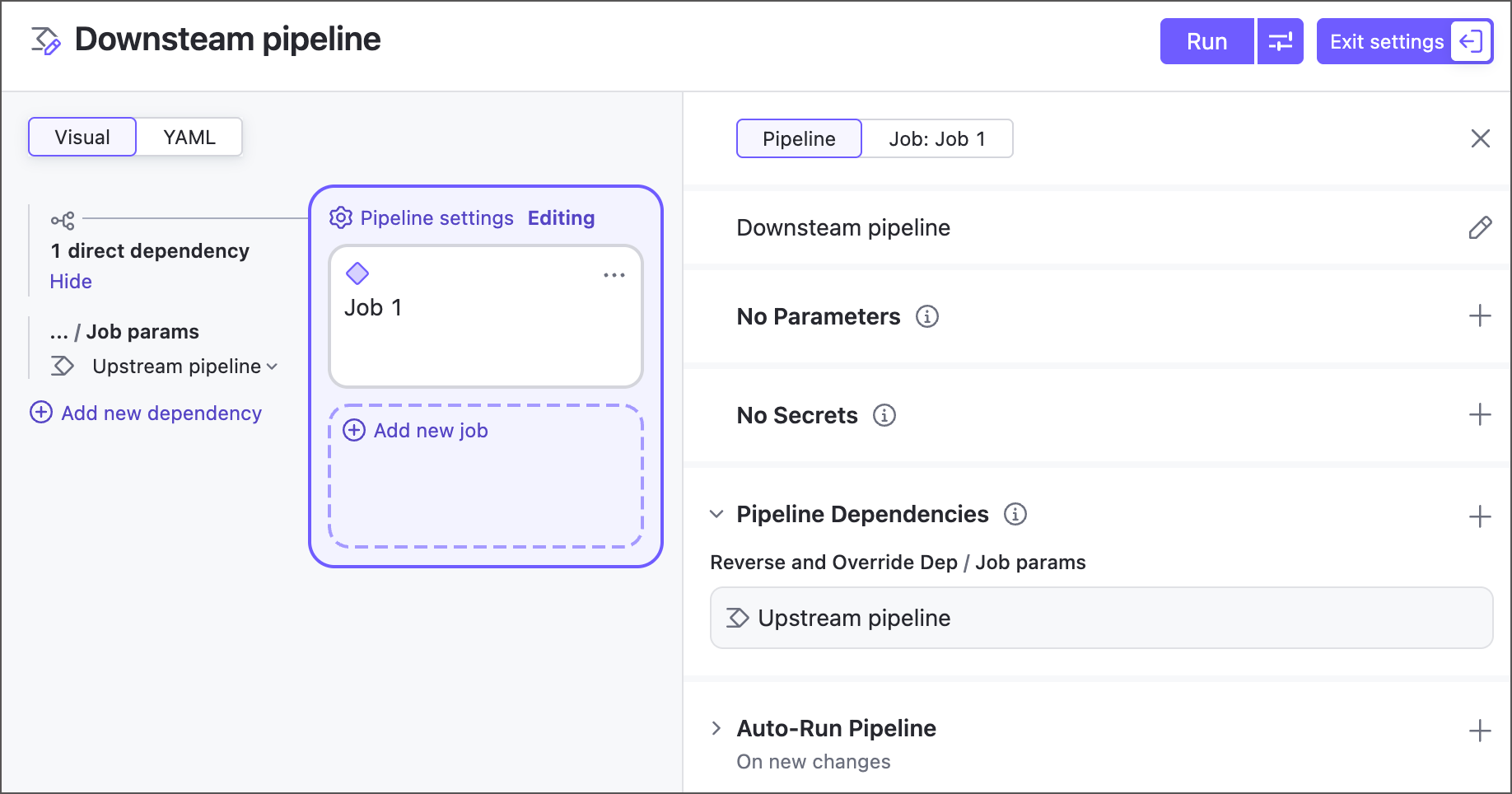
Version 2026.1 introduces a major enhancement for fully integrating pipelines into your CI/CD workflows: you can now include them in build chains. This lets you create fine-grained setups with pipeline-to-pipeline, pipeline-to-configuration, and configuration-to-pipeline dependencies.
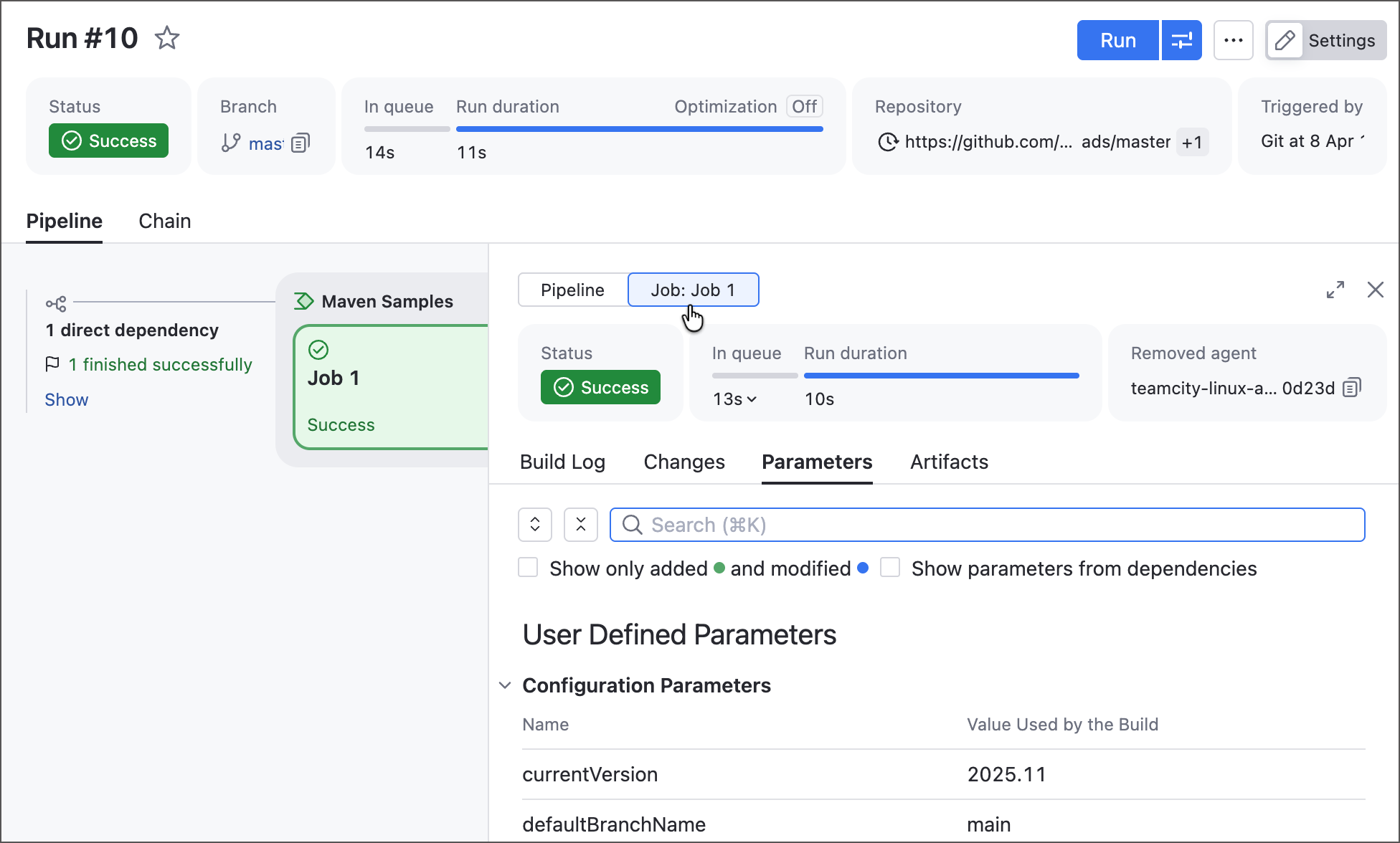
We redesigned the build details side panel to include all familiar Build Results tabs (such as Overview, Build Log, Parameters, and more), giving you a complete view of each build. It now also includes a pipeline/job switch, so you can quickly filter these tabs by job, making pipelines easier to inspect, debug, and troubleshoot.
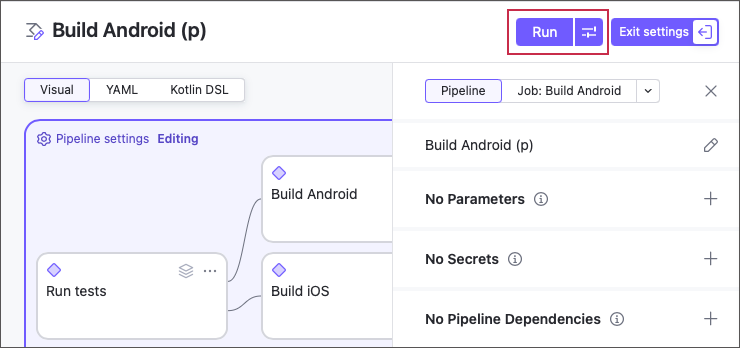
You can now use the Custom build dialog that allows you to run pipelines with one-time custom settings.
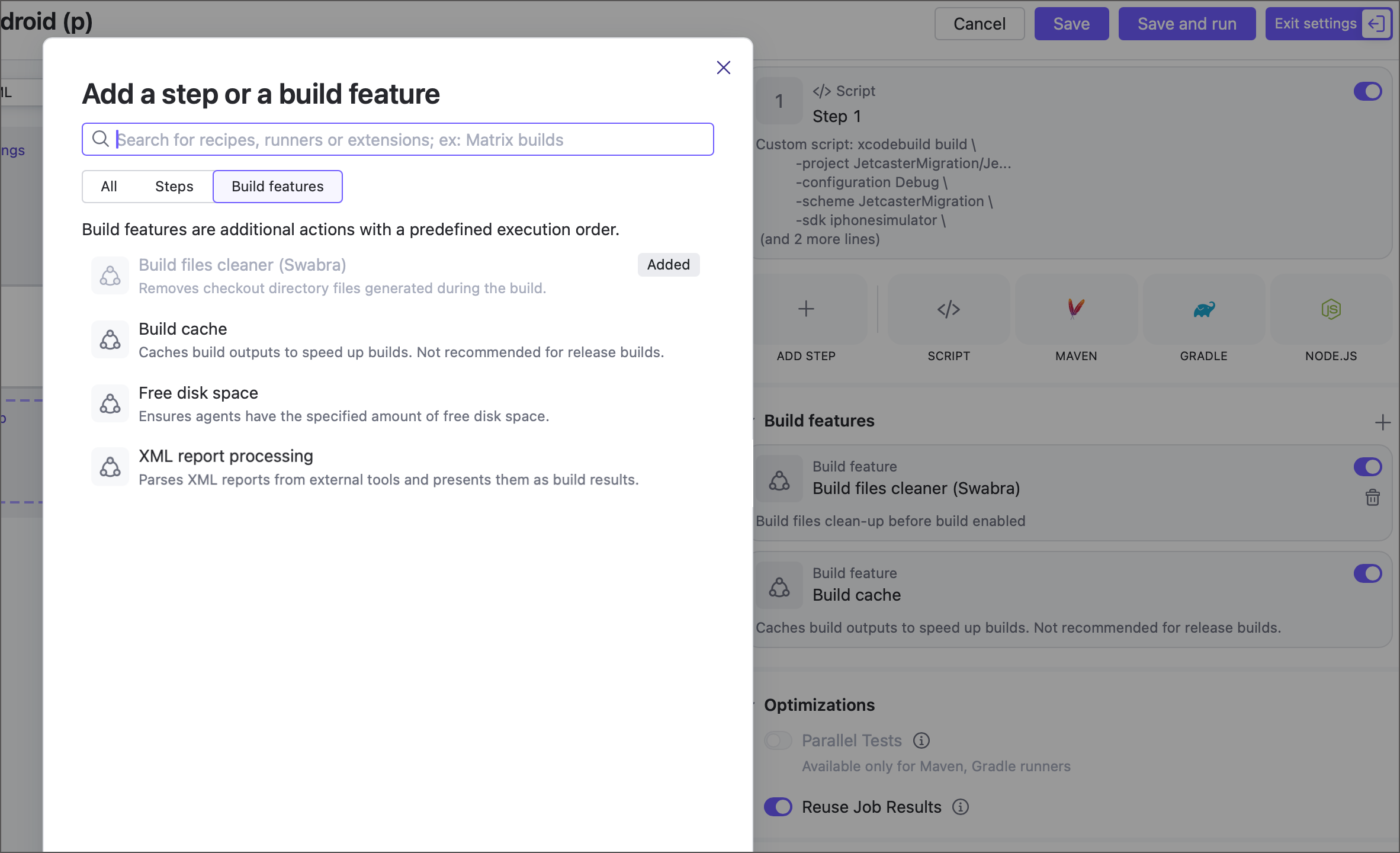
Jobs can now use the following build features, previously available only for build configurations:
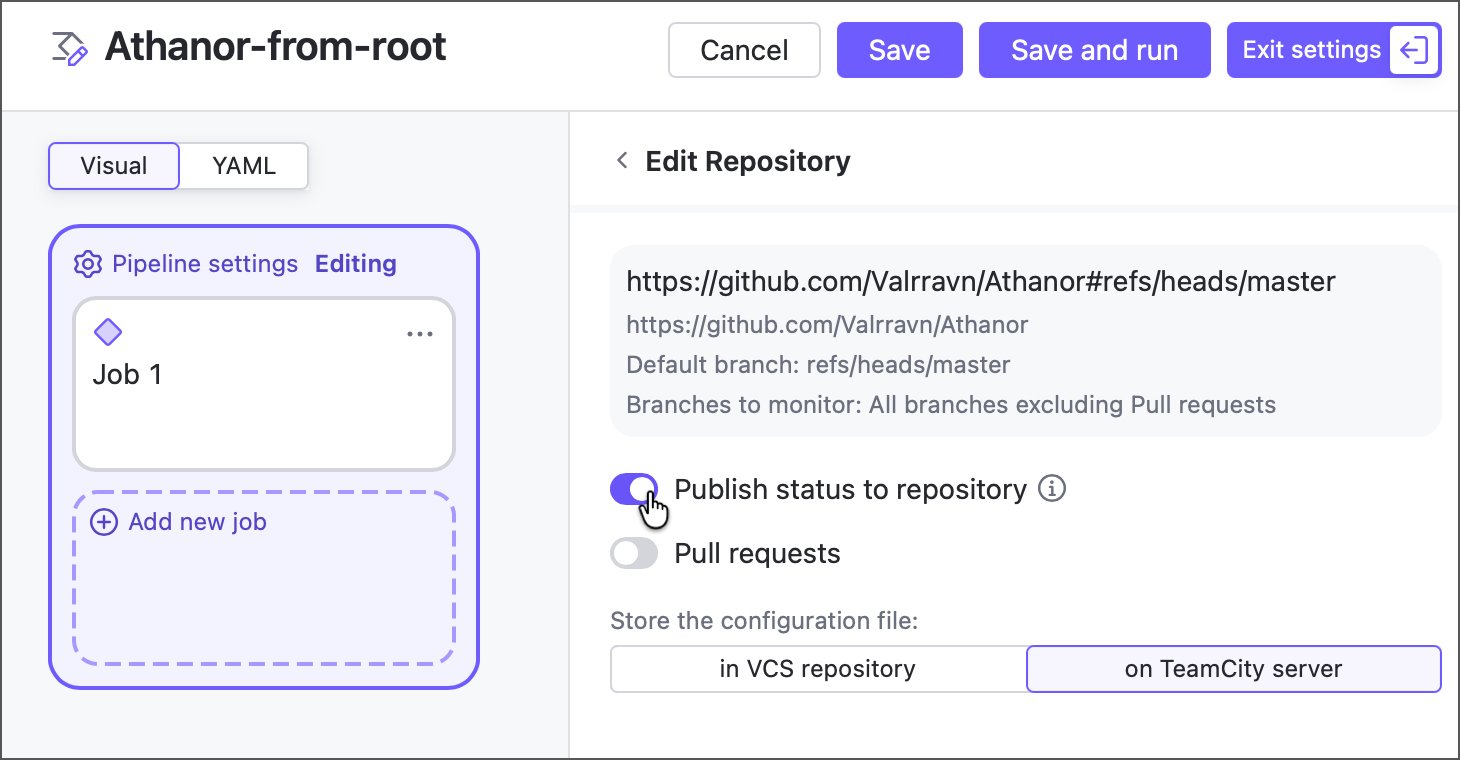
When editing pipeline Repositories settings, you can now add repositories from existing VCS roots owned by this parent project. Previously, the option to reuse a root was only available when you create a new pipeline.
All pipelines that connect to Git repositories using HTTP credentials support repository options that allow these pipelines to track pull requests and publish run statuses. Previously, these options were available only to pipelines created via a configured TeamCity OAuth connection.
Pipeline parameters were redesigned to better support pipeline dependencies and provide a more consistent, intuitive model.
Jobs no longer define separate input and output parameters. Instead, all job parameters are automatically available to downstream jobs in the same pipeline.
Pipeline parameters can now be explicitly marked as input or output, giving you finer control over which values are exposed to downstream configurations and pipelines.
Parameters from parent projects no longer need to be imported as they are now automatically available to child pipelines and jobs.
If a parent project enables its versioned settings, pipeline YAML is automatically converted to DSL. Currently, the DSL support in pipelines is limited: changes made via TeamCity UI are displayed on a new Kotlin DSL tab, but are not committed automatically and prevent you from running the pipeline. Commit these changes manually to a remote
.ktsfile to restore the pipeline's ability to run.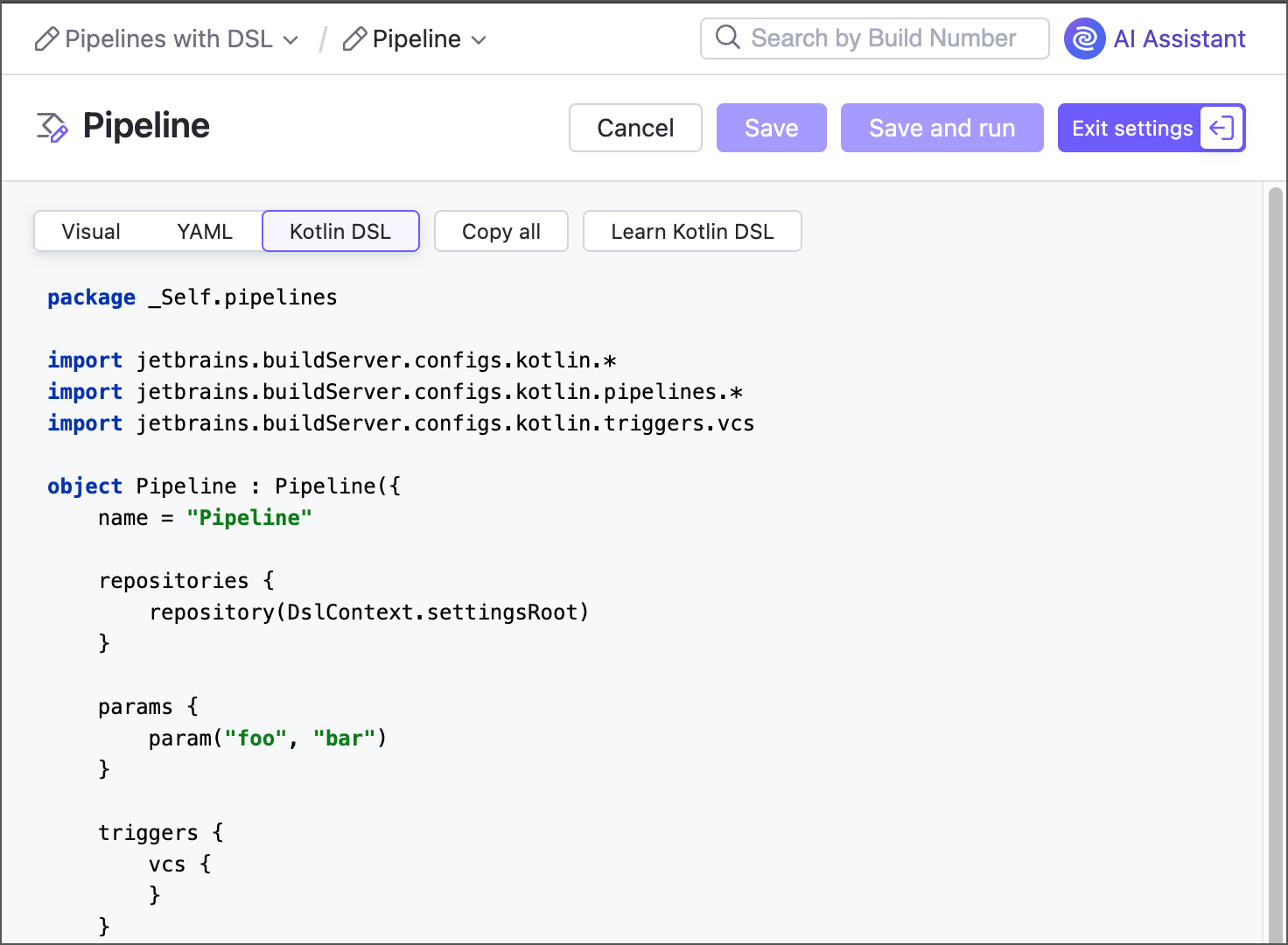
Dynamic Build Step Credentials
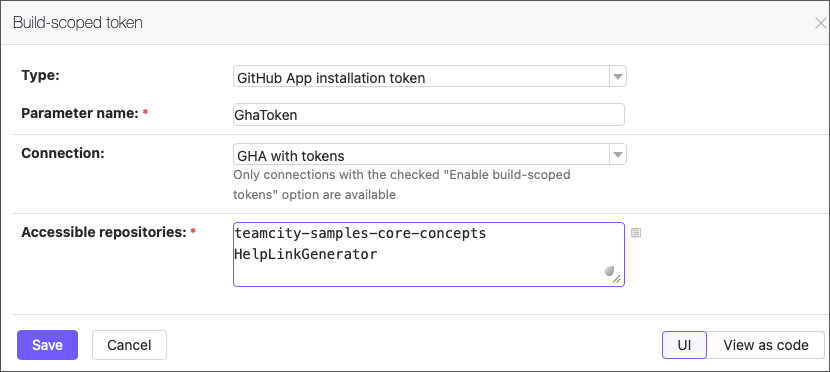
The new Build-scoped Token feature lets your builds securely generate short-lived GitHub access tokens (up to 60 minutes) on the fly. Pass them to build steps as parameters to enable seamless access to repositories.
SSH Known Hosts
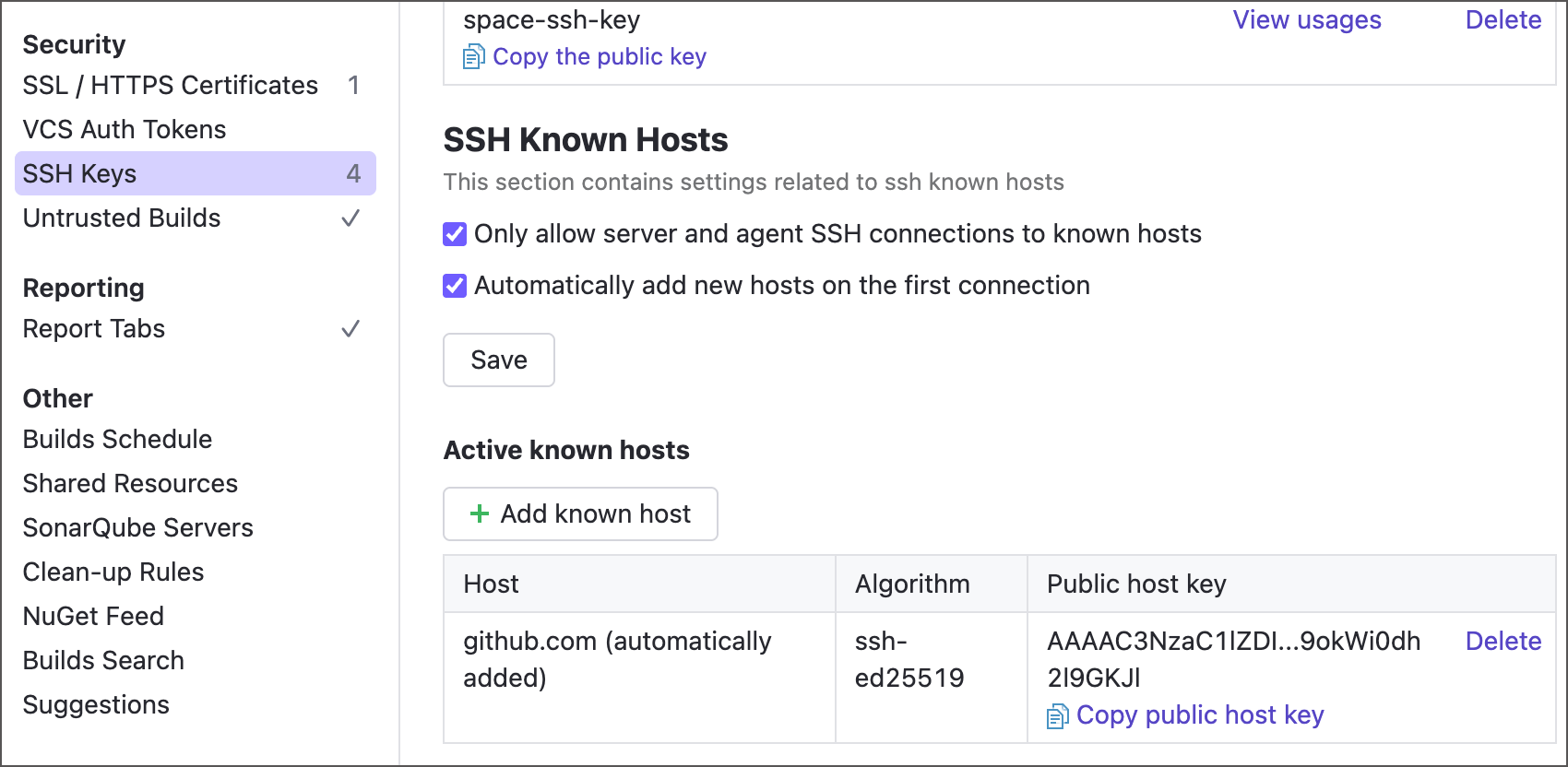
The SSH Keys page now includes additional options that allow TeamCity to verify VCS providers it connects to, and abort any additional operations if the host's public key does not match any of the known entries.
Third-party Integration Enhancements
Git
For security reasons, Git VCS roots no longer support local and UNC file URLs by default. To re-enable them, set the
teamcity.git.allowFileUrl=trueinternal property.When choosing the Shallow clone Git checkout policy, you can now add the
teamcity.git.agent.shallowCloneDepthandteamcity.git.agent.submodules.shallowCloneDepthparameters to set the--depthattribute.The GitLab CE/EE connection now allows you to configure integration with system webhooks. This enhancement allows TeamCity to receive near-instant notifications about new repository changes, as opposed to periodically polling the repository.
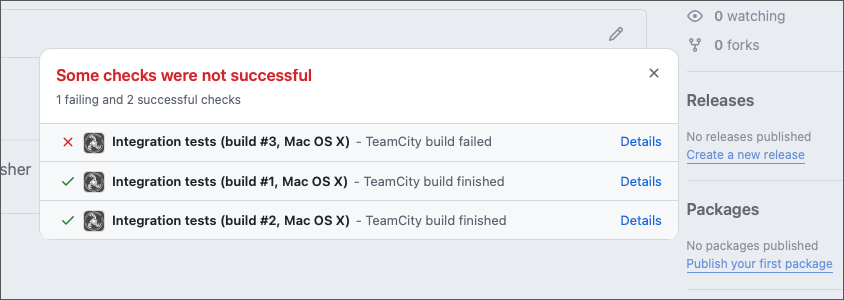
The Commit Status Publisher build feature now includes the option to set up a custom build configuration name when posting statuses to Git VCS providers (GitHub, GitLab, Bitbucket, and more).
Perforce
When building Perforce shelved changelists, earlier versions of TeamCity replaced checked-out files with corresponding shelved ones. Starting with version 2026.1, TeamCity uses a more sophisticated approach by running
p4 resolveafter unshelving, allowing it to detect and resolve conflicting changes.You can now specify multiple shelved changelist IDs when triggering a custom build for Perforce build configurations.
Kubernetes
Kubernetes cloud profiles and connections now include settings that allow you to configure outgoing connections behind a proxy.
HashiCorp Vault
The HashiCorp Vault Connection now supports authentication via Google Cloud Platform authentication.
Jira
When configuring connections to on-premises Jira instances, you can now choose between authentication via regular username/password credentials or a personal access tokens issued on the issue tracker side.
Miscellaneous Enhancements
All TeamCity build configurations now automatically record agent hardware usage during builds. This change introduces the following updates:
The PerfMon build feature is no longer required and has been renamed to Performance Monitor (Legacy).
The corresponding tab on the Build Results page is now called Performance Monitor, reflecting that the data is no longer tied to the deprecated feature.
A new
teamcity.perfmon.feature.enabledparameter allows you to disable CPU, disk, and memory usage collection for specific build configurations or projects.
Users with trial TeamCity Enterprise licenses can now use AI Assistant.
The list of available Get artifacts from... options now includes Build from the same chain that fails the build if both target and source configuration/pipeline do not belong to the same build chain. Previously, only the Build from the same chain or last finished option was available.
In addition to the existing Maximum concurrent builds for this build configuration setting in general build configuration settings, the new If the limit is reached option lets you choose whether TeamCity should queue excess builds or cancel the oldest running ones to free up capacity.
We have implemented the
override.dep.parameter prefix that may completely replace the olderreverse.dep.syntax in future TeamCity versions. New parameters can resolve parameter references and do not forcibly push edits to configurations/pipelines that do not have matching parameters.The SAML Authentication plugin is now bundled with TeamCity, so you no longer need to install it separately to enable authentication through external SSO providers.
We have improved the Gradle version selection logic in our Gradle plugin. This change only adds a few info-level entries to the build logs and introduces no visible behavior changes, but it should improve the plugin’s overall stability.
Upgrade Notes
Before upgrading, we highly recommend reading about important changes in version 2026.1 compared to 2025.11.
Fixed Issues
See the TeamCity 2026.1 release notes article for the summary of implemented features and fixed issues.
Roadmap
See the TeamCity Roadmap and TeamCity Pipelines Roadmap articles to learn about future updates.
Update TeamCity On-Premises
We recommend using the Automatic Update for the easiest and most reliable upgrade. For more information on the upgrade process and available options, see Upgrading TeamCity Server and Agents.
To download a .tar.gz or .exe installer for any TeamCity major or bug-fix version, visit the Previous Releases Downloads article.
For TeamCity servers running in Docker containers, see this article.
Your Feedback Matters
We place a high value on your feedback and encourage you to share your thoughts and suggestions. See this link for more information: Support and Troubleshooting.