ReSharper
Many IDEs and code editors – one ReSharper
ReSharper makes Visual Studio a much better IDE
C# support for VS Code, Cursor, and compatible editors
ReSharper is the most popular extension with 2.5M+ downloads on Microsoft Visual Studio Marketplace
ReSharper has been boosting developer productivity since 2004. During these many years, ReSharper changed the way millions of developers explore, write, improve, and maintain their code. Join them and let ReSharper be your productivity mentor!
Why choose ReSharper
No matter what you need to accomplish,
ReSharper will help you along the way

Explore
Effortlessly navigate through complex .NET codebases with features that enable you to quickly jump to types, type members, files, usages, bases, declarations, or implementations. With the handy quick documentation feature and AI-powered explanations, you can accelerate your understanding and mastery of any code.

Improve
Leverage the robust capabilities of ReSharper for seamless code refactoring. Effortlessly rename code members, modify signatures, and extract methods or classes. Our tool continuously updates with new inspections and quick-fixes to keep your code modern, utilizing the latest C# language features. Enhance your coding efficiency by asking AI for suggestions to optimize and refine your code.
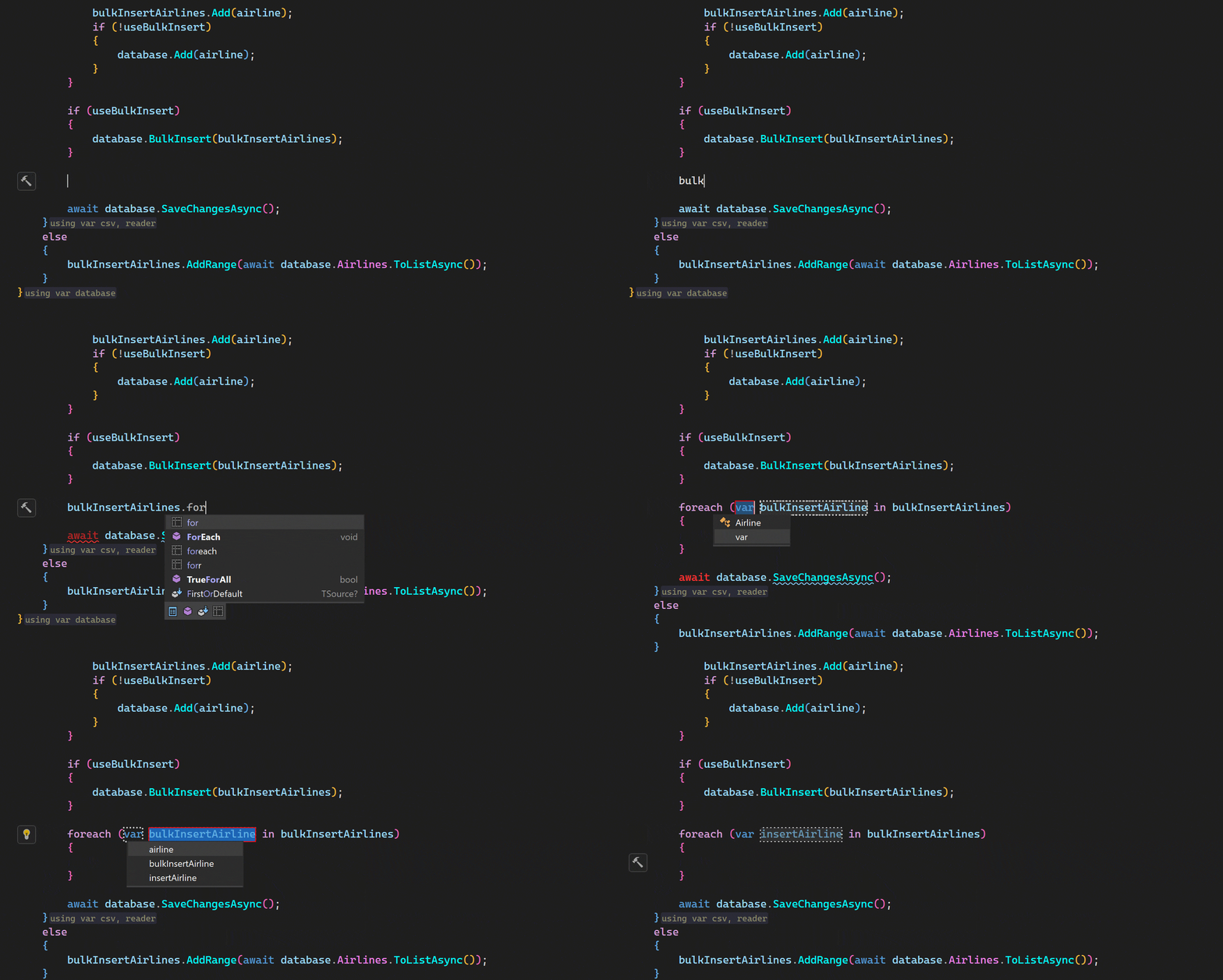
Code
Experience the simplicity of crafting new code with our context-aware completion tools, typing assists, and powerful code generation features. These include live templates, type members generation, and auto-importing namespaces. Minimize your keystrokes using our multiline AI code completion or request AI assistance to seamlessly implement new classes or methods, saving you valuable time and effort.

Maintain
ReSharper is your essential partner in maintaining a high-quality codebase. From running and debugging unit tests to offering advanced debugging tools and a predictive debugger, we’ve got all your needs covered. Our adaptable formatting engine supports diverse coding styles, ensuring your code remains clean and consistent. Utilize AI to detect potential issues or automatically generate unit tests, making code maintenance more efficient and less labor-intensive.
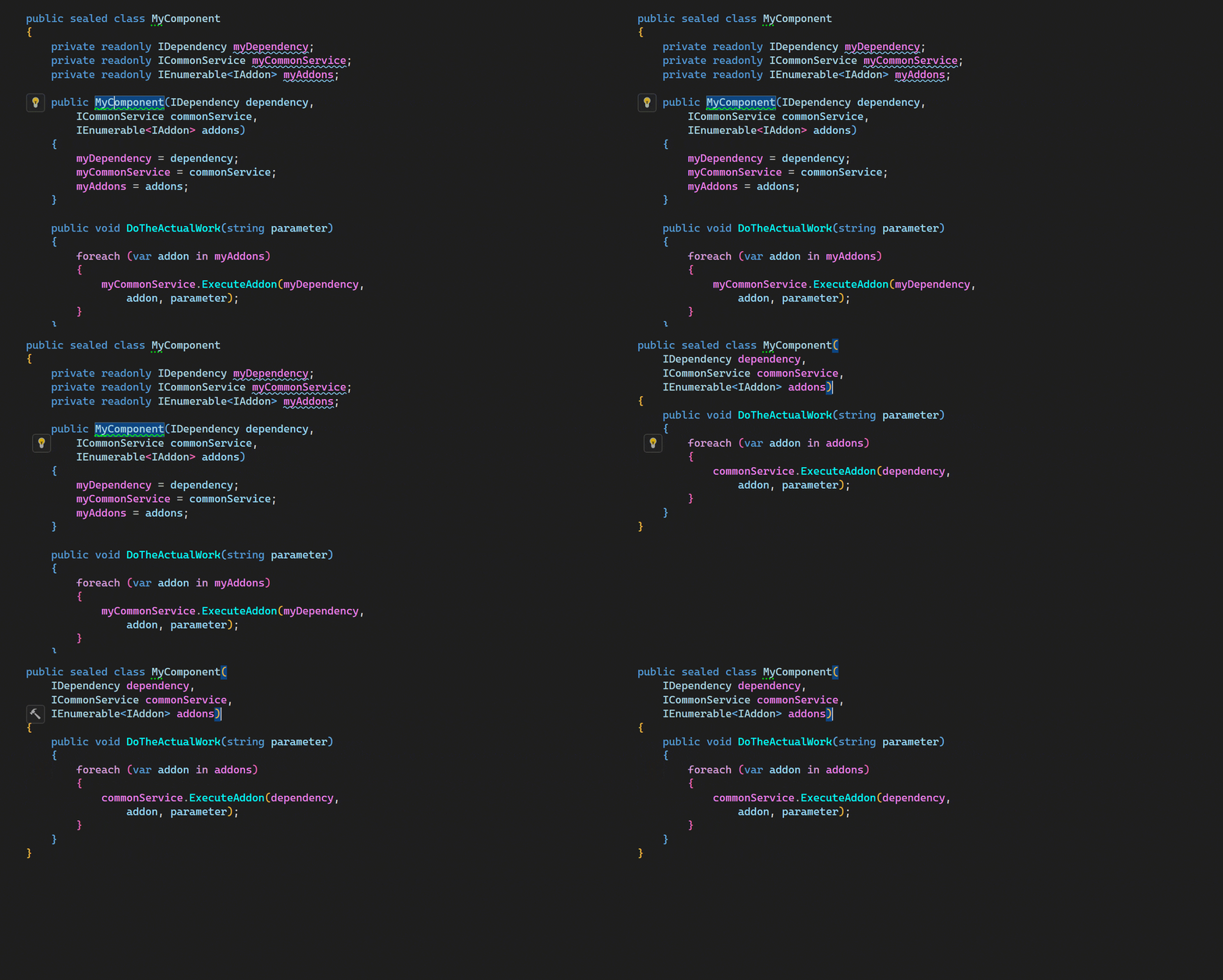
Learn
Elevate your coding skills with ReSharper! Packed with numerous code inspections and quick-fixes, ReSharper introduces new C# language features that you can quickly get to grips with by applying them in real-world scenarios. It doesn’t stop there – you’ll discover best practices and learn the nuances that will allow you to optimize how you work with technologies like Entity Framework.

Observe
Enhance the oversight of your .NET solution’s quality with ReSharper’s solution-wide analysis, offering real-time monitoring of errors and warnings as you type. Use type and project dependency diagrams to gain a panoramic perspective and achieve a comprehensive understanding of your entire .NET solution or project.
Leverage AI
Unleash the full potential of AI with our smart AI Assistant. By leveraging context-aware AI chat, you can pose any programming-based queries or ask AI to explain or find issues in a particular piece of code directly from your text editor. This eliminates the need to manually copy code to the chat. Not only this, but you also have the capability to generate code for an unimplemented method, produce C# documentation comments, or receive multi-line code suggestions while you type. It’s no longer a hassle – your AI Assistant is here to streamline your coding experience!
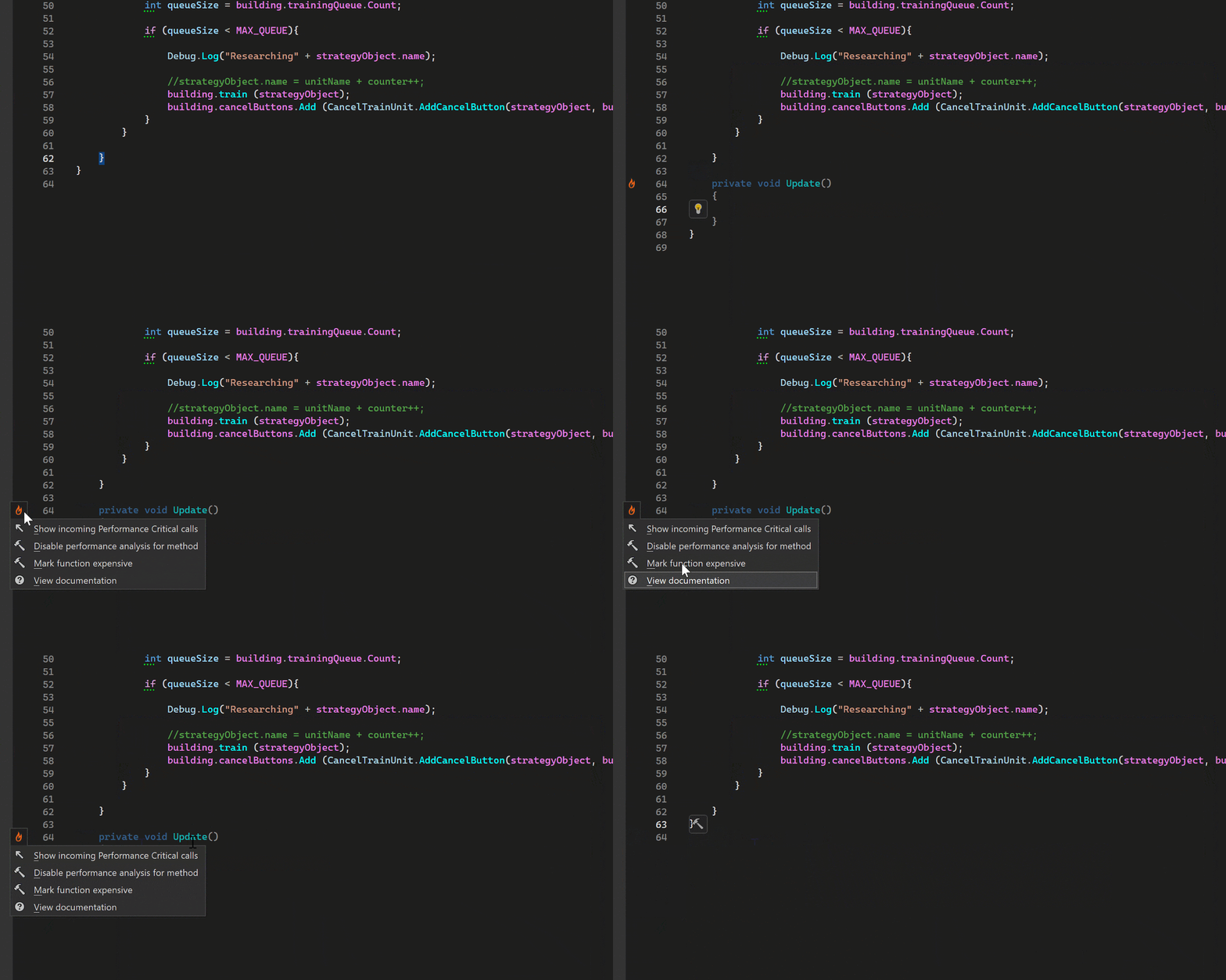
Develop games
Supercharge your Unity game development with ReSharper’s tailored support. Enjoy intelligent code completion for Unity event functions and APIs, tooltip summaries and links to Unity documentation, and detection and mitigation of common Unity pitfalls with specialized inspections and quick-fixes. Get smart support for ShaderLab files with syntax highlighting, code completion, and error detection. From auto-handling .meta files to implicit usage detection of fields and methods in Unity scenes, prefabs, and assets, ReSharper keeps your workflow smooth and effortless.
If you use Unreal Engine, we’ve got you covered as well! ReSharper C++ is your perfect game development companion in the UE world.
Trusted by market-leading companies






What our customers say

Peter Kellner
Consultant,
73rd Street Associates
“All I can say is I love it. If you don’t use ReSharper, drop what you are doing and go out and buy it!”

Jaco Pretorius
Technical Lead,
ThoughtWorks
“ReSharper is an awesome tool. If you’re using it you probably agree and if you aren’t you should be. The productivity gains are incredible.”

David Starr
Chief Software Architect,
Healthwise
“The ultimate Agile tool is ReSharper. Refactoring is just so darn easy that change isn’t scary.”

Joshua Kerievsky
Founder,
Industrial Logic
“I love ReSharper! Its code suggestions routinely help me write better C#/VB.NET code.”
What’s new in ReSharper
Evolved performance monitoring
ReSharper 2026.1 introduces the Monitoring tool window. This new dedicated tool window provides a clearer, more complete picture of runtime performance and offers automated issue detection to help you identify optimization opportunities.
Expansion to VS Code-compatible editors
ReSharper is now available for Visual Studio Code and compatible editors such as Cursor and Google Antigravity, bringing JetBrains’ C# tooling to your editor of choice.
Improved support for C# extensions
A new Consolidate extension members context action merges compatible extension declarations and classic extension methods into a single block. The Import extension member quick-fix has also been improved and now supports all kinds of extension members.
ReSharper brings 20 years of C# expertise to every line of code in Cursor, VS Code, and compatible editors. Now, with debugging!
Whether you need a second pair of eyes or guardrails for code generated by AI, ReSharper fits seamlessly into your workflow – all backed by enterprise-grade security, SOC 2 compliance, and the trust of leading companies worldwide.
Wide compatibility
ReSharper works seamlessly across VS Code and compatible editors, including Cursor and Google Antigravity. Code editors may change, but ReSharper’s always got your back.
Make AI-first workflows production-ready
Ensure your AI-generated code meets professional quality standards. ReSharper helps you review, refine, and ship AI-assisted code with confidence.
Powered by JetBrains expertise
Your code quality is backed by 26 years of developer tool innovation and over 20 years of perfecting .NET solutions. That's proven expertise teams worldwide depend on daily.
The Rider debugging engine, in your editor
Get .NET debugging powered by the same engine that has driven JetBrains Rider for years. No extra extensions, no separate setup – just install ReSharper and set a breakpoint.
More than "good enough"
Get an unbeatable set of inspections and refactorings for C#, Razor, Blazor, and XAML to help you keep your code clean, readable, and well-maintained with less effort.
Proven compliance and security
Your tools are as reliable as the company behind them. JetBrains maintains SOC 2 certification and adheres to industry-leading security standards.
Free for non-commercial use
Get a professional-grade C# development tool completely free for non-commercial use, studying, and hobby projects.
.NET Framework support
Whether your project targets .NET or .NET Framework, ReSharper supports it without compromise.
FAQ
This extension is included in the ReSharper subscription, and a free tier is available for personal, non-commercial use. Visit the Pricing page for more details.
We welcome your feedback, which you can share using this form.
If you need assistance, a great place to start is our web help documentation. If you don’t find what you’re looking for there, feel free to contact the ReSharper support team.
Unlock more development power
with dotUltimate
Work your own way, seamlessly switching between Rider and ReSharper at will, and get access to top-tier profilers and coverage tools only available to dotUltimate subscribers.
Accelerate your workflows with AI-powered capabilities integrated into ReSharper and Rider to speed up coding and make it more enjoyable.
Reduce procurement overhead and optimize costs with a single comprehensive license. Prepare your business for growth with dotUltimate, which is constantly evolving alongside your developers’ needs.
Powered by ReSharper
ReSharper is not only an extension for Microsoft Visual Studio – you can also enjoy the same ReSharper code smartness in other JetBrains products.
JetBrains Rider
A fast and truly cross-platform IDE for .NET and game development, with built-in ReSharper.
Free for non-commercial useReSharper for VS Code and compatible editors
The intelligence and advanced capabilities of ReSharper, tailored for Visual Studio Code and compatible editors.
Free for non-commercial useQodana for .NET
The only way we recommend you run ReSharper inspections on your CI server.
Subscribe to ReSharper product news
Follow us