Settings
Use settings to configure the Air app and your workspaces. You can adjust the UI theme, editor behavior, tools, AI features, connected providers, and account options.
Open settings
On macOS, open the application menu and select .
Press Ctrl+,.
How settings are organized
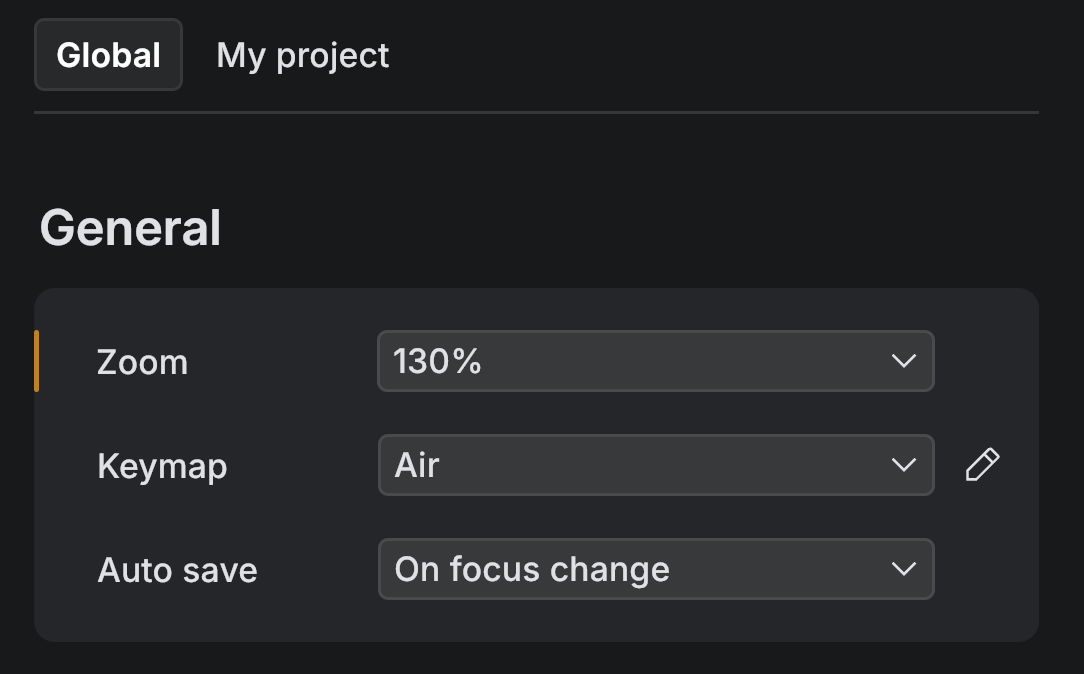
The Air app splits settings into two groups. In the Settings window, select the tab at the top to switch between them:
Global – settings that apply to all workspaces, such as the UI theme, editor behavior, and connected accounts. They are stored on your machine and follow you across projects.
The tab named after the current workspace – settings that apply only to the workspace you have open. Use them to keep configuration with the project, such as toolchains, run environments, MCP servers, and review rules.
Share workspace settings through version control
Some workspace settings make sense to share with your team, while others stay personal to your machine. The Air app stores the shareable ones in an .air directory in your project root. Because the directory lives inside the project, you can commit it to version control and share the same configuration with everyone who works on the project – the same way you share agent instruction files like CLAUDE.md.
The .air directory holds the workspace settings worth sharing:
File | What it configures |
|---|---|
| General workspace settings, such as excluded file paths, custom visual guide positions, and terminal profiles. |
| Environment variables and setup commands for the Git worktree run environment. See worktree.json. |
| Docker run environment configuration. See docker.json. |
| Project-level MCP server configuration. See MCP servers. |
| Review guidelines applied during agentic review. See Agentic review. |
| Commands that run before a cloud task session starts. See Configure environments. |
Workspace settings also include agent configuration that already lives in your project, such as CLAUDE.md, the .claude folder, AGENTS.md, skills, and commands. The Air app picks these up and shares them through version control the same way. See Project instructions.
General
Setting | Description |
|---|---|
Zoom | Controls UI scaling for the Air app window. |
Keymap | Selects a keyboard shortcut preset. |
Auto save | Controls when the Air app saves edited files. |
Enable Vim emulation | Enables Vim-style editing in the editor. This is an experimental version with limited functionality. |
Theme
Setting | Description |
|---|---|
Theme | Selects the base theme. |
Theme mode | Switches between light and dark appearance. |
Accent color | Selects the accent color used in the UI. |
Colorize background | Uses the accent color for stronger background contrast. |
Enable frosted glass background | Adds blur and transparency to the UI background. |
Set a custom palette | Opens the palette editor to create a custom accent palette. |
AI
AI Providers
Setting | Description |
|---|---|
Anthropic | Shows the connection state for Claude Agent and lets you sign out. |
OpenAI | Shows the connection state for OpenAI Codex and lets you sign out. |
Shows the connection state for Gemini CLI and lets you sign out. | |
JetBrains | Shows the connection state for JetBrains AI subscription access and lets you sign out. Also shows the credits you've used this month out of your limit – see Credits and usage. |
Chat
Setting | Description |
|---|---|
Send a prompt with | Sets the shortcut that sends a chat message. |
Show suggestions for a new task | Shows prompt suggestions when you start a new task. |
MCP Servers
Setting | Description |
|---|---|
Enable MCP support | Enables MCP integration for external tools. |
Launch workspace MCP servers | Starts MCP servers configured for the current workspace. |
Add global MCP server | Adds an MCP server configuration at the global level. |
Review
Setting | Description |
|---|---|
Agent review prompt | Edits instructions used when reviewing agent changes. |
Editor
Font
Setting | Description |
|---|---|
Font | Selects the editor font family. |
Font size | Sets the editor font size. |
Line height | Sets spacing between lines in the editor. |
Enable ligatures | Enables font ligatures in the editor. |
Appearance
Setting | Description |
|---|---|
Enable soft wraps | Wraps long lines in the editor. |
Show whitespace | Controls whether the editor shows spaces and tabs. |
Show indent guides | Shows indent guides in the editor. |
Show code interlines | Shows additional inline code information. |
Show inlay hints | Shows inline hints such as parameter names and inferred types. |
Show sticky lines | Keeps key lines visible at the top while you scroll. |
Always show vertical scrollbar | Always shows the vertical scrollbar. |
Always show horizontal scrollbar | Always shows the horizontal scrollbar. |
Show inspections status in the top-right corner | Shows an inspections status indicator in the editor. |
Line numbers | Controls whether the editor shows line numbers. |
Show visual guides | Shows the right margin guide. |
Visual guides position | Edits custom guide positions in |
Show problems and documentation tooltip on hover | Shows tooltips for problems and documentation on hover. |
Tooltip delay | Sets the delay before tooltips appear. |
Code
Setting | Description |
|---|---|
Indent style | Selects the indentation style for new code. |
Tab size | Sets tab width in spaces. |
Automatically detect indentation | Detects indentation style and size from file content. |
Auto-indent on code editing | Auto-indents as you type. |
Reformat code on save | Formats code when you save a file. |
Indent with tab size | Uses tab size when indenting. |
Remove trailing spaces on save | Removes trailing whitespace when you save files. |
Preselect symbol names while refactoring | Keeps symbol naming style when renaming. |
Honor CamelHumps and snake_case | Controls word boundaries for selection and navigation. |
Enable error highlighting | Highlight errors. |
Tabs
Setting | Description |
|---|---|
Show editor tabs | Shows tabs for open files. |
Tab limit | Limits the number of visible editor tabs. |
Enable preview tab | Uses a preview tab for quick file viewing. |
Caret
Setting | Description |
|---|---|
Enable caret blinking | Blinks the caret in the editor. |
Show quick fixes on caret click | Shows quick fixes when you click near an issue. |
Enable smooth caret animation | Animates caret movement. |
Caret shape | Sets the caret shape. |
New file
Setting | Description |
|---|---|
Create temporary file using New File action | Creates a temporary file by default when you create a file. |
Suggest file templates for new files | Suggests templates when you create new files. |
Tools
SSH
Setting | Description |
|---|---|
Enable SSH agent forwarding | Lets the workspace use your local SSH agent for Git operations without copying private keys into the environment. |
Files
Setting | Description |
|---|---|
Enable compact folders | Compacts single-child folders in the Files tool. |
Select open file in Files tool | Syncs the selected file in Files with the active editor tab. |
Open file on | Controls how files open from the Files tool. |
Expand folder on | Controls how folders expand in the Files tool. |
Exclude | Edits excluded paths in |
Git
Setting | Description |
|---|---|
Auto-fetch repositories | Fetches remote updates in the background. |
Auto-fetch interval | Controls how often the Air app fetches remote updates. |
Show changes in the gutter | Shows changed lines in the editor gutter. |
Show confirmation on push | Asks for confirmation before pushing. |
Show information on revert | Shows details when you revert changes. |
Terminal
Setting | Description |
|---|---|
Font | Selects the font used in the terminal. |
Font size | Sets the terminal font size. |
Line height | Sets spacing between lines in the terminal. |
Caret shape | Selects the caret shape in the terminal. |
Clear terminal on ⌘K | Clears the terminal output when you press ⌘K. |
Use ⌥ Option as Meta key | Lets the Option key act as the Meta key in the terminal. |
Focus editor on Esc | Moves focus to the editor when you press Esc. |
Copy to clipboard on selection | Copies selected text to the clipboard automatically. |
Terminal bell | Plays a terminal bell notification when supported by the shell. |
Launch terminal in new workspaces | Opens a terminal session automatically when you open a new workspace. |
Enable integration with the system shell | Enables system shell integration for terminal commands. |
Add JDK to JAVA_HOME and PATH | Adds the configured JDK to JAVA_HOME and PATH in terminal sessions. |
Add 'node_modules/.bin' to PATH | Adds the local Node.js binaries folder to PATH in terminal sessions. |
Activate Python virtual environment | Activates a Python virtual environment automatically when one is detected. |
Default profile | Selects the default shell profile used for new terminal sessions. |
Terminal profiles | Opens |
Docker
Setting | Description |
|---|---|
Docker executable | Specifies the path to the Docker executable used by the Air app. |
Application
Appearance
Setting | Description |
|---|---|
Enable UI animations | Enables UI motion effects. |
Show key combinations when using shortcuts | Shows a popup with the shortcut you just used. |
Status bar
Setting | Description |
|---|---|
Show language, encoding, and current line | Shows language, encoding, and caret position in the status bar. |
Show navigation breadcrumbs | Shows breadcrumbs for navigation in the editor. |
Window
Setting | Description |
|---|---|
Warn before quitting | Requires you to hold ⌘Q or press it twice to quit the Air app. |
Region
Setting | Description |
|---|---|
Region | Selects the region used for processing and related defaults. |
Data sharing
Setting | Description |
|---|---|
Send usage statistics | Sends anonymous usage data to JetBrains to help improve the Air app. This data does not include source code, file names, or other sensitive information. Data handling follows the JetBrains Privacy Policy. |